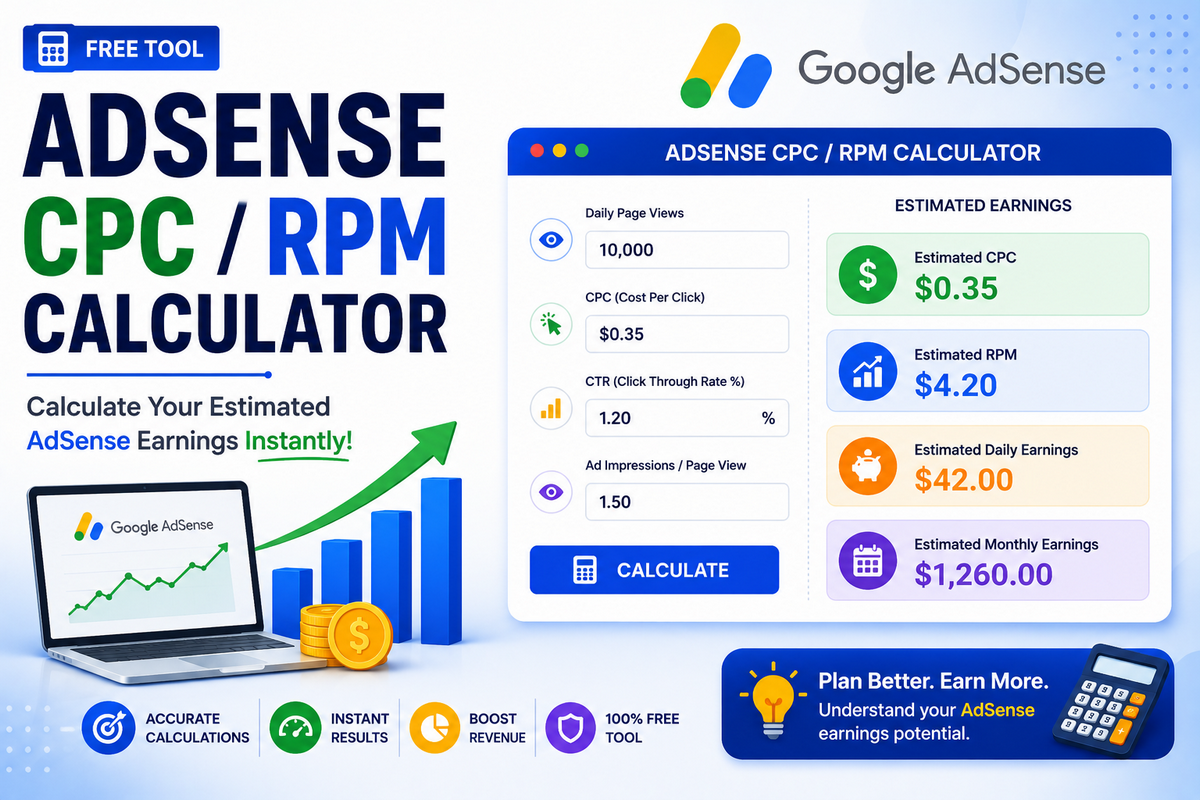
AdSense Earnings Calculator
An AdSense earnings calculator is a practical tool that helps publishers estimate how much they can earn from display ads before or after monetizing their websites. It uses inputs such as pageviews, RPM, CTR, and CPC to approximate daily, monthly, and yearly income from Google AdSense. By testing different scenarios, bloggers can set realistic revenue goals and choose better niches, placements, and content strategies.
How the AdSense Earnings Calculator Works
Most AdSense calculators follow the same logic: you enter your traffic data and monetization metrics, and the tool returns projected earnings for different periods. At a minimum, you provide average daily or monthly pageviews.
Advanced versions allow you to add CTR, CPC, and niche-specific RPM. The calculator then applies the standard page RPM formula, page RPM=(estimated earnings/page views)×1000, to show how much you could earn per thousand impressions.
Key Inputs: Pageviews, RPM, CTR, and CPC
Pageviews represent how many times your pages are loaded with ads and form the traffic base for every estimate. RPM, or revenue per thousand impressions, expresses how much you earn for every 1,000 pageviews across your site.
CTR indicates the percentage of visitors that click ads, while CPC shows how much you earn per click. When combined, CTR and CPC help you calculate earnings more precisely than using RPM alone, especially in niches where click value is highly variable.
Simple RPM Mode vs Advanced CTR + CPC Mode
A simple RPM-based calculator is ideal when you know your average RPM but do not want to dive into click data. You only enter pageviews and RPM, and the tool estimates total earnings using the RPM formula.
Advanced calculators add CTR and CPC, letting you simulate how changes in ad placement, traffic quality, or bidding affect income. For example, a small CTR increase or a higher CPC in a premium niche can significantly boost daily and monthly payouts.
Benefits of Using an AdSense Earnings Calculator
For bloggers and niche site builders, an AdSense Earnings Calculator is valuable both before launching a project and while optimizing an existing site.
It helps you understand the earning potential of your niche, plan content volume to hit target income levels, and compare monetization options with affiliate marketing or sponsorships.
Regularly revisiting your calculator estimates alongside actual AdSense reports reveals gaps and optimization opportunities, such as improving SEO, increasing pageviews, or focusing on high-value topics.
Practical Example of an AdSense Earnings Estimate
Suppose your blog receives 50,000 pageviews per month and an RPM of ₹150. Using the calculator, your estimated monthly earnings become 50,000×150/1,000, or ₹7,500.
If you increase RPM to ₹200 by targeting better keywords or optimizing ad layout, projected monthly income jumps to ₹10,000. Running multiple scenarios with different traffic volumes and RPM values gives you a clear roadmap for scaling towards your ideal income target.
How to Use the BloggingDen AdSense Earnings Calculator
To use an AdSense earnings calculator effectively, start by entering daily or monthly pageviews pulled from tools like Google Analytics or Search Console.
Then select your preferred calculation mode: RPM only for quick estimates, or CTR + CPC for detailed projections. Choose realistic values based on your current AdSense data rather than random guesses.
Finally, review the daily, monthly, and yearly results, and experiment with RPM, CTR, and CPC changes to identify the most impactful optimizations for your blog.
Optimization Tips to Improve AdSense Earning
AdSense earnings depend not only on pageviews but also on how well your content and layouts convert impressions into clicks and revenue.
Focus on high-quality, search-optimized content to increase organic traffic, and use responsive ad units placed within or near engaging sections.
Test different ad formats, sizes, and placements to maximize CTR without harming user experience. Over time, stronger SEO, better audience targeting, and refined ad layouts will raise RPM, improving the calculator’s projected income and your actual revenue.
Limitations of AdSense Earnings Calculators
Even the most accurate AdSense calculator can only provide estimates, not guaranteed income figures. Real-world earnings fluctuate based on advertiser budgets, seasonality, auction dynamics, and user behavior.
RPM, CTR, and CPC are moving targets, changing as your niche evolves and campaigns in your region become more or less competitive.
Treat calculator outputs as planning tools and cross-check them with actual AdSense performance reports rather than relying on them as fixed income promises.
FAQs about AdSense Earnings Calculator
What is an AdSense Earnings Calculator?
An AdSense earnings calculator is a web tool that estimates how much you could earn from Google AdSense based on pageviews and monetization metrics. It uses formulas involving RPM, CTR, and CPC to project daily, monthly, and yearly income so you can plan your blogging strategy and set realistic revenue goals.
How accurate are AdSense earnings calculators?
AdSense calculators provide educated estimates, not exact figures. They assume that your RPM, CTR, and CPC stay stable, which rarely happens in real traffic. Advertiser bids, seasonality, and audience changes affect real earnings. Use these tools as planning guides and always compare their results with the actual data in your AdSense dashboard before making financial decisions.
What inputs do I need for the calculator?
Most calculators need at least your daily or monthly pageviews. For better precision, you add your average RPM or your CTR and CPC values from AdSense reports. The more accurate your inputs, the closer the estimates will be to reality. If you do not know the metrics, start with niche benchmarks and refine them as you gather real performance data.
Can the calculator help me choose a niche?
Yes, an AdSense earnings calculator is useful when comparing niches before investing in content. By plugging different RPM, CTR, and CPC values typical for each niche, you can estimate potential income for the same traffic level. This reveals which topics offer stronger earning potential and guides you towards niches where monetization is more rewarding and sustainable long-term.
Does the calculator include affiliate or other income?
AdSense calculators focus only on display ad revenue and do not include affiliate sales, sponsored posts, or product income. When planning your overall blogging business, treat calculator results as just one income stream. You can complement AdSense with affiliate programs and your own offers, then track total earnings separately using analytics and spreadsheets.