
Search engines like Google and Bing remain the primary way most people find websites, products, and helpful information online.
If you’re just starting out with search engine optimization for beginners, getting comfortable with the basics of search engine optimization is crucial for bringing steady, free traffic to your blog, business site, or content pages.
This practical search engine optimization starter guide walks you through simple search engine optimization methods that actually work in 2026.
You’ll learn on-page SEO basics, technical SEO for beginners, essential off-page SEO tactics, and local SEO essentials.
Whether someone Googles “how to learn search engine optimization” or “beginners guide to search engine optimization,” this guide gives you clear, actionable steps to follow.
Here’s how it works: search engine crawlers—Googlebot and Bingbot—constantly scan billions of web pages, checking content quality, link structure, and website crawlability before adding them to huge databases called indexes.
When people search “search engine optimization for beginners,” search engine algorithms then sort through these indexes, prioritizing pages based on relevance and quality, mobile-first indexing, Core Web Vitals performance, and E-E-A-T signals like real experience, clear expertise, authority, and trustworthiness.
Unlike paid ads through SEM, true SEO earns those top spots in search engine results pages (SERPs) with smart planning and steady effort.
I’ve broken down these basic SEO concepts into straightforward steps, so search engine optimization beginners like you can begin ranking pages right away—starting with easy keyword research tools for beginners and on-page optimization for beginners.
Ready to create your own SEO strategy for beginners? Let’s explore how search engines work and walk through the search engine optimization step-by-step approach that brings real results over time.
How to Learn Search Engine Optimization
If you are wondering how to learn search engine optimization effectively in 2026, the good news is that you don’t need a degree or expensive software to start. You can master the basics in a few weeks with the right roadmap.
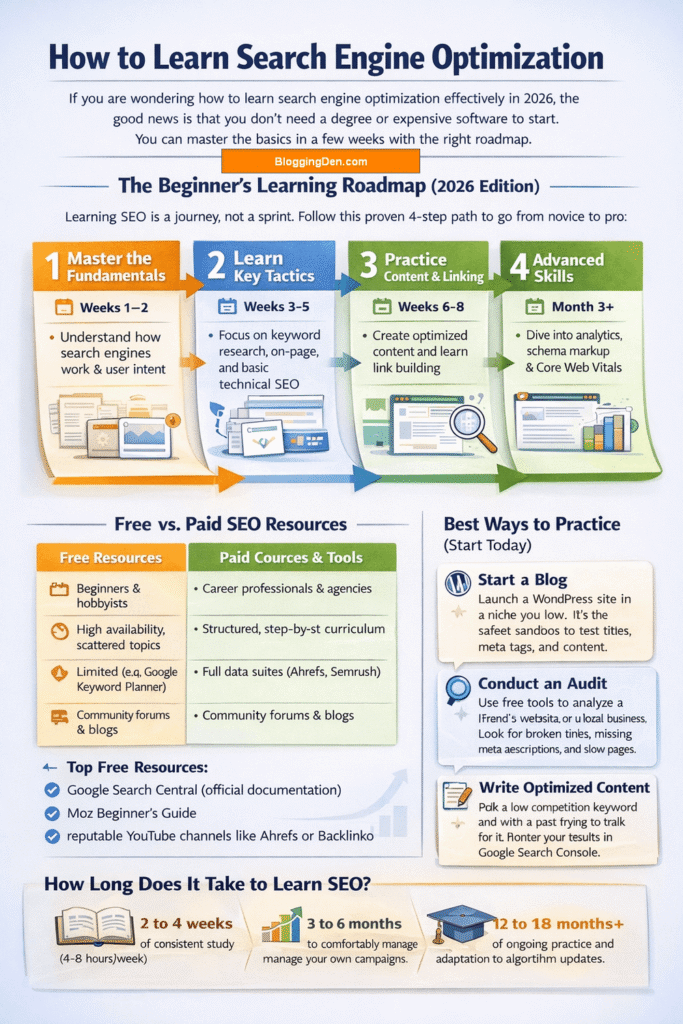
The Beginner’s Learning Roadmap (2026 Edition)
Learning SEO is a journey, not a sprint. Follow this proven 4-step path to go from novice to pro:
- Master the Fundamentals (Weeks 1-2): Understand how search engines work (crawling, indexing, ranking) and user intent.
- Learn Key Tactics (Weeks 3-5): Focus on keyword research, on-page optimization, and basic technical SEO.
- Practice Content & Linking (Weeks 6-8): Create optimized content and learn the basics of link building and off-page SEO.
- Advanced Skills (Month 3+): Dive into data analytics, schema markup, and Core Web Vitals optimization.
Free vs. Paid SEO Resources
You can learn everything about SEO for free, but paid courses often provide structure and deeper insights.
| Feature | Free Resources | Paid Courses & Tools |
|---|---|---|
| Best For | Beginners & hobbyists | Career professionals & agencies |
| Content Depth | High availability, scattered topics | Structured, step-by-step curriculum |
| Access to Tools | Limited (e.g., Google Keyword Planner) | Full data suites (Ahrefs, Semrush) |
| Support | Community forums & blogs | Mentor feedback & certification |
- Top Free Resources: Google Search Central (official documentation), Moz Beginner’s Guide, and reputable YouTube channels like Ahrefs or Backlinko.
- Top Paid Options: Dedicated academies, advanced tool subscriptions, and mentorship programs.
How Long Does It Take to Learn SEO?
- The Basics: 2 to 4 weeks of consistent study (4-8 hours/week).
- Competence: 3 to 6 months to comfortably manage your own campaigns.
- Mastery: 12 to 18 months+ of ongoing practice and adaptation to algorithm updates.
Pro Tip: SEO is never “finished.” Google updates its algorithm thousands of times per year, so continuous learning is required.
Best Ways to Practice (Start Today)
Reading alone won’t make you an expert. You must practice to truly learn:
- Start a Blog: Launch a WordPress site in a niche you love. It’s the safest sandbox to test titles, meta tags, and content.
- Conduct an Audit: Use free tools to analyze a friend’s website or a local business. Look for broken links, missing meta descriptions, and slow pages.
- Write Optimized Content: Pick a low-competition keyword and write a post trying to rank for it. Monitor your results in Google Search Console.
Are SEO Certifications Worth It?
Yes, especially if you want to prove your knowledge to clients or employers. In 2026, the most respected certifications include:
- HubSpot SEO Certification (Free): Excellent for content strategy and on-page basics.
- Semrush Academy (Free): Covers technical SEO and tool-specific mastery.
- Moz SEO Essentials (Paid): Highly respected for its comprehensive, fundamental approach.
- Google Analytics Certification (Free): Essential for measuring your SEO success.
By following this roadmap and consistently applying what you learn, you will stop asking “how to learn search engine optimization” and start teaching it to oth
Search Engine Optimization for Beginners Guide 2026
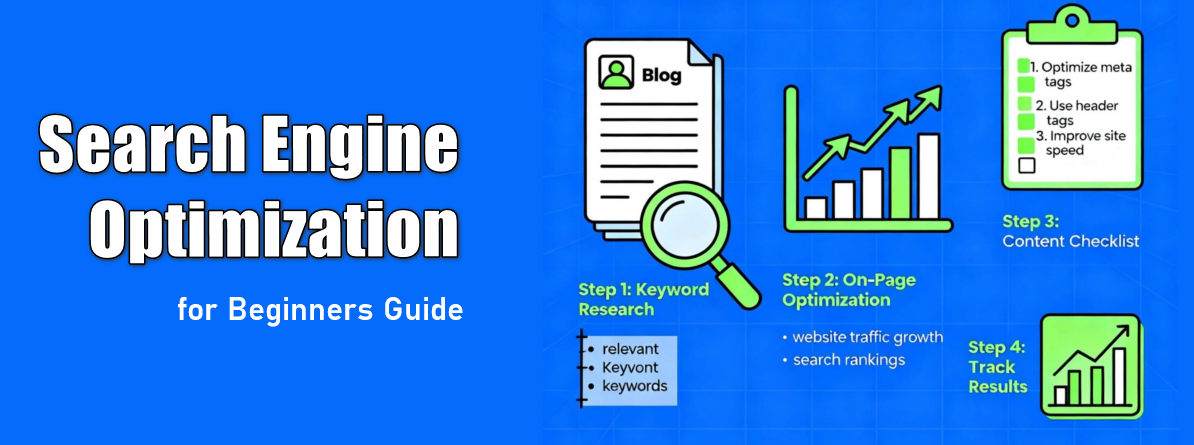
Search engine optimization (SEO) is the process of improving your website so it appears higher in search results for the right keywords. For beginners, the goal is simple: make it easy for search engines to understand your content and easy for users to get value from it.
When you learn a few basic SEO concepts—how search works, how to choose keywords, and how to optimize your pages—you can start getting consistent, free traffic from Google and other search engines.
Importance of SEO for Beginners
- SEO helps rank websites higher in search engine results, making it easier for users to discover your content.
- Effective SEO ensures that your website pages meet user intent and provide relevant content for your audience.
- A strong SEO foundation supports all digital marketing efforts, from content creation to local SEO, technical optimization, and off-page strategies.
- Beginners who learn SEO gain skills to analyze search traffic. They optimize on-page elements and track ranking factors. This helps them build a successful SEO strategy over time.
What You Will Learn in This Guide
In this Search Engine Optimization for Beginners guide to SEO, you will learn:
- How search engines work and how they rank relevant pages.
- The essentials of keyword research, on-page SEO, off-page SEO, and technical SEO.
- How to create website content that aligns with user intent and improves organic search results.
- Practical strategies for local SEO and using SEO tools to monitor and enhance performance.
- How to avoid common SEO mistakes and leverage emerging trends, including AI in SEO, for SEO success.
By following this guide, SEO beginners can develop the skills to optimize website pages. They can attract more search traffic. This helps build a strong foundation for ongoing SEO success.
How Search Engines Work?
Search engines like Google follow three main steps to deliver results: crawling, indexing, and ranking. Crawlers (such as Googlebot) discover pages by following links and reading your site’s code; this is called crawling.
Next, important pages are stored in a huge database called the index, where Google analyzes content, keywords, and quality. Finally, when someone searches, ranking algorithms decide which indexed pages to show first based on relevance, authority, and user experience.
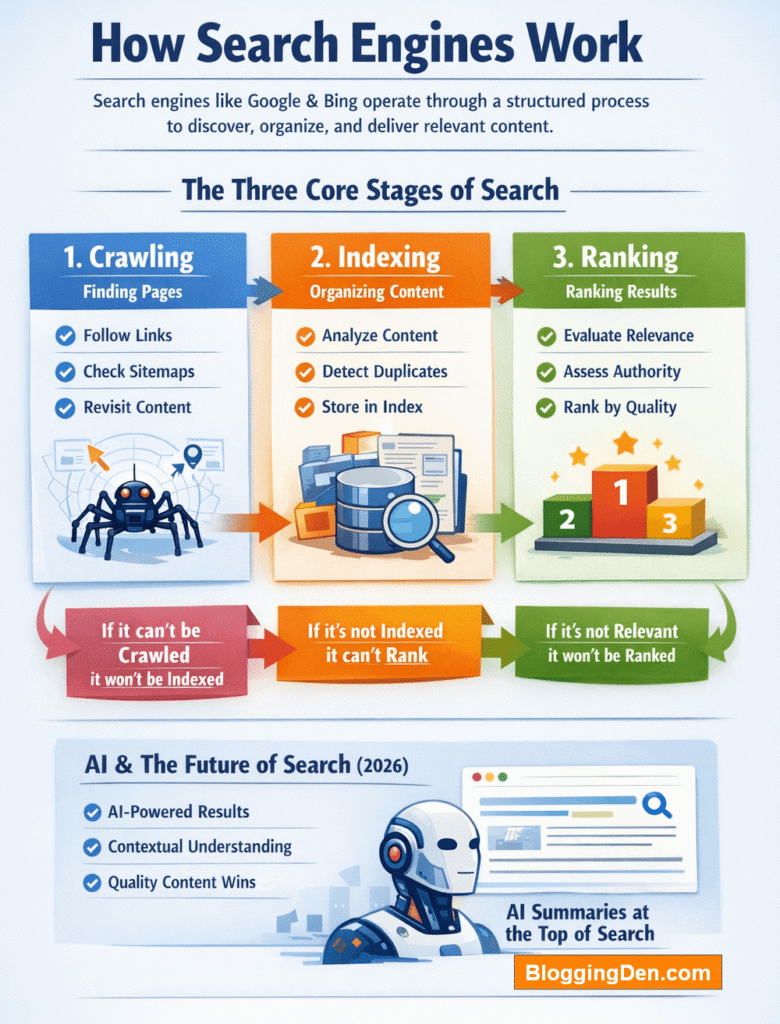
The Three Core Stages of Search
Search engines follow a systematic process to deliver results in milliseconds. Understanding these stages helps you identify optimization opportunities at each level.
1. Crawling: How Search Engines Discover Pages
Crawling is the discovery phase where automated programs called crawlers, spiders, or bots systematically explore the web to find new and updated pages. Google uses Googlebot, while Microsoft Bing uses Bingbot to perform this task.
How crawlers discover pages:
- Following links: Crawlers navigate from one page to another by following internal links within your site and external backlinks from other websites.
- XML sitemaps: Website owners submit sitemaps to search engines, providing a structured list of URLs they want crawled.
- Previously known URLs: Search engines revisit pages they’ve already crawled to check for content updates.
Crawl Budget: For large websites, search engines allocate a specific crawl budget—the number of pages they’re willing to crawl within a given timeframe. To optimize your crawl budget:
- Remove duplicate pages
- Fix broken links and 404 errors
- Improve site speed
- Use a strong internal linking structure
Common crawling issues:
- Blocked access via robots.txt
- Server errors (HTTP 500 errors)
- Slow page load times
- Poor internal linking
During crawling, Google renders your page using a recent version of Chrome to execute JavaScript and see content the way users do. This is crucial for modern websites that rely on JavaScript frameworks.>
2. Indexing: How Search Engines Organize Content
Indexing is the stage where search engines analyze crawled pages and store them in a massive database called the index. Think of the index as a digital library where only approved, organized content is stored.
What happens during indexing:
- Content analysis: Search engines process textual content, images, videos, heading tags (H1, H2), and meta tags.
- Keyword extraction: The system identifies which words and phrases appear on the page and analyzes their placement.
- Quality evaluation: Automated systems assess originality, depth, clarity, and user value.
- Duplicate detection: Google groups similar pages together (clustering) and selects one “canonical” version to represent the content.
Index selection process:
Not every crawled page gets indexed. Google employs a filtration process called index selection. Pages with thin content, duplicate information, or low-quality material may be excluded from the index entirely.
Common indexing issues:
- Low-quality or thin content
- “Noindex” meta tags blocking indexing
- Duplicate content without proper canonicalization
- JavaScript rendering problems
3. Ranking: How Search Engines Decide What Appears First
Ranking is the final stage where search engines order indexed pages based on relevance, quality, and authority for a specific query. When someone searches, Google’s algorithms instantly evaluate hundreds of ranking signals to determine which results appear at the top.
Key ranking factors in 2026:
- Relevance: How well does the page match the search query and user intent?
- Authority: Trust signals like backlinks from reputable websites and consistent expertise (E-E-A-T).
- Content quality: Depth, originality, clarity, and usefulness of information.
- User signals: Click-through rates (CTR) and engagement patterns.
- Page experience: Mobile-friendliness, page speed, Core Web Vitals, and HTTPS security.
Understanding search intent:
Modern search engines analyze search intent—the underlying goal behind a user’s query. There are four main types:
- Informational: Users want to learn (e.g., “how does SEO work”)
- Navigational: Users want a specific website (e.g., “Facebook login”)
- Transactional: Users are ready to buy (e.g., “buy running shoes”)
- Commercial: Users compare options (e.g., “best SEO tools 2026”)
Aligning your content with the correct intent type is the single most effective way to improve rankings.
How AI Has Transformed Search in 2026
Artificial intelligence has fundamentally changed how search engines understand language and evaluate content. Instead of relying solely on keyword matching, modern systems use machine learning models like RankBrain and BERT to comprehend meaning and context.
AI Overviews: In 2026, Google increasingly displays AI-generated summaries at the top of search results, synthesizing information from multiple sources. To be featured here, content must be structured clearly, answer questions directly, and provide unique value.
This means that SEO in 2026 requires clarity, comprehensive topic coverage, and natural language rather than old-school keyword stuffing. Search en
What is Search Intent?
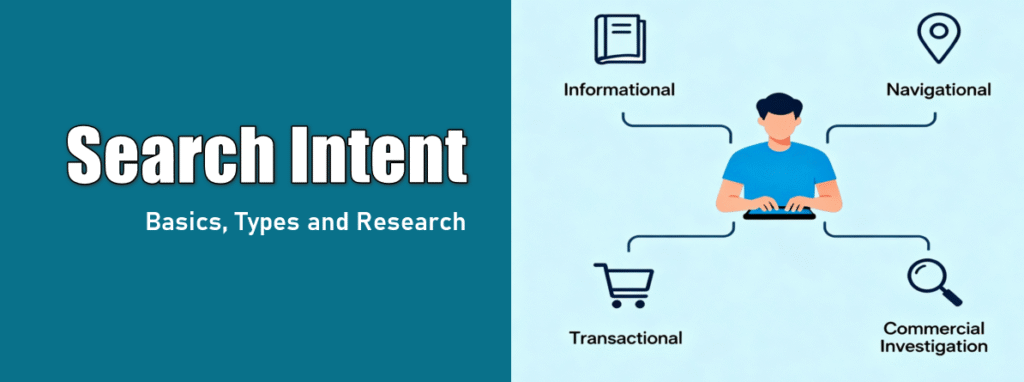
Search intent is the reason behind a user’s query—what they really want to achieve when they type a keyword. Understanding intent helps you create content that actually answers the searcher’s needs, not just matches the words they type.
User engagement metrics are increasingly recognized as important ranking factors. Enhancing user engagement is key to achieving better SEO outcomes.
Common intent types are informational (learn something), navigational (go to a specific site), transactional (buy something), and commercial investigation (compare options). Matching your content to the right intent is one of the fastest ways to rank and keep visitors on your page.
Types of Search Intent
- Informational Intent
- Users want to learn something or find answers.
- Example: “What is SEO?”
- For this intent, creating detailed guides, tutorials, or blog posts helps satisfy their need for knowledge.
- Navigational Intent
- Users are looking for a specific website, page, or brand.
- Example: “Google Search Console login.”
- Ensuring your website pages are optimized with clear on-page SEO elements is important. Proper URL structure also helps users reach the right page quickly.
- Transactional Intent
- Users are ready to take action, such as buying, signing up, or subscribing.
- Example: “Best SEO tools subscription.”
- For this intent, optimizing meta descriptions, title tags, and call-to-action content ensures your page converts visitors into customers or leads.
- Commercial Intent
- Commercial intent means users are searching to buy or compare products and services.
- These searches are valuable for marketers because they indicate a strong interest in making a purchase.
- Content for commercial intent should focus on in-depth reviews, comparisons, and clear calls to action.
- An example of a commercial intent search is: “best wireless headphones for gym 2026”.
Why Search Intent Matters
Understanding search intent is crucial for creating good SEO and achieving SEO success:
- Content that matches user intent encourages longer visits and higher engagement.
- It reduces bounce rates and signals to search engines that your content is valuable.
- Pages aligned with search intent are more likely to rank websites higher in search engine results pages (SERPs).
Keyword Research Basics
Keyword research is how you discover the phrases people type into search engines so you can create content around them. Start by listing topics related to your niche, then use keyword research tools for beginners like Google Keyword Planner or free tiers of Ahrefs/Semrush to find ideas.
Focus on long‑tail keywords (3+ words) with clear intent and moderate difficulty, such as “search engine optimization for beginners” instead of just “SEO”. For beginners, targeting lower‑competition keywords makes it much easier to see results and learn how to learn search engine optimization in practice.
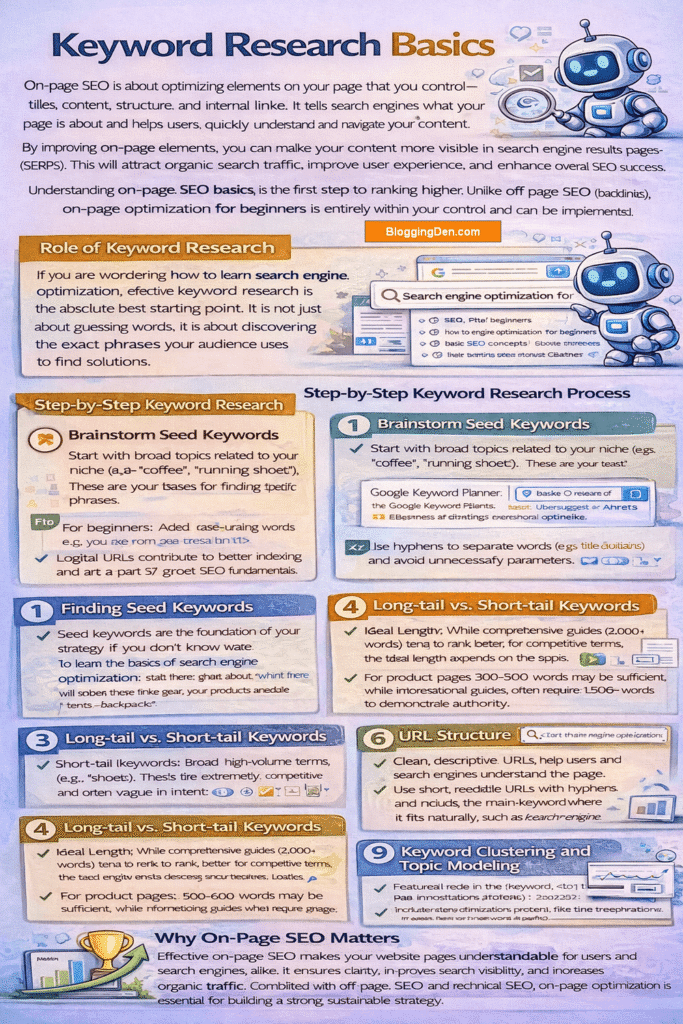
Role of Keyword Research
If you are wondering how to learn search engine optimization, effective keyword research is the absolute best starting point. It is not just about guessing words; it is about discovering the exact phrases your audience uses to find solutions.
Step-by-Step Keyword Research Process
- Brainstorm Seed Keywords: Start with broad topics related to your niche (e.g., “coffee,” “running shoes”). These are your bases for finding specific phrases.
- Use Tools: Plug seeds into beginner keyword research tools like Google Keyword Planner, Ubersuggest, or Ahrefs’ free tools to generate hundreds of ideas.
- Analyze Metrics: Filter results based on search volume and difficulty to find accessible targets.
- Check Intent: Google the keyword yourself. If the results are all products, don’t write a blog post. Ensure the intent matches your content type.
Understanding Search Volume and Difficulty
- Search Volume: The estimated number of monthly searches. While high volume looks appealing, it usually brings intense competition.
- Keyword Difficulty (KD): A metric (0-100) estimating how hard it is to rank. Beginners should target low KD scores (under 30) to see results faster.
Finding Seed Keywords
Seed keywords are the foundation of your strategy. If you don’t know where to learn the basics of search engine optimization, start here: think about what you sell or do. If you sell hiking gear, your products are “hiking boots,” “tents,” and “backpacks.” These aren’t your final targets, but the inputs for your tools.
Long-tail vs. Short-tail Keywords
- Short-tail (Head terms): Broad, high-volume terms (e.g., “shoes”). These are extremely competitive and often vague in intent.
- Long-tail keywords: Specific phrases with 3+ words (e.g., “best waterproof running shoes for flat feet”). They have lower search volume but much higher conversion rates and are significantly easier to rank for.
Analyzing Keyword Competition
Before writing, analyze who is already ranking. If the top 10 results are giants like Wikipedia, Amazon, or government sites, the competition is likely too high. Look for “weak spots” in the results—such as forum threads (Reddit, Quora) or low-authority blogs ranking on page 1—which indicate an opportunity for you to do better.
Keyword Clustering and Topic Modeling
Modern SEO isn’t about one keyword per page. Use keyword clustering to group related terms (e.g., “SEO tips,” “SEO advice,” “SEO basics”) and cover them all in a single, comprehensive guide. This approach, known as topic modeling, helps you rank for hundreds of keyword variations with just one piece of content.
By understanding the way search engines interpret search intent, you can create content that meets user needs. It also improves your SEO strategy. This approach builds authority and drives measurable SEO success over time.
On‑Page SEO Basics
On‑page SEO is about optimizing elements on your page that you control—titles, content, structure, and internal links. It tells search engines what your page is about and helps users quickly understand and navigate your content.
By improving on-page elements, you can make your content more visible in search engine results pages (SERPs). This will attract organic search traffic, improve user experience, and enhance overall SEO success.
Understanding on-page seo basics is the first step to ranking higher. Unlike off-page SEO (backlinks), on-page optimization for beginners is entirely within your control and can be implemented immediately.
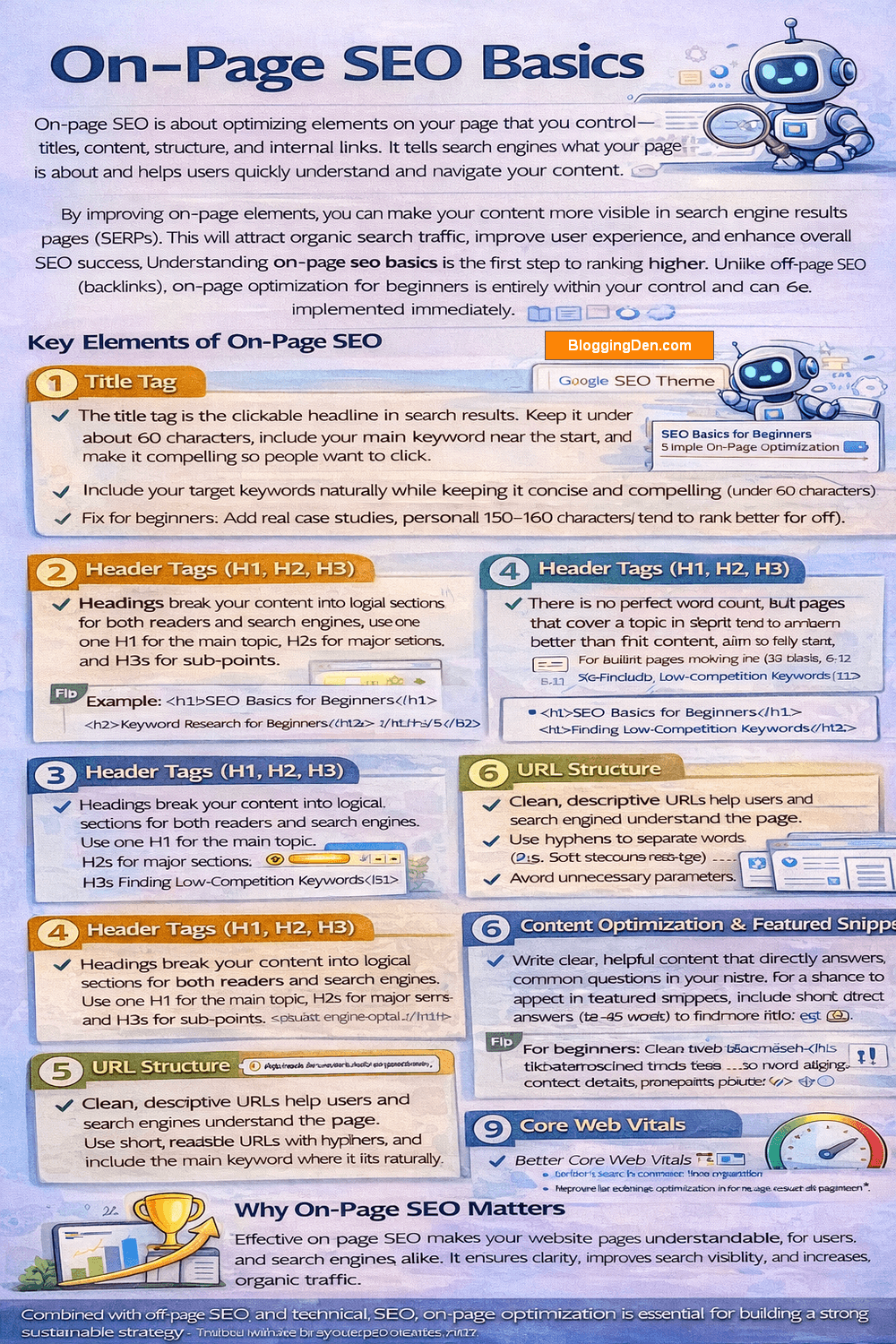
Key Elements of On-Page SEO
1. Title Tag
The title tag is the clickable headline in search results. Keep it under about 60 characters, include your main keyword near the start, and make it compelling so people want to click.
- Include your target keywords naturally while keeping it concise and compelling (under 60 characters).
- A well-optimized title tag signals to search engines and users what the page is about, improving click-through rates.
2. Meta Description
A meta description is a short summary (around 150–160 characters) that appears under your title in search results and acts like a mini ad for your page. A good description includes your main keyword, clearly states the benefit of reading the page, and uses a simple call to action such as “Learn more” or “Discover how”.
Why it matters:
- It can increase click-through rate (CTR), sometimes even outperforming higher-ranked pages.
- It quickly tells users whether your page answers their query.
- Higher CTR sends positive relevance signals to search engines, helping SEO indirectly.
How to write a good meta description:
- Keep it short and clear (aim for 150–160 characters so it doesn’t get cut off).>
- Include your target keyword naturally so users and search engines can see the relevance.
- Make it reader-friendly and benefit-focused (what will they learn or gain?).
- Add a simple call to action like “Learn more,” “Discover tips,” or “Find out how.”
Example: “Discover simple blogging tips for beginners. Grow your blog, improve SEO, and attract more readers in 2026. Start blogging smarter today.”
3. Header Tags (H1, H2, H3)
Headings break your content into logical sections for both readers and search engines. Use one H1 for the main topic, H2s for major sections, and H3s for sub‑points, making sure key phrases appear naturally in relevant headings.
- Use H1 for the main page title (only one per page).
- Use H2 for main sections and H3 for subsections.
- Proper headings make it easier for search engines to understand page content and relevance for specific target keywords.
4. Content Length and Depth
There is no perfect word count, but pages that cover a topic in depth tend to perform better than thin content. Aim to fully answer the main question on the page, support it with examples, and avoid fluff.
- Ideal Length: While comprehensive guides (2,000+ words) tend to rank better for competitive terms, the ideal length depends on the topic.
- Depth: Don’t just write more words; cover the topic fully. Google rewards content that answers a user’s query so well that they don’t need to click “back” to find more info.
- For product pages, 500-800 words may be sufficient, while informational guides often require 1,500+ words to demonstrate authority.
5. URL Structure
Clean, descriptive URLs help users and search engines understand the page. Use short, readable URLs with hyphens and include the main keyword where it fits naturally, such as /search-engine-optimization-for-beginners/
- Use hyphens to separate words (e.g.,
your-site.com/seo-tips) and avoid unnecessary parameters. - Logical URLs contribute to better indexing and are a part of good SEO fundamentals.
- Canonicalization helps prevent duplicate content issues by specifying the “master” version of a page.
6. Content Optimization & Featured Snippets
Write clear, helpful content that directly answers common questions in your niche. For a chance to appear in featured snippets, include short, direct answers (40–60 words), lists, or tables under descriptive headings like “What is SEO?” or “Steps to do keyword research”.
- Featured Snippets Optimization: To rank in “Position Zero” (the answer box at the top of results), answer questions directly. Use clear 40-60 word definitions under headers like “What is X?” or use bullet points for “How to” steps.
- Include relevant keywords naturally, but avoid keyword stuffing.
- High-quality content improves engagement, search traffic, and helps rank websites higher.
7. Internal Links & Navigation
Internal links connect related pages on your site, helping visitors discover more content and helping Google understand your site structure. Link from high‑traffic posts to important guides, and make sure your main navigation is simple and logical.
- Linking to other pages spreads authority (PageRank), improves indexing, and enhances your SEO strategy.
- A well-organized navigation structure makes it easier for visitors to find information.
- To make this easier, you can use an internal linking plugin for SEO, like Link Whisper, that scans your posts and suggests relevant internal links.
8. Media Optimization
Use images and other media to support your content, but optimize them: compress file sizes, use descriptive filenames, and add alt text that briefly explains the image. This improves load speed, accessibility, and helps search engines understand your visuals.
- Optimized media improves accessibility, enhances user experience, and ensures search engines understand your visuals.
- Reduce file sizes using next-gen formats (WebP) to keep pages fast.
9. Core Web Vitals
Core Web Vitals are Google’s user‑experience metrics for loading speed, interactivity, and visual stability. Faster, more stable pages (especially on mobile) tend to rank and convert better, so aim for quick load times and layouts that don’t jump around.
- Core Web Vitals are Google’s user-experience metrics that look at loading speed, interactivity, and visual stability.
- Aim for a fast-loading page (main content within about 2.5 seconds) and a layout that doesn’t jump around as it loads.
- Better Core Web Vitals can improve both rankings and user satisfaction, especially on mobile
10. E-E-A-T Signals
E‑E‑A‑T stands for Experience, Expertise, Authoritativeness, and Trust. Show these by sharing real‑world experience, adding author bios, keeping your site secure (HTTPS), and being transparent with contact and business information.
- E‑E‑A‑T stands for Experience, Expertise, Authoritativeness, and Trust, and describes how trustworthy your content and brand appear to Google.
- Show real experience (case studies, personal use), clear expertise (bio, credentials), and strong trust signals (HTTPS, contact details, transparent policies).
- These signals help Google feel confident ranking your content for important beginner SEO queries
Why On-Page SEO Matters
Effective on-page SEO makes your website pages understandable for users and search engines alike. It ensures clarity, improves search visibility, and increases organic traffic.
Combined with off-page SEO and technical SEO, on-page optimization is essential for building a strong, sustainable strategy. You can find more details on my On-Page SEO checklist 2026.
Off‑Page SEO Basics
Off‑page SEO is everything you do outside your website to build authority and trust—mainly earning mentions and backlinks from other sites. Search engines treat quality backlinks as votes of confidence that your content is worth ranking.
- Creating genuinely useful content that people naturally want to link to and share.
- Guest posting on relevant blogs and collaborating with others in your niche.
- Building local citations and reviews if you run a local business.
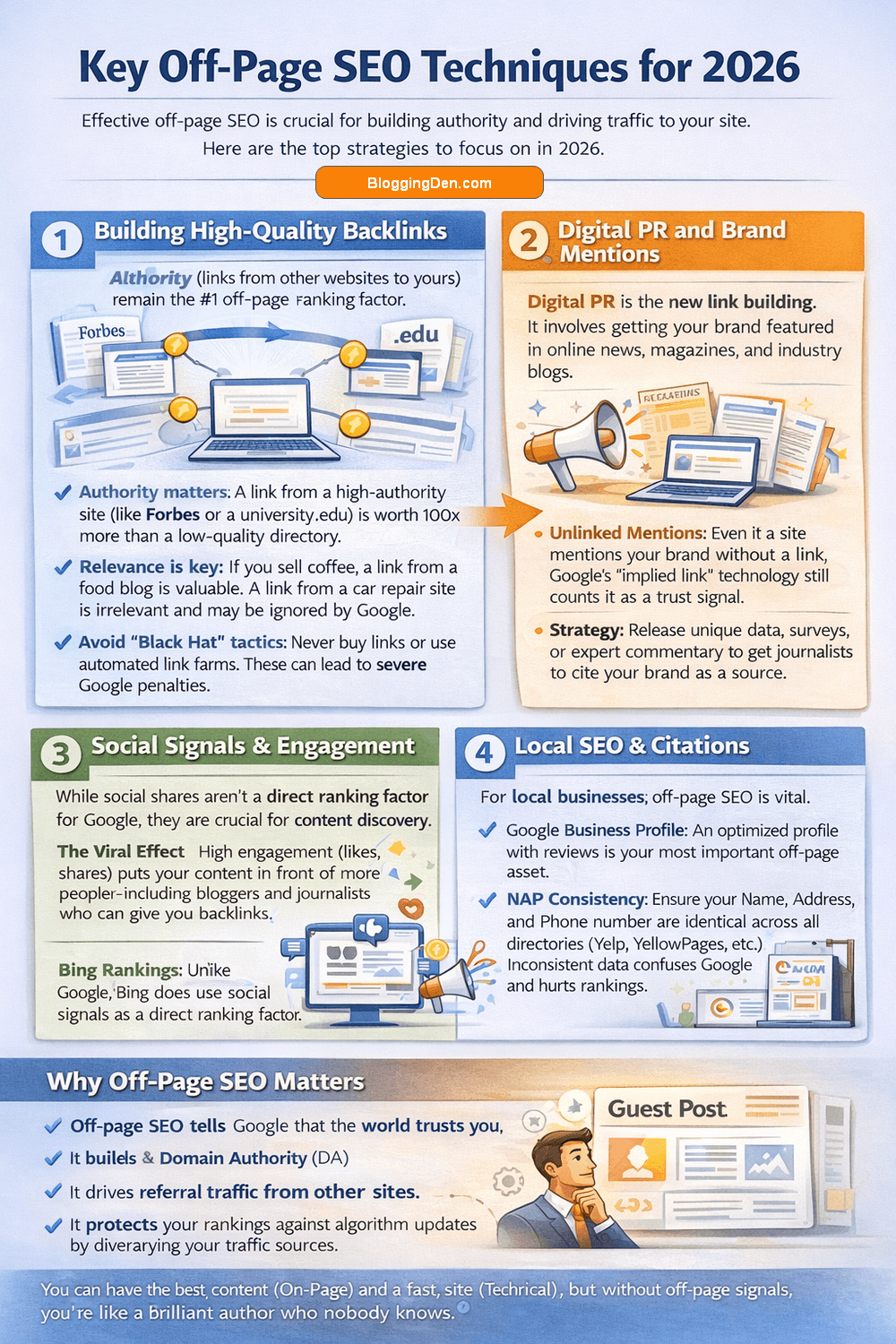
Key Off-Page SEO Techniques for 2026
1. Building High-Quality Backlinks
Backlinks (links from other websites to yours) remain the #1 off-page ranking factor. However, quality matters far more than quantity.
- Authority matters: A link from a high-authority site (like Forbes or a university
.edu) is worth 100x more than a link from a low-quality directory. - Relevance is key: If you sell coffee, a link from a food blog is valuable. A link from a car repair site is irrelevant and may be ignored by Google.
- Avoid “Black Hat” tactics: Never buy links or use automated link farms. These can lead to severe Google penalties.
2. Digital PR and Brand Mentions
In 2026, Digital PR is the new link building. It involves getting your brand featured in online news, magazines, and industry blogs.
- Unlinked Mentions: Even if a site mentions your brand without a link, Google’s “implied link” technology still counts it as a trust signal.
- Strategy: Release unique data, surveys, or expert commentary to get journalists to cite your brand as a source.
3. Social Signals & Engagement
While social shares aren’t a direct ranking factor for Google, they are crucial for content discovery.
- The Viral Effect: High engagement (likes, shares) puts your content in front of more people—including bloggers and journalists who can give you backlinks.
- Bing Rankings: Unlike Google, Bing does use social signals as a direct ranking factor.
4. Local SEO & Citations
For local businesses, off-page SEO is vital.
- Google Business Profile: An optimized profile with reviews is your most important off-page asset.
- NAP Consistency: Ensure your Name, Address, and Phone number are identical across all directories (Yelp, YellowPages, etc.). Inconsistent data confuses Google and hurts rankings.
5. Guest Blogging (Done Right)
Writing for other reputable sites in your niche is a classic strategy to earn links and reach new audiences.
- The 2026 Approach: Don’t guest post just for a link. Write high-quality, helpful content that demonstrates your Experience and Expertise (E-E-A-T) to build your personal brand as an authority.
Why Off-Page SEO Matters
Off-page SEO tells Google that the world trusts you. You can have the best content (On-Page) and a fast site (Technical), but without off-page signals, you’re like a brilliant author who nobody knows.
- It builds Domain Authority (DA).
- It drives referral traffic from other sites.
- It protects your rankings against algorithm updates by diversifying your traffic sources.
Technical SEO Basics
While on-page SEO focuses on content, technical SEO ensures that search engines can find, crawl, and understand that content without issues. Think of it as the plumbing of your website—if it’s clogged, nothing flows.
Understanding technical SEO for beginners is critical because even the best content won’t rank if Google can’t access it.
Technical SEO makes sure your site is easy for search engines to crawl and index. At a basic level, beginners should:
- Ensure the site is mobile‑friendly and loads quickly
- Have a valid XML sitemap and sensible robots.txt file so Google can find important pages.
- Use HTTPS/SSL for security and trust.
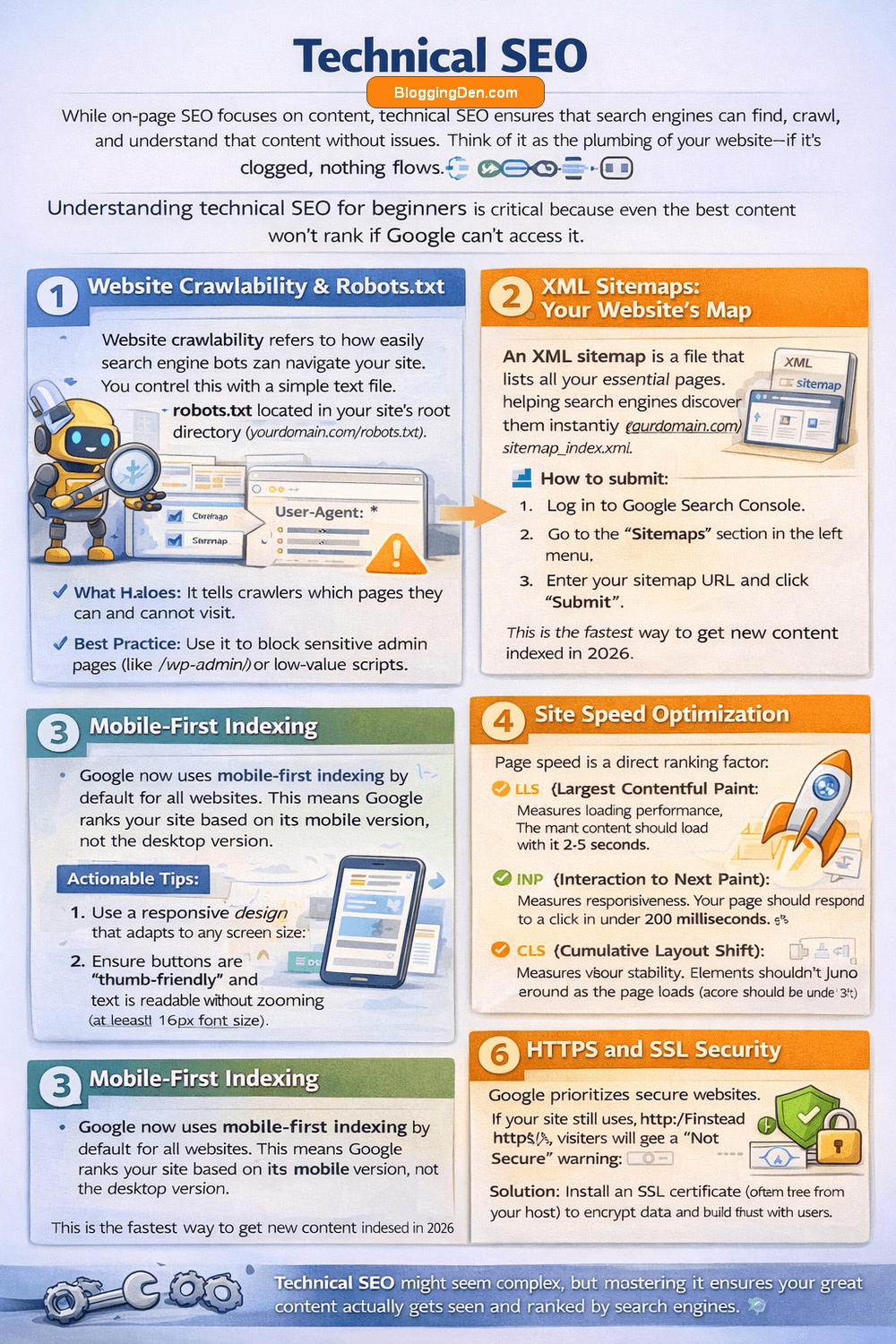
1. Website Crawlability & Robots.txt
Website crawlability refers to how easily search engine bots can navigate your site. You control this with a simple text file called robots.txt located in your site’s root directory (yourdomain.com/robots.txt).
- What it does: It tells crawlers which pages they can and cannot visit.
- Best Practice: Use it to block sensitive admin pages (like
/wp-admin/) or low-value scripts. - Warning: Be careful! A small typo here can block Google from your entire site. Always test your file using Google’s Robots Testing Tool.
2. XML Sitemaps: Your Website’s Map
An XML sitemap is a file that lists all your essential pages, helping search engines discover them instantly.
- How to create one: If you use WordPress, plugins like Rank Math or Yoast generate this automatically at
yourdomain.com/sitemap_index.xml. - How to submit:
- Log in to Google Search Console.
- Go to the “Sitemaps” section in the left menu.
- Enter your sitemap URL and click “Submit”.
- This is the fastest way to get new content indexed in 2026.
3. Mobile-First Indexing
Google now uses mobile-first indexing by default for all websites. This means Google ranks your site based on its mobile version, not the desktop version.
- Actionable Tips:
- Use a responsive design that adapts to any screen size.
- Ensure buttons are “thumb-friendly” and text is readable without zooming (at least 16px font size).
- Never hide critical content on mobile that is visible on desktop.
4. Site Speed Optimization
Page speed is a direct ranking factor. Slow sites frustrate users and waste crawl budget.
- Optimize Images: Compress all images using tools like TinyPNG or serve them in Next-Gen formats (WebP).
- Use Caching: Enable browser caching and server-side caching (e.g., WP Rocket or W3 Total Cache).
- Use a CDN: A Content Delivery Network (like Cloudflare) serves your site from servers closest to the user, drastically reducing load time.
- Target: Aim for a load time under 2.5 seconds.
5. Core Web Vitals Explained
In 2026, user experience metrics called Core Web Vitals are essential for ranking. You can check these in your Google Search Console “Experience” report.
- LCP (Largest Contentful Paint): Measures loading performance. The main content should load within 2.5 seconds.
- INP (Interaction to Next Paint): Measures responsiveness. Your page should respond to a click in under 200 milliseconds.
- CLS (Cumulative Layout Shift): Measures visual stability. Elements shouldn’t jump around as the page loads (score should be under 0.1).
6. HTTPS and SSL Security
Google prioritizes secure websites. If your site still uses http:// instead of https://, visitors will see a “Not Secure” warning.
- Solution: Install an SSL certificate (often free from your host) to encrypt data and build trust with users and search engines.
7. Schema Markup Basics
Schema markup (structured data) is code that helps search engines understand your content better and display Rich Snippets (like star ratings, prices, or FAQs) in search results.
- For Beginners: You don’t need to code. Use a plugin like Rank Math or Google’s Structured Data Markup Helper to add schema for Articles, Products, or Reviews.
- Benefit: Rich snippets increase your Click-Through Rate (CTR), bringing more traffic even without higher rankings.
Local SEO for Local Businesses
For local businesses, local SEO helps you appear when people nearby search for your products or services. It focuses on improving your visibility in Google Search and Google Maps so you reach customers who are ready to visit, call, or buy.
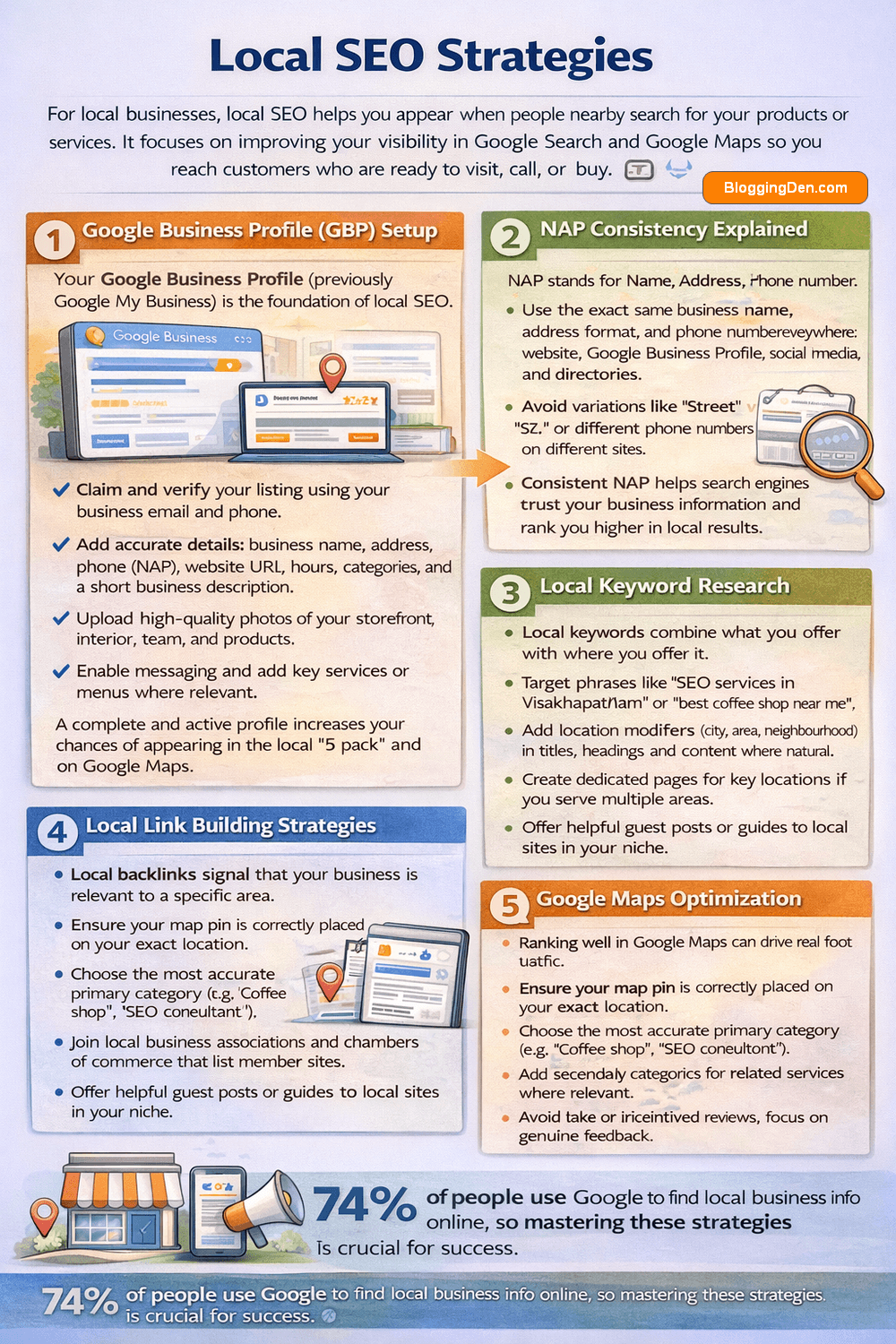
Google Business Profile (GBP) Setup
Your Google Business Profile (previously Google My Business) is the foundation of local SEO.
- Claim and verify your listing using your business email and phone.
- Add accurate details: business name, address, phone (NAP), website URL, hours, categories, and a short business description.
- Upload high-quality photos of your storefront, interior, team, and products.
- Enable messaging and add key services or menus where relevant.
A complete and active profile increases your chances of appearing in the local “3‑pack” and on Google Maps.
NAP Consistency Explained
NAP stands for Name, Address, Phone number.
- Use the exact same business name, address format, and phone number everywhere: website, Google Business Profile, social media, and directories.
- Avoid variations like “Street” vs “St.” or different phone numbers on different sites.
- Consistent NAP helps search engines trust your business information and rank you higher in local results.
Local Keyword Research
Local keywords combine what you offer with where you offer it.
- Target phrases like “SEO services in Visakhapatnam” or “best coffee shop near me”.
- Add location modifiers (city, area, neighbourhood) in titles, headings, and content where natural.
- Create dedicated pages for key locations if you serve multiple areas (e.g., “SEO Services in Hyderabad”, “SEO Services in Bangalore”).
Local Link Building Strategies
Local backlinks signal that your business is relevant to a specific area.
- Partner with local bloggers, news sites, and community portals for features or interviews.
- Sponsor local events, meetups, or charities and request a link from their websites.
- Join local business associations and chambers of commerce that list member sites.
- Offer helpful guest posts or guides to local sites in your niche.
Even a few high-quality local links can significantly boost your local rankings.
Google Maps Optimization
Ranking well in Google Maps can drive real foot traffic.
- Ensure your map pin is correctly placed on your exact location.
- Choose the most accurate primary category (e.g., “Coffee shop”, “SEO consultant”).
- Add secondary categories for related services where relevant.
- Use location and service keywords naturally in your business description and posts.
Encourage customers to use the “Directions” and “Call” buttons from your profile, which can send strong engagement signals.
Customer Review Management
Reviews are one of the strongest local ranking and trust signals.
- Ask happy customers to leave a Google review after a positive experience (email, WhatsApp, or in‑store prompts).
- Reply to every review—positive or negative—with a polite, professional response.
- Use reviews to highlight your main services and locations naturally in your replies.
- Avoid fake or incentivized reviews; focus on genuine feedback.
A steady flow of honest reviews improves visibility, builds trust, and can dramatically increase conversions.
Why Local SEO Matters
Local SEO puts your business in front of people who are actively looking for what you offer, in your exact area. By optimizing your Google Business Profile, keeping NAP consistent, targeting local keywords, earning local links, and managing reviews, you can outrank bigger brands in your neighbourhood and turn local searches into real customers.
Creating an SEO Strategy
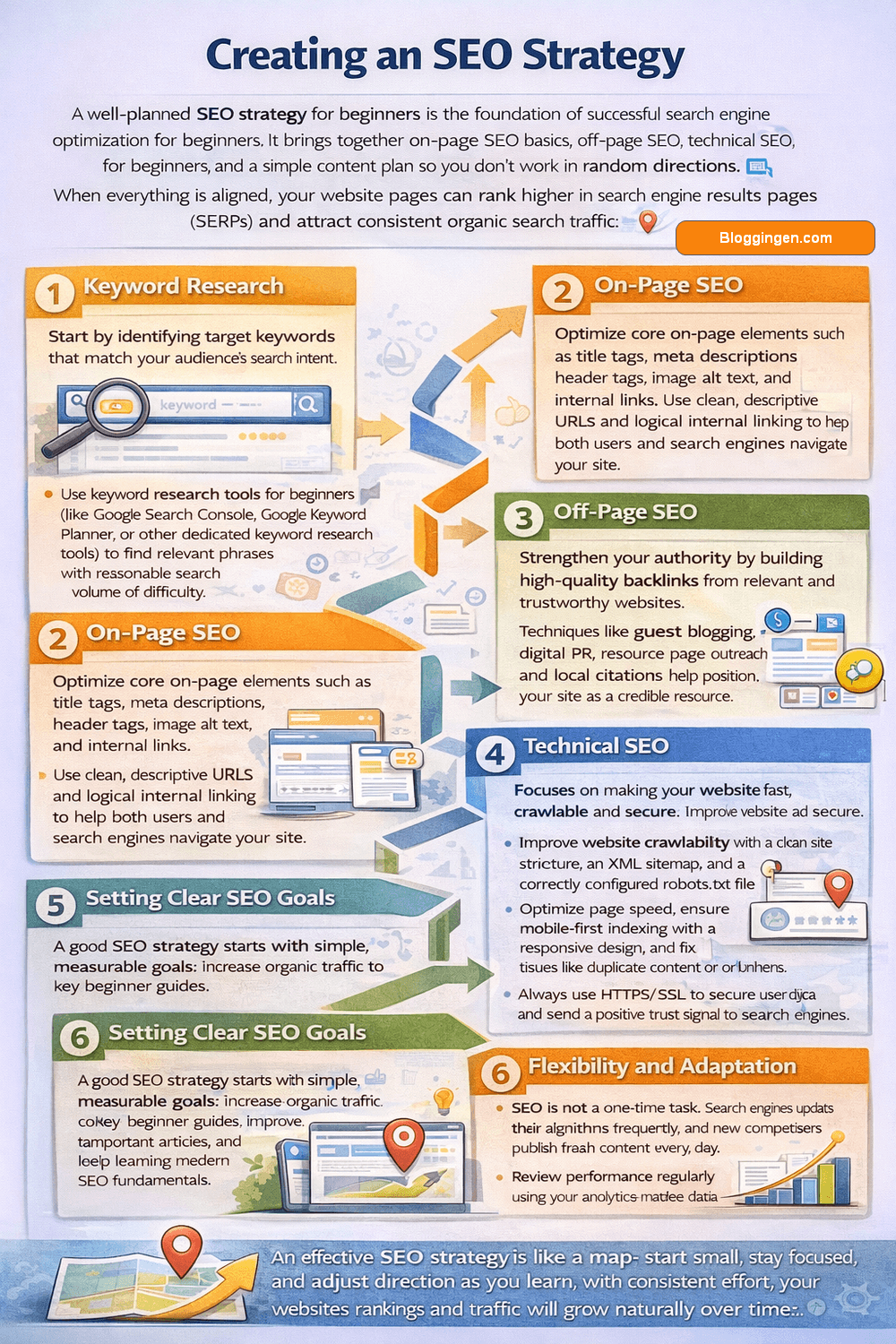
A well‑planned SEO strategy for beginners is the foundation of successful search engine optimization for beginners. It brings together on‑page SEO basics, off‑page SEO, technical SEO for beginners, and a simple content plan so you don’t work in random directions. When everything is aligned, your website pages can rank higher in search engine results pages (SERPs) and attract consistent organic search traffic.
Key Elements of a Strong SEO Strategy
1. Keyword Research
Start by identifying target keywords that match your audience’s search intent, such as “search engine optimization for beginners”, “how to learn search engine optimization”, and “basic SEO concepts”.
Use keyword research tools for beginners (like Google Search Console, Google Keyword Planner, or other dedicated keyword research tools) to find relevant phrases with reasonable search volume and difficulty.
Focus on long‑tail keywords and beginner‑friendly topics so your website content clearly answers what users are searching for.
2. On‑Page SEO
Optimize core on‑page optimization for beginner elements such as title tags, meta descriptions, header tags, image alt text, and internal links.
Make sure your content is easy to read, well structured, and includes your primary and secondary keywords naturally (for example: “search engine optimization starter guide”, “basics of search engine optimization”, “simple search engine optimization”).
Use clean, descriptive URLs and logical internal linking to help both users and search engine crawlers navigate your site.
3. Off‑Page SEO
Strengthen your authority with off‑page SEO by building high‑quality backlinks from relevant and trustworthy websites.
Techniques like guest blogging, digital PR, resource page outreach, and local citations help position your site as a credible resource for search engine optimization beginners.
The more trustworthy your site appears across the web, the easier it becomes to rank for competitive phrases like “beginners guide to search engine optimization”.
4. Technical SEO
Technical SEO for beginners focuses on making your website fast, crawlable, and secure. Improve website crawlability with a clean site structure, an XML sitemap, and a correctly configured robots.txt file.
Optimize page speed, ensure mobile‑first indexing with a responsive design, and fix issues like duplicate content or broken links.
Always use HTTPS/SSL to secure user data and send a positive trust signal to search engines.
5. Setting Clear SEO Goals
A good SEO strategy starts with simple, measurable goals: increase organic traffic to key beginner guides, improve rankings for target phrases like “search engine optimization for beginners” and “how to learn search engine optimization”, and appear in local results if you serve a specific area.
Track changes in impressions, clicks, and rankings over time, then adjust your keyword targeting and on‑page SEO basics accordingly.
6. Flexibility and Adaptation
SEO is not a one‑time task. Search engines update their algorithms frequently, and new competitors publish fresh content every day.
Review performance regularly using your analytics and search data, refine your keyword list, update important articles, and keep learning modern SEO fundamentals.
A flexible strategy that evolves with user behavior and industry trends will keep your SEO journey moving in the right direction.
Role of AI in SEO
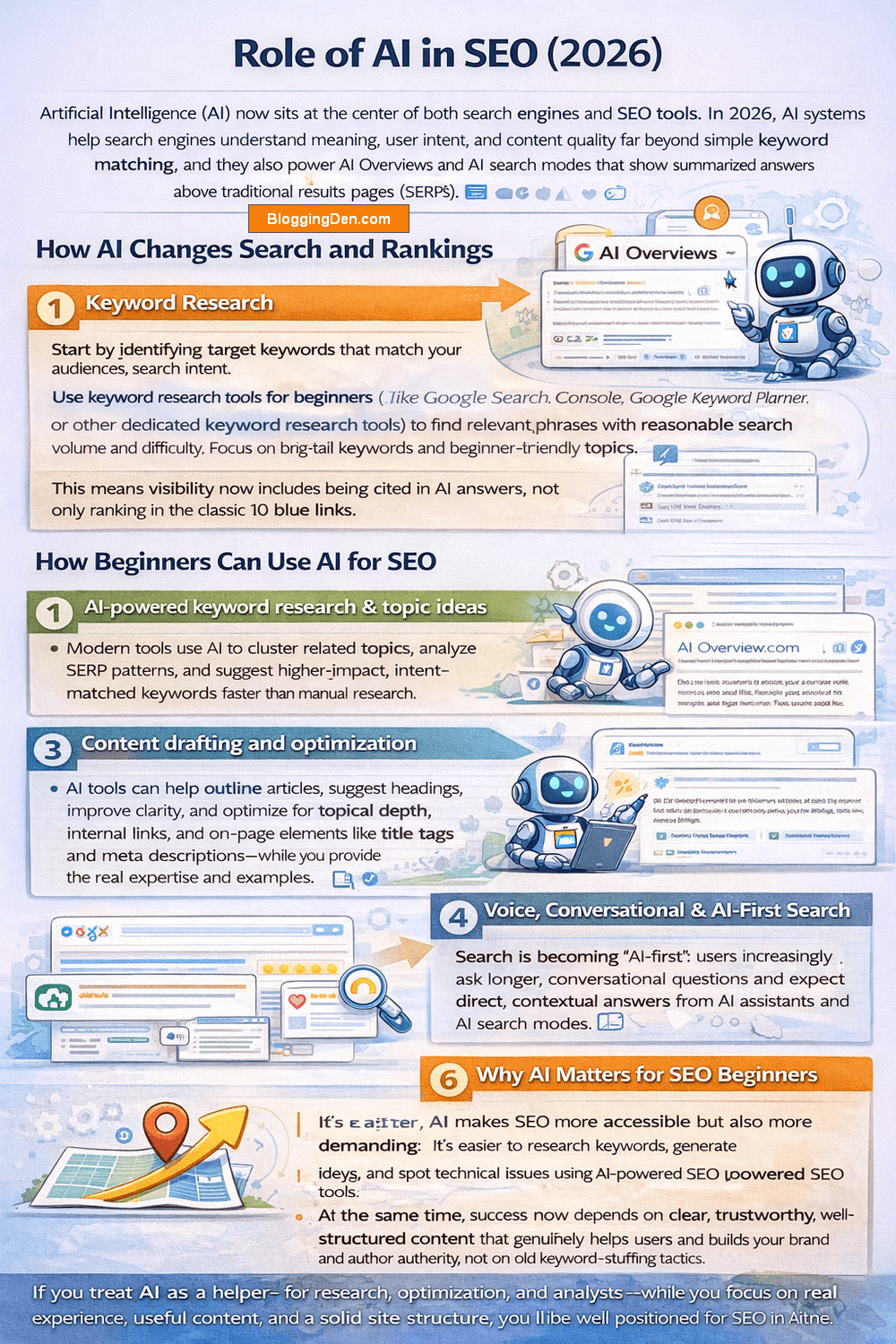
Artificial Intelligence (AI) now sits at the center of both search engines and SEO tools. In 2026, AI systems help search engines understand meaning, user intent, and content quality far beyond simple keyword matching, and they also power AI Overviews and AI search modes that show summarized answers above traditional results.
How AI Changes Search and Rankings
- Search engines use AI models to understand what a page is trying to answer, how completely it solves the user’s problem, and how trustworthy the source is—not just how many times a keyword appears.
- AI‑driven features like Google’s AI Overviews and AI Mode can answer many queries directly on the results page, citing a handful of trusted sources instead of sending clicks to every ranked site.
- This means visibility now includes being cited in AI answers, not only ranking in the classic 10 blue links.
How Beginners Can Use AI for SEO
- AI‑powered keyword research & topic ideas: Modern tools use AI to cluster related topics, analyze SERP patterns, and suggest higher‑impact, intent‑matched keywords faster than manual research.
- Content drafting and optimization: AI tools can help outline articles, suggest headings, improve clarity, and optimize for topical depth, internal links, and on‑page elements like title tags and meta descriptions—while you provide the real expertise and examples.
- Technical SEO and audits: AI SEO platforms can automatically scan for crawlability issues, slow pages, schema gaps, or internal linking opportunities and present simple, prioritized fixes.
Voice, Conversational & AI‑First Search
- Search is becoming “AI‑first”: users increasingly ask longer, conversational questions and expect direct, contextual answers from AI assistants and AI search modes.
- To stay visible, your content should read naturally, answer full questions in clear sections, and fit into a broader topical structure so AI systems can easily summarize and cite it.
Why AI Matters for SEO Beginners
For beginners, AI makes SEO more accessible but also more demanding:
- It’s easier to research keywords, generate ideas, and spot technical issues using AI‑powered SEO tools.
- At the same time, success now depends on clear, trustworthy, well‑structured content that genuinely helps users and builds your brand and author authority, not on old keyword‑stuffing tactics.
If you treat AI as a helper—for research, optimization, and analysis—while you focus on real experience, useful content, and a solid site structure, you’ll be well-positioned for SEO in the AI era.
Avoiding Common SEO Mistakes for Beginners
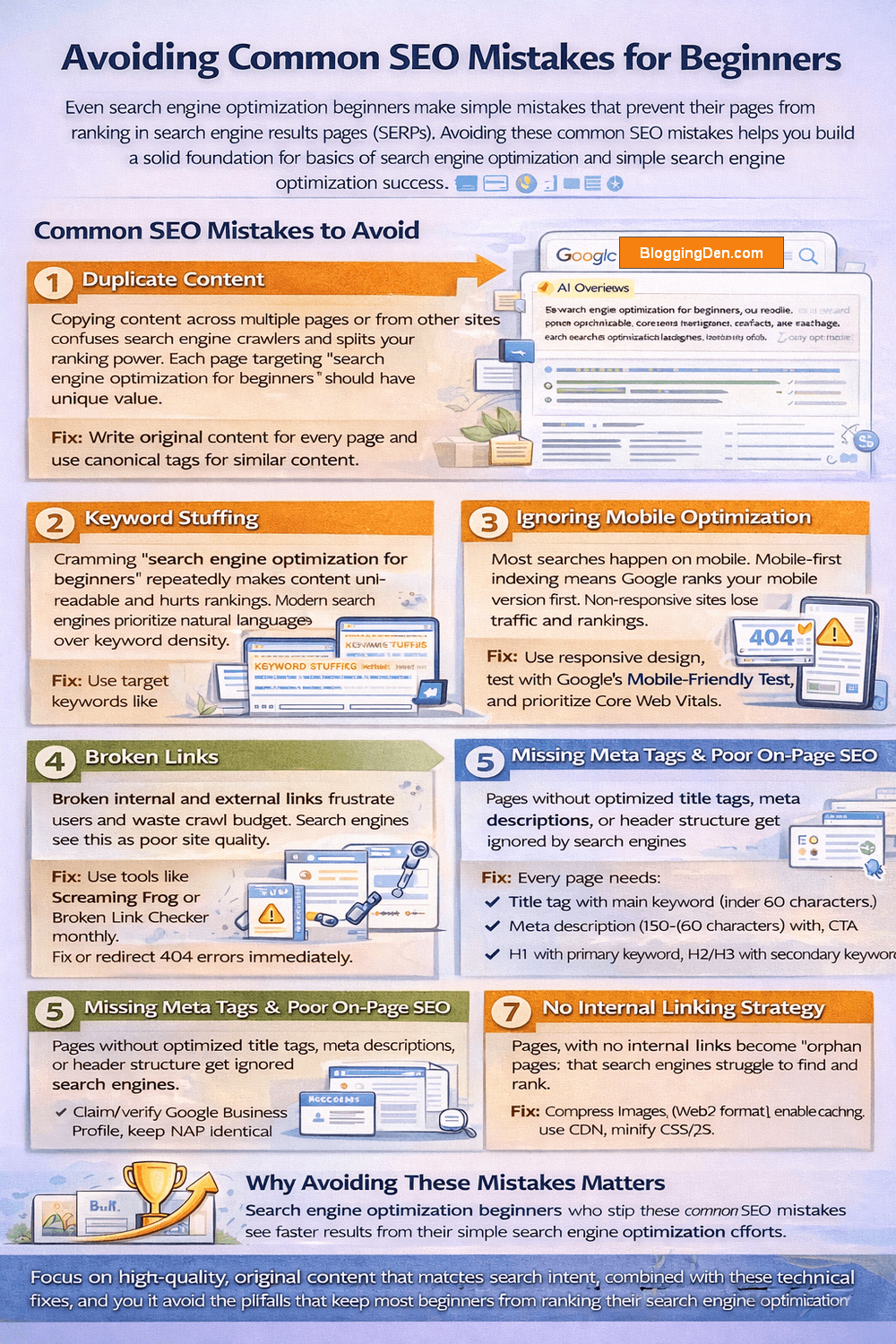
Even search engine optimization beginners make simple mistakes that prevent their pages from ranking in search engine results pages (SERPs). Avoiding these common SEO mistakes helps you build a solid foundation for the basics of search engine optimization and simple search engine optimization success.
Common SEO Mistakes to Avoid
1. Duplicate Content
Copying content across multiple pages or from other sites confuses search engine crawlers and splits your ranking power. Each page targeting “search engine optimization for beginners” should have unique value.
Fix: Write original content for every page and use canonical tags for similar content.
2. Keyword Stuffing
Cramming “search engine optimization for beginners” repeatedly makes content unreadable and hurts rankings. Modern search engines prioritize natural language over keyword density.
Fix: Use target keywords like “how to learn search engine optimization” naturally 2-3 times, plus related terms like “SEO starter guide” and “basic SEO concepts.”
3. Ignoring Mobile Optimization
Most searches happen on mobile. Mobile-first indexing means Google ranks your mobile version first. Non-responsive sites lose traffic and rankings.
Fix: Use responsive design, test with Google’s Mobile-Friendly Test, and prioritize Core Web Vitals.
4. Broken Links
Broken internal and external links frustrate users and waste crawl budget. Search engines see this as poor site quality.
Fix: Use tools like Screaming Frog or Broken Link Checker monthly. Fix or redirect 404 errors immediately.
5. Missing Meta Tags & Poor On-Page SEO
Pages without optimized title tags, meta descriptions, or header structure get ignored by search engines.
Fix: Every page needs:
- H1 with primary keyword, H2/H3 with secondary keywords
- Title tag with main keyword (under 60 characters)
- Meta description (150-160 characters) with CTA
6. Neglecting Local SEO (For Local Businesses)
Local businesses skip Google Business Profile optimization and NAP consistency, missing nearby customers searching “SEO services near me.”
Fix:
Claim/verify Google Business Profile, keep NAP identical everywhere, and encourage reviews.
7. No Internal Linking Strategy
Pages with no internal links become “orphan pages” that search engines struggle to find and rank.
Fix: Link related content naturally. From your “search engine optimization for beginners” guide, link to keyword research, on-page SEO, and technical SEO pages.
8. Slow Page Speed
Pages loading over 3 seconds lose 50%+ of visitors and rank lower due to poor Core Web Vitals.
Fix: Compress images (WebP format), enable caching, use CDN, minify CSS/JS.
Why Avoiding These Mistakes Matters
Search engine optimization beginners who skip these common SEO mistakes see faster results from their simple search engine optimization efforts. Clean website crawlability, mobile-friendly design, and proper on-page basics create a strong foundation that supports long-term growth.
Focus on high-quality, original content that matches search intent, combined with these technical fixes, and you’ll avoid the pitfalls that keep most beginners from ranking their search engine optimization starter guide content.
SEO Trends for Beginners
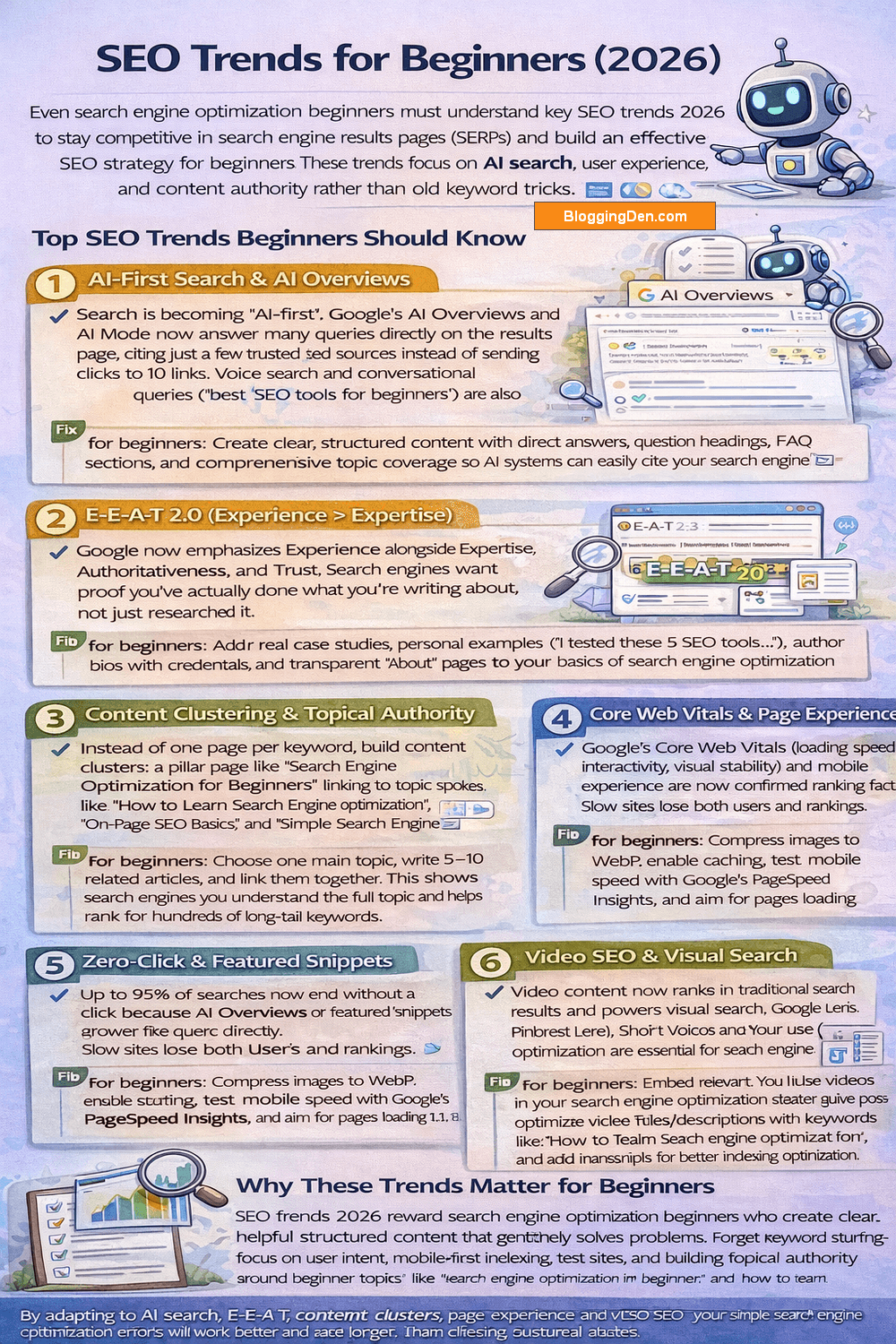
Even search engine optimization beginners must understand key SEO trends 2026 to stay competitive in search engine results pages (SERPs) and build an effective SEO strategy for beginners. These trends focus on AI search, user experience, and content authority rather than old keyword tricks.
Top SEO Trends Beginners Should Know
1. AI-First Search & AI Overviews
Search is becoming “AI-first”. Google’s AI Overviews and AI Mode now answer many queries directly on the results page, citing just a few trusted sources instead of sending clicks to 10 links. Voice search and conversational queries (“best SEO tools for beginners”) are also exploding.
Fix for beginners: Create clear, structured content with direct answers, question headings, FAQ sections, and comprehensive topic coverage so AI systems can easily cite your search engine optimization starter guide pages.
2. E-E-A-T 2.0 (Experience > Expertise)
Google now emphasizes Experience alongside Expertise, Authoritativeness, and Trust. Search engines want proof you’ve actually done what you’re writing about, not just researched it.
Fix for beginners: Add real case studies, personal examples (“I tested these 5 SEO tools…”), author bios with credentials, and transparent “About” pages to your basics of search engine optimization content.
3. Content Clustering & Topical Authority
Instead of one page per keyword, build content clusters: a pillar page like “Search Engine Optimization for Beginners” linking to topic spokes like “How to Learn Search Engine Optimization”, “On-Page SEO Basics”, and “Simple Search Engine Optimization”.
Fix for beginners: Choose one main topic, write 5–10 related articles, and link them together. This shows search engines you understand the full topic and helps rank for hundreds of long-tail keywords.
4. Core Web Vitals & Page Experience
Google’s Core Web Vitals (loading speed, interactivity, visual stability) and mobile experience are now confirmed ranking factors. Slow sites lose both users and rankings.
Fix for beginners: Compress images to WebP, enable caching, test mobile speed with Google’s PageSpeed Insights, and aim for pages to load under 2.5 seconds.
5. Zero‑Click & Featured Snippets
Up to 65% of searches now end without a click because AI Overviews or featured snippets answer the query directly.
Fix for beginners: Use question headings (“What is SEO?”), numbered lists, tables, and short definitions (40–60 words) to win “Position Zero” and get cited in AI answers.
6. Video SEO & Visual Search
Video content now ranks in traditional search results and powers visual search (Google Lens, Pinterest Lens). Short videos and YouTube optimization are essential for search engine optimization beginners.
Fix for beginners: Embed relevant YouTube videos in your search engine optimization starter guide posts, optimize video titles/descriptions with keywords like “how to learn search engine optimization”, and add transcripts for better indexing. Create simple explainer videos for complex topics like Core Web Vitals or mobile-first indexing.
Why These Trends Matter for Beginners
SEO trends 2026 reward search engine optimization beginners who create clear, helpful, structured content that genuinely solves problems. Forget keyword stuffing—focus on user intent, mobile-first indexing, fast sites, and building topical authority around beginner topics like “search engine optimization for beginners” and “how to learn search engine optimization”.
By adapting to AI search, E-E-A-T, content clusters, and page experience now, your simple search engine optimization efforts will work better and last longer than chasing outdated tactics.
Building a Beginner-Friendly SEO Checklist
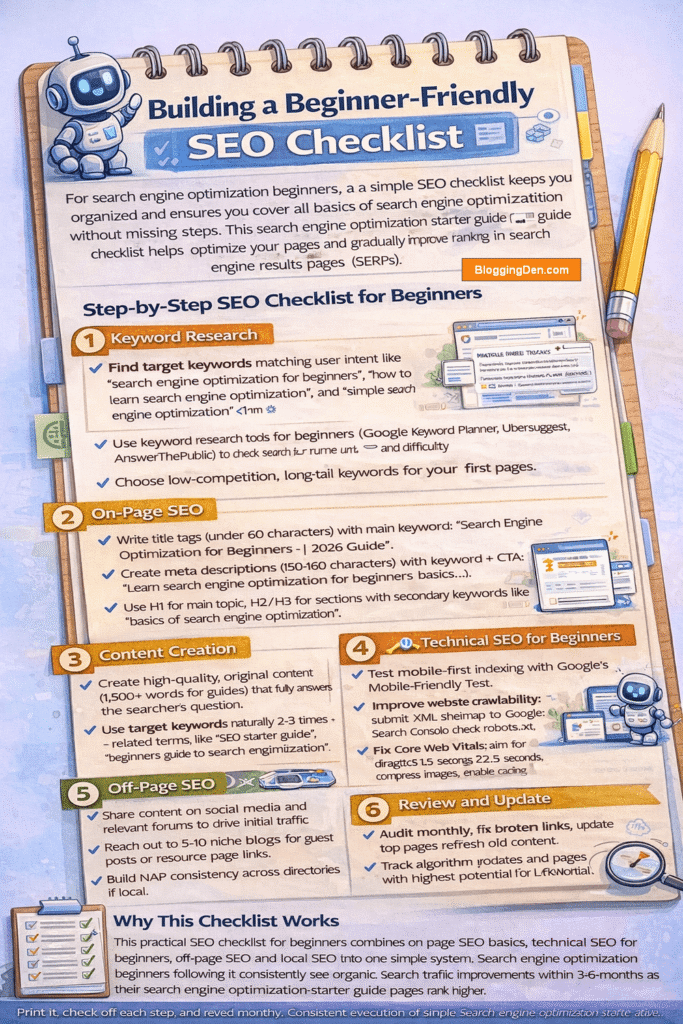
For search engine optimization beginners, a simple SEO checklist keeps you organized and ensures you cover all the basics of search engine optimization without missing steps. This search engine optimization starter guide checklist helps optimize your pages and gradually improve rankings in search engine results pages (SERPs).
Step-by-Step SEO Checklist for Beginners
1. Keyword Research
- Find target keywords matching user intent like “search engine optimization for beginners”, “how to learn search engine optimization,” and “simple search engine optimization”.
- Use keyword research tools for beginners (Google Keyword Planner, Ubersuggest, AnswerThePublic) to check search volume and difficulty.
- Choose low-competition, long-tail keywords for your first pages.
2. On-Page SEO
- Write title tags (under 60 characters) with main keyword: “Search Engine Optimization for Beginners | 2026 Guide”.
- Create meta descriptions (150-160 characters) with keyword + CTA: “Learn search engine optimization for beginners basics…”.
- Use H1 for the main topic, H2/H3 for sections with secondary keywords like “basics of search engine optimization”.
- Add descriptive alt text to images and internal links to related pages.
3. Content Creation
- Create high-quality, original content (1,500+ words for guides) that fully answers the searcher’s question.
- Use target keywords naturally 2-3 times + related terms like “SEO starter guide”, “beginners’ guide to search engine optimization”.
- Structure with short paragraphs, bullet lists, numbered steps, and tables for better readability and featured snippets.
4. Technical SEO for Beginners
- Test mobile-first indexing with Google’s Mobile-Friendly Test.
- Improve website crawlability: submit XML sitemap to Google Search Console, check robots.txt.
- Fix Core Web Vitals: aim for page load under 2.5 seconds, compress images, and enable caching.
- Ensure the HTTPS/SSL certificate is active.
5. Off-Page SEO
- Share content on social media and relevant forums to drive initial traffic.
- Reach out to 5-10 niche blogs for guest posts or resource page links.
- Build NAP consistency across directories if local.
6. Local SEO (If Applicable)
- Claim/optimize Google Business Profile with accurate NAP, photos, and services.
- Get 5+ customer reviews and respond to all.
- Target local keywords: “search engine optimization beginners in [your city]”.
7. Tracking and Analytics
- Install Google Search Console and Google Analytics.
- Check impressions, clicks, and rankings for target keywords weekly.
- Monitor search traffic growth and pages with the highest potential.
8. Review and Update
- Audit monthly: fix broken links, update top pages, and refresh old content.
- Track algorithm updates and adapt your SEO strategy for beginners.
- Celebrate small wins like first page rankings for long-tail keywords.
Why This Checklist Works
This practical SEO checklist for beginners combines on-page SEO basics, technical SEO for beginners, off-page SEO, and local SEO into one simple system. Search engine optimization beginners following it consistently see organic search traffic improvements within 3-6 months as their search engine optimization starter guide pages rank higher.
Print it, check off each step, and revisit monthly. Consistent execution of simple search engine optimization beats complex strategies every time.
Frequently Asked Questions on Search Engine Optimization (SEO) Guide for beginners 2026
How long does it take to learn SEO?
SEO basics take 4-6 weeks of consistent practice. Search engine optimization for beginners mastery requires 6-12 months of hands-on work on real sites.
What is the best way to learn SEO for beginners?
Practice on your own blog while following search engine optimization starter guides like Google Search Central and Moz. Combine free resources with keyword research tools for beginners and track results in Google Search Console.
Do I need coding skills for SEO?
No, basic SEO concepts like on-page optimization for beginners use simple HTML tags. Technical SEO for beginners needs a basic understanding of site structure, but no programming is required.
How much does SEO cost?
SEO can be completely free using Google tools, or $100-500/month for keyword research tools. Simple search engine optimization costs nothing but time.
What’s the difference between SEO and SEM?
SEO (Search Engine Optimization) is free organic traffic through content and website crawlability. SEM (Search Engine Marketing) is paid ads like Google Ads.
Is SEO dead in 2026?
No, search engine optimization for beginners drives 53% of website traffic. AI changes how SEO works, but high-quality content matching search intent remains essential.
How often should I update my SEO strategy?
Review monthly using Google Search Console data. Update the top search engine optimization starter guide pages quarterly. Adapt to major Google updates (3-4 times/year).
What are the most important ranking factors?
High-quality content matching search intent, relevant backlinks, mobile-first indexing, Core Web Vitals speed, and E-E-A-T (Experience, Expertise, Authority, Trust).
Final Words on Search Engine Optimization for Beginners 2026
Search engine optimization for beginners combines the simple basics of search engine optimization with practical steps that deliver real results. Master on-page SEO basics, technical SEO for beginners, off-page SEO, and local SEO to build a strong foundation for ranking higher in search engine results pages (SERPs).
Your search engine optimization starter guide journey starts with understanding search intent and targeting long-tail keywords like “how to learn search engine optimization,” “simple search engine optimization,” and “beginners guide to search engine optimization.” Create high-quality, original content that genuinely helps readers while naturally including these phrases in title tags, meta descriptions, header tags (H1, H2, H3), and throughout your pages.
Website crawlability, mobile-first indexing, fast Core Web Vitals, and E-E-A-T signals ensure search engines trust and prioritize your content. Meanwhile, relevant backlinks, local citations, and Google Business Profile optimization build the authority needed for sustainable rankings.
Start small: pick one page, optimize it completely using this SEO checklist for beginners, then track results in Google Search Console. Keyword research tools for beginners, like Ubersuggest and internal linking, will accelerate your progress.
SEO success in 2026 belongs to search engine optimization beginners who consistently apply these basic SEO concepts rather than chasing complex tactics. Focus on user-first content, clean technical SEO, and steady improvement—your organic search traffic will grow steadily over time.