Building a job board website has never been more profitable — or more competitive. Whether you are launching a niche job portal for IT professionals in India, a remote work platform targeting the US market, or a local recruitment site for your city, the foundation of your success starts with one critical decision: choosing the right job board WordPress theme.
The global online job board market is growing rapidly, with platforms like Indeed, LinkedIn, and Glassdoor dominating the space yet thousands of niche job boards built on WordPress are generating consistent revenue by targeting specific industries, locations, and audiences. The opportunity is wide open.
But here is the problem most beginners face: they pick a visually appealing WordPress theme without checking whether it supports WP Job Manager, handles paid job listings, offers a proper employer dashboard, or is optimized for Google Jobs schema and they end up rebuilding their entire website from scratch six months later.
This guide eliminates that mistake entirely.
In this comprehensive, up-to-date guide for 2026, you will find:
- 15+ best job board WordPress themes — free and premium options, thoroughly reviewed
- A side-by-side comparison table of all top themes
- A complete buyer’s guide — what to look for before you buy
- Best plugins to pair with your job board theme
- A step-by-step setup tutorial for beginners
- Monetization strategies to earn from your job board
- Market-specific recommendations for the United States and India
- Honest FAQs that answer the most searched questions
Whether you are a first-time blogger, a professional web developer, or an entrepreneur building a job portal business, this guide is the only resource you need in 2026.
✅ Quick Answer: If you are looking for the single best job board WordPress theme right now, WorkScout and Careerfy are the top-rated choices for most users offering WP Job Manager compatibility, built-in monetization, employer dashboards, and Google Jobs schema support out of the box. Scroll down for the full breakdown
What Is a Job Board WordPress Theme?
A job board WordPress theme is a purpose-built website template designed specifically for creating job listing platforms, career portals, recruitment websites, and hiring marketplaces using WordPress.
Unlike general WordPress themes, a dedicated job board theme comes pre-equipped with:
- Job listing page templates for employers to post vacancies
- Candidate profile pages for job seekers to upload resumes
- Advanced search and filter layouts for location, salary, job type, and category
- Employer and candidate dashboard templates
- Front-end job submission forms so employers can post without accessing the WordPress backend
- Plugin-ready architecture — especially for WP Job Manager, the most widely used free job board plugin with 100,000+ active installations
Without a dedicated theme, you would need to custom-code all of these features from scratch—costing thousands of dollars in development time. A premium job board WordPress theme gives you all of this for a one-time cost of $49–$89, making it one of the highest-value investments for any online entrepreneur.
Best Job Board WordPress Themes in 2026
In this section, you will get detailed, honest reviews of the 15 best job board WordPress themes for 2026.
1. WorkScout
Best Overall Job Board WordPress Theme
⭐⭐⭐⭐⭐ Rating: 4.8/5
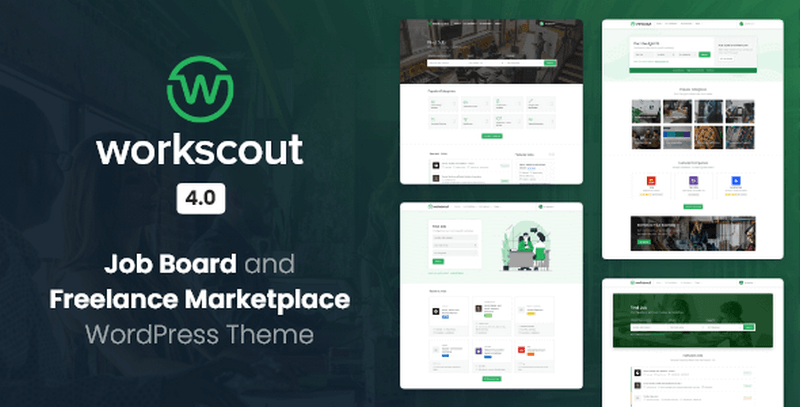
WorkScout is the most recommended job board WordPress theme in 2026. Built natively for WP Job Manager (not just “compatible”), it offers enterprise-grade features without the complexity of custom coding.
WorkScout is the top pick for 90% of users starting a job board in 2026. It balances features, price, and ease of use perfectly. If you are unsure which theme to choose, start with WorkScout.
Key Features of WordScout Theme
- WP Job Manager native integration: no extra plugins needed for job submissions, listings, or employer dashboards
- Resume Manager support: candidates can upload resumes with custom fields (work experience, education, skills)
- AJAX live search—instant job filtering by location, category, salary, and job type
- WooCommerce packages — sell paid job listings, featured placements, and employer memberships
- Advanced filters — location radius search, salary range, experience level, education required
- Mobile-first design — tested on iPhone, Android, and tablets
- Google Jobs schema — listings appear in Google’s dedicated job search panel
- Elementor templates — 10+ pre-built page templates for headers, footers, job listings, and submission forms
- Translation-ready—includes PO/MO files for Hindi, Telugu, Tamil, and other regional languages
Pros
- Native WP Job Manager build (no compatibility issues)
- Clean, modern design that works for any industry
- Excellent documentation and vendor support
- Affordable pricing compared to competitors
- Fast loading (under 1.2MB total page size)
- SEO-optimized with built-in schema markup
Cons
- No lifetime license option (annual subscription only)
- Visual Composer not included (must purchase separately)
- Some advanced filters require WP Job Manager add-ons
Best for: Marketplace-style job boards, niche portals, recruitment agencies
Price: Regular License ($79/Year) and Extended License ($129/Year)
2. Careerfy
Best Value Job Board Theme (One-Time Price)
⭐⭐⭐⭐⭐ Rating: 4.8/5
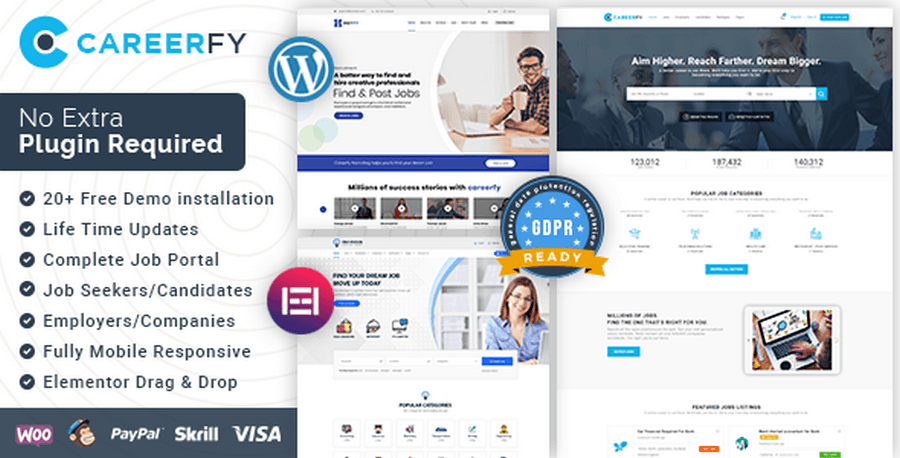
Careerfy stands out because it offers a one-time pricing model ($69) instead of annual subscriptions. It also includes 15+ pre-built demos for different industries—IT jobs, healthcare, remote work, freelance, and more.
Careerfy is the best value pick for 2026. If you want a premium theme without recurring fees, Careerfy is your answer. The 15+ demos make it perfect for testing multiple niche ideas.
Key Features of Careerfy theme
- 15+ pre-built demos — import any demo in 1 click (no coding)
- Elementor page builder — fully customizable with drag-and-drop widgets
- Google Jobs integration — automatic schema for Google job search
- Front-end job submission — employers post without WordPress admin access
- Employer dashboard — manage job listings, view applications, update profiles
- Translation-ready + WPML — multilingual support for India and global markets
- WooCommerce packages — monetize with paid listings and featured jobs
- AJAX search widget — location, category, salary, and job type filters
- Resume upload form — custom fields for experience, education, and skills
Pros
- One-time pricing (no annual fees)
- Massive demo library for quick setup
- Excellent Elementor widget collection
- Great for multilingual sites (India market)
- Fast loading and SEO-optimized
- Strong vendor support community
Cons
- WP Job Manager is not native (requires compatibility layer)
- No mobile app included
- Some demos require premium plugins (Visual Composer)
Best for: Recruitment agencies, large job portals, multi-niche platforms
Price: Regular License $89
3. JobHive
Best Lifetime License Job Board Theme
⭐⭐⭐⭐⭐ Rating: 4.9/5
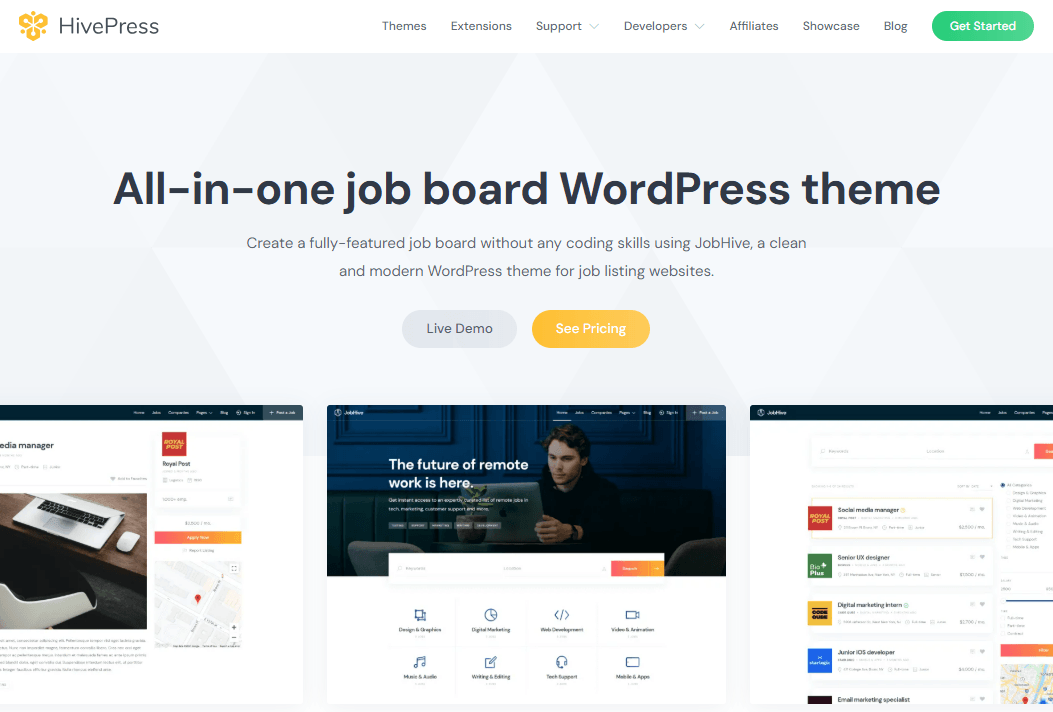
JobHive is unique because it uses HivePress (not WP Job Manager) as its core engine. This gives it built-in monetization, reviews, and wishlist features without requiring extra plugins. Plus, it offers a lifetime license for $89 — no annual fees.
JobHive is the best pick for beginners who want a complete job board without plugin headaches. The lifetime license is unbeatable for long-term cost savings.
Key Features of JobHive
- HivePress-powered — all-in-one job board engine with built-in payments
- Lifetime license — pay once, use forever ($59)
- Built-in monetization — paid listings, featured jobs, and seller profiles
- Review system — employers and candidates can rate each other
- Wishlist feature—job seekers save jobs for later
- Mobile app-ready: compatible with HivePress mobile apps (iOS + Android)
- AJAX search: location, category, and job type filters
- Elementor templates — 8+ pre-built page designs
- Google Jobs schema — auto-optimized for Google job search
Pros
- Lifetime license (no recurring fees)
- All-in-one monetization (no extra plugins)
- Built review system (unique feature)
- Mobile app compatibility
- Lightweight and fast loading
- Great for community-driven boards
Cons
- Not WP Job Manager compatible (HivePress native)
- Smaller demo library (only 3 demos)
- Limited vendor support compared to ThemeForest themes
- No RTL or WPML support
Best for: Community-driven boards, monetized listings, beginners
Price: Bundle License ($99/Year) and Theme License ($69/Year)
4. JobEngine
Best for Enterprise Job Boards
⭐⭐⭐⭐⭐ Rating: 4.7/5
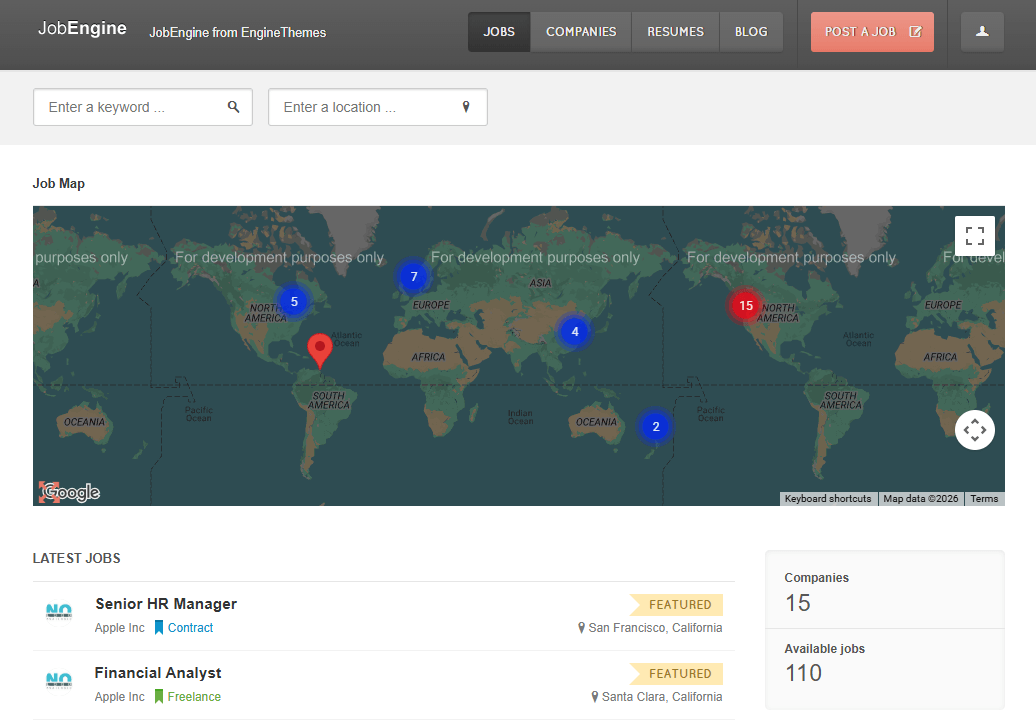
JobEngine is the most comprehensive theme for enterprise-level job boards. It includes a drag-and-drop job builder, dual dashboards (employer + candidate), and advanced WooCommerce package systems.
JobEngine is the enterprise pick for 2026. If you need advanced front-end features and dual dashboards, JobEngine is the only theme that delivers.
Key Features of JobEngine
- Drag-and-drop job builder — employers create job listings without coding
- Dual dashboards — separate employer and candidate interfaces
- WooCommerce packages — sell job listings, featured placements, and memberships
- Job alerts system — email notifications for new jobs
- Featured listings — highlight jobs with custom styling
- Google Jobs schema — optimized for Google job search
- AJAX search — location, category, salary, and date filters
- Resume upload form — custom fields for candidates
- Elementor templates — 12+ pre-built pages
Pros
- Most front-end features in the market
- Dual dashboard system (unique)
- Excellent WooCommerce integration
- Strong SEO and Google Jobs support
- Fast loading and mobile-responsive
- Professional documentation
Cons
- Higher price point ($79/year)
- Requires WP Job Manager add-ons for advanced features
- No lifetime license option
Best for: Front-end job submission, employer dashboards, large portals
JobEngine Pricing
- Single Theme: $89/year
- Standard Package: $139/year
- Full Package: $179/year
5. Cariera
Best for Modern Design & Agencies
⭐⭐⭐⭐⭐ Rating: 4.9/5
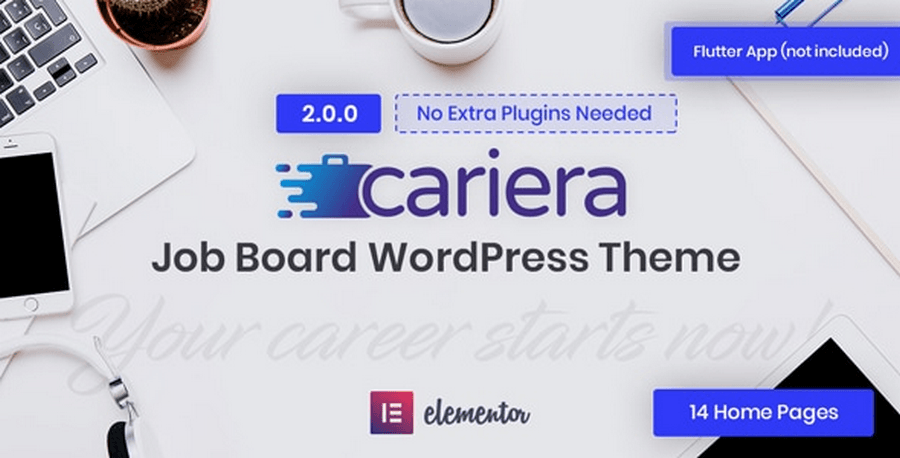
Cariera stands out for its sleek, modern design and WPML multilingual support. It is perfect for recruitment agencies that want a professional look and need to support multiple languages (Hindi, Telugu, and Arabic).
Cariera is the design pick for 2026. If you want a professional look and multilingual support, Cariera is the best choice.
Best for: Modern design, agency websites, multilingual portals
Key Features of Cariera
- Visual Composer + WPML support — multilingual ready for India/global markets
- Resume Manager integration — candidate profiles with custom fields
- Job alerts system — email notifications for new postings
- Employer dashboard — manage listings and applications
- AJAX search—location, category, salary filters
- RTL support — right-to-left language compatibility (Arabic, Hindi)
- WooCommerce packages — monetize with paid listings
- Google Jobs schema — optimized for Google job search
- Elementor templates — 10+ pre-built pages
Pros
- Best modern design in the market
- WPML + RTL support (India/Arabic markets)
- Strong WooCommerce integration
- Excellent SEO and schema markup
- Fast loading and mobile-responsive
- Professional vendor support
Cons
- Higher price ($79/year)
- Visual Composer not included (must purchase separately)
- Smaller demo library (4 demos)
Price: Regular License $79
6. JobRoller
Best for Monetization & Subscription Models
⭐⭐⭐⭐⭐ Rating: 4.5/5
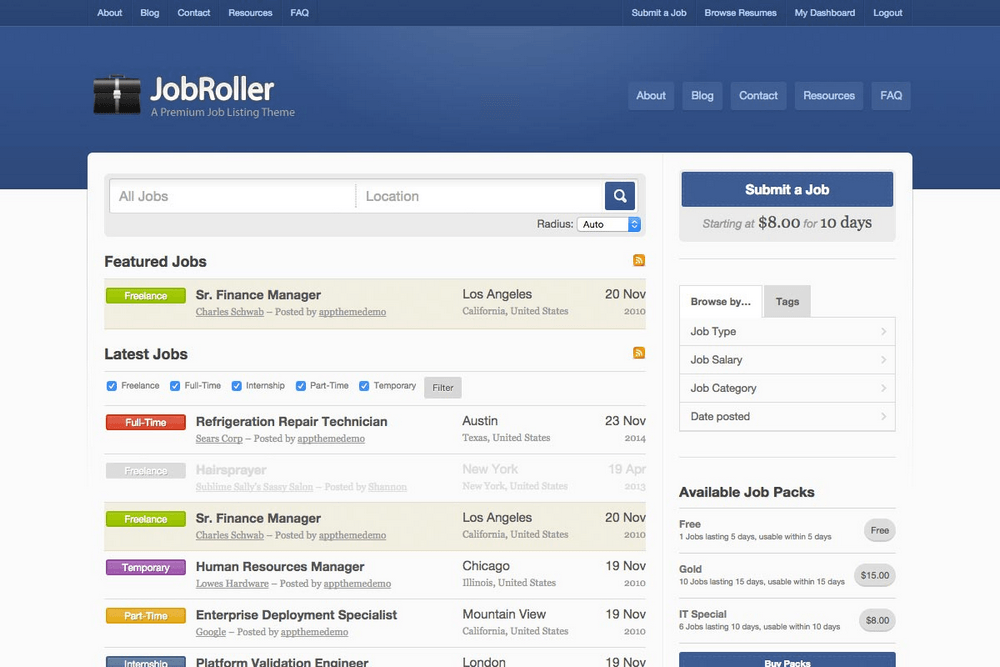
JobRoller includes a built-in 3-step job wizard and subscription system—perfect for entrepreneurs who want to sell job listings as packages.
JobRoller is the monetization pick for subscription models.
Best for: Modern design, agency websites, multilingual portals
Key Features of Cariera
Pros
- Built subscription system (unique)
- Easy 3-step job wizard
- Strong payment gateway support
- Good SEO and schema markup
Cons
- No Elementor support
- Higher price point
- Smaller demo library
- 3-step job wizard — employers post jobs in 3 clicks
- Payment gateway integration — Stripe, PayPal, WooCommerce
- Subscription plans — monthly/yearly employer memberships
- Employer profiles — company pages with job history
- Job categories + custom fields — flexible listing options
- Google Jobs schema — optimized for search
- WooCommerce packages — sell featured listings
Price: Standard License $69 | Club License $199
7. Jobify
Best for Scale & Large Portals
⭐⭐⭐⭐⭐ Rating: 4.2/5
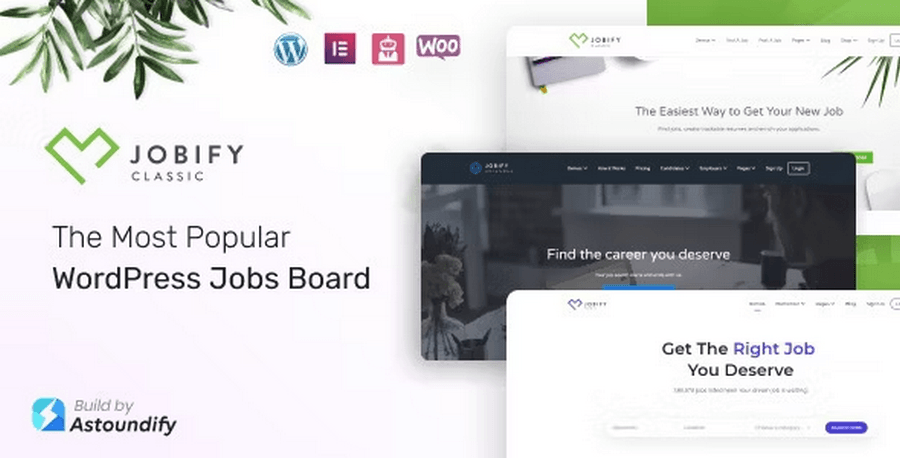
Jobify was the most popular job board theme on ThemeForest until 2025, with over 3,500 sales. It offers 20+ demo variants for different industries — IT, healthcare, remote work, freelance, education, and more.
Jobify is the scale pick for large portals. If you need 20+ demos and external job imports, Jobify is unbeatable.
Best for: WordPress job marketplace, large portals, multi-niche sites
Key Features of Cariera
- 20+ demo variants — import any demo in 1 click
- WP Job Manager + Resume Manager — native integration
- Indeed + CareerBuilder import — auto-import jobs from external platforms
- Job alerts system — email notifications for new postings
- Employer dashboard — manage listings and applications
- AJAX search — location, category, salary, and date filters
- Elementor widgets — 15+ custom widgets for job listings
- Google Jobs schema — optimized for search
- WooCommerce packages — monetize with paid listings
Pros
- Massive demo library (20+ designs)
- Indeed/CareerBuilder import (unique feature)
- Strong WP Job Manager integration
- Excellent Elementor widget collection
- Fast loading and mobile-responsive
- Professional documentation
Cons
- Higher price point ($79/year)
- No lifetime license option
- Some demos require premium plugins
Price: Regular License $69
8. Jobmonster
Best for Advanced Search Filters

⭐⭐⭐⭐⭐ Rating: 4.3/5
JobMonster is a dedicated, feature-rich WordPress theme specifically designed for building professional job board and recruitment websites.
It acts as a bridge between employers and job seekers, offering a comprehensive platform that handles everything from job postings and resume submissions to application management without requiring extensive coding knowledge.
Best for:
JobMonster is an excellent choice for:
- Recruitment Agencies: Agencies needing a professional portal to manage job vacancies and candidate applications.
- Niche Job Boards: Entrepreneurs looking to create targeted job platforms (e.g., tech, healthcare, or creative industries).
- Career Portals: Organizations or communities wanting to provide a dedicated space for employers to post jobs and candidates to manage their resumes.
Key Features of Cariera
- Front-End Management: Both employers and candidates have dedicated, user-friendly dashboards to manage jobs, resumes, applications, and bookmarks directly from the front end.
- WooCommerce Integration: Monetize your site easily by creating paid job posting packages, resume viewing plans, and add-ons using WooCommerce payment gateways (PayPal, Stripe, etc.).
- Advanced Search & Filtering: Offers modern, customizable search filters, allowing users to find jobs based on keywords, location (including radius search with Google/Bing Maps), categories, and more.
- Flexible Submission: Supports front-end job and resume submissions, with options for admin review and approval before publishing.
- Highly Customizable: Includes 9+ homepage variations and is compatible with popular page builders like Elementor and WPBakery, making it easy to design your site layout.
- Social Login & Notifications: Enables quick registration via social accounts and keeps users informed through automated email notifications.
Pros
- Feature-Complete: Includes nearly everything needed for a job board out-of-the-box.
- No Coding Required: User-friendly front-end dashboards remove the need for technical skills.
- Monetization Ready: Strong integration with WooCommerce for paid listings.
- Regular Updates: Active development and maintenance (e.g., security fixes, compatibility updates).
- Fast loading and mobile-responsive
Cons
- Learning Curve: Due to its vast feature set, it may take time to configure everything correctly.
- Design Constraints: As with many premium themes, you are somewhat bound to the theme’s structure.
- Performance: A site with many plugins and high traffic will require good hosting to maintain speed.
Price: Regular License $49
9. Superio
Best for Remote Job Boards
⭐⭐⭐⭐⭐ Rating: 4.5/5
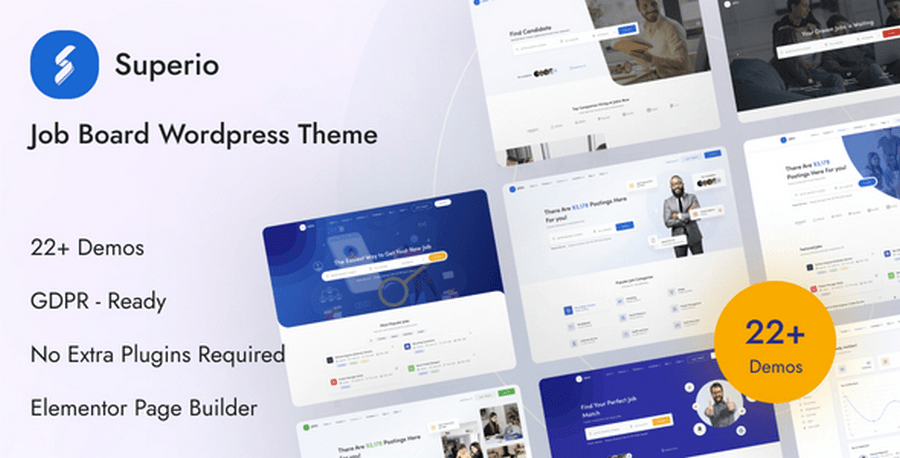
The Superio Theme is a comprehensive solution designed for building professional, responsive job portals, career platforms, and recruitment websites. It offers a user-friendly interface that allows both employers and candidates to manage their profiles, postings, and applications efficiently.
Best for:
- Job Portals & Career Platforms: Individuals or businesses looking to launch a dedicated site for job listings.
- Recruitment Agencies: Agencies needing a centralized platform to manage human resource tasks and candidate pipelines.
- Monetization-Focused Sites: Anyone aiming to run a simple, profitable job script where revenue is generated through paid job postings or candidate access.
Key Features of Cariera
- Job & Candidate Management: Advanced, customizable dashboards for both job seekers and employers.
- Import Integration: Built-in support to import listings from major platforms like Indeed, Careerbuilder, Careerjet, and Ziprecruiter.
- Restrictive Visibility: Highly granular control over who can view job pages, candidate profiles, and contact information based on registration status or purchased packages.
- Customization: No coding knowledge required with extensive admin interfaces and one-click demo imports.
- Communication Tools: Features include private messaging, meeting scheduling via Zoom, and comprehensive user notification systems.
- Advanced Searching: Powerful filtering options, including “Advanced Search” and “Simple Search” shortcodes for both jobs and resumes.
- Integration Support: Fully compatible with WooCommerce for payments and Elementor for page building.
Pros
- Feature-Rich: Extensive set of tools for a complete job board ecosystem.
- Active Development: Consistently updated (latest update: May 2026).
- Monetization Ready: Includes pricing tables and membership/package options.
- Indeed/CareerBuilder import
- Strong multilingual support
Cons
- Learning Curve: Due to the large number of settings, it may take time to master all configurations.
- Dependency: Heavy reliance on external plugins for core functionality.
- Complexity: Might be overkill for someone looking for a very basic job listing page.
Price: Regular License $59
10. Joblook
Best for Speed & Lightweight Design
⭐⭐⭐⭐⭐ Rating: 4.3/5
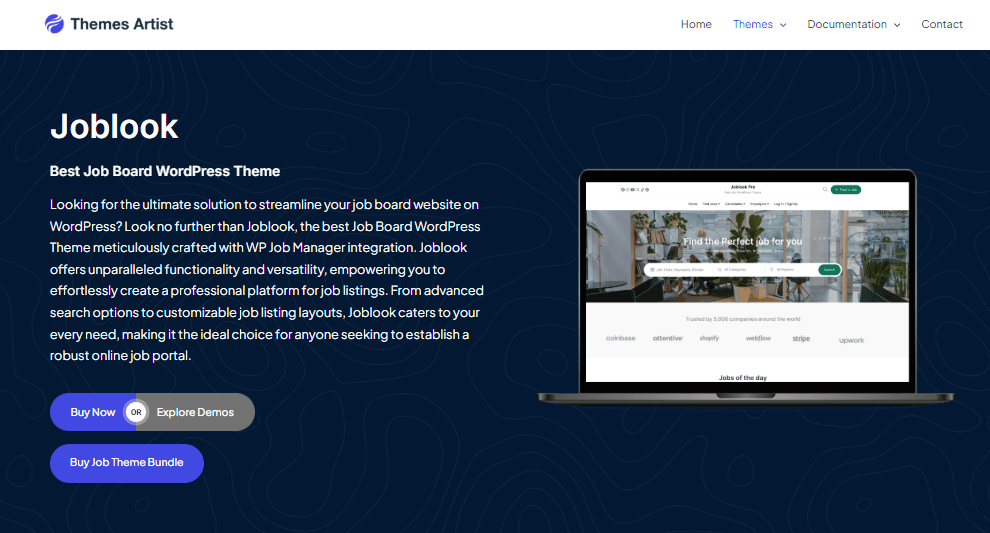
Joblook is a dedicated WordPress theme built specifically for creating professional and functional job board websites. It is designed to work seamlessly with the popular WP Job Manager plugin, offering a robust, all-in-one solution for employers to post jobs and candidates to search for and apply to them.
JobLook is the speed pick for 2026. If you want the fastest loading and lowest price, Joblook is the best choice.
Best for:
Joblook is an ideal choice for
- Niche Job Boards: Websites focused on specific industries (e.g., tech, healthcare, remote work).
- Recruitment Agencies: Agencies needing a professional platform to showcase listings and manage applicant data.
- Community Portals: Businesses or organizations that want to provide a dedicated career section for their members or users.
Key Features of Cariera
- WP Job Manager Integration: Built to leverage the core functionality of this industry-standard job board plugin.
- Elementor Support: Offers deep integration with the Elementor page builder, allowing for easy drag-and-drop customization without needing to code.
- Advanced Filtering: Provides users with powerful search and filter options based on location, job type, and industry.
- Frontend Submission: Enables employers to post and manage job listings directly from the front end of your site.
- Monetization Ready: Includes support for WooCommerce, allowing you to sell paid job listings, featured posts, or job packages.
- SEO Optimized: Developed with best practices to help your job listings rank higher in search engine results.
Pros
- No Coding Required: Highly accessible for beginners using Elementor.
- One-Click Demo Import: Makes setting up a site that looks like the demo very fast.
- Professional Aesthetics: Includes dedicated templates for company and job detail pages.
Cons
- Dependency: Many advanced features rely on the WP Job Manager plugin ecosystem.
- Paid Add-ons: Certain advanced functionalities (like some payment gateways or specific add-ons) may require individual setup.
- Premium Locking: Essential features like “Job Alerts” and “Company Pages” are locked behind the Pro version.
Price: Free Version | Joblook Pro $49 | Joblook Pro + Installation Service $79
11. FreelanceEngine
Best for Freelance Marketplaces
⭐⭐⭐⭐⭐ Rating: 4.8/5
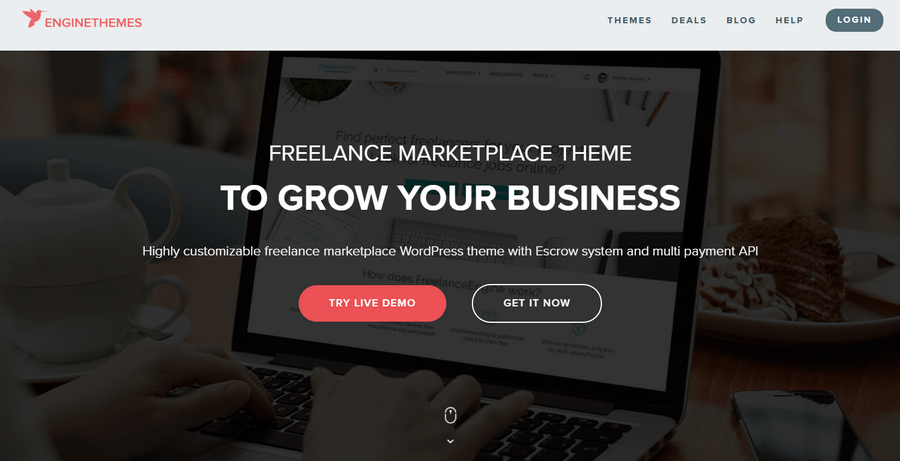
FreelanceEngine is not a traditional job board—it is a freelance marketplace with built-in escrow payments, a bidding system, and a portfolio showcase. Perfect for gig-based work.
FreelanceEngine is a dedicated WordPress theme designed to help you build and manage a professional freelance marketplace platform. It serves as an all-in-one solution for connecting employers with freelancers, allowing you to monetize the platform through various channels like job posting fees, featured listings, and transaction commissions.
FreelanceEngine is the freelance pick for gig markets. If you need escrow + bidding, FreelanceEngine is the only choice.
Best for:
- Entrepreneurs & Startups: Individuals looking to launch a dedicated freelance marketplace similar to Upwork or Freelancer.
- Job Board Owners: Businesses wanting to create a platform where clients post projects and freelancers bid on them.
- Service Marketplaces: Anyone needing a site that handles project bidding, user profiles, and secure payment processing.
Key Features of Cariera
- Built-in Escrow System: Provides a secure way for both employers and freelancers to handle transactions, ensuring trust and providing dispute resolution support.
- Monetization Tools: Offers multiple revenue streams, including charging for project postings, featured ads, and taking commissions on completed projects.
- User Dashboards: Dedicated front-end dashboards for both employers and freelancers to manage their profiles, bids, projects, and messages easily.
- Flexible Bidding: Freelancers can bid on projects, and the system supports both free bidding and credit-based premium bidding.
- Elementor Compatibility: Allows for deep customization of page layouts using the popular Elementor page builder, so you don’t need extensive coding knowledge.
- Payment Gateway Integration: Supports popular payment methods (e.g., PayPal, Stripe, 2Checkout) to handle site transactions.
- Review & Rating System: Includes a feedback loop for both parties to build reputation and trust on the platform.
Pros
- All-in-One Solution: Comes with almost everything needed to run a marketplace without requiring extra plugins.
- Monetization Focused: Highly optimized for platform revenue generation.
- Customizable: Front-end editing and Elementor support make it accessible.
Cons
- Paid Extensions: While the core theme is powerful, many advanced functionalities require purchasing additional “FrE” extensions.
- Learning Curve: Setting up a full-fledged marketplace can be complex for absolute beginners.
Price: Basic version $89 | Plus version $159 | Pro version $299
12. Jobhunt
Job Board WordPress theme for WP Job Manager
⭐⭐⭐⭐⭐ Rating: 4.4/5
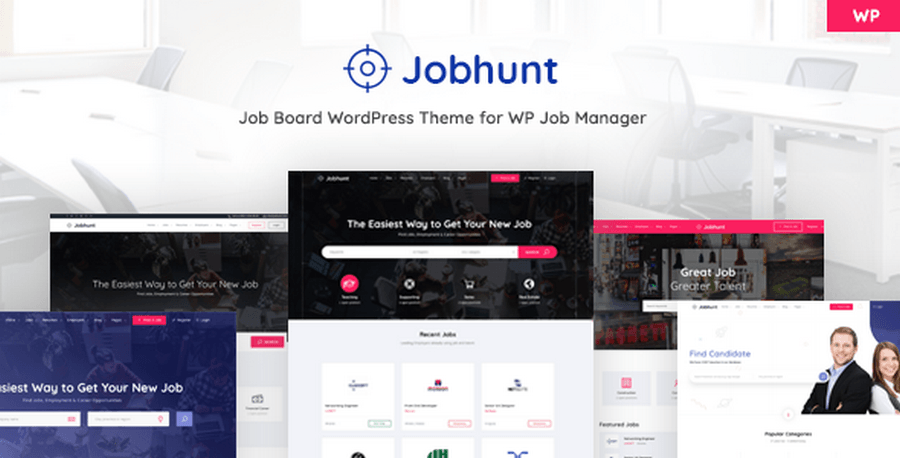
Jobhunt is a premium, specialized WordPress theme designed specifically to integrate with the WP Job Manager plugin. It is built on the principle of “separation of concerns,” meaning the theme focuses purely on design and layout while leaving job board functionality to the plugin. This approach ensures your site remains flexible, fast, and not tied to the theme should you ever want to change it.
Best for:
- Niche Job Boards: Ideal for businesses, recruiters, and agencies that want to build a professional, custom-branded job portal.
- Users of WP Job Manager: Perfect for those who already use or prefer the WP Job Manager ecosystem and want a polished, modern, and high-performance front-end design to match.
- Non-Technical Teams: Since it is easy to use and provides pre-built pages and layouts, it is suitable for those who want a quick, professional setup without extensive coding.
Key Features of Cariera
- Modern Job Layouts: Includes 3 different styles for job listings (modern, grid, and classic) and 3 styles for single job pages.
- Employer & Candidate Dashboards: Provides dedicated areas for employers to manage job postings and for candidates to manage their resumes.
- Highly Customizable: Features 5 different home pages, 5 header options, and 5 footer options, using drag-and-drop page builders (like King Composer).
- Fast & Lightweight: Optimized for speed, especially when paired with caching plugins and a good server.
- Advanced Filtering: Provides advanced filter and sorting options for jobs, employers, and resumes via widgets.
- Full Plugin Compatibility: Fully supports the WP Job Manager Core Add-on Bundle for extended features like resume management, paid listings, and Indeed integration.
Pros
- Clean Architecture: Separates design from functionality, preventing “theme lock-in.”
- Professional Design: Offers modern, conversion-friendly layouts that look great out of the box.
- Ease of Use: Quick setup with one-click demo installation and intuitive dashboard interfaces.
Cons
- Dependency: Core job board functionality depends entirely on the WP Job Manager plugin.
- Additional Costs: Advanced features require purchasing separate WP Job Manager add-ons.
- Learning Curve: Setting up complex job board flows (like paid listings) requires configuring multiple plugins.
Price: Regular License $59 | Ongoing Costs: While the theme is a one-time purchase, keep in mind that you may need to purchase WP Job Manager add-ons separately if you need advanced features like paid listings, resume management, or advanced search, which often involve their own recurring annual costs.
13. Nokri
Build a Scalable, Feature-Rich Job Board Theme to Grow Your Talent Marketplace
⭐⭐⭐⭐⭐ Rating: 4.5/5
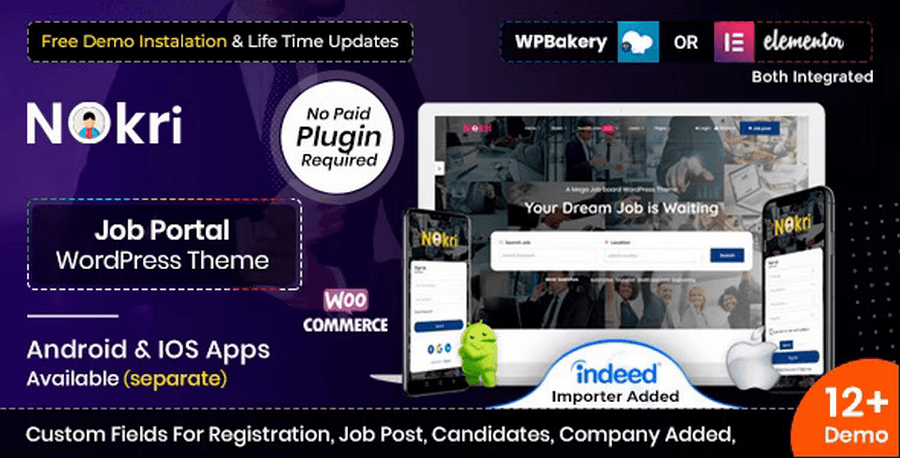
Nokri is a comprehensive and advanced WordPress theme specifically designed for creating professional job boards, recruitment portals, and career platforms. It offers a specialized ecosystem where employers can manage job postings and candidates can easily search for opportunities and manage their resumes.
Key Features of Cariera
Nokri comes packed with tools tailored for both employers and job seekers:
- Dedicated Dashboards: Separate, intuitive panels for employers (to manage jobs and applications) and candidates (to track applications, bookmarks, and job suggestions).
- Advanced Search & Filtering: Powerful, widget-based search system with geolocation support, allowing users to filter jobs by various criteria.
- Monetization Tools: Supports paid job postings and membership packages, integrated with WooCommerce to handle payments.
- Customization: Built-in support for page builders like Elementor and WPBakery, along with numerous pre-designed homepage layouts and custom widgets.
- Job Management: Features include resume building, job alerts, application deadlines, and “Apply with LinkedIn” functionality.
- Communication: Built-in email templates for notifications (registration, interviews, etc.) and social login options for a smoother user experience.
Best for: Nokri is best suited for employment agencies, HR firms, company career pages, and anyone looking to build a robust, feature-rich job portal (often cited as a top choice for quick candidate registration).
Pros
- Feature-Rich: Includes almost everything needed for a professional job board out of the box.
- Monetization Ready: Easy to set up paid listings and packages.
- Responsive Design: Fully mobile-friendly and cross-browser compatible.
- Strong Support: Well-documented with video tutorials and active support.
Cons
- Learning Curve: Due to its vast array of settings, it may take time for new users to master all features.
- Performance: Some users may find that, with many features enabled, page loading speeds can require optimization.
- Complexity: Might be overkill for very simple or small-scale sites.
Price: Regular License $69
14. Jobseek
Best Theme for Recruitment Agencies
⭐⭐⭐⭐⭐ Rating: 4.7/5
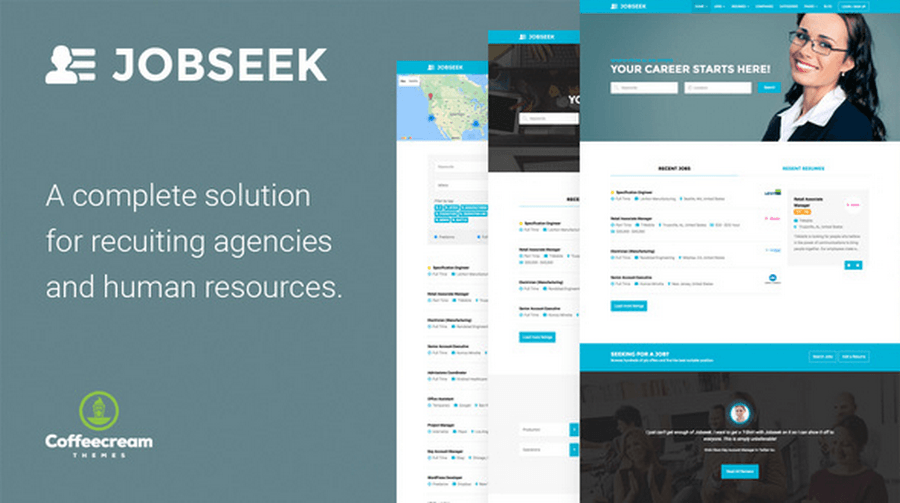
The Jobseek WordPress Theme is a dedicated solution designed for creating professional job board websites, recruitment portals, and human resources platforms. It is built to integrate seamlessly with the popular WP Job Manager plugin, providing a comprehensive framework for both employers and job seekers.
Best for:
Jobseek is an excellent choice for:
- Recruitment Agencies: Managing and posting job openings for various clients.
- HR Departments: Hosting internal or corporate career pages.
- Niche Job Boards: Building industry-specific platforms for freelancers or specialized professionals.
- Developers/Site Owners: Those who prefer using a robust, plugin-based architecture (WP Job Manager) to maintain flexibility.
Key Features of Cariera
- Built for WP Job Manager: Leverages this lightweight, free plugin to handle core job board functions, including job submissions and management.
- Frontend Submission & Dashboard: Allows employers to post, edit, and manage job listings directly from the frontend, while candidates can manage their resumes and applications via a user-friendly dashboard.
- Powerful Search & Filtering: Features an AJAX-powered search and filter system that allows users to find jobs instantly by keywords, location, job type, and category.
- Monetization Ready: Supports paid job listings through integration with WooCommerce, allowing you to create custom job packages.
- Responsive & Professional Design: Offers a clean, mobile-responsive layout designed to look professional across all devices.
- Included Plugins: Comes bundled with several premium plugins (such as Slider Revolution and WPBakery Page Builder) to assist with site design and functionality.
Pros
- Comprehensive Toolset: Includes or integrates with everything needed to start a job board.
- Monetization: Easy to implement paid job packages via WooCommerce.
- User Experience: Provides dedicated dashboards for both employers and candidates.
- Flexibility: Being WordPress-based, it offers high levels of customization if you are comfortable with settings.
Cons
- Learning Curve: Setting up advanced features can be complex for beginners.
- Hidden Costs: Full functionality often requires purchasing additional premium add-ons.
- Compatibility: Like many themes, it may require careful management to avoid plugin conflicts.
- Performance: Speed is highly dependent on your hosting and the number of plugins installed.
Price: Regular License $49
15. Workio
Best professional job board WordPress themes
⭐⭐⭐⭐⭐ Rating: 4.4/5
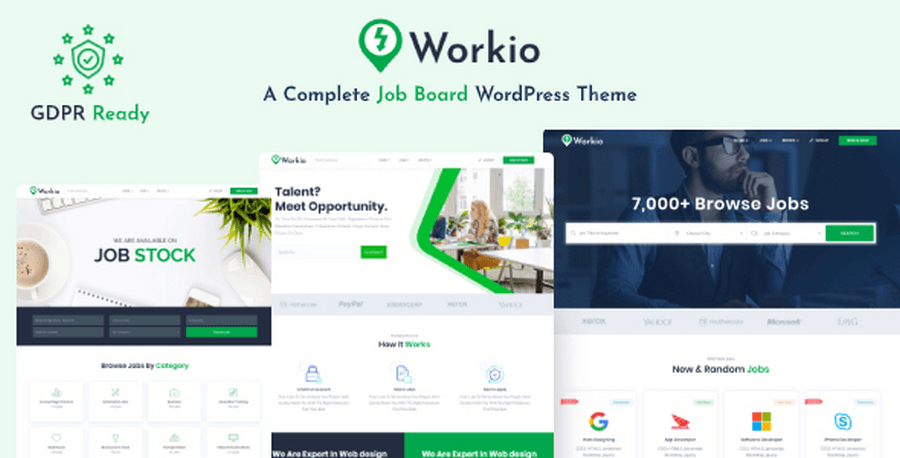
Workio is a comprehensive, responsive WordPress theme specifically designed for creating professional job boards, recruitment platforms, and career portals.
It provides a complete end-to-end solution for businesses, HR managers, and entrepreneurs to launch a functional job listing website without needing advanced coding knowledge.
Whether you are building a niche job board or a general recruitment site, Workio offers the tools to facilitate connections between employers and job seekers.
Best for:
Workio is an ideal choice for
- HR Managers & Recruitment Agencies: Companies looking to manage their own job postings and candidate databases efficiently.
- Entrepreneurs: Individuals looking to build a revenue-generating job portal platform.
- Businesses of all sizes: Organizations needing a professional, branded career page to attract and manage talent.
Key Features of Cariera
Workio comes equipped with a suite of features to handle the complexities of a job board:
- User Dashboards: Dedicated areas for both employers and candidates to manage their profiles, job postings, and applications.
- Front-End Submission: Allows employers to post jobs and candidates to upload resumes directly from the front end.
- Advanced Search & Filtering: Features powerful sorting options, including location-based searches and advanced listing filters to help users find the right opportunities.
- Customization: Fully customizable with the Elementor page builder, offering one-click demo imports, various grid/boxed layout options, and extensive admin interfaces.
- Monetization Tools: WooCommerce integration allows you to set up paid job listings and various membership or pricing packages.
- Social Connectivity: Built-in support for social login and job applications via platforms like Facebook, Google, Twitter, and LinkedIn.
- Privacy & Control: Granular control over privacy settings, allowing site owners to restrict who can view candidate profiles or contact information based on their user status or package.
Pros
- No Coding Required: User-friendly for beginners using the Elementor builder.
- Monetization Ready: Built-in WooCommerce support for creating revenue streams.
- Highly Customizable: Offers extensive typography, layout, and styling options.
- Modern UX: Includes social login, job alerts, and responsive design for a great mobile experience.
Cons
- Learning Curve: As a feature-rich theme, it may take time to master all settings.
- Theme Dependency: Like many feature-heavy themes, it relies on specific plugins that require maintenance.
- Support Limitations: Support is provided by the theme author and generally lasts for a fixed period (e.g., 6 months).
Price: Regular License $55
Why WordPress Is the Best Platform for a Job Board
Before diving into the themes, it is worth understanding why WordPress powers over 40% of all websites on the internet—and why it is the smartest choice for your job board in 2026:
- No monthly platform fees — unlike SaaS job board solutions that charge $99–$499/month
- Complete ownership — your data, your domain, your revenue
- Massive plugin ecosystem — WP Job Manager, WPJobBoard, Resume Manager, and more
- SEO advantage — full control over schema markup, metadata, page speed, and on-page SEO
- Scalability — start free, scale to thousands of listings without switching platforms
- India and US market advantage—affordable hosting options (Hostinger, SiteGround, Bluehost) make WordPress the go-to for both markets
💡 Pro Tip: Combining a premium job board WordPress theme with the free WP Job Manager plugin gives you a powerful, enterprise-grade job portal at a fraction of the cost of any SaaS alternative.
Frequently Asked Questions (FAQs) on Best Job Board WordPress Themes
Which is the best job board WordPress theme?
WorkScout is the best overall job board WordPress theme for 2026. It offers native WP Job Manager integration, Google Jobs schema, advanced salary filters, and mobile-first design. Perfect for recruitment agencies, niche portals, and enterprise job boards in the US and India markets. Pricing starts at $79/year with excellent vendor support.
Can I build a job portal without coding?
Yes, you can build a job portal without coding using premium job board WordPress themes like WorkScout, Careerfy, or JobHive. These themes include pre-built job listing templates, front-end submission forms, and employer dashboards. Pair with WP Job Manager (free plugin) for job submissions, search filters, and monetization. No coding required.
Is WP Job Manager free?
Yes, WP Job Manager is completely free with 100,000+ active installations. The core plugin includes job listings, front-end submission, categories, and basic search. However, advanced features like paid packages ($49/year), resume manager ($49/year), and job alerts ($39/year) require paid add-ons. Developed by Automattic (WordPress.com).
What is the best free job board WordPress theme?
The Free Job Board Theme on WordPress.org is the best free option for testing. It includes basic job listing templates and WP Job Manager compatibility. However, it lacks monetization, Google Jobs schema, and advanced filters. Use it only for learning or temporary testing. Upgrade to premium (WorkScout, JobHive) for a real business.
How do job board websites make money?
Job boards earn revenue through paid job listings ($49–$149 per job), featured placements ($29–$79), employer memberships ($79–$299/month), resume access fees ($49–$199/package), job alert emails ($5–$10/month), and sponsored company profiles ($199–$999/year). Combine multiple strategies for stable income. Successful boards earn $5,000–$50,000/month.
Which theme is best for an India job board?
Nine to Five (9to5) is best for Indian job boards due to RTL + WPML support for Hindi, Telugu, Arabic, and Tamil languages. It offers mobile-first design, Razorpay integration (UPI payments), and affordable pricing ($69/year). Joblook ($59/year) is best for budget-conscious startups needing fastest mobile loading
Which theme is best for a USA job board?
WorkScout is best for USA job boards with native WP Job Manager, Google Jobs schema, salary filters, remote job tags, and Stripe/PayPal integration. JobEngine ($79/year) is best for enterprise portals needing dual dashboards and video interview features. Superio specializes in remote work platforms with AI matching.
What is the best WP Job Manager theme?
WorkScout is the best WP Job Manager theme with native integration (not just compatible). It includes pre-built job listing templates, resume manager support, AJAX search, WooCommerce packages, and Google Jobs schema. Careerfy ($69 one-time) offers the best value with 15+ demos. JobHive ($59 lifetime) is best for budget users.
How to add paid listings to job board?
Install WP Job Manager Paid Packages add-on ($49/year) + WooCommerce. Create pricing packages in WP Job Manager → Packages (e.g., Basic: 1 job $49, Standard: 3 jobs $99). Enable payment gateways (Stripe for US, Razorpay for India). Employers pay to post jobs via front-end form.
How to add job alerts to WordPress?
Install WP Job Manager Job Alerts add-on ($39/year). Job seekers sign up for email notifications when new jobs match their category/location. Set up email automation with Mailchimp or SendGrid. Charge $5–$10/month for premium daily alerts. Free weekly alerts build traffic.
How to add resume submissions to a job board?
Install WP Job Manager Resume Manager add-on ($49/year). Create a “Upload Resume” page with [submit_resume_form] shortcode. Candidates upload resumes with custom fields (experience, education, skills). Employers pay to download resumes via WooCommerce packages ($49–$199/package).
Which job board theme has Google Jobs schema?
How to monetize a job board website?
Monetize through paid job listings ($49–$149), featured placements ($29–$79), employer memberships ($79–$299/month), resume access ($49–$199/package), job alerts ($5–$10/month), and sponsored profiles ($199–$999/year). Use WP Job Manager Paid Packages + WooCommerce. Start with free listings for 3 months, then switch to paid.
Can I import jobs from Indeed to WordPress?
What is the cheapest job board WordPress theme?
Joblook is the cheapest premium job board theme at $59/year with full features (WP Job Manager, WooCommerce, Elementor, and Google Jobs schema). JobHive offers the best long-term value at $59 lifetime (no annual fees). Free Job Board theme is free but lacks monetization and a schema.
Final Words on Best Job Board Themes for WordPress
Building a successful job board website in 2026 is easier than ever, thanks to powerful job board WordPress themes like WorkScout, Careerfy, and JobHive. Whether you are launching a niche job portal for IT professionals in Bangalore, a remote job board targeting the US market, or a local hiring platform for your city, WordPress gives you everything you need at a fraction of the cost of SaaS platforms.
Throughout this guide, you learned how to choose the best job board WordPress theme based on your budget, niche, and target market. You discovered that WP Job Manager compatibility, Google Jobs schema support, mobile-first design, and WooCommerce integration are the four non-negotiable features every serious job board must have in 2026.
If you are targeting the US market, go with WorkScout ($79/year). It offers native WP Job Manager integration, Google Jobs schema, salary filters, and remote job tags — everything US employers and job seekers expect. For enterprise-level portals, JobEngine is the strongest choice with dual dashboards and drag-and-drop job builder features.
If you are targeting the India market, go with Nine to Five ($69/year) for regional language support (Hindi, Telugu, Tamil) and Razorpay integration for UPI payments. On a tight budget? Joblook ($59/year) is the fastest-loading theme, perfect for India’s mobile-first audience on 2G and 3G networks. For the best long-term value, JobHive ($59 lifetime) saves you money year after year with no recurring annual fees.
The most important lesson from this entire guide is this: do not wait for the perfect website to launch. Pick a reliable theme, install WP Job Manager, define your niche clearly, and go live within 2 hours. The best job board WordPress themes give you the foundation — your consistency, niche focus, and employer relationships build the real business.
Start today, stay consistent, and your job board can realistically earn $5,000–$50,000 per month within 6–12 months with the right strategy.