
Most bloggers obsess about keyword research and content strategy but tend to forget the one variable that can silently bleed your AdSense revenue on a daily basis, namely, your WordPress theme.
Your theme impacts page speed, Core Web Vitals, ad placement flexibility, mobile rendering, and bounce rate. A slow, poorly coded theme not only provides a bad user experience, but it kills ad impressions, tanks CTR, and costs you real money.
In this guide, we’ve reviewed and ranked the best 10 Google Adsense optimized WordPress themes for 2026. We’ve taken into account their loading speed, Core Web Vitals scores, ad placement options, SEO code quality, and overall monetization potential.

Whether you’re starting a new blog or changing themes for an existing site, this list will help you make the right call.
What you’ll learn:
- Which themes score highest on Google PageSpeed Insights
- Which offer the most flexible ad placement zones
- Free vs premium options and when to upgrade
- How to choose the right theme for your niche and audience
Quick Comparison: Best AdSense WordPress Themes 2026
| Theme | Free Version. | Price | Rating |
| Kadence | ✅ Yes | Free / $79+ | ⭐ 4.9/5 |
| GeneratePress | ✅ Yes | Free / $59+ | ⭐ 4.8/5 |
| Astra | ✅ Yes | Free / $49+ | ⭐ 4.8/5 |
| Blocksy | ✅ Yes | Free / $69+ | ⭐ 4.7/5 |
| Neve | ✅ Yes | Free / $99+ | ⭐ 4.6/5 |
| OceanWP | ✅ Yes | Free / $43+ | ⭐ 4.5/5 |
| Newspaper | ❌ No | $59 | ⭐ 4.6/5 |
| Jannah | ❌ No | $59 | ⭐ 4.6/5 |
| Divi | ❌ No | $89/yr | ⭐ 4.4/5 |
How We Selected These Themes
Every theme on this list was evaluated against a strict 11-point checklist designed for AdSense publishers and bloggers:
- Loading Speed — PageSpeed Insights mobile & desktop scores
- Core Web Vitals — LCP, CLS, and INP compliance
- Mobile Responsiveness — tested across multiple viewport sizes
- Schema Markup — built-in structured data support
- SEO Code Quality — clean HTML output, proper heading hierarchy
- Ad Placement Flexibility — number and location of widget areas and ad zones
- Sidebar Layouts — sticky sidebar, wide sidebar options
- Customization Depth—native Customizer, block editor, or theme builder
- Plugin Compatibility — tested with WP Rocket, Ad Inserter, Rank Math, WooCommerce
- Pricing & Value — free tier usefulness, premium upgrade cost
- Update Frequency & Support — active development and quality documentation
Best Adsense Optimized WordPress Themes for Bloggers 2026
1. Kadence
Best all-round AdSense WordPress theme for bloggers in 2026
If you’re looking for the best Google AdSense optimized WordPress theme in 2026, Kadence is our top recommendation.
It is one of the fastest and most lightweight WordPress themes available today, making it an excellent choice for bloggers who want to improve search rankings, enhance user experience, and maximize their AdSense revenue.
Kadence is built with clean, performance-focused code that helps websites achieve excellent Core Web Vitals scores.
Its intuitive drag-and-drop header and footer builder, extensive customization options, and flexible layout controls make it easy to create a professional-looking website without touching a single line of code.
Unlike many feature-heavy themes that slow down websites, Kadence includes only the features you need while maintaining exceptional loading speeds.
This makes it ideal for content-rich blogs where speed directly impacts SEO rankings and ad performance.
Key Features
- Full-site editing with Kadence Blocks (FSE-ready)
- Header & Footer Builder with drag-and-drop zones
- Starter templates (1,000+ for free & premium)
- Global typography and color palettes
- WooCommerce integration built-in
- Transparent and sticky header options
- Mega menu support
- Conditional logic for layout variations
Why Kadence is Great for Google AdSense
Kadence gives bloggers complete control over their website layout, making it easier to place Google AdSense ads in strategic, high-performing locations.
Some of its AdSense-friendly features include:
- Flexible sidebar layouts
- Multiple widget-ready areas
- Full-width and boxed content layouts
- Custom header and footer sections
- Excellent mobile ad visibility
- Fast page loading for improved ad impressions
- Clean typography that improves content readability
- Minimal CSS and JavaScript for better performance
Because the theme loads extremely quickly, visitors spend less time waiting and more time engaging with your content, which can lead to higher page views and better ad click-through rates.
SEO Features
Kadence is designed with SEO best practices in mind and works seamlessly with popular SEO plugins.
SEO highlights include:
- Clean, semantic HTML5 markup
- Schema.org structured data for Articles, BreadcrumbList, and WebPage
- Compatible with Rank Math, Yoast SEO, and All in One SEO
- Proper heading hierarchy enforced in starter templates
- Open Graph and Twitter Card meta tag support
- AMP-compatible with AMP for WordPress plugin
These features help improve your site’s visibility in search engines while providing a better experience for visitors.
Performance
Kadence consistently scores 95–99 on Google PageSpeed Insights for desktop and 85–95 on mobile—among the highest of any multipurpose theme. Its minimal CSS/JS footprint and native lazy loading make it ideal for Core Web Vitals compliance. Total page weight on a default install is under 40KB of theme assets.
Pros & Cons
Pros
- Extremely fast and lightweight
- Excellent Core Web Vitals performance
- Highly customizable without coding
- Beginner-friendly interface
- Flexible layouts for AdSense placement
- Works perfectly with Gutenberg and Elementor
- Free version available
- Regular updates and excellent support
Cons
- Some advanced features require the Pro version.
- Premium starter templates are available only with paid plans.
- Learning curve for Hook system beginners
Pricing of the Kadence Theme
The theme offers a free version and a premium version. The theme costs you $79 per year.
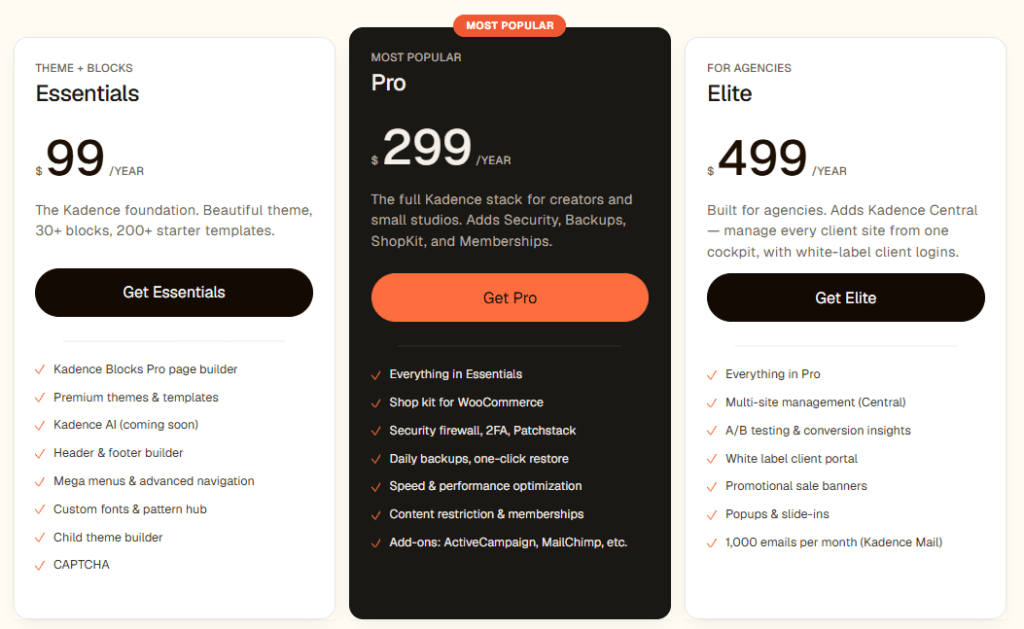
Kadence now offers three annual bundles under a simple “one bundle, no surprises” pricing model. All plans are billed yearly, and there is no lifetime deal at the moment.
1. Essentials – Theme + Blocks Foundation
- Pricing: $99 per year
- Ideal for: Bloggers, niche site owners, and small businesses who want a flexible, lightweight theme with powerful Gutenberg blocks
- Includes:
- Kadence Blocks Pro page builder
- Premium themes and 200+ starter templates
- Header and footer builder, mega menus, and advanced navigation
- Custom fonts and Pattern Hub access
- Child theme builder and CAPTCHA support
Use this plan in your article as the entry-level recommendation for new WordPress users and content-focused bloggers.
Content Management
2. Pro – Most Popular Bundle
- Pricing: $299 per year
- Ideal for: WooCommerce stores, membership sites, and creators who need security and performance tools
- Adds on top of Essentials:
- Shop Kit for WooCommerce features and enhancements
- Security firewall, two-factor authentication, and Patchstack protection
- Daily backups with one-click restore
- Speed and performance optimization tools
- Content restriction and membership functionality
- Integrations for email services like ActiveCampaign and Mailchimp
Position this as the best value plan for most serious bloggers and small businesses.
3. Elite – For Agencies and Multi‑Site Management
- Pricing: $499 per year
- Ideal for: Freelancers, agencies, and developers managing multiple client sites under one roof
- Adds on top of Pro:
- Kadence Central for multi-site management from a single dashboard
- A/B testing and conversion insights
- White-label client portal for agency branding
- Promotional sale banners, popups, and slide-ins
- 1,000 emails per month via Kadence Mail
Highlight this bundle as the go-to solution for agencies looking for centralized control and white-label options.
No Lifetime Deal Currently
The current Kadence / Liquid Web pricing structure is annual-only, with plans between $99 and $499 per year. Lifetime deals are not available on the official Kadence pricing page right now, so you can clearly mention that older lifetime offers are no longer sold and recommend the annual bundles instead.
Best For: Bloggers, affiliate marketers, niche site owners, beginners who want a fast setup, advanced users who want granular customization.
🏆 Verdict Kadence is our top pick for AdSense publishers in 2026. It combines blazing speed, flexible ad zones, clean SEO code, and generous free features into one package. If you’re building or migrating a monetized blog, start here.
👉 Kadence theme review | Kadence Blocks Review | Kadence Theme Alternatives
2. GeneratePress
The ultra-lightweight performance champion
If website speed and clean code are your top priorities, GeneratePress is one of the best Google AdSense optimized WordPress themes you can choose.
Trusted by thousands of bloggers and developers, GeneratePress is renowned for its lightweight framework, exceptional performance, and SEO-friendly architecture.
The theme is built with performance in mind, using minimal CSS and JavaScript to ensure your website loads quickly.
Faster websites not only provide a better user experience but can also improve your search engine rankings and increase your Google AdSense earnings.
GeneratePress integrates seamlessly with the WordPress Block Editor, Elementor, and other popular page builders, allowing you to build professional websites without sacrificing speed.
Key Features
- Ultra-lightweight theme (less than 10 KB)
- Exceptional loading speed
- Fully responsive and mobile-friendly
- Clean, SEO-optimized code
- Advanced Layout and Elements system
- Extensive typography and color controls
- WooCommerce compatibility
- Multiple blog and archive layouts
- Translation and RTL ready
- Compatible with Gutenberg, Elementor, and Beaver Builder
Why GeneratePress is Great for Google AdSense
GeneratePress makes it easy to create a clean, distraction-free layout that naturally improves ad visibility without affecting the user experience.
Its AdSense-friendly features include the following:
- Flexible sidebar and widget layouts
- Header and footer widget areas
- Custom hooks for placing ads anywhere
- Content layout controls
- Lightweight code for faster ad loading
- Mobile-optimized layouts
- Excellent readability that encourages longer visitor sessions
These features help publishers place advertisements strategically while maintaining a professional and user-friendly design.
SEO Features
GeneratePress follows modern SEO best practices to help improve your website’s visibility in search engines.
SEO advantages include:
- Clean HTML5 markup
- Schema-ready structure
- Mobile-first design
- Fast-loading pages
- Accessibility-ready code
- Optimized heading hierarchy
- Compatible with Rank Math SEO, Yoast SEO, and All in One SEO
These features contribute to better crawling, indexing, and overall search performance.
Performance
GeneratePress consistently ranks among the fastest WordPress themes available. Performance highlights include:
- Outstanding Google PageSpeed Insights scores
- Excellent Core Web Vitals
- Minimal CSS and JavaScript files
- Low server resource usage
- Fast Time to First Byte (TTFB)
- Optimized for high-traffic websites
Its lightweight architecture makes it an excellent choice for bloggers who rely on Google AdSense as a primary source of income.
Pros & Cons
Pros
- Extremely lightweight and fast
- Excellent Core Web Vitals performance
- Clean, SEO-friendly code
- Highly customizable with the Premium version
- Flexible Hooks system for ad placement
- Beginner-friendly yet developer-friendly
- Free version available
- Reliable updates and customer support
Cons
- Minimal design out of the box
- Some advanced customization features require the Premium version
Pricing
GeneratePress offers a powerful free version suitable for most bloggers. The premium version starts at $59 per year, unlocking advanced customization options, elements, hooks, and additional site-building features.
Best For: Bloggers and publishers who want maximum website speed, excellent SEO performance, and complete control over AdSense ad placement without unnecessary design bloat.
🏆 Verdict If raw speed is your priority and you’re comfortable with a modular setup, GeneratePress delivers unmatched performance. It’s the choice of many SEO professionals for good reason.
👉 GeneratePress Theme Review | GeneratePress theme alternatives
3. Astra
Most popular AdSense-friendly theme—beginner to advanced

Astra is one of the most popular WordPress themes, powering over one million websites worldwide.
Known for its speed, flexibility, and ease of use, Astra is an excellent choice for bloggers who want to monetize their websites with Google AdSense without compromising on performance or design.
Built with a lightweight framework, Astra loads quickly and delivers excellent Core Web Vitals scores.
Its extensive customization options and large library of professionally designed starter templates make it easy to create a high-quality blog in minutes—even if you have no coding experience.
Whether you’re launching a personal blog, niche website, or affiliate marketing site, Astra provides all the tools you need to build a fast, SEO-friendly, and AdSense-ready website.
Key Features
- 250+ professionally designed starter templates
- Lightweight and performance-optimized framework
- Hundreds of professionally designed starter templates
- Fully responsive and mobile-friendly
- No jQuery dependency for faster loading
- Drag-and-drop header and footer builder
- Advanced typography and color controls
- WooCommerce optimization
- Sticky header and transparent header options
- Compatible with Gutenberg, Elementor, Beaver Builder, and Spectra
- Regular updates and extensive documentation
- White-label and agency-friendly features
Why Astra is Great for Google AdSense
Astra offers excellent layout flexibility, allowing you to display advertisements without disrupting the reading experience.
Its AdSense-friendly features include the following:
- Multiple sidebar and widget layouts
- Custom header and footer widget areas
- Full-width and boxed page layouts
- Optimized content width for better ad visibility
- Mobile-responsive ad placement
- Fast-loading pages for improved ad impressions
- Clean and distraction-free design
These features help bloggers strategically position ads to improve visibility and click-through rates while maintaining a professional-looking website.
SEO Features
Astra follows modern SEO best practices and integrates seamlessly with leading SEO plugins.
SEO advantages include:
- Clean HTML5 markup
- Schema.org integration
- Mobile-first design
- Optimized heading structure
- Fast page loading
- Accessibility-ready code
- Compatible with Rank Math SEO, Yoast SEO, and All in One SEO
These SEO-friendly features help search engines crawl and index your content more effectively, improving your website’s visibility.
Performance
Astra is designed with speed as a priority and consistently performs well in independent speed tests.
Performance highlights include:
- Lightweight codebase
- Excellent Google PageSpeed Insights scores
- Strong Core Web Vitals performance
- Minimal CSS and JavaScript
- Optimized loading for desktop and mobile devices
- Smooth scrolling and responsive navigation
Its optimized architecture helps improve SEO rankings while providing visitors with a fast and enjoyable browsing experience.
Pros & Cons
Pros
- Extremely beginner-friendly
- Lightweight and fast-loading
- Large collection of starter templates
- Excellent customization options
- Great compatibility with page builders
- SEO and AdSense optimized
- Free version available
- Reliable updates and customer support
Cons
- Some advanced design features require the Pro version
- Premium starter templates are included only in paid plans
Pricing: Free version available. Astra offers a feature-rich free version that is ideal for beginners. The Astra Pro plan starts at $59 per year, unlocking advanced customization features, premium starter templates, and additional design options.
Best For: Bloggers and website owners who want a beginner-friendly, highly customizable WordPress theme that delivers excellent speed, SEO performance, and flexible Google AdSense integration.
🏆 Verdict: Astra is one of the best Google AdSense optimized WordPress themes for beginners and growing bloggers. It combines impressive speed, powerful customization features, and an intuitive user experience, making it easy to build a professional website that performs well in both search engines and AdSense.
👉 Astra theme Review | Astra theme Alterantives
4. Blocksy
Modern design meets high-performance ad monetization

If you’re looking for a modern, feature-rich WordPress theme that combines speed, flexibility, and excellent customization, Blocksy is an outstanding choice. Built with the latest web technologies, Blocksy delivers exceptional performance while offering advanced design features that make it easy to create a professional, AdSense-friendly website.
Unlike many multipurpose themes that become bloated over time, Blocksy maintains a lightweight codebase, helping your website load quickly and perform well in search engines. Its intuitive customization options and seamless integration with the WordPress Block Editor make it suitable for both beginners and experienced website owners.
Whether you’re running a personal blog, affiliate website, online magazine, or niche content site, Blocksy provides everything you need to improve user experience and maximize your Google AdSense revenue.
Key Features
- Real-time live preview Customizer
- WooCommerce integration with product wishlists
- Header and footer builder with multiple layouts
- Custom sidebar management per post/page
- Dark mode support built-in
- Conditional headers and footers
Why Blocksy is Great for Google AdSense
Blocksy offers flexible layout options that allow publishers to display advertisements naturally without affecting the reading experience.
Its AdSense-friendly features include the following:
- Multiple sidebar layouts
- Widget-ready header and footer areas
- Flexible content width settings
- Sticky sidebar support
- Clean typography for better readability
- Mobile-optimized layouts
- Fast-loading pages for improved ad impressions
- Distraction-free content design
These features make it easy to place advertisements in strategic locations while maintaining a clean and engaging website layout.
SEO Features
- Clean semantic HTML5 markup
- Schema markup support via Rank Math
- Open Graph support built-in
- Breadcrumb support via SEO plugins
- Optimized for Core Web Vitals
Performance
Blocksy achieves 92–96 on PageSpeed Insights desktop and handles Core Web Vitals very well. Its lightweight CSS architecture and native lazy loading contribute to strong real-world performance.
Pros & Cons of Blocksy
Pros
- Modern and visually appealing design
- Fast loading and lightweight
- Extensive customization options
- Beginner-friendly interface
- Built-in dark mode
- Excellent WooCommerce support
- Free version available
- Regular updates and active development
Cons
- Some advanced features are available only in the Pro version
- Premium starter sites require a paid plan
Pricing: Blocksy offers a generous free version with many useful features. The Blocksy Pro plans start at $69 per year, unlocking advanced customization tools, premium starter sites, and additional design features.
Best For: Bloggers, lifestyle publishers, WooCommerce store owners, publishers who prioritize design aesthetics.
🏆 Verdict: Blocksy is an excellent choice for bloggers and publishers who want a modern, high-performance WordPress theme without sacrificing flexibility. Its combination of speed, customization, and AdSense-friendly layouts makes it one of the best Google AdSense optimized WordPress themes in 2026.
5. Neve
AMP-compatible speed theme from ThemeIsle
Neve by Themeisle is a lightweight WordPress theme that is mobile-first. Neve is designed for speed and simplicity, making it an excellent option for bloggers looking for a fast-loading website that offers a smooth experience on desktops, tablets, and smartphones.
Given that so much of the Google AdSense traffic is mobile, a responsive and optimized website is more important than ever. Neve’s clean code, fast loading times and flexible customization options contribute towards higher user engagement, while providing more opportunities for ad impressions and clicks.
Whether you want to create a personal blog, affiliate website, business site or an online portfolio, Neve is the perfect combination of performance, customization and ease of use.
Key Features
- AMP-compatible with advanced AMP customization
- Header Booster addon for complex header layouts
- White label support
- WooCommerce cart icon and mini-cart in header
- Multiple header presets
- Blog Booster addon for advanced blog layouts
Why Neve is Great for Google AdSense
Neve is built to provide a clean reading experience while giving publishers the flexibility to display advertisements effectively.
Its AdSense-friendly features include the following:
- Multiple sidebar layouts
- Widget-ready areas for ads
- Full-width and boxed layouts
- Responsive advertisement placement
- Clean typography for improved readability
- Fast-loading pages for better ad visibility
- Flexible content width settings
- Sticky sidebar support (with compatible plugins)
These features help increase visitor engagement while allowing you to place Google AdSense ads in strategic locations without overwhelming your readers.
SEO Features
- AMP support for accelerated mobile pages (important for India traffic)
- Rank Math and Yoast fully supported
- Schema markup via SEO plugin integration
- Clean, accessible HTML output
- Breadcrumb support
Performance
Neve scores 90–95 on desktop on PageSpeed Insights. AMP-enabled pages get scores close to perfect on mobile. Neve’s AMP support can provide a significant revenue boost for publishers in India and Southeast Asia, where mobile-first audiences rule.
Pros & Cons of Neve theme:
Pros
- Fast and lightweight
- Excellent mobile performance
- Beginner-friendly interface
- Large collection of starter sites
- Easy customization
- WooCommerce compatible
- Free version available
- Regular updates and reliable support
Cons
- Some advanced customization options require the Pro version
- Premium starter templates are available only with paid plans
- Slightly less flexible ad placement than Kadence or GeneratePress
Pricing: Neve offers a capable free version for beginners. Premium plans start at $69 per year, providing advanced customization features, additional starter sites, and premium support.
Best For: Bloggers targeting mobile-heavy audiences, publishers in India and Southeast Asia, AMP enthusiasts.
🏆 Verdict: Neve is a great WordPress theme for bloggers and publishers that are focused on mobile performance and website speed. Its lightweight framework, responsive design, and flexible layout options make it one of the best Google AdSense optimized WordPress themes to boost user engagement and ad revenue.
6. OceanWP
Feature-rich free theme with solid ad placement
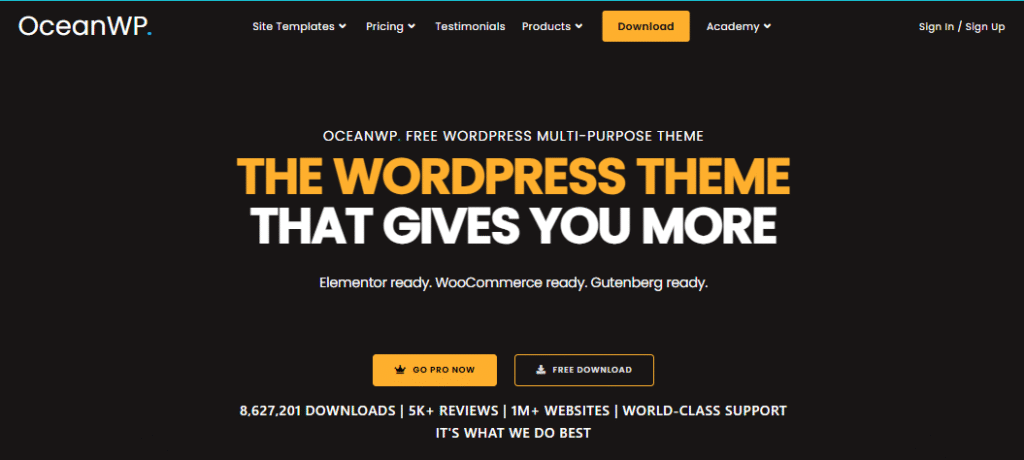
If you want full control of your website design without sacrificing performance, then OceanWP is an amazing Google AdSense optimized WordPress theme. It’s a powerful combination of speed, flexibility, and customization, making it perfect for bloggers, publishers, and businesses of all sizes.
OceanWP is built to work perfectly with the WordPress Block Editor and popular page builders like Elementor. It comes with a variety of layout choices, custom widgets, and theme extensions that allow you to create a professional-looking website while keeping your content optimized for both users and search engines.
With OceanWP you get everything you need to create an engaging AdSense-friendly website, whether you’re running a niche blog, online magazine, affiliate website or WooCommerce store.
Key Features
- Extensive extension library (free and premium)
- WooCommerce integration
- Multiple header styles
- Sticky header and footer options
- Multiple sidebar positions
- Custom sidebars per post
AdSense & Ad Placement Features
- Above-the-fold widget area in header
- Custom sidebar support for per-page ad targeting
- Footer widget areas for banner display ads
- Ad Inserter compatible for in-content ads
- Auto Ads compatible
Why OceanWP is Great for Google AdSense
OceanWP gives bloggers the flexibility to position advertisements where they perform best while maintaining a clean and user-friendly design.
Its AdSense-friendly features include the following:
- Multiple widget-ready areas
- Left, right, or dual sidebar layouts
- Full-width and boxed page layouts
- Custom header and footer sections
- Responsive ad placement
- Excellent content readability
- Flexible page templates
- Fast-loading pages for better ad visibility
These features help improve user engagement while maximizing ad impressions and click-through rates.
Performance
OceanWP scores 88–93 on PageSpeed Insights. It is slightly heavier than GeneratePress or Kadence, but with a good caching plugin (WP Rocket or LiteSpeed Cache) it achieves solid performance. Deactivating unused extensions reduces page weight significantly.
Pros & Cons of OceanWP
Pros
- Highly customizable
- Excellent free version
- Flexible layout options
- WooCommerce ready
- Responsive and mobile-friendly
- Large library of demo websites
- Works with all major page builders
- Regular updates and active support
Cons
- Some premium extensions require additional purchases
- Can become feature-heavy if too many extensions are enabled
Pricing: OceanWP is a powerful free version with lots of customization options. The premium plans start at $44 a year and they include additional extensions, premium demo sites, advanced customization options and priority support.
Best For: Bloggers looking for a feature-rich free theme and WooCommerce site owners on a budget.
🏆Verdict: For bloggers and publishers who want the most design flexibility without sacrificing SEO and Google AdSense compatibility, OceanWP is a great choice. With a wide range of customization options and responsive layouts, it’s a good choice for both novice and experienced WordPress users.
8. Newspaper 12
The go-to premium theme for high-traffic news and magazine sites

If you have a news portal, online magazine, or content-heavy blog, Newspaper by tagDiv is one of the best Google AdSense optimized WordPress themes. It is built for publishers, providing a clean layout, fast performance and built-in advertising management features to help maximize ad revenue.
Newspaper is built for monetizing content, not like generic WordPress themes. Google AdSense WP Theme: It features dedicated ad placement spots, responsive designs and advanced customization tools for easily showing Google AdSense ads without affecting the reading experience.
Newspaper comes with 150+ professionally designed website templates, and a powerful front-end page builder to make your website look beautiful, and yet perform great and be SEO friendly.
Key Features
- Optimized for news, magazine, and blogging websites
- Built-in tagDiv Composer page builder
- Over 150 pre-built website templates
- Smart ad management system
- Fully responsive and mobile-friendly
- Header, footer, and mega menu builder
- WooCommerce support
- Translation and RTL ready
- AMP compatibility
- Regular updates and premium support
Why Newspaper is Great for Google AdSense
Newspaper is designed specifically to help publishers increase advertising revenue with strategically placed ad locations.
Its AdSense-friendly features include the following:
- Dedicated banner ad placements
- Header, sidebar, and footer advertising areas
- In-content advertisement support
- Responsive ad units for mobile devices
- Sticky sidebar support
- Optimized article layouts for better ad visibility
- Built-in advertisement management
- Clean content layout that improves user engagement
These features make it easier to monetize your content while maintaining a professional appearance and excellent user experience.
SEO Features
- Article, BreadcrumbList, and Publisher schema
- AMP support via official AMP plugin
- Open Graph and Twitter Card meta tags
- Yoast SEO and Rank Math fully compatible
- Breadcrumb navigation built-in
Performance
Newspaper scores 85–91 on PageSpeed Insights. It is heavier than lightweight themes due to its page builder and extensive features. For high-traffic sites with a CDN and WP Rocket, real-world performance is excellent.
Pros & Cons of the Newspaper Theme
Pros
- Built specifically for publishers and bloggers
- Multiple built-in ad placement options
- Large collection of professional templates
- Easy front-end customization
- Excellent monetization features
- WooCommerce compatible
- Frequent updates and premium support
- One-time purchase with lifetime updates
Cons
- No free version available
- Includes many features that may be unnecessary for simple blogs
Pricing: Newspaper is available on ThemeForest for a one-time payment of $59, which includes lifetime updates and six months of premium support.
Best For: News websites, online magazines, high-traffic multi-author blogs, publishers managing large ad inventories.
🏆 Verdict: If you run a news site, an online magazine, or a blog with lots of content, Newspaper is one of the best WordPress themes for Google AdSense. With native ad features, professional layouts, and publisher-centric design, it’s a great investment for sites that rely on advertising revenue.
9. Jannah
Premium magazine theme with built-in AdSense management
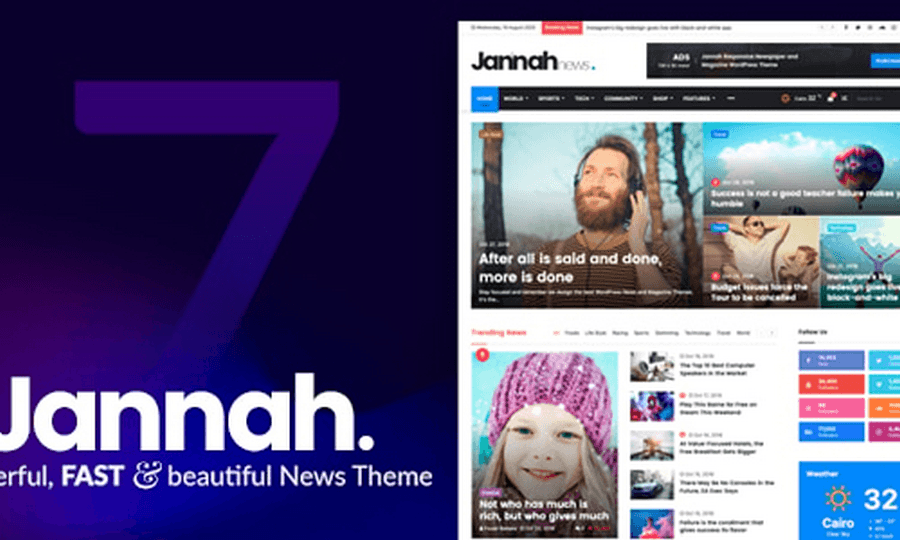
If you are building a professional online magazine or viral content website, Jannah is one of the best Google AdSense optimized WordPress themes you can buy. Jannah is a popular choice among publishers who rely on display advertising. Developed by TieLabs, it provides a combination of modern design, powerful monetization features, and excellent performance.
Jannah is built with content monetization in mind. It has lots of predefined ad locations, responsive layouts, and advanced customization options that help you display Google AdSense ads naturally all over your website. Clean article layouts also keep readers on the page for longer, which can boost page views and overall ad revenue.
Whether you run a technology blog, entertainment website, sports portal, or digital magazine, Jannah provides the flexibility and features you need to build a fast, engaging, and profitable publishing platform.
Key Features
- Built-in TieLabs Ads Manager
- AMP-ready pages
- Social counter with caching for performance
- Dark mode support
- One-click demo importer
- Custom widget areas and sidebar manager
Why Jannah is Great for Google AdSense
Jannah includes several features that make it easy to maximize Google AdSense earnings without affecting the user experience.
Its AdSense-friendly features include the following:
- Dedicated banner advertisement areas
- Responsive ad placement
- In-content advertisement support
- Sticky sidebar widgets
- Header and footer ad locations
- Optimized article layouts for better visibility
- Mobile-friendly advertisement display
- Excellent readability that encourages longer sessions
These features help publishers place advertisements in strategic positions while keeping the website clean and user-friendly.
SEO Features
- Article schema markup built-in
- AMP support for accelerated mobile pages
- Yoast SEO and Rank Math compatible
- BreadcrumbList schema
- Optimized social sharing meta tags
Performance
Jannah scores 87–92 on PageSpeed Insights. Its performance is slightly better than Newspaper due to cleaner asset loading, and its AMP support provides near-perfect mobile scores.
Pros & Cons of Jannah theme
Pros
- Designed specifically for publishers
- Multiple built-in ad placement options
- Attractive magazine layouts
- Highly customizable
- Excellent mobile responsiveness
- WooCommerce support
- Regular updates and reliable support
- One-time purchase with lifetime updates
Cons
- No free version available
- Beginners may need some time to explore all customization options
- Less design flexibility than a page-builder theme
Pricing: $59 (one-time) on ThemeForest.
Best For: News websites, magazine blogs, AdSense publishers who want built-in ad management, and mobile-heavy audiences.
🏆 Verdict : Jannah is an excellent choice for publishers looking for a feature-rich magazine theme that strikes a balance between design, speed, SEO, and monetization. Its high-quality, content-oriented layouts and flexible ad placement options make it one of the best Google AdSense optimized WordPress themes for news websites and high-traffic blogs.
10. Divi
The world’s most popular visual page builder theme
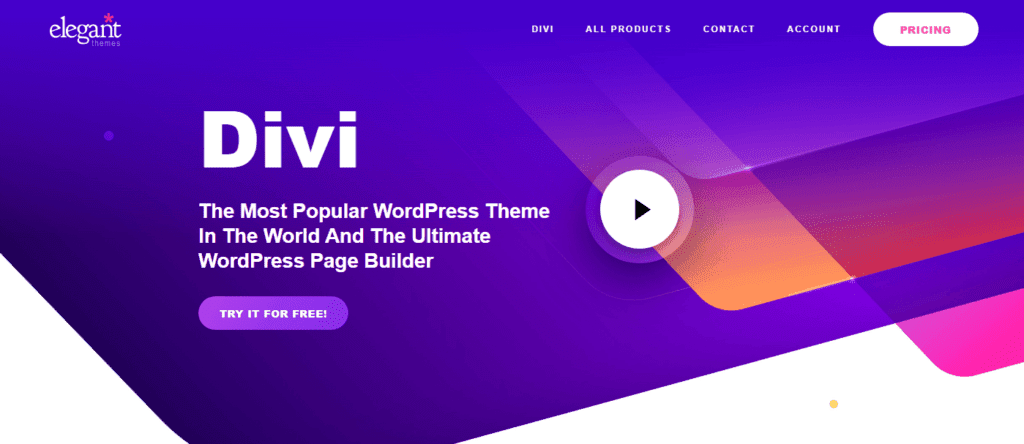
Divi by Elegant Themes is the world’s most popular WordPress page builder theme, with over 1 million active users.
Its visual drag-and-drop builder makes it extremely accessible for non-developers who want complete design control.
For AdSense, Divi’s flexible layouts and module system allow custom ad placement in virtually any page location, though at a performance cost compared to lighter themes.
Key Features
- Divi Builder — visual drag-and-drop page builder
- 800+ pre-built layouts
- A/B testing built-in
- Global design settings
- Role-based editor access
- Divi AI integration (2024)
AdSense & Ad Placement Features
- Code Module and Ad Module for custom ad placement
- Ad units can be placed in any Divi row or column
- Header Builder supports leaderboard ads
- Sidebar widget areas for standard display ads
- Compatible with Ad Inserter and Advanced Ads
SEO Features
- Schema markup via SEO plugins
- Rank Math and Yoast compatible
- Open Graph support
- Breadcrumb support
Performance
Divi scores 78–84 on PageSpeed Insights due to its builder’s JavaScript overhead. With WP Rocket and performance optimization, scores improve to 85–90. It’s not the fastest option but remains widely used by established publishers.
Pros & Cons
| ✅ Pros | ❌ Cons |
| Unmatched design flexibility | Significantly slower than lightweight themes |
| 800+ layout templates | Builder JavaScript can hurt Core Web Vitals |
| Built-in A/B testing | Requires additional performance optimization |
| Excellent for non-developers | Annual subscription model |
| Includes Divi Builder for all WordPress sites | — |
Pricing: $89/year or $249 lifetime for Elegant Themes All Access (includes Divi, Extra, Bloom, and Monarch).
Best for designers, established bloggers, agencies, and publishers who prioritize design flexibility over raw performance.
🏆 Verdict Divi is not the fastest choice for AdSense, but its flexibility and ease of use make it viable for established publishers with good hosting and a performance optimization stack.
Features to Look for in a Google AdSense Optimized WordPress Theme
Not every WordPress theme is built for maximizing Google AdSense revenue. While an attractive design is important, the best AdSense-friendly themes prioritize speed, SEO, user experience, and flexible ad placement.
Choosing a theme with the right features can improve your website’s performance, increase visitor engagement, and ultimately boost your advertising income.
Here are the key features you should look for before selecting a Google AdSense optimized WordPress theme.
1. Fast Loading Speed
Website speed directly impacts user experience, search engine rankings, and AdSense earnings. A lightweight theme loads faster, reduces bounce rates, and allows ads to display quickly.
Look for themes that:
- Load in under 2 seconds
- Use clean and optimized code
- Minimize CSS and JavaScript files
- Support lazy loading
- Deliver excellent Core Web Vitals scores
2. Mobile-Responsive Design
More than half of all web traffic comes from mobile devices. A responsive theme ensures your website and ads display correctly on smartphones, tablets, and desktops.
A mobile-friendly design helps:
- Improve user experience
- Increase mobile ad impressions
- Boost click-through rates (CTR)
- Enhance SEO rankings
3. SEO-Friendly Code
Your theme should follow modern SEO best practices to help search engines crawl and index your website efficiently.
Essential SEO features include:
- Clean HTML5 markup
- Schema markup support
- Optimized heading structure
- Breadcrumb navigation
- Compatibility with SEO plugins like Rank Math and Yoast SEO
4. Flexible Ad Placement Options
An AdSense-optimized theme should make it easy to place advertisements in high-performing locations without modifying code.
Look for themes that support:
- Header banner ads
- Sidebar widgets
- In-content advertisements
- Footer ad sections
- Homepage ad placements
- Sticky sidebar advertisements
5. Excellent Core Web Vitals Performance
Google uses Core Web Vitals as an important ranking factor. A theme optimized for these metrics can improve both SEO performance and user satisfaction.
Choose themes that perform well in:
- Largest Contentful Paint (LCP)
- Interaction to Next Paint (INP)
- Cumulative Layout Shift (CLS)
6. Lightweight & Clean Code
Avoid themes loaded with unnecessary features that slow down your website.
A lightweight theme offers:
- Faster loading times
- Better SEO performance
- Improved user experience
- Lower server resource usage
7. Customization Without Coding
Every blog has unique branding needs. A good theme should let you customize your website easily using the WordPress Customizer or block editor.
Useful customization options include:
- Header and footer builder
- Typography controls
- Color settings
- Sidebar layouts
- Blog and archive layouts
- Global design settings
8. Compatibility with Essential Plugins
Your theme should work seamlessly with popular WordPress plugins.
Important plugin compatibility includes:
- Google Site Kit
- Ad Inserter
- Rank Math SEO
- Yoast SEO
- WP Rocket
- LiteSpeed Cache
- Elementor
- WooCommerce
9. Regular Updates and Reliable Support
WordPress evolves continuously, so it’s important to choose a theme from a trusted developer that provides frequent updates, security improvements, and dependable customer support.
Premium themes often include the following:
- Regular feature updates
- Security patches
- Documentation
- Dedicated support
10. Accessibility and Browser Compatibility
A quality theme should be accessible to all users and function consistently across major browsers such as Chrome, Firefox, Edge, and Safari.
Accessibility features improve:
- User experience
- SEO
- Website usability
- Compliance with modern web standards
The right WordPress theme does much more than improve your website’s appearance—it directly influences your search rankings, page speed, visitor engagement, and Google AdSense earnings.
By choosing a lightweight, SEO-friendly, mobile-responsive theme with flexible ad placement options, you’ll build a strong foundation for long-term blogging success.
Whether you choose Kadence, GeneratePress, Astra, or another theme from this list, focusing on these essential features will help you create a faster, more user-friendly website that is optimized for both visitors and higher AdSense revenue.
How a Google AdSense Optimized WordPress Theme Can Increase Your Revenue
Many bloggers focus on publishing more content to increase their Google AdSense income, but they often overlook one critical factor—their WordPress theme.
The right theme doesn’t just make your website look professional; it also improves page speed, user experience, and ad visibility, all of which can directly impact your earnings.
Here are the key ways an AdSense-optimized WordPress theme can help you maximize your revenue.
1. Improves Website Loading Speed
A fast-loading website keeps visitors engaged and reduces bounce rates. Lightweight themes like Kadence, GeneratePress, and Astra are built with optimized code that loads quickly, allowing Google AdSense ads to appear faster.
Benefits include:
- Higher user engagement
- Lower bounce rate
- Better ad viewability
- Improved search rankings
- Increased revenue potential
2. Enhances User Experience (UX)
Visitors are more likely to stay on a website that is easy to navigate and visually appealing. A clean, responsive theme improves readability and makes it easier for users to consume your content.
A better user experience often leads to:
- Longer session duration
- More pages viewed per visit
- Higher return visitor rate
- Increased opportunities for ad clicks
3. Increases Ad Visibility
An AdSense-friendly theme provides flexible layouts that allow you to place advertisements in strategic locations without overwhelming your readers.
Common high-performing ad placements include:
- Below the header
- Within blog posts
- After the first few paragraphs
- Sidebar widgets
- Before the conclusion
- Footer sections
Proper ad placement can significantly improve your click-through rate (CTR) while maintaining a positive user experience.
4. Boosts Mobile Ad Revenue
Most websites now receive a majority of their traffic from mobile devices. A responsive WordPress theme automatically adjusts your content and advertisements for different screen sizes.
Mobile optimization helps:
- Improve ad visibility
- Increase mobile CTR
- Reduce accidental clicks
- Enhance the browsing experience
- Maximize earnings from mobile visitors
5. Improves Core Web Vitals
Google’s Core Web Vitals measure your website’s loading performance, responsiveness, and visual stability. Themes optimized for these metrics provide a smoother browsing experience and can positively influence your search rankings.
Better Core Web Vitals often result in:
- Improved organic traffic
- Higher visitor engagement
- Better ad impressions
- Increased long-term AdSense revenue
6. Encourages More Page Views
A well-designed theme makes it easier for visitors to explore your website through clear navigation, related posts, and organized content layouts.
More page views mean the following:
- More ad impressions
- Longer sessions
- Higher overall advertising revenue
7. Supports Better SEO Performance
Many AdSense-optimized themes include clean code, schema markup support, and mobile-first designs that help improve your search engine rankings.
Higher rankings lead to:
- Increased organic traffic
- More qualified visitors
- More ad impressions
- Greater earning potential
8. Reduces Layout Shifts
Poorly optimized themes can cause advertisements to shift as a page loads, creating a frustrating experience for visitors. Quality themes are designed to minimize layout shifts, resulting in a more stable page.
This improves:
- User satisfaction
- Core Web Vitals (CLS)
- Ad viewability
- Overall website professionalism
Tips to Maximize Google AdSense Revenue
Even the best theme won’t maximize your earnings on its own. Follow these best practices to get the most out of your website:
- Publish high-quality, original content consistently.
- Optimize your website for speed using a caching plugin.
- Compress and optimize images before uploading.
- Place ads naturally without disrupting the reading experience.
- Focus on creating content around high-value keywords.
- Improve internal linking to increase page views.
- Monitor your AdSense reports and test different ad placements.
- Keep your WordPress theme, plugins, and core software updated.
A Google AdSense optimized WordPress theme is an investment in your website’s long-term success. While no theme can guarantee higher earnings, choosing one that prioritizes speed, SEO, mobile responsiveness, and flexible ad placement gives you the best foundation for increasing traffic, improving user experience, and maximizing advertising revenue.
Combine a high-performance theme with quality content, strategic ad placement, and ongoing optimization, and you’ll be well-positioned to grow your Google AdSense income over time.
Best Google AdSense Ad Placements to Maximize Revenue
Choosing the right WordPress theme is only half the battle. To maximize your Google AdSense earnings, you also need to place your ads where they’re most likely to be seen and clicked—without negatively affecting the user experience.
Below are the most effective ad placement strategies recommended for bloggers and content publishers.
1. Above the Fold (Below the Header)
The area immediately below your website’s header receives the highest visibility because visitors see it before they start scrolling.
Best Ad Sizes:
- 728 × 90 Leaderboard (Desktop)
- 320 × 100 Large Mobile Banner
- Responsive Display Ads
Why It Works
- High visibility
- Excellent impression rate
- Suitable for all website types
Tip: Avoid placing too many ads at the top of the page, as it may create a poor user experience.
2. Below the Post Title
Displaying an ad immediately below the article title captures the reader’s attention before they begin reading the content.
Best For:
- Blog posts
- Tutorials
- Product reviews
- News articles
Recommended Ad Type:
- Responsive Display Ads
Benefits
- High visibility
- Strong click-through potential
- Works well on both desktop and mobile
3. After the First or Second Paragraph
One of the highest-converting ad placements is within the content, after the introduction.
By this point, visitors are already engaged with your article, making them more likely to notice relevant advertisements.
Benefits
- Higher CTR
- Better engagement
- Natural placement
- Excellent for long-form content
4. Middle of the Article
For articles longer than 2,000 words, inserting an advertisement midway through the content can significantly increase impressions without interrupting the reading experience.
Best Practice
- Place the ad after a major heading (H2 or H3).
- Leave enough spacing above and below the ad.
5. Sidebar Ads
Sidebar advertisements remain one of the most popular placements for desktop visitors.
Many AdSense-optimized WordPress themes support sticky sidebars, allowing ads to remain visible as users scroll.
Ideal Ad Sizes
- 300 × 250 Medium Rectangle
- 300 × 600 Half Page
- Responsive Display Ads
Best For
- Desktop users
- Review websites
- Magazine sites
- Blogs with sidebars
6. Before the Conclusion
Visitors who reach the end of an article are highly engaged, making this an excellent location for another display advertisement.
This placement works particularly well for:
- Tutorials
- Buying guides
- Product reviews
- Comparison articles
7. Footer Ad
Footer advertisements generally receive fewer clicks than ads placed within content but still contribute additional impressions.
They’re useful for:
- Long-form articles
- High-traffic websites
- Magazine layouts
Recommended Ad Sizes
| Ad Size | Best Placement |
|---|---|
| 728 × 90 | Header (Desktop) |
| 320 × 100 | Header (Mobile) |
| 336 × 280 | Within Content |
| 300 × 250 | Sidebar & In-Content |
| 300 × 600 | Sticky Sidebar |
| Responsive Display Ads | Anywhere on the Page |
Best Practices for Ad Placement
Follow these recommendations to maximize your AdSense revenue while staying compliant with Google’s policies:
- Use responsive ad units for all devices.
- Keep advertisements clearly separated from your content.
- Don’t overload your pages with too many ads.
- Place ads naturally where users are most engaged.
- Maintain a fast-loading website.
- Test different placements using AdSense experiments.
- Focus on providing a great user experience first.
Common Mistakes to Avoid in Ad Placement
Avoid these practices, which can hurt your earnings and user experience:
- Placing too many ads above the fold
- Inserting ads too close to navigation menus
- Using intrusive pop-up advertisements
- Breaking up every paragraph with ads
- Ignoring mobile optimization
- Allowing ads to slow down page loading
- Accidentally encouraging clicks on ads
Even the best Google AdSense optimized won’t maximize your revenue without proper ad placement. By strategically positioning advertisements in high-visibility areas and maintaining a clean, user-friendly layout, you can improve ad impressions, increase click-through rates, and create a better experience for your visitors.
Remember, quality content and user experience should always come first. A fast website with valuable content and well-placed ads is far more likely to achieve sustainable Google AdSense earnings over the long term.
Essential Plugins to Maximize Google AdSense Revenue
Choosing the right WordPress theme is only the first step toward building a profitable AdSense website. To improve your site’s speed, SEO, user experience, and advertising performance, you should also install a few essential WordPress plugins.
Here are the best plugins that work perfectly with the AdSense-optimized WordPress themes featured in this guide.
1. Ad Inserter
Best For: Managing Google AdSense ad placements
Ad Inserter is one of the most popular ad management plugins for WordPress. It lets you insert Google AdSense ads automatically before or after paragraphs, inside posts, in the sidebar, header, footer, and other widget areas.
Key Features
- Automatic ad insertion
- Sticky ads support
- AMP compatibility
- Responsive ad management
- Ad rotation and scheduling
- Advanced targeting options
Why We Recommend It: If you want complete control over your ad placements without editing your theme files, Ad Inserter is an excellent choice.
2. Rank Math SEO
Best For: Improving search engine rankings
More organic traffic means more ad impressions and higher AdSense earnings. Rank Math SEO helps optimize your website for search engines with advanced on-page SEO features.
Key Features
- Keyword optimization
- XML sitemap generation
- Schema markup
- Internal link suggestions
- Redirection manager
- SEO analytics
Why We Recommend It: Better SEO brings more visitors, which can significantly increase your AdSense revenue.
👉 Rank Math Review 2026 | Rank Math AI Link Genius Review | Rank Math Settings | Rank Math Free vs Pro (2026)
3. WP Rocket
Best For: Website speed optimization
A fast-loading website improves user experience, Core Web Vitals, and Google rankings. WP Rocket is one of the easiest caching plugins to configure.
Key Features
- Page caching
- Browser caching
- GZIP compression
- Lazy loading
- CSS and JavaScript optimization
- Database cleanup
Why We Recommend It: Faster websites improve visitor engagement and help ads load more quickly.
👉 WP Rocket review | WP Rocket Settings
4. LiteSpeed Cache
Best For: Websites hosted on LiteSpeed servers
LiteSpeed Cache is a powerful free alternative to premium caching plugins and offers enterprise-level performance.
Key Features
- Full-page caching
- Image optimization
- CSS and JavaScript optimization
- Object cache support
- CDN integration
Why We Recommend It: Ideal for bloggers using LiteSpeed-powered hosting.
5. ShortPixel Image Optimizer
Best For: Image compression
Large images slow down websites and negatively affect Core Web Vitals. ShortPixel automatically compresses images without noticeable quality loss.
Key Features
- Lossless and lossy compression
- WebP and AVIF support
- Bulk optimization
- Automatic image resizing
Why We Recommend It: Smaller images improve loading speed and user experience.
6. Google Site Kit
Best For: Website analytics and performance monitoring
Google Site Kit connects your WordPress website with Google’s official services in one dashboard.
Key Features
- Google AdSense reports
- Google Analytics integration
- Search Console data
- PageSpeed Insights
- Google Tag Manager support
Why We Recommend It: Monitor your website’s performance and AdSense earnings without leaving WordPress.
7. MonsterInsights
Best For: Understanding visitor behavior
MonsterInsights brings Google Analytics data directly into your WordPress dashboard, making it easier to identify your highest-performing pages.
Key Features
- Real-time analytics
- Publisher reports
- Affiliate link tracking
- Outbound link tracking
- User behavior insights
Why We Recommend It: Learn which content generates the most traffic and optimize ad placement accordingly.
8. Perfmatters
Best For: Advanced performance optimization
Perfmatters removes unnecessary WordPress features that can slow down your website, helping improve loading times and Core Web Vitals.
Key Features
- Disable unused scripts
- Database optimization
- Lazy loading
- DNS prefetch
- Script manager
Why We Recommend It: Perfect for bloggers who want maximum performance without installing multiple optimization plugins.
Recommended Plugin Stack for AdSense Bloggers
For the best results, we recommend using the following plugin combination:
| Purpose | Recommended Plugin |
|---|---|
| Ad Management | Ad Inserter |
| SEO | Rank Math SEO |
| Caching | WP Rocket or LiteSpeed Cache |
| Image Optimization | ShortPixel |
| Analytics | Google Site Kit |
| Visitor Insights | MonsterInsights |
| Performance Optimization | Perfmatters |
Using a fast, Google AdSense optimized WordPress theme together with the right plugins creates the perfect foundation for a successful blogging website. These plugins help improve your site’s speed, SEO, analytics, and ad management, allowing you to focus on creating high-quality content while maximizing your advertising revenue.
Remember, plugins should complement your theme—not slow it down. Install only the plugins you truly need, keep them updated, and regularly monitor your website’s performance to ensure the best possible user experience.
Common Mistakes to avoid that should be hurt your page speed
⚠️ Warning These mistakes can hurt your AdSense earnings, Core Web Vitals scores, and organic rankings — even with a great theme.
- Too Many Ads — Violates AdSense policies and increases page weight. Stick to 3–4 strategic placements
- Slow, Feature-Bloated Themes — Using a heavy theme and ignoring speed is the #1 revenue killer for AdSense publishers
- Heavy Page Builders on Every Page—Elementor or WPBakery on every post adds unnecessary JavaScript overhead
- Ignoring Core Web Vitals — CLS and INP issues caused by poorly-coded themes can suppress organic rankings
- Poor Mobile Layouts — Ads that overlap or display incorrectly on mobile generate no revenue and can lead to policy violations
- CLS from Ads Loading—Reserve space for ad units to prevent layout shift (CLS) when ads load
- Auto-Playing Video Ads — These cause INP issues and high bounce rates. Disable unless explicitly required
Which Theme Should You Choose?
Here’s a quick decision guide based on your use case:
| Your Situation | Recommended Theme |
| You’re a beginner starting a blog | Kadence (free) or Astra (free) — both offer quick setup and starter templates |
| You want maximum speed and clean code | GeneratePress — fastest theme on this list |
| You’re building a news or magazine site | Newspaper or Jannah — built-in ad management and magazine layouts |
| You’re targeting mobile-heavy audiences | Neve or Jannah — AMP support for mobile-first performance |
| You use Elementor or Divi builder | Astra or Kadence — both integrate cleanly with major builders |
| You run a WooCommerce store and blog. | Astra or Kadence — best native WooCommerce integrations |
| You want built-in ad management | Jannah or SmartMag — no need for Ad Inserter plugin |
| You’re an SEO-first technical blogger | Schema or GeneratePress — cleanest structured data output |
| You’re an affiliate review site | Extra or Kadence — built-in review modules and flexible layouts |
| You have a budget under $60 one-time | Soledad, Jannah, SmartMag, or Newspaper — all $59 one-time |
Free vs Premium AdSense Themes: Which Should You Choose?
| Free Themes | Premium Themes |
| Great for getting started quickly | More ad placement zones and customization options |
| Kadence, Astra, GeneratePress’s free tiers are genuinely powerful | Better performance optimizations built-in |
| No upfront investment | Priority support and regular updates |
| Smaller feature sets | Advanced hooks, builders, and layout options |
| Less design flexibility | Professional starter templates |
| Community support only | Typically $49–$129/year or one-time payment |
Bottom line: Start with Kadence or Astra free. Upgrade to premium when you’re earning consistently and want to unlock advanced ad placement features that directly impact revenue.
Frequently Asked Questions on Adsense Optimized WordPress Themes 2026
What is the best Google AdSense optimized WordPress theme?
Kadence is the best AdSense-optimized WordPress theme in 2026, offering a combination of exceptional loading speed (95–99 PageSpeed score), flexible ad placement via its header builder and hooks system, clean SEO code, and a powerful free version. It’s the top choice for both new and established AdSense publishers.
Which free WordPress theme is best for AdSense?
The Kadence free version is the best free AdSense theme, offering a fully functional starter with widget areas, a hooks system, and fast performance. GeneratePress free is the better choice if raw speed is your top priority. Both are significantly more capable than typical free themes.
Does theme speed affect AdSense earnings?
Yes — significantly. Faster themes improve Core Web Vitals scores, which can positively influence organic rankings and therefore traffic. Higher traffic means more ad impressions. Additionally, faster pages attract more programmatic advertisers, which increases auction competition and CPM rates. A 1-second improvement in page load time can increase mobile conversions by up to 27% according to Google research.
Is Kadence better than Astra for AdSense?
Kadence generally edges out Astra on raw performance (slightly faster PageSpeed scores) and ad placement flexibility through its more comprehensive Hooks system. Astra has a larger starter template library and is slightly more beginner-friendly. For pure AdSense optimization, Kadence is the better choice. For WooCommerce or design variety, Astra is equally strong.
Which theme has the highest Core Web Vitals score?
GeneratePress consistently achieves the highest Core Web Vitals scores of any multipurpose WordPress theme, regularly scoring 99/100 on PageSpeed Insights desktop. Kadence and Schema also achieve excellent CWV scores (95–98). Magazine themes like Newspaper and Jannah score lower but can pass CWV with proper optimization.
Can I use AdSense with Elementor themes?
Yes. You can use AdSense with Elementor-based themes like Hello Elementor. However, Elementor adds JavaScript overhead that can hurt Core Web Vitals scores. If performance is a priority, pair Elementor only with your static pages and use a lighter approach for blog posts where AdSense runs.
Which AdSense theme loads fastest?
GeneratePress is the fastest WordPress theme on this list, with a base install under 10KB of CSS/JS assets and consistent 99/100 PageSpeed Insights scores. Kadence and Schema follow closely at 95–99. Magazine themes like Newspaper and Jannah are significantly heavier but perform well with caching and a CDN.
Do premium themes improve AdSense revenue?
Premium themes can improve AdSense revenue by providing more strategic ad placement zones, better performance optimizations, sticky sidebar support, and more widget areas than free themes. However, the free versions of Kadence, Astra, and GeneratePress are competitive enough for many publishers. Upgrade when you need features that directly impact revenue, such as advanced hooks or built-in ad management.
Are AdSense optimized themes SEO friendly?
Yes. The best AdSense themes are also the best SEO themes. Fast loading speeds, clean HTML markup, proper heading hierarchy, schema markup support, and Core Web Vitals compliance are all features that benefit both AdSense performance and organic search rankings. Kadence, GeneratePress, Astra, and Schema are all excellent SEO themes.
Which theme is best for bloggers in 2026?
For blogging in 2026, Kadence is the top recommendation for most bloggers, offering speed, ad placement flexibility, 1,000+ starter templates, and a powerful free version. GeneratePress is the best choice for performance-focused bloggers. Astra is the most beginner-friendly option with the largest template library. Magazine bloggers should consider Newspaper or Jannah.
Final Verdict: Best AdSense WordPress Themes 2026
| Category | Winner |
| 🏆 Best Overall | Kadence — Speed, flexibility, ad placement, and value |
| 🆓 Best Free Theme | Kadence (free) or GeneratePress (free) |
| ⚡ Best for Speed | GeneratePress — consistently scores 99/100 |
| 📰 Best for Magazine/News | Newspaper or Jannah |
| 📱 Best for Mobile/AMP | Neve or Jannah |
| 💰 Best Budget Premium | Soledad, SmartMag, or Jannah ($59 one-time) |
| 🔍 Best for SEO | Schema or GeneratePress |
| 🛒 Best for WooCommerce + AdSense | Astra or Kadence |
| 👥 Best for Beginners | Astra — easiest setup and largest template library |
Related Articles on BloggingDen
- Best WordPress Hosting for Bloggers 2026
- Best WordPress Caching Plugins (Speed Up Your Blog)
- Rank Math SEO Review: Is It Better Than Yoast?
- Google AdSense Alternatives for Bloggers
- How to Start a Blog in 2026 (Step-by-Step Guide)
- Best SEO Plugins for WordPress
- Best Blogging Platforms Compared
🚀 Ready to Boost Your AdSense Revenue? Our top recommendation is Kadence. It’s fast, flexible, beginner-friendly, and gives you the ad placement control you need to maximize earnings. Get started with the free version today — no credit card required.






Hello Sir,
Very informative article shared by you. Adsense optimized theme is very important for every blogger or blog.
In my thinking, NewsMag is the best and my favorite theme for any type of blog.
Regards,
Shubham
Hello Sir,
Thanks for sharing such a good post. It will be very helpful for beginner because when we are on the starting stage then it is very difficult to select the best and responsive theme for our blog. Thanks again…
Hey Satish,
thanks I never read such article before that a theme can help me with Adsense I thought there are other factors, Thanks for letting everyone know.
Hello Satish sir,
I am the regular follower of the blog. All my blogs are running on the Blogspot platform. I am planning to migrate all my blogs to self-hosted WordPress platforms. Here you listed very good themes for my future blogs. I will pick one of the themes from your list. This is informative information for all WordPress CMS users who enabled AdSense for their blogs.
Thank you
Hanuman Naidu Eagala