One toolkit for keywords, backlinks, rankings, and site audits.
Semrush SEO Toolkit brings together keyword research, competitor analysis, rank tracking, backlink tools, on-page optimization, and technical SEO auditing in one platform for marketers and site owners.
Start Semrush Free Trial →Looking for the best SEO toolkit to boost your online visibility in 2026? If you’re like me, you juggle content creation and keyword research and try to outrank the competition.
In this Semrush SEO Toolkit Review, I’m going to show you how I actually use Semrush to grow traffic. I will also demonstrate how it increases revenue across multiple blogs. This is crucial in 2026, especially as AI search reshapes SEO.
If you’re a blogger or solopreneur in the USA or India, this guide is for you. It will help you decide if this all‑in‑one SEO tool is worth the monthly cost.
Over the last few years, I’ve used Semrush for a wide range of tasks. These include keyword research and site audits. I’ve also done backlink analysis and content optimization. Now, I track AI visibility across platforms like Google, ChatGPT, Perplexity, and more.
In this updated 2026 review, I’ll walk you through what’s new in the Semrush SEO Toolkit. This includes Semrush One, the AI SEO toolkit, and Copilot. I’ll explain how the current pricing works in the USA and India. I’ll also discuss where Semrush still falls short compared to cheaper tools.
If you’re wondering:
- Is Semrush worth it?
- How does it compare to other top SEO tools?
- What are the actual pros and cons?
…then you’re in the right place.
By the end, you’ll know which Semrush plan makes sense for your stage. This applies whether you are running a solo blog or managing a small agency. You’ll understand how to use the toolkit in a practical workflow. You’ll also know when it’s smarter to start with a lighter SEO tool and upgrade later. I’ll share my honest pros and cons. I’ll include real use cases from my own sites. I’ll also provide a special link to try Semrush so you can test everything before committing.
What is Semrush SEO Toolkit?
If you’ve been trying to grow your organic traffic, you’ve probably heard of Semrush. The Semrush SEO Toolkit is the core part of the platform. It provides an all‑in‑one set of SEO tools. These tools allow you to research keywords, audit your site, track rankings, and analyze competitors in a single place.
In practical terms, the Semrush SEO Toolkit is a complete SEO workspace. It is inside your Semrush account. It helps you plan, execute, and measure your SEO strategy across Google and other search and AI‑driven experiences.
Whether you’re a blogger, solopreneur, digital marketer, SEO professional, or business owner, it provides essential tools. You need these tools to analyze, optimize, and grow your organic visibility.
Semrush as a whole now includes 50+ marketing tools across SEO, content, advertising, social, local, and AI visibility. Most users start with the SEO Toolkit. This is where most of the ranking “work” happens.
From one dashboard, you can go from keyword idea to optimized content and then monitor performance over time.
Here’s what the Semrush SEO Toolkit offers today:
- Competitor research tools include Domain Overview, Organic Rankings, Compare Domains, Keyword Gap, and Backlink Gap. These tools help you see which keywords and pages drive traffic for your competitors.
- Keyword research tools such as Keyword Overview and Keyword Magic Tool help analyze search volume, intent, and keyword difficulty. They also identify trends and build keyword clusters for your blog posts and landing pages.
- Backlink analytics and link‑building tools help you audit your backlink profile. They assist you in finding toxic links. You can also uncover link opportunities your competitors are already using.
- On Page SEO Checker provides related on-page reports. These reports give you actionable suggestions. You can use them to improve individual URLs based on top-ranking pages.
- Content optimization tools like SEO Writing Assistant and SEO Content Template help you create semantically rich content. These tools ensure the content aligns with search intent and is easier to rank.
- Site Audit to scan your website for technical SEO issues, internal linking problems, Core Web Vitals opportunities, and crawlability errors.
- Position Tracking to monitor your daily rankings across countries, devices, and locations. It helps you see how your visibility changes over time.
- AI Visibility and related AI‑powered insights (via Semrush’s AI visibility toolkit and PKD / Potential Traffic metrics). This helps you understand how likely you are to rank. You can also identify where your biggest keyword opportunities are.
What I personally like is how everything inside the Semrush SEO Toolkit is connected. You can start from a single keyword. Open Keyword Overview to build clusters in the Keyword Magic Tool. Send them into your content plan. Then track rankings and AI visibility for those same terms. You can do all this without jumping between multiple platforms.
For bloggers and businesses, the Semrush SEO Toolkit becomes your central command center for search engine optimization. It helps you choose better keywords and fix technical issues. It also optimizes content and tracks results. Additionally, it allows you to reverse‑engineer what’s working for your competitors. In many ways, it’s like having an SEO expert sitting beside you 24/7, showing you where to focus next.
Semrush SEO Toolkit Review 2026: What’s New This Year
Search has changed a lot in the last two years, and Semrush has evolved with it. In 2026, the Semrush SEO Toolkit is more than just a set of keyword and audit tools. It’s tightly integrated with Semrush Copilot, the AI SEO toolkit, and the new Semrush One platform.
You can manage both classic SEO and AI visibility from a single workspace. In this part of my Semrush SEO Toolkit Review, I’ll quickly walk you through the biggest updates. These updates actually matter for bloggers, solopreneurs, and small teams.
1. Semrush Copilot: Your AI SEO Assistant (2026)
Semrush Copilot is an AI‑powered assistant built into the Semrush SEO Toolkit. It reads your core SEO data and turns it into prioritized tasks.
It also creates alerts and identifies opportunities. Instead of manually checking every report, Copilot scans tools like Site Audit, Position Tracking, and Organic Research. It also uses Keyword Gap and Backlink Analytics. Then, it tells you what to fix or do next.
Key Semrush Copilot features
- Daily SEO alerts for technical issues, ranking drops, traffic dips, and toxic backlinks.
- Prioritized task lists based on urgency and potential impact, so you know which SEO issues to tackle first.
- Automatic keyword discovery and “keyword rescue” suggestions to reclaim lost rankings and find new keyword ideas.
- Competitor monitoring that highlights keyword and backlink gaps between your site and your main rivals.
- AI‑driven recommendations on which Semrush SEO tools and reports to open next for deeper analysis.
- Backlink “detective” capabilities to spot risky links and new link‑building opportunities.
2. AI SEO Toolkit & AI Visibility: What’s New for 2026
Beyond traditional keyword and site audit tools, Semrush now offers an AI SEO Toolkit. It is powered by the AI Visibility Toolkit. This helps you understand your brand’s appearance in AI search results. You can see results across ChatGPT, Google AI Mode, Gemini, Perplexity, and other LLMs.
This is a big shift for 2026. It lets you optimize content not just for classic Google SERPs. You can also optimize for AI‑generated answers and prompts.
Core AI SEO / AI Visibility features
- Prompt tracking to monitor how often your brand appears in answers for specific, high‑value prompts and questions.
- Share‑of‑voice metrics that compare your AI visibility against competitors across topics and prompts.
- AI search site audit to find technical issues that might prevent AI bots from understanding or citing your content.
- Topic and prompt opportunity reports showing where competitors are mentioned, but your brand is “missing” or “weak.”
- Real‑time AI content guidelines and suggestions for headings, subtopics, and semantic terms when creating or optimizing content.
- AI‑assisted content drafting options, so you can generate first drafts aligned with your target keywords and search intent.
3. Semrush One: Unified SEO + AI Search Platform
Semrush One is Semrush’s flagship “all searches” solution. It merges the classic Semrush SEO Toolkit with the AI Visibility Toolkit. These are combined into one connected platform. Instead of juggling separate tools and subscriptions, you get a unified workflow. This workflow tracks rankings, prompts, and brand visibility across both traditional search and AI‑driven search experiences.
Notable Semrush One capabilities
- Unified visibility tracking for both Google SERPs and AI search results in a single reporting layer.
- Combined keyword, backlink, and prompt databases so you can see SEO and AI data side‑by‑side.
- AI‑powered recommendations and workflows that guide your next optimization steps across SEO and AI visibility.
- Cross‑toolkit integration, letting you move smoothly between keyword research, content optimization, AI visibility, and reporting.
- Plan tiers (Starter, Pro+, Advanced) that bundle traditional SEO features with AI visibility tracking and automation.
2025–2026 Interface and Workflow Improvements
From 2025 onwards, Semrush has refreshed its interface. It makes the SEO Toolkit and Semrush One easier to navigate. The tools are now faster and more visual. The goal is to help you interpret your SEO and AI data quickly. This is beneficial even if you’re a solo blogger. It’s also useful for small business owners without a data team.
Important UX and workflow updates
- Cleaner tool grouping for AI SEO, keyword research, content optimization, link building, rank tracking, and competitive analysis.
- Faster, more visual dashboards in Domain Overview, Keyword Overview, Position Tracking, and AI Visibility reports.
- New widgets for “quick wins,” missed AI prompts, and priority issues surfaced directly on project home screens.
- Better saved views, filters, and report presets for agencies and bloggers managing multiple sites or clients.
- Tighter integration with reporting (white‑label PDFs, Looker Studio, and scheduled reports) inside Semrush One
| Primary Tool | Sub tool Names |
|---|---|
| SEO Dashboard | |
| Site Performance | Site Audit |
| Position Tracking | |
| Competitive Analysis | Domain Overview |
| Organic Rankings | |
| Top Pages | |
| Compare Domains | |
| Keyword Gap | |
| Backlink Gap | |
| Keyword Research | Keyword Overview |
| Keyword Magic Tool | |
| Keyword Strategy Builder | |
| Content Ideas | SEO Writing Assistant |
| Topic Research | |
| SEO Content Template | |
| Link Building | Backlinks |
| Refering Domains | |
| Backlink Audit | |
| Extras | Sensor |
| SEOquake | |
| Semrush Rank | |
| Other | On Page SEO Checker |
| Organic Traffic Insights | |
| Link Building | |
| Log File Analyzer |
Semrush’s powerful all-in-one SEO comes with an AI-powered marketing platform, and it remains unique in 2026. No other tool on the market can match its broad range of features.
It offers unparalleled data accuracy. Continued product development makes Semrush an essential investment for driving exponential growth.
The platform offers more than 50 tools and capabilities. However, the Semrush SEO Toolkit gives users a focused, comprehensive set of digital marketing features, including 20 dedicated tools.
In the next section, we’ll explore the core Semrush features. We will see how these tools help marketers improve their results across multiple channels.
1. Semrush SEO Dashboard
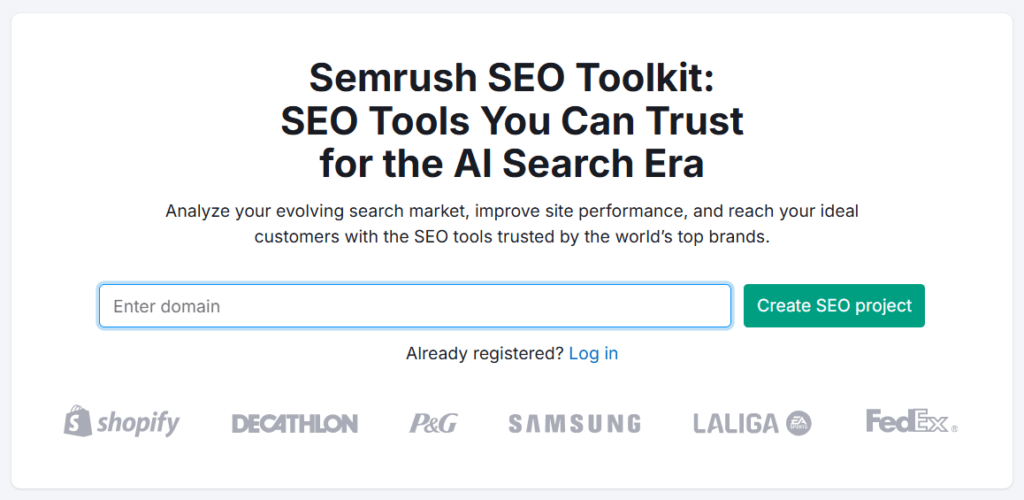
The SEO Dashboard is your central hub for a quick, high-level view of your website’s overall SEO performance. It brings your most important insights together in one place.
You no longer need to jump between multiple tools. This makes it easy to monitor and manage your SEO efforts.
Here’s what you’ll typically find inside the dashboard:
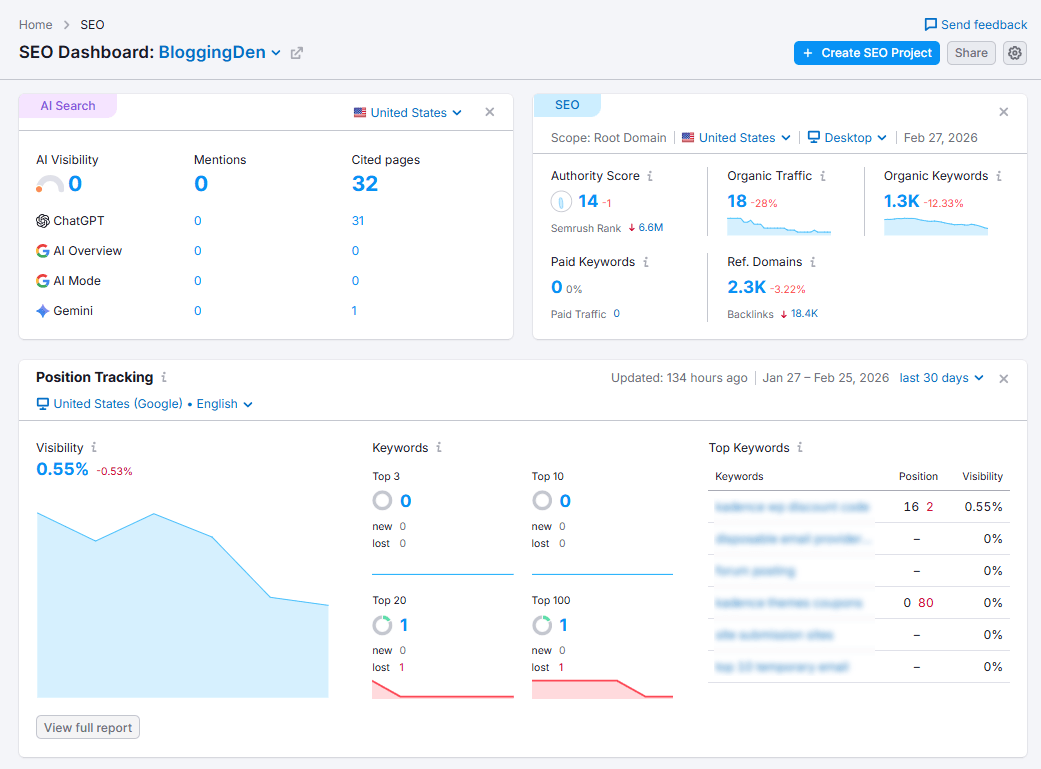
Domain Analytics
This section gives you a bird’s-eye view of your website’s authority and performance:
- Authority Score: A score that shows how strong and trustworthy your domain is in the eyes of search engines.
- Organic Traffic: An estimate of how many visitors are landing on your site from unpaid (organic) search results.
- Organic Keywords: The number of keywords your website ranks for in search engines.
- Paid Keywords: If you’re running PPC campaigns, this shows the keywords you’re bidding on.
This helps you quickly understand the health and strength of your domain at a glance.
Position Tracking
This widget shows how your target keywords are ranking in real-time:
- Visibility: A percentage that reflects how visible your site is in search results for your tracked keywords.
- Tracked Keywords: The number of keywords you’re currently monitoring.
- Top Keywords: A list of your highest-performing keywords, including their positions and how they’re trending.
You can instantly spot if your visibility is improving and which keywords are gaining traction (or slipping).
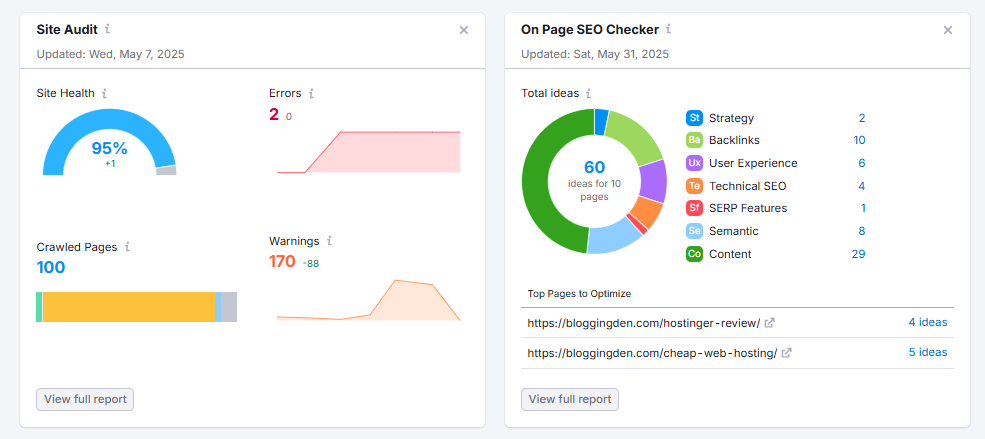
Site Audit Overview
This section highlights technical SEO issues on your site:
- Broken links
- Crawl errors
- Slow-loading pages
- Missing meta tags
- And more
It provides a score and highlights the most urgent issues to fix, helping you prioritize your actions. Addressing these will improve your site’s performance and search rankings.
Other Helpful Widgets
- Organic Research: Learn which pages and keywords are driving the most traffic.
- Backlink Overview: See how many backlinks you have and where they’re coming from.
- On-Page SEO Checker: Get suggestions for optimizing individual pages based on your target keywords and competitors.
In short, the SEO Dashboard is like your mission control. It shows what’s working, what needs fixing, and where your best opportunities lie. It gives you a solid overview.
However, the real power comes when you dive deeper into each tool. Follow the recommended workflows for actionable insights and long-term success.
2. Competitive Analysis
One of the first things I do when starting any SEO project is analyze the competition. It’s all about identifying your main competitors. Find out which keywords are driving their traffic. Determine where they’re performing well. Also, identify where they’re falling short.
Semrush makes this super easy with tools like
- Domain Overview
- Organic Rankings
- Top Pages
- Compare Domains
- Keyword Gap
- Backlink Gap
These reports help you quickly identify keyword gaps. You can also find backlink gaps between your site and your competitors. This way, you know exactly where to focus to get ahead.
a. Domain Overview
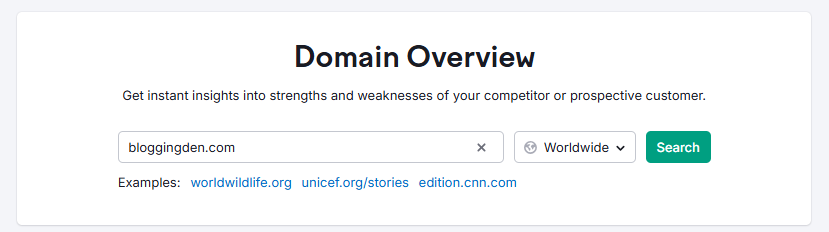
The Domain Overview report inside the Semrush SEO Toolkit is my starting point. I almost always begin my Semrush SEO Toolkit Review for any website there. It provides a quick, high‑level summary of a domain’s online visibility. This includes organic search, paid search, backlinks, and now even AI visibility. This makes it one of the best all‑in‑one SEO software dashboards for bloggers and small businesses.
With a single search, you can see estimated organic traffic. You can also view paid traffic and Authority Score. Additionally, you can find total backlinks, top organic keywords, and traffic trends over time. From there, you can click through into deeper reports. These include Organic Research, Backlink Analytics, Keyword Overview, or Traffic Analytics. This allows you to run a more detailed competitor analysis.
Key Features of Domain Overview:
- Quick SEO snapshot: View estimated organic search traffic and paid search traffic. Check the Authority Score and backlink count. This applies to any domain, subdomain, subfolder, or exact URL at a glance.
- Growth Report trends: Use the Growth Report to track organic traffic growth, keyword count, and visibility trends over time. This tool is very helpful in a Semrush review 2026. It allows you to check if your SEO strategy is actually working.
- Top organic keywords: See a site’s top Semrush keyword research data. This data includes positions, recent changes, keyword intent, and search volume. Use this information to quickly spot organic traffic growth opportunities and build your own keyword list.
- Best‑performing pages and topics: Discover the pages, topics, and subfolders driving the most traffic. Use this insight to guide your content optimization tools. It can also direct your internal linking strategy.
- AI and SERP distribution: Analyze how a domain’s visibility is split across classic organic listings. It also includes AI Overviews and other SERP features. This analysis will matter more in 2026. AI SEO toolkit and AI‑powered marketing platforms are becoming standard.
- Global and device data: Switch between countries and devices (desktop/mobile) to understand where a site is strongest. This is useful when you compare semrush pricing in India and semrush pricing in USA. It helps you see where your competitors focus.
- Competitive previews: Get mini‑previews of advanced reports like Keyword Gap, Backlink Gap, and Compare Domains. This lets you quickly jump into deeper competitor analysis with a single click.
In short, Domain Overview tells you how much traffic a website gets from SEO vs paid campaigns. It shows which keywords drive that traffic. It also indicates how strong the backlink profile is. These are core inputs for any Semrush SEO tools review focused on real‑world results.
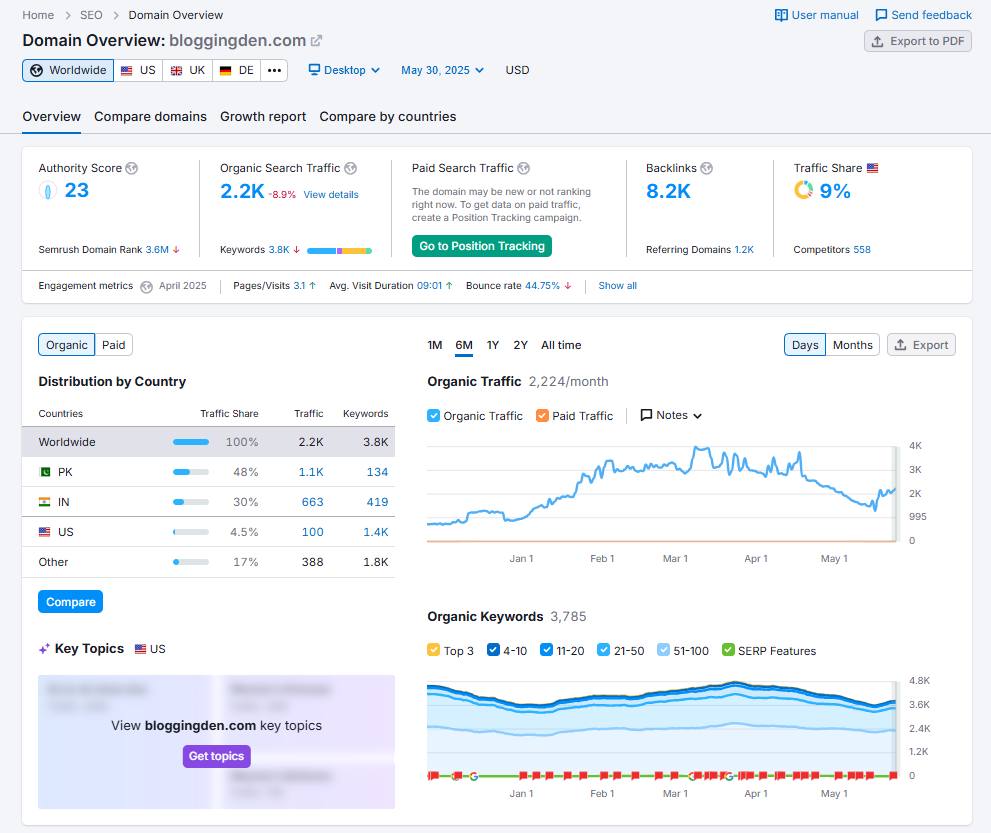
1. Authority Score:
Authority Score is Semrush’s compound metric. It estimates how trusted and influential a website or webpage is. This is measured on a scale from 0 to 100.
It combines backlink signals, estimated organic traffic, and spam factors. These elements show how strong a domain’s overall SEO profile is. They also indicate how valuable a link from that site might be for link building.
You’ll see Authority Score right at the top of Domain Overview alongside organic and paid traffic. However, remember that it’s best used for comparison between domains. It should not be viewed as an absolute “good or bad” number.
For example, when I’m doing competitor analysis with the Semrush SEO tool, I’ll compare Authority Scores across 5–10 sites to see which ones are the real industry leaders worth studying and pursuing backlinks from
2. Organic Search Traffic:
Organic Search Traffic (in blue) shows the estimated monthly visits a site receives from search engines. This estimate is based on its keyword rankings and click potential.
This is the core metric I watch in any Semrush SEO Toolkit Review. It instantly tells you if a blog or business is winning with SEO. Alternatively, it shows if they are still relying mostly on paid ads.
- Click the organic traffic number to open full Organic Research reports and see detailed keyword rankings.
- Use filters to break down the data by country or device (desktop vs mobile).
- Analyze a subdomain, subfolder, or exact URL to see metrics just for that specific section of the site.
- Isolate a blog folder or country‑specific version of a site to understand how well that part performs in organic search.
- Check the keyword intent bar to determine the traffic from informational, navigational, commercial, and transactional queries. This insight helps you plan content for each stage of the funnel.
3. Paid Search Traffic:
Paid Search Traffic shows how many estimated monthly visits arrive via PPC campaigns like Google Ads. For any serious Semrush review or competitor analysis, I always check this. I want to understand whether a site leans heavily on paid traffic. I also check if it grows mostly through SEO.
- Click the paid traffic number to open detailed Paid Search reports.
- Review the ad keywords competitors are bidding on, along with their positions.
- Analyze examples of competitors’ ad copy to understand their messaging and offers.
- Focus on a specific subfolder or URL to see paid data for a particular landing page.
- Use this view to evaluate country‑level campaigns and see how paid traffic performs by market.
4. Backlinks:
The Backlinks widget shows how many links from other websites point to the domain, along with trends over time. This method quickly gauges how strong a site’s link building tool efforts have been. It determines whether its Authority Score is backed by a healthy backlink profile.
- Clicking this metric takes you to full Backlink Analytics. There, you can dig into referring domains, anchor texts, link types, and toxic link signals.
- The numbers also update when you analyze a specific URL, subfolder, or subdomain, which is great for evaluating link equity to key money pages
5. Traffic share and engagement
Traffic Share allows you to compare the percentage of traffic a domain receives versus its competitors. This comparison is perfect when you want to see who dominates a niche or region. Traffic Engagement adds context by estimating visit duration. It also estimates pages per visit and bounce rate. These metrics show how engaged visitors are with a site’s content.
- These metrics rely on Semrush’s global data. They work best for sites with a reasonable volume of traffic. The data only shows at the root domain level.
- I use them as directional signals when deciding whether a competitor is just getting clicks or actually keeping users on‑site with strong content optimization
6. Distribution by country
The Distribution by Country widget shows where a website’s organic and paid traffic comes from geographically. You’ll see both percentages and absolute numbers for each country. This data makes it easy to spot markets where competitors perform well with SEO or ads.
If you’re comparing semrush review for Indian bloggers with semrush review for US small businesses, this geo‑view is incredibly useful. It helps to see whether a competing site is focused on India, the USA, or global traffic.
It also helps you decide where to target your own best SEO tool for Indian bloggers or “best SEO tool for US bloggers” content and link‑building campaigns
7. Organic traffic and keyword trends
Finally, the Organic Traffic and Keywords graph visualizes how a domain’s traffic and number of ranking keywords change over time.
You can switch between daily and monthly views. You can filter down to specific URLs or subfolders. See how algorithm updates or new content impact performance.
If you’re running a Semrush SEO tools review for your own blog, you can quickly check your latest content. For example, you can determine if it pushes up organic traffic. Alternatively, see if a competitor’s new content is eating into your rankings.
Think of it like this: if you were a local bakery, Domain Overview would reveal some valuable information. It shows which keywords send your rival the most free traffic.
It also indicates which pages are winning. Additionally, it reveals which countries or cities they’re strong in. This gives you immediate ideas for improving your own SEO strategy.
b. Organic Rankings
The Organic Rankings (Organic Research) tool in the Semrush SEO Toolkit is one of my favorite features. It is great for competitive SEO analysis. It’s also useful for keyword research.
It shows you which keywords and pages actually drive organic traffic to any domain. It also reveals how visible that site is in Google and Bing. Additionally, it identifies where you have the best chances to outrank competitors with smarter content and link building.
In a practical Semrush SEO Toolkit Review for 2026, this is my go-to place. I uncover the best SEO tool for bloggers to capitalize on opportunities here.
I find gaps in my keyword strategy. I also benchmark my site against top competitors in both the USA and India.
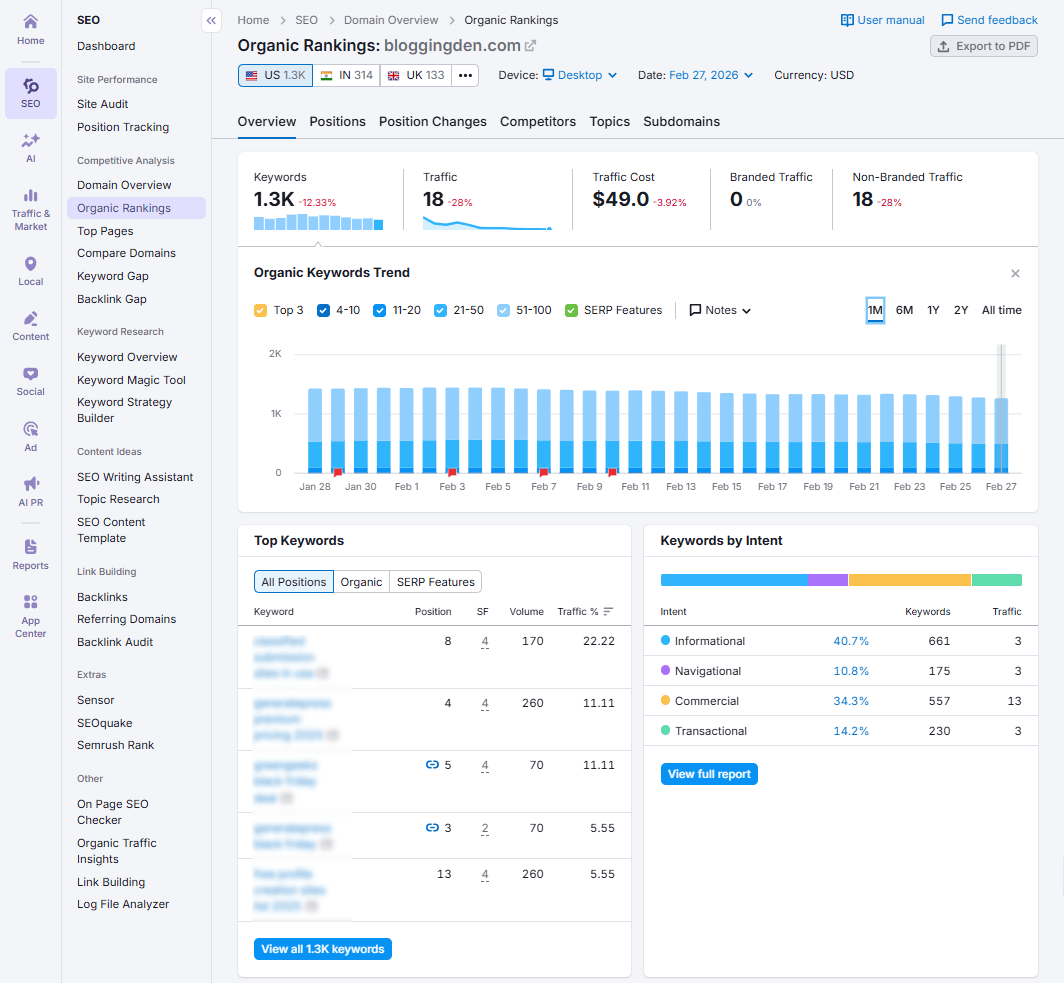
What you can do with Organic Rankings
- See which keywords and URLs bring in the most organic traffic for any domain, subdomain, subfolder, or exact URL.
- Track keyword ranking changes over time to understand whether your SEO efforts are working or if competitors are catching up.
- Discover your top organic search competitors and see how your keyword profile overlaps with theirs.
- Compare your keyword rankings to competitors, including positions, traffic share, and keyword difficulty scores.
- Analyze SERP features (featured snippets, FAQs, reviews, AI Overviews, etc.) to spot opportunities for rich results and AI SEO toolkit optimizations.
- Find high‑volume, low‑difficulty keywords and long‑tail ideas to fuel a content optimization tool’s workflow for new blog posts and landing pages
Semrush keeps this keyword research tool updated frequently, so you’re not just looking at a one‑time snapshot. You can monitor ongoing keyword and traffic trends and adjust your content strategy as the SERPs and algorithms change.
Massive keyword database for deeper research
One reason I lean on Semrush for Semrush keyword research is the sheer size of its database.
As of late 2025/2026, Semrush tracks over 26–28 billion keywords across 120+ countries. This makes it one of the largest keyword databases on the market.
For you, that means better coverage for both global and local SEO campaigns. This applies whether you’re targeting the USA, India, or both.
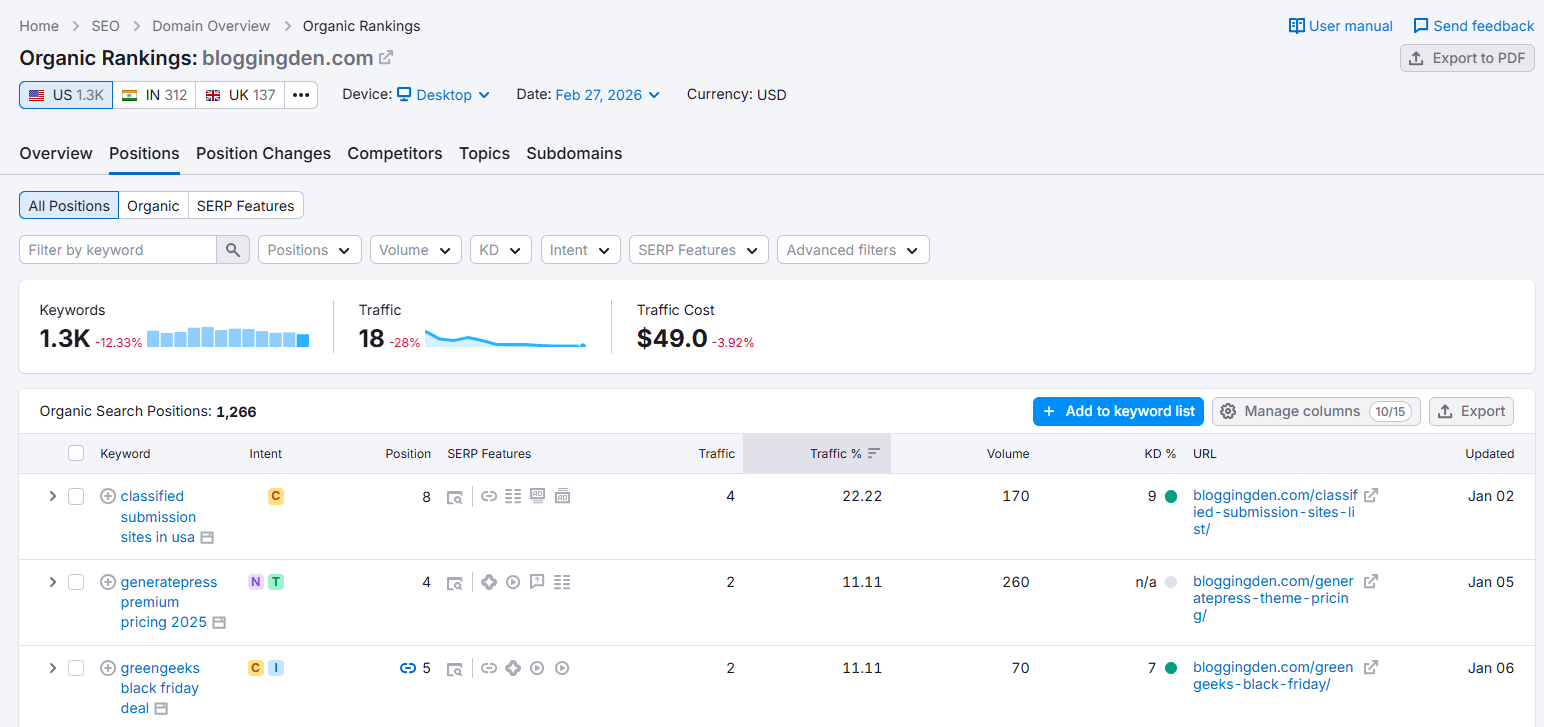
This database power is a significant reason for Semrush’s consistent appearance in almost every Semrush review 2026. It also features in “best all‑in‑one SEO software” roundups. This is particularly true when you’re serious about competitor analysis and organic traffic growth.
Keyword intent labels (I, N, C, T)
Every keyword in Organic Rankings comes with an intent label to show what the searcher is trying to do. Semrush uses four main search intent types:
- I – Informational (the user wants to learn something)
- N – Navigational (the user wants a specific brand/site)
- C – Commercial (the user is researching products/services)
- T – Transactional (the user is ready to buy or act)
These intent tags make it much easier to plan content around the funnel.
For example, you might target informational keywords with blog posts. You can target commercial keywords with “Semrush alternatives” or “Semrush vs Ahrefs” comparison content. Use landing pages or affiliate reviews for transactional queries.
This is crucial. You want your Semrush SEO Toolkit Review to convert readers into leads. Related articles can convert readers into customers or affiliate clicks.
Helpful filters and reports
To convert the Organic Rankings tool into a true SEO agency toolkit, Semrush provides powerful filters. They do this even if you’re a solo blogger. It also includes sub‑reports.
You can:
- Filter by country to compare performance in different markets. For example, check semrush pricing in India versus Semrush pricing in the USA, targeting pages.
- Filter by SERP features (featured snippet, AI Overview, FAQ, reviews, local pack, etc.) to prioritize keywords where you can win rich results.
- Filter by keyword difficulty, search volume, and intent to find realistic, high‑impact opportunities.
- Use the Topics report to group keywords by topic and quickly see which content themes drive the most traffic.
- Export data to Excel, CSV, or PDF for client reports, internal dashboards, or deeper analysis.
- View historical data and traffic trends to understand how rankings changed after content updates, link building, or algorithm changes.
- Analyze top‑ranking pages, check their backlinks, and identify on‑page SEO issues or content gaps you can close
Why Organic Rankings are so useful in 2026
For me, the Semrush Organic Research / Organic Rankings tool is essential. I need it whenever I plan new blog posts. It is also crucial when I review a competitor’s site or audit my own content.
It helps you:
- Uncover SEO opportunities you’re currently missing, especially high‑intent keywords competitors already rank for.
- Improve your content strategy based on what’s already ranking in your niche and what users are actually searching for.
- Find smart link building opportunities by spotting pages that rank well with relatively few quality backlinks.
- Track the effectiveness of your SEO over time and see whether content updates or link campaigns actually move the needle.
- Identify pages that need on‑page optimization, better internal linking, or a refresh to reclaim lost rankings
In short, the Organic Rankings tool transforms Semrush into multiple tools. It becomes a keyword research tool, a competitor analysis tool, and an on‑page SEO checker.
If you’re serious about outperforming competitors, you need a smarter, data‑driven content plan. It should work in both the USA and India. This should be one of the core tools in your Semrush SEO Toolkit.
c. Top Pages
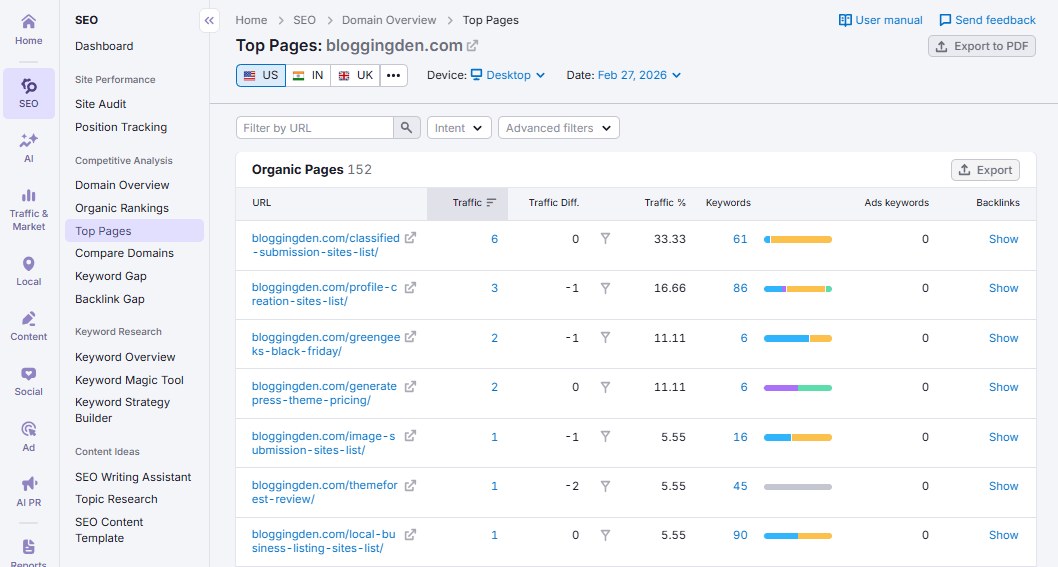
The Top Pages report in Semrush lists all URLs from a domain. These URLs currently rank in the top 100 Google results for the selected country database. All the metrics in this table are calculated every month. The calculations depend on the date and regional (desktop/mobile) database you select at the top.
This report is a goldmine for bloggers and niche site owners. It highlights which landing pages, blog posts, and money pages drive traffic. It also shows the keywords for your competitors. You can then model your content strategy around proven, high-performing topics instead of guessing.
Key Features of the Top Pages Report
- Shows all URLs from a domain that rank in the top 100 Google results for the selected database.
- Uses monthly metrics tied to the selected date and region (desktop or mobile database).
- Displays estimated organic traffic and traffic difference for each URL.
- Shows traffic percentage, so you can see how much each page contributes to total site traffic.
- Lists the total number of organic keywords each page ranks for.
- Displays the ads keywords column to reveal paid keywords sending traffic to that URL.
- Includes an info/backlinks column with the number of backlinks for each page.
- “Show” link in the backlinks column opens a detailed backlinks report for that specific URL.
- Clicking the number in the Ads Keywords column opens the Advertising Research URL report with all paid keywords.
- Helps you quickly spot top-performing landing pages and “money pages” on any site for competitive benchmarking.
Sorting and Filtering Options in Top Pages
To make analysis easier, Semrush gives you flexible sorting and filtering on the Top Pages table.
- You can sort the table by:
- Traffic
- Traffic percentage
- Number of keywords
- Other numeric columns, like traffic difference or backlinks
- You can filter the report by:
- URL text using the search bar above the table (for example: only /blog/, /reviews/, /best-, etc.).
- Advanced filters on:
- Number of keywords
- Traffic ranges
- Specific words or patterns in the URL.
- Quick filters on Traffic Difference to find pages with strong growth or decline.
- Additional options:
- Switch between desktop and mobile databases to see device-specific top pages.
- Export the data as PDF, Excel, or CSV for deeper analysis, client reports, or content planning sheets
d. Compare Domains
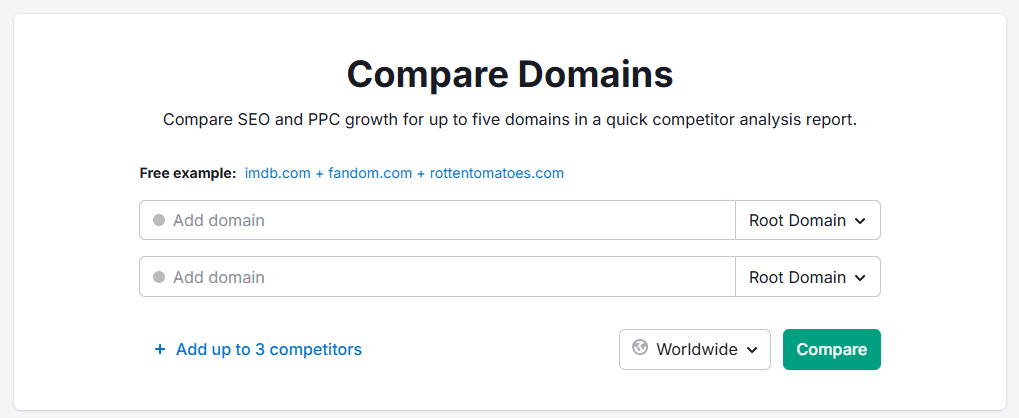
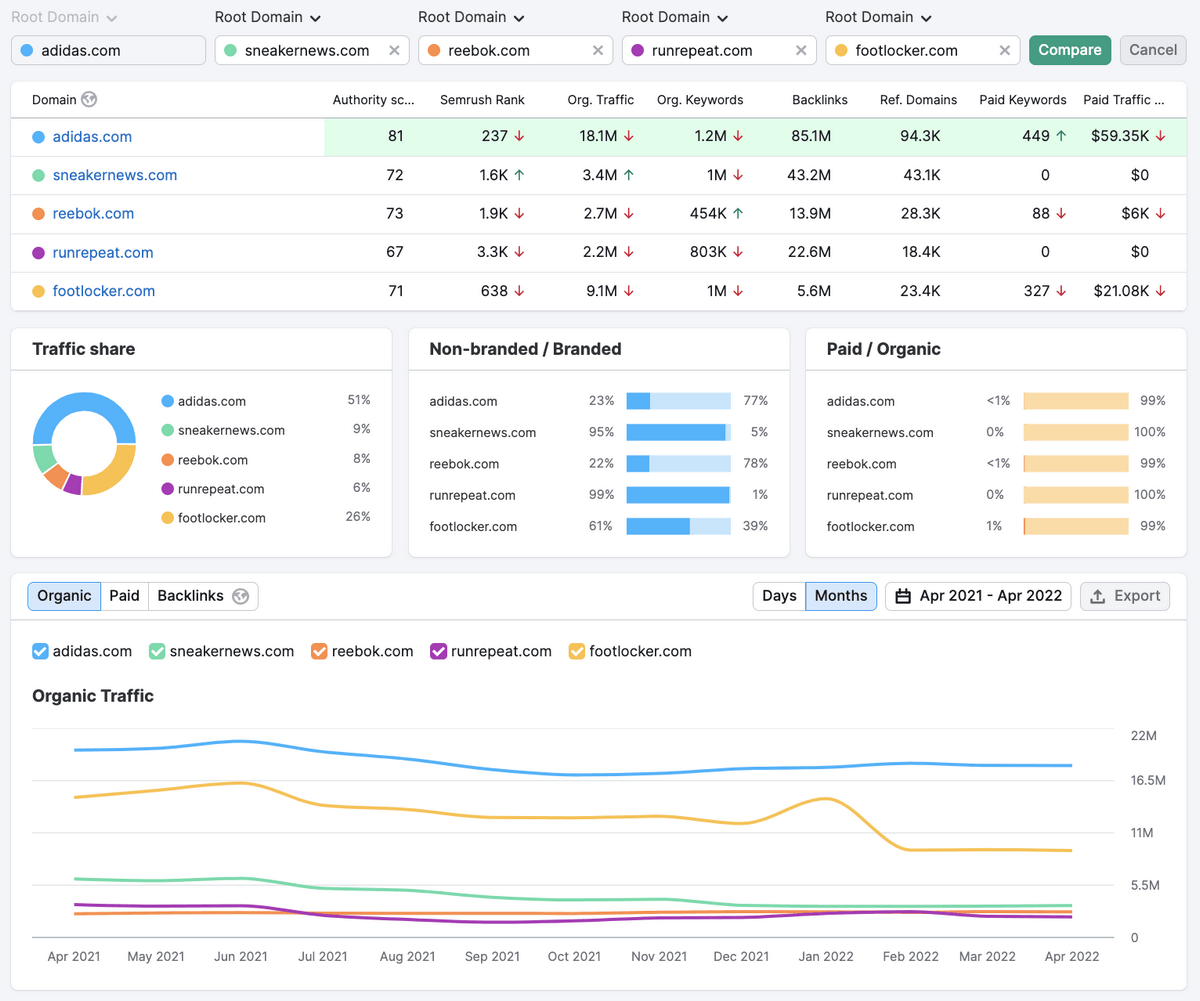
The Compare Domains report lets you compare your site with multiple competitors side by side. It allows you to benchmark key metrics in one view. You can add up to 5 domains, subdomains, subfolders, or specific URLs. Instantly see how you stack up in terms of organic and paid traffic, backlinks, and keyword portfolio.
This is especially useful for a quick “health check” of your SEO performance. It helps you assess your performance against the main players in your niche.
Note: The full Compare Domains report is available on Guru and Business tiers of the Semrush SEO Toolkit.
Key Features of the Compare Domains Report
- Compare up to 5 domains, subdomains, subfolders, or URLs in a single report.
- Benchmark the most important SEO and PPC metrics across all selected competitors.
- Analyze organic and paid traffic trends to see who is growing faster in search and ads.
- View backlinks trends to understand which domains have stronger link profiles over time.
- Use widgets powered by the Keyword Gap tool to uncover keyword opportunities without leaving the report.
- Hover over column titles or arrow icons next to numbers to see detailed tooltips explaining each metric.
Comparison widgets inside the report
- Traffic Share – Shows the share of organic traffic each competitor holds, so you instantly know who dominates the SERPs.
- Non-branded / Branded – Breaks down organic traffic into branded vs non-branded for each domain. This helps you understand who relies more on brand searches.
- Paid / Organic – This shows the ratio of paid traffic vs organic traffic for each domain. It reveals their acquisition strategy mix.
- Keyword Overlap – Visualizes the overlap of keyword portfolios between all compared domains. This allows you to see common and unique keywords.
- Top Opportunities – Lists the best keyword opportunities specifically for your main domain based on gaps identified with competitors
e. Keyword Gap
Ever wondered which keywords your competitors are ranking for—but you’re not? That’s exactly where the Keyword Gap tool comes in handy.
It allows you to compare your domain side-by-side with up to five competitor websites. You can see the keywords they rank for in both organic and paid results that you don’t.
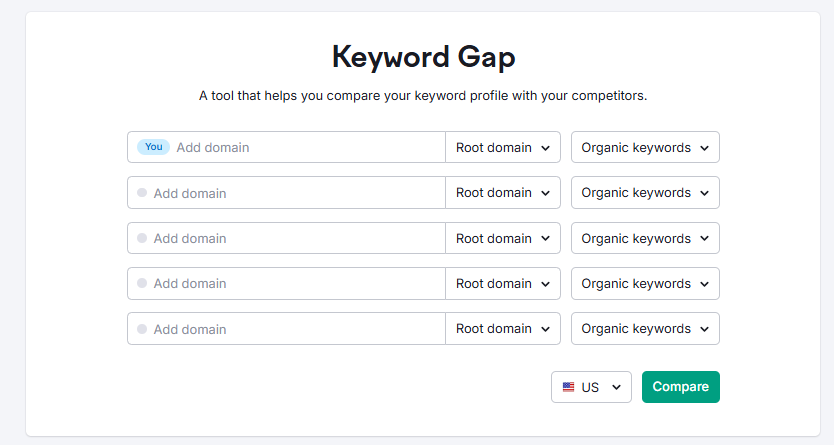
Think of it as a behind-the-scenes peek into your competitors’ keyword strategy.
How It Works (And Why It’s So Useful)
Just enter your website and your competitors’ domains into the tool. Then choose what type of keywords you want to compare—Organic, Paid, or PLA (Google Shopping).
You can even mix and match, like comparing your paid keywords to a competitor’s organic keywords.
Once you hit Compare, the tool gives you:
- A Top Opportunities list – showing high-value keywords your site is missing out on.
- A Keyword Overlap Chart – a visual way to see how your keyword rankings match up with your competitors.
- A full keyword table – where you can filter by position, difficulty (KD%), intent, and more.
This is gold when planning an SEO campaign. You’re not just guessing what might work. You’re seeing exactly what’s working for others in your niche. You can also find where your biggest opportunities lie.
Use It for Organic SEO and PPC
One of the best things about the Keyword Gap tool is that it’s not just for organic research. You can also use it to:
- Spot low-competition paid keywords your competitors are ranking for
- Discover unique keywords you already own
- Explore your competitors’ product listing ad keywords (PLA)
This is especially helpful if you’re running both SEO and Google Ads campaigns.
Bonus: Get AI Insights with Semrush Copilot
If you’re using Semrush Copilot (an AI SEO assistant), it pulls Keyword Gap data. This feature provides you with smart keyword suggestions. Just set up a project for your website.
It will automatically show you keyword opportunities your competitors are ranking for. But you’re not ranking for these opportunities.
Pro Tips for Getting the Most Out of It
- Compare not just full domains—but subdomains, subfolders, or even specific URLs for more detailed insights (Guru or Business plan only).
- Use filters to drill down by keyword type, difficulty, intent, and more.
- Try comparing mobile vs desktop keyword rankings to find platform-specific opportunities.
The Keyword Gap tool is one of the fastest ways to uncover SEO and PPC opportunities. It helps you make smarter decisions based on real data.
This allows you to close the gap between your site and your competitors. Whether you are new to SEO or an experienced professional, this tool can give you the edge. It provides what you need to win in search.
d. Backlink Gap
One of my favorite tools to kick off an SEO campaign is Backlink Gap. It’s awesome because it shows you the backlinks your competitors have that you don’t.
It basically gives you a sneak peek at their strategy. It also hands you a list of link opportunities for your own site.
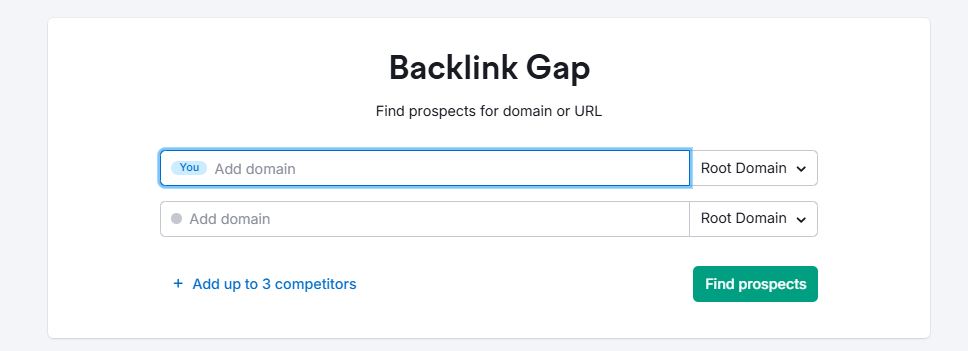
The setup is super simple. Just plug in your domain and up to four competitors into the tool. Semrush will then pull in a beautiful comparison report showing all the referring domains sending backlinks to those sites.
And the best part? You’ll instantly see which sites are linking to your competitors but not to you—aka, link-building prospects waiting to be tapped.
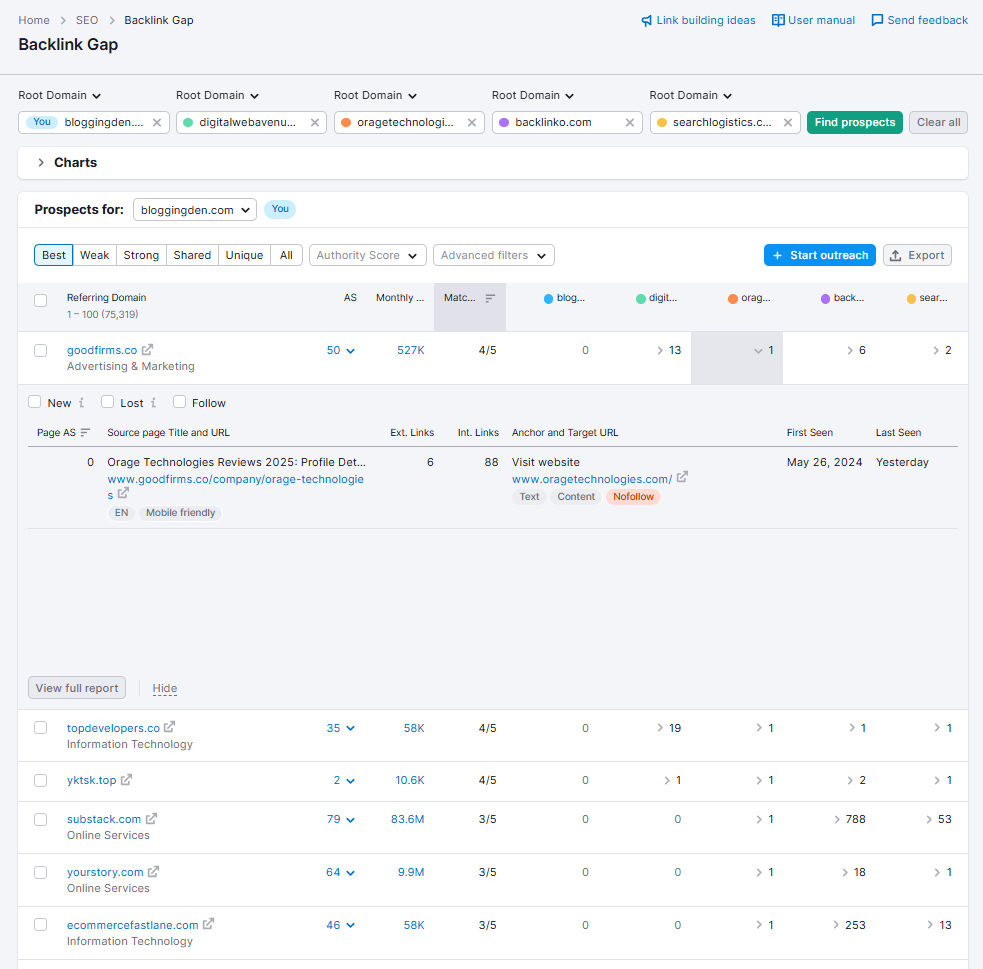
You’ll see a few helpful metrics in the Backlink Gap report:
- Authority Score – This gives you a quick idea of how strong or trustworthy a website is. The higher the score, the better the quality.
- Monthly Visits – Just an estimate of how much traffic that site gets each month.
- Matches – This shows how many of the competitors you’re analyzing have a link from the same site. If multiple competitors are getting links from it, it’s probably a great prospect for you too.
Want to filter the results to focus on what matters most to you? Just use the “Prospects for” dropdown above the table to select your own domain. This lets you see which sites are linking to your competitors but not to you.
You can also filter the list by Authority Score or use Advanced filters to fine-tune things even more.
And here’s a neat trick. Click the dropdown in any competitor’s column. You can see new, lost, or follow links from that specific competitor. Super handy when you’re diving deeper into their backlink strategy!
If you’re not sure who your competitors are, don’t worry—Semrush even suggests relevant ones based on backlink data. You can add root domains, subdomains, or even specific URLs.
So whether you’re looking at the whole site or just a specific blog section, you’re covered.
Spotting the Gaps
Once the report is generated, look out for the “Prospects for” dropdown above the table. Make sure it’s set to your domain. Now you’re looking at every backlink your competitors have that you don’t.
These are the missed opportunities—sites you should consider reaching out to.
Use the filters like:
- Best – Domains linking to all your competitors but not you (high-priority targets)
- Weak – Domains where your backlink presence is weaker than your competitors.
- Shared – Domains that link to both you and your competitors
- Strong – Domains that link only to you
- Unique – Domains linking only to one of the analyzed sites
You can also see metrics like Authority Score and Monthly Visits for each referring domain. These help you prioritize high-quality prospects over lower-value ones.
Take Action with Semrush Copilot
This gets even better. Semrush Copilot, the AI SEO assistant, can use this Backlink Gap data. It gives you personalized link-building ideas.
Once you create a project for your domain, Copilot recommends backlink targets based on the gaps it finds. It’s like having an outreach strategist built right into your dashboard.
Pro Tip: Found some great opportunities? You can send up to 100 domains straight into the Semrush Link Building Tool with one click. No copy-paste headaches. Just get to work building those connections and boosting your rankings.
So if you’re serious about outperforming your competitors, the Backlink Gap tool should definitely be part of your SEO toolkit. It’s your shortcut to smarter link-building—because there’s no reason to leave good links on the table.
3. Keyword Research
If there’s one thing I really like about the Semrush SEO Toolkit, it’s the keyword research workflow. It combines a massive keyword database (26.6B+ keywords) with AI-powered insights, so you can go from raw ideas to an executable SEO or PPC plan in a single workspace.
You can discover new opportunities for organic search and Google Ads. Analyze search intent and estimate traffic potential. Then, organize everything into topic-based lists and clusters.
Semrush lets you stay focused on relevant keywords. It ensures that these keywords are realistically achievable, whether you’re planning blog content or performance campaigns.
This is especially useful when you want to:
- Spot untapped keyword ideas (including long-tail and question-based terms)
- Compare and filter competitor keywords into your own strategy
- Focus on bottom‑of‑the‑funnel search terms that actually convert
- Align SEO and PPC around the same, profitable keyword set
The interface is clean and visual. It uses charts and widgets to make metrics easy to understand. You can quickly grasp search volume, keyword difficulty, CPC, intent, and trends.
It truly feels like an all‑in‑one toolkit. It supports your entire keyword workflow. This includes everything from research to prioritization to execution.
a. Keyword Overview
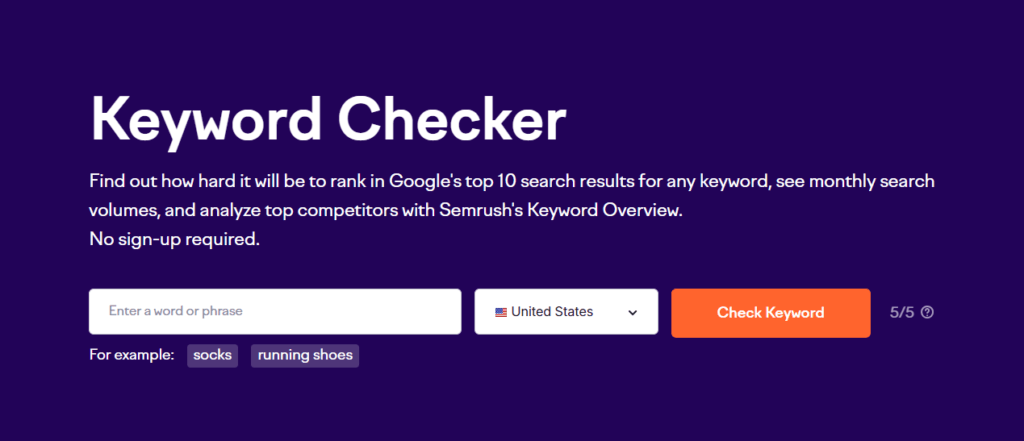
When I start keyword research in Semrush, Keyword Overview is usually my first stop.
You just type a word or phrase. Then, pick your country or a local location. Semrush instantly gives you a top‑level snapshot of that keyword.
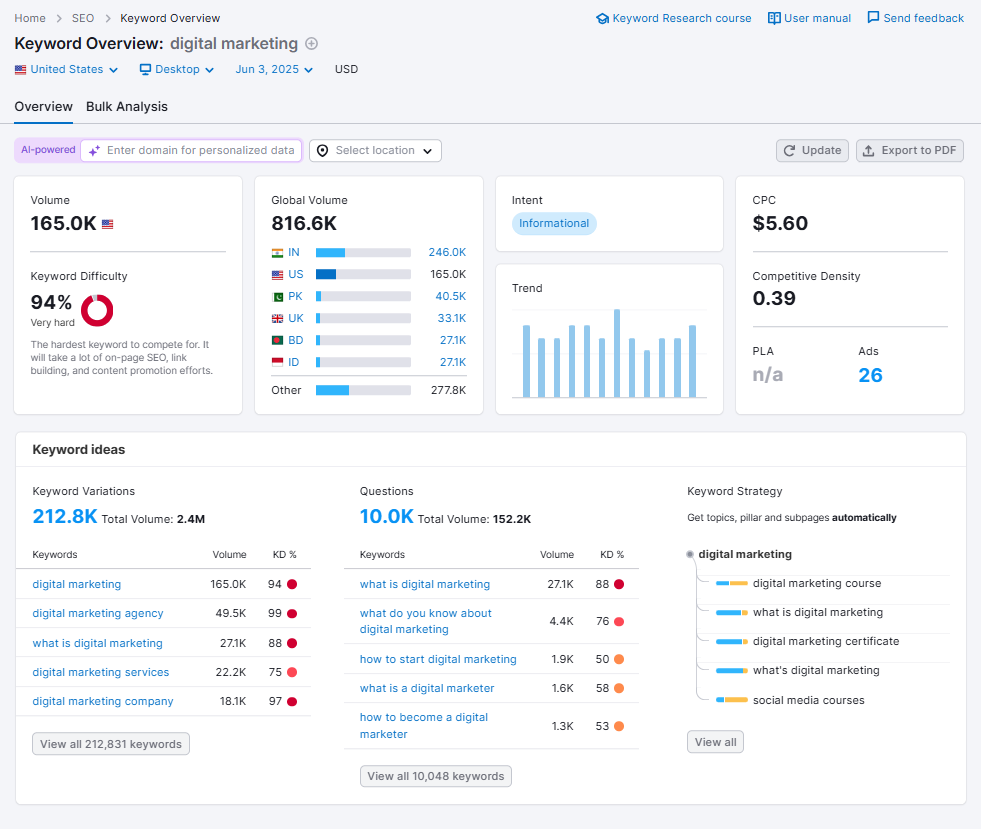
On one screen, you can see:
- Search volume (national and local)
- Global volume (combined across all country databases)
- Search intent (informational, navigational, commercial, transactional)
- CPC and Competitive Density for Google Ads
- Keyword Difficulty (KD) and 12‑month trend
- AI metrics like Personal Keyword Difficulty, Potential Traffic, Topical Authority, and Potential SERP Position
This makes it easy to quickly answer questions like:
- How valuable is this keyword in terms of potential traffic?
- How competitive is it (both paid and organic)?
- Does the intent match the type of content or offer I want to promote?
Semrush also adds AI‑powered insights directly into this report. You’ll see:
- Personal Keyword Difficulty (PKD): This is a tailored difficulty score based on your domain. It helps you spot keywords that are easier for your site to win.
- Potential Traffic: AI provides an estimate of the potential traffic your domain could get. This estimation is based on this keyword and its topic if you rank well.
- Topical Authority: how relevant and authoritative your domain is around this topic.
- Potential SERP Position: your current and possible ranking position for that keyword.
Below the main metrics, Keyword Overview shows:
- Trend graph: 12‑month interest curve to spot seasonal or rising topics.
- Keyword ideas widgets: Variations, Questions, and Keyword Strategy (sample clusters) pulled from the Keyword Magic Tool.
- SERP analysis: top organic results, SERP features present, and “Your potential” brackets that show your competitive power for that keyword.
- Ad value block: PLA and ad copies currently appear for the keyword. Keyword Ad History shows how actively advertisers bid on it.
You can switch to local keyword metrics to see volume, trend, and KD. You can also view CPC, intent, and SERP data for a specific city. You can do so for a region as well. This is ideal for local SEO campaigns.
If you’re analyzing multiple ideas at once, the Bulk Analysis tab lets you check up to 100 keywords. You can analyze them with intent, volume, trend, KD, CPC, Competitive Density, SERP features, and results. Then, send the best ones straight into Keyword Strategy Builder.
In short, Keyword Overview is your “should I go after this keyword?” dashboard. It gives you more than just numbers — it helps you decide whether a search term is actually worth targeting in your SEO or PPC campaigns
b. Keyword Magic Tool
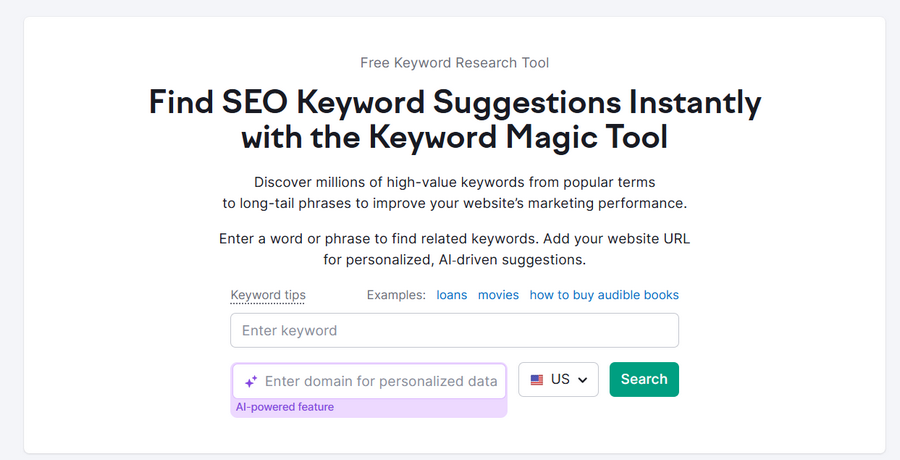
For in‑depth research, the Keyword Magic Tool is where Semrush really shines. It taps into Semrush’s huge keyword database and turns a single seed term into thousands of organized ideas.
Some features that really stand out to me:
- Global keyword research with tons of data from all around the world
- Automatic calculation of total search volume and keyword difficulty for your whole list
- Smart grouping of keywords by topic, so you don’t have to sort through unrelated terms
- A handy filter to find question-based keywords — perfect for targeting user intent and creating helpful content
- Insights on which SERP features show up for each keyword, like featured snippets or shopping ads
- Easy-to-use filters, sorting, and difficulty analysis that help speed up your keyword research process
- Ability to organize keyword lists for multiple projects or websites, keeping everything tidy
- AI-powered tools that tailor keyword suggestions based on your domain, giving you a personalized keyword strategy.
All you have to do is enter a keyword (for example, “digital marketing”). The tool then:
- Generates large lists of related keyword variations, including phrase matches and broad matches
- Groups them into topical categories and subgroups for easy exploration
- Lets you switch views between “All keywords” and “Questions” to target informational search intent
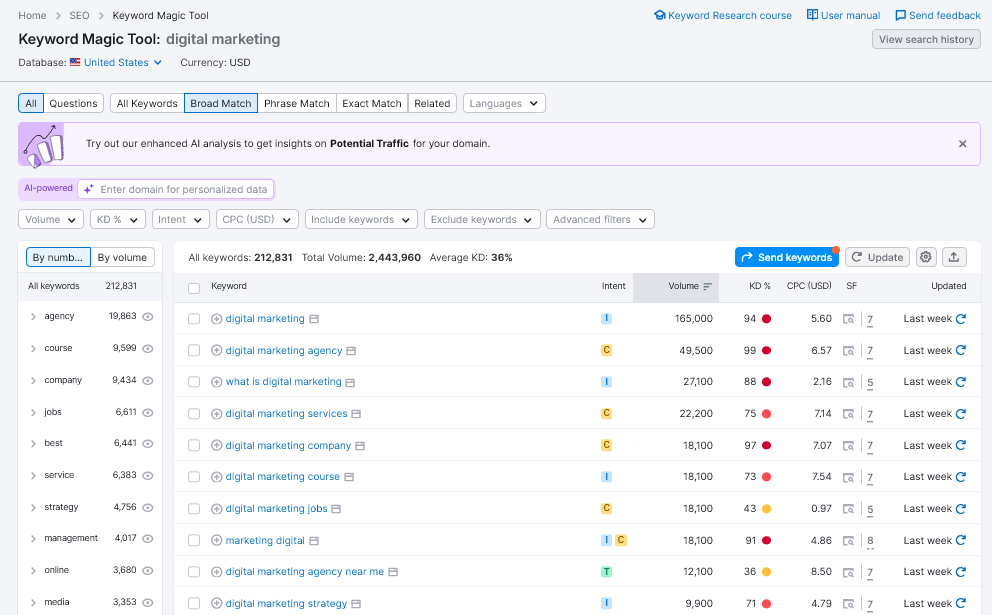
For each keyword, you can see:
- Search volume and 12‑month trend
- Keyword Difficulty (KD)
- CPC and Competitive Density
- SERP features present (e.g., featured snippets, shopping ads)
This makes it excellent for:
- Uncovering long‑tail opportunities and question-based keywords
- Finding content gaps and niche subtopics
- Building keyword clusters around a main topic or pillar page
- Filtering out unrealistic targets and focusing on achievable, intent‑matched keywords
You can apply filters for volume ranges, KD, and word count. Additionally, you can filter by SERP features and intent. This helps to narrow down the list to exactly what you need.
Once you’re happy with a set of keywords, you can send them to Keyword Strategy Builder. Another option is to save them in lists for different projects.
You may be optimizing blog posts, planning a content marketing strategy, or building Google Ads campaigns. The Keyword Magic Tool ensures your keyword list is both deep and actionable.
Actionable Insight: When using the Keyword Magic Tool, don’t just look at volume. Use the ‘Questions’ filter to find long-tail keywords perfect for FAQ sections or blog posts that address specific user intent.
c. Keyword Strategy Builder
If you want to turn scattered keyword ideas into a structured content roadmap, start with the Keyword Strategy Builder. It is the next logical step. It’s available on paid SEO Toolkit plans and is designed for building complete, topic-based strategies.
You can analyze up to 10,000 keywords at once and organize them into:
- Topics
- Pillar pages
- Subpages and supporting articles
Getting Started Is Easy
Just type in your seed keywords—these are the main topics you want to rank for.
Once you do that, the tool gives you a visual layout that tells you:
- What pages to create
- What keywords to target
- How to group them into topics and subtopics
How to Create a Keyword List in Keyword Strategy Builder
There are several easy ways to build your keyword list using the Keyword Strategy Builder. You can start from scratch.
Step 1: Start from the Keyword Strategy Builder homepage
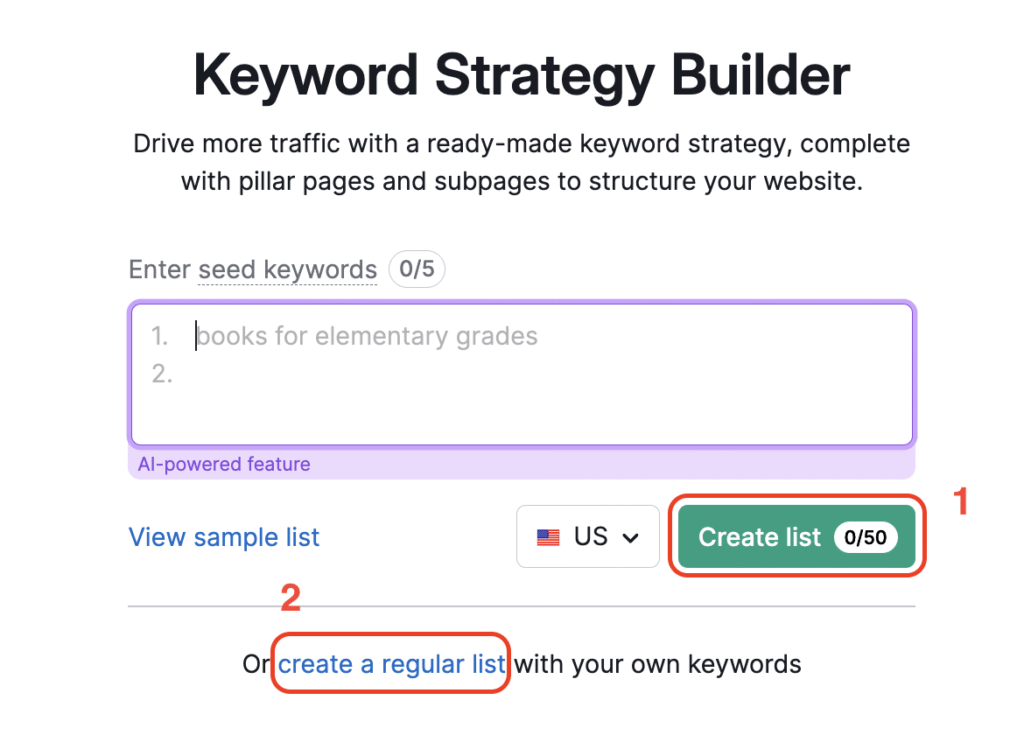
- Choose a Structured list if you want Semrush to generate topics. It will also create pillar pages and subpages. This process uses up to five seed keywords.
- Or choose a Regular list if you prefer more manual control over grouping.
f you choose the structured option, just enter up to five seed keywords, and the tool will generate a list for you with:
- Topics
- Pillar pages
- Subpages
It may take a little while to process, but don’t worry—you’ll get a
Step 2: Add keywords directly from Keyword Overview
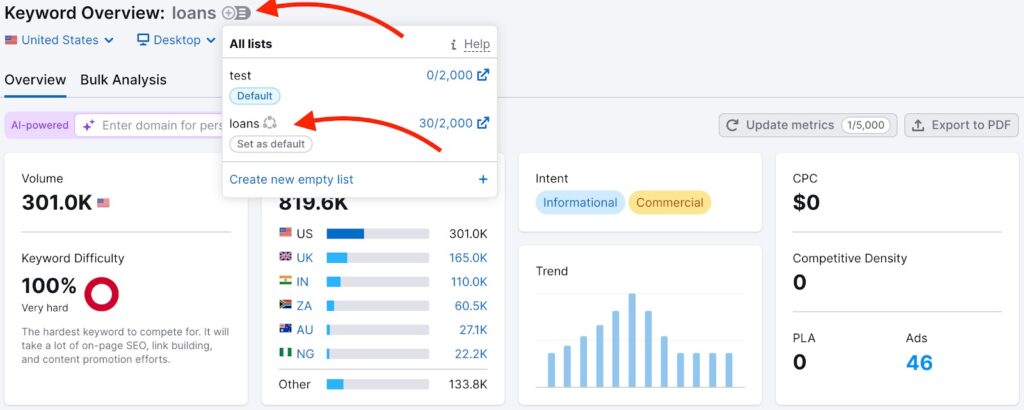
- Hover over the plus (+) sign next to a keyword.
- Use the three‑line menu to add it to an existing list or create a new one.
Step 3: Add from Keyword Magic Tool
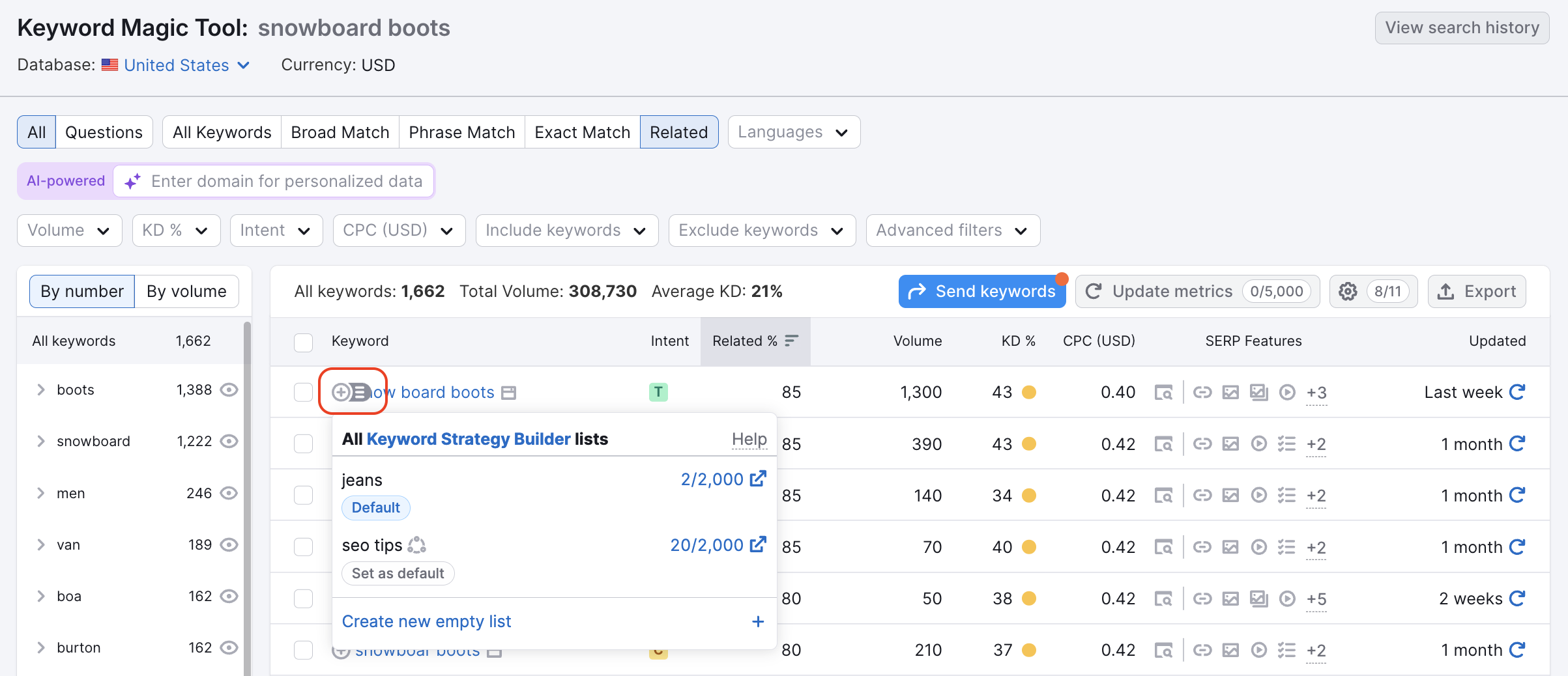
- Tick checkboxes for the keywords you like.
- Click the “Send keywords” button, or use the plus sign and menu per keyword to select your target list.
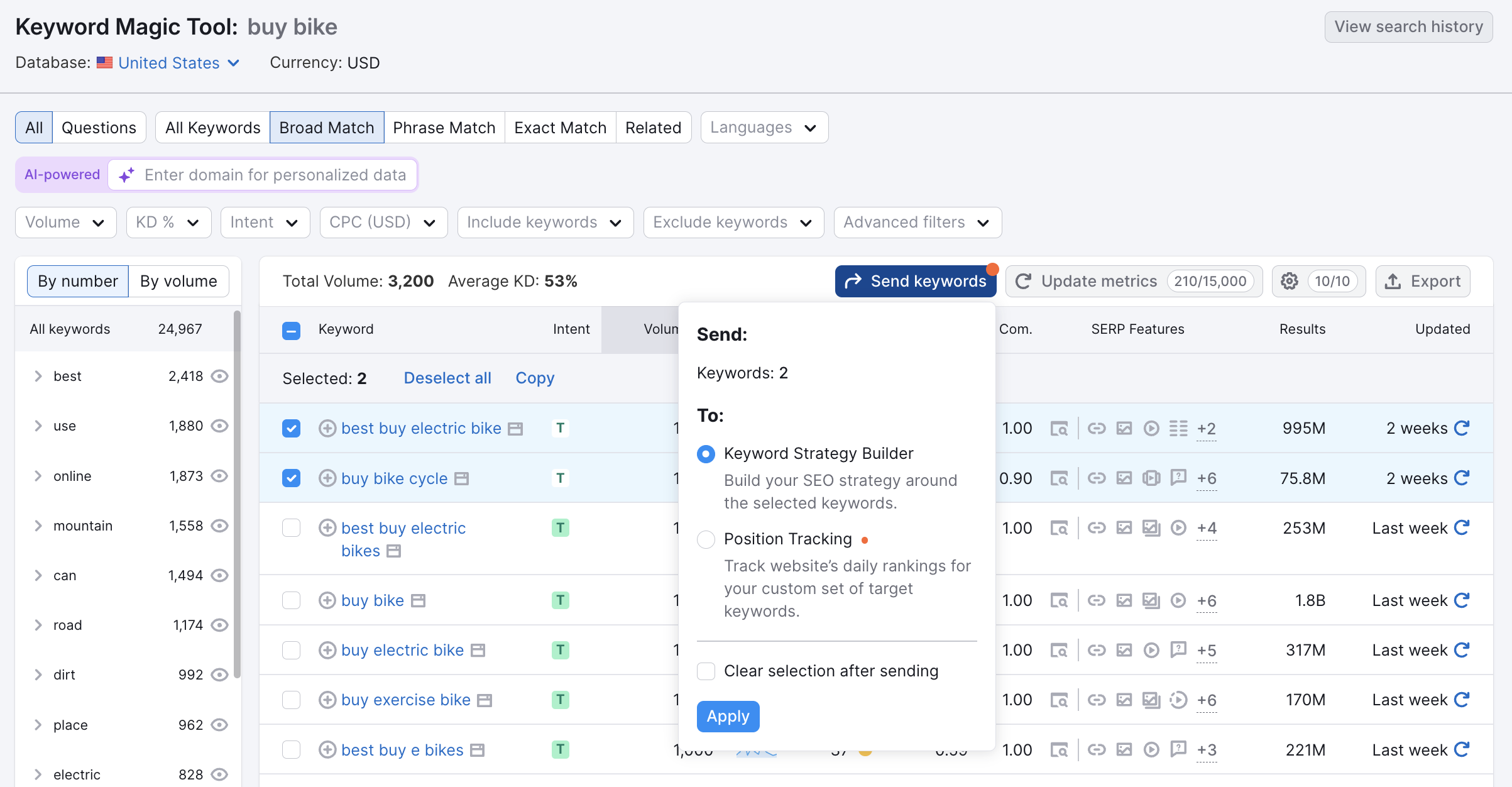
Alternatively, just hover over a keyword’s plus sign and use the three-line menu to add it to your chosen list. If you skip the menu and just click the plus sign, it will go to your default list.
Step 4: Add from Keyword Gap
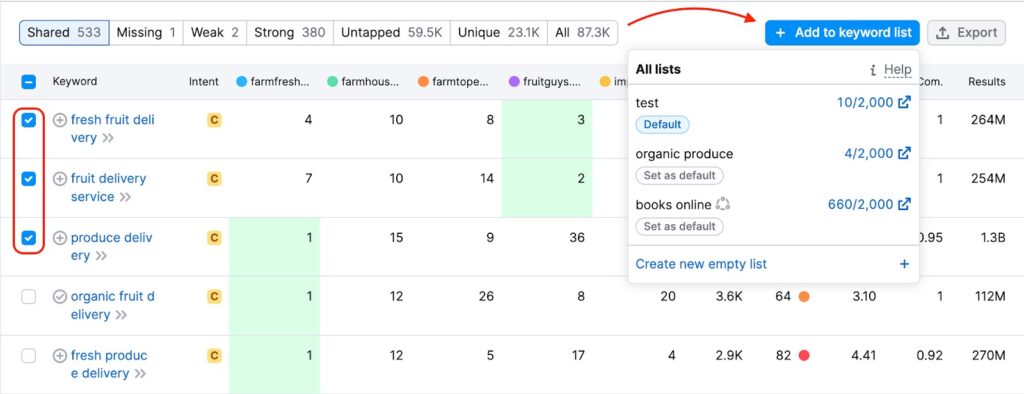
When using the Keyword Gap tool:
- You can add keywords by clicking the “+ Add to keyword list” button
- Or click the small plus sign next to individual keywords
The process is almost identical to the previous tools, so it’s easy
Step 5: Add from Organic Research
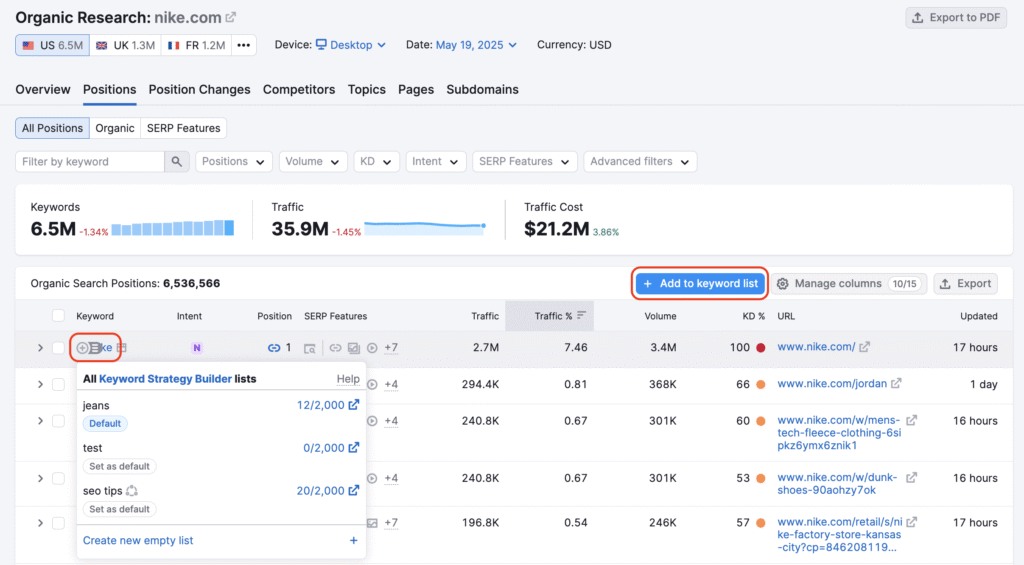
On Positions or Position Changes tabs, use the “Add to keyword list” button. You can also use plus icons to pull in keywords from your own site. Alternatively, pull in keywords from competitors.
- Go to the Positions or Position Changes tab in Organic Research. Then:
- Or use the plus sign next to the keywords you want
- Click the “+ Add to keyword list” button
Step 6: Add keywords manually
Want to enter your own keywords? Here’s how:
- Go to the Keyword Strategy Builder homepage
- Click “create a regular list.”
- Name your list and hit “Create list.”
- On the next screen, click “Add keywords.”
- In the box that pops up, you can type or paste up to 2,000 keywords at once
Semrush processes a structured list. You receive a visual layout of topics, pillar pages, and subpages. You can review, refine, and expand these elements. The idea is to help you build a logical site structure. It should include a content plan that thoroughly covers your niche. This is better than just chasing random individual keywords.
When combined with the Keyword Overview and Keyword Magic Tool, Keyword Strategy Builder becomes a central hub. It helps prioritize, cluster, and execute your entire keyword strategy. This applies to both SEO and PPC.
4. Semrush Content Ideas
Creating content that ranks on Google isn’t just about writing well. It’s about understanding what your audience searches for. It’s also about how to satisfy that intent. Semrush content marketing tools help you generate content ideas. They also assist in planning your editorial calendar. They ensure every article is optimized so it has a real chance to rank.
Semrush provides tools for every stage of your content creation process. You can brainstorm topics with topic research. Then, build SEO briefs using the SEO Content Template. Finally, polish your drafts with the SEO writing assistant. This comprehensive suite helps you create content that drives qualified traffic and conversions.
a. SEO Writing Assistant
If you’re writing SEO content, you want copy that’s great for readers and fully optimized for search. The Semrush SEO Writing Assistant (SWA) is a smart writing editor. It analyzes your text in real time. The tool gives you practical recommendations.
I use it when drafting blog posts, landing pages, and even long‑form guides.
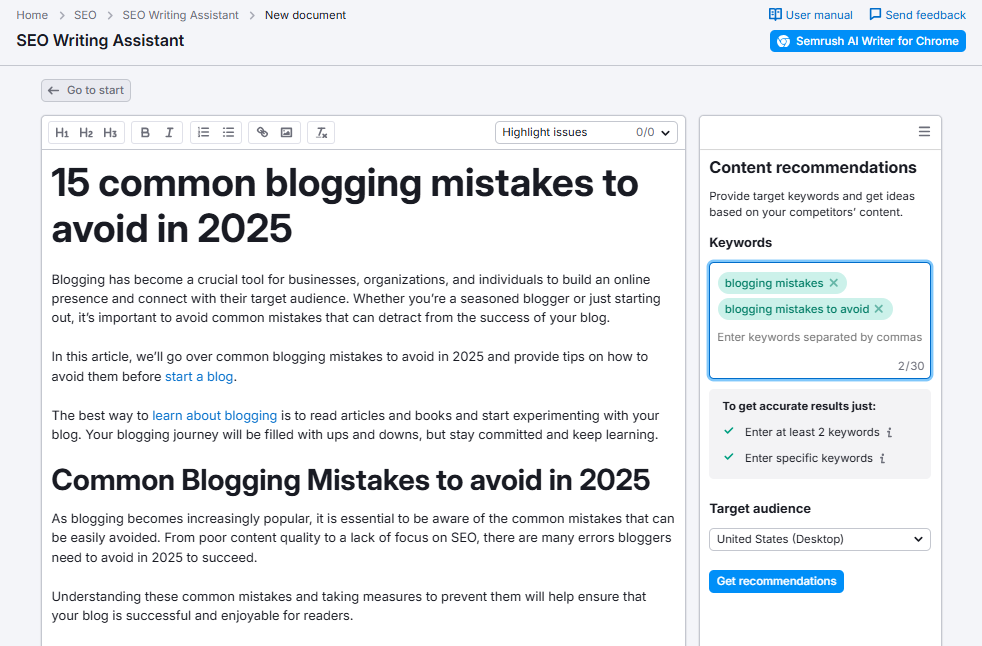
You can either write directly inside the Semrush editor or paste in your existing content.
SWA first checks your target keywords. It evaluates readability. SWA flags tone-of-voice issues. It then runs an originality check using a built-in plagiarism checker.
It also uses AI to help you rewrite, expand, or simplify sentences, which is extremely useful when you’re refining content.
Key things SEO Writing Assistant helps with:
- Keeping content properly keyword‑optimized without keyword stuffing
- Improving readability and user experience to match your top competitors
- Maintaining a consistent brand tone of voice
- Checking originality so you avoid duplicate content issues
- Getting real‑time suggestions inside Google Docs, WordPress, MS Word, or the Semrush editor
Easy Integration with Your Writing Tools
One of my favorite things about the SEO Writing Assistant is that it works where you already write:
- Google Docs – install it as an add‑on from the Extensions marketplace
- WordPress – add the official plugin, connect your Semrush account, and optimize directly in the editor
- Microsoft Word – install it from Microsoft AppSource and get SEO feedback inside your documents
This makes it perfect for bloggers and content creators who want Semrush content optimization without changing their workflows.
How the SEO Writing Assistant Score Works
Getting started is simple: enter your target keywords, choose your location and device type, then click Get Recommendations.
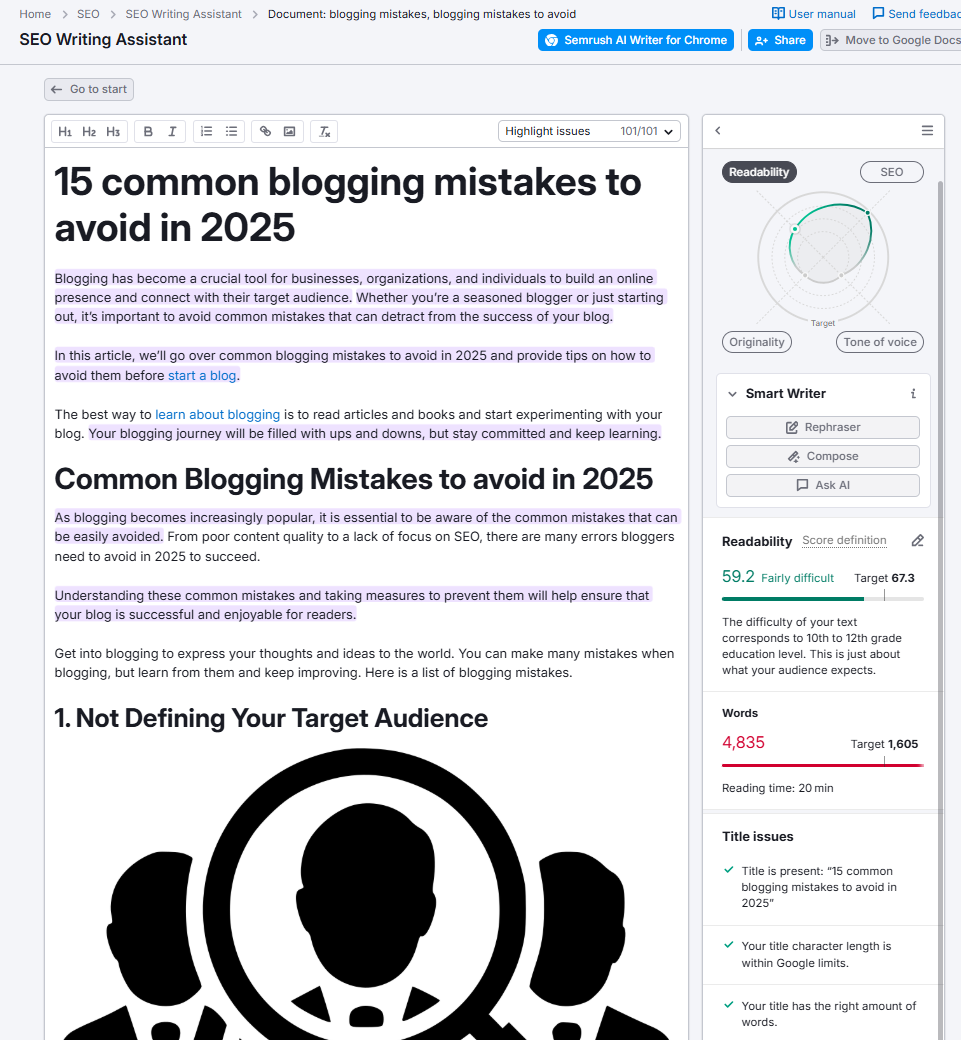
SWA analyzes your content and gives you an overall score out of 10, broken into four main components:
- Readability – compares your score to competitors and shows where sentences are too complex or paragraphs too long
- SEO – checks keyword usage, title issues, word count, and on‑page SEO elements
- Originality – runs plagiarism checks to ensure your content is unique
- Tone of Voice – evaluates whether your writing matches your chosen brand tone (e.g., casual, neutral, formal)
You can adjust your keywords and settings at any time via the settings (pencil) icon to fine‑tune recommendations.
AI Rephraser and Extra SEO Perks
A standout feature is the Rephraser: highlight a sentence and let AI reword, simplify, expand, or summarize it in seconds. If you’re stuck, you can use AI to compose new text. Start from scratch based on your topic and target keywords.
Additional features that make the SEO Writing Assistant a powerful Semrush content tool:
- Highlights content issues (hard‑to‑read sentences, passive voice, long paragraphs)
- Title optimization suggestions (length and clarity for SERP display)
- Word count recommendations based on top‑ranking pages
- Keyword usage and keyword density checks to avoid over‑optimization
For me, Semrush’s SEO Writing Assistant removes a lot of guesswork. It ensures every piece of content is engaging for readers and built to rank in search.
b. Topic Research
The Semrush Topic Research tool is designed to generate thousands of content ideas around a seed keyword or core topic. It’s perfect when you want to expand a niche. You can also use it to plan a content hub. Additionally, find new blog post angles you haven’t covered yet.
You simply enter a topic or main keyword, choose your target location, and Topic Research returns the following:
- Subtopics and content clusters in card format
- Popular headlines used on top‑ranking pages
- Frequently asked questions related to your topic
- Engagement metrics to show which ideas resonate with users
This gives you a complete overview of the search landscape—including interest, relevance, and competitive content—so you can craft articles that are informative, engaging, and aligned with search intent.
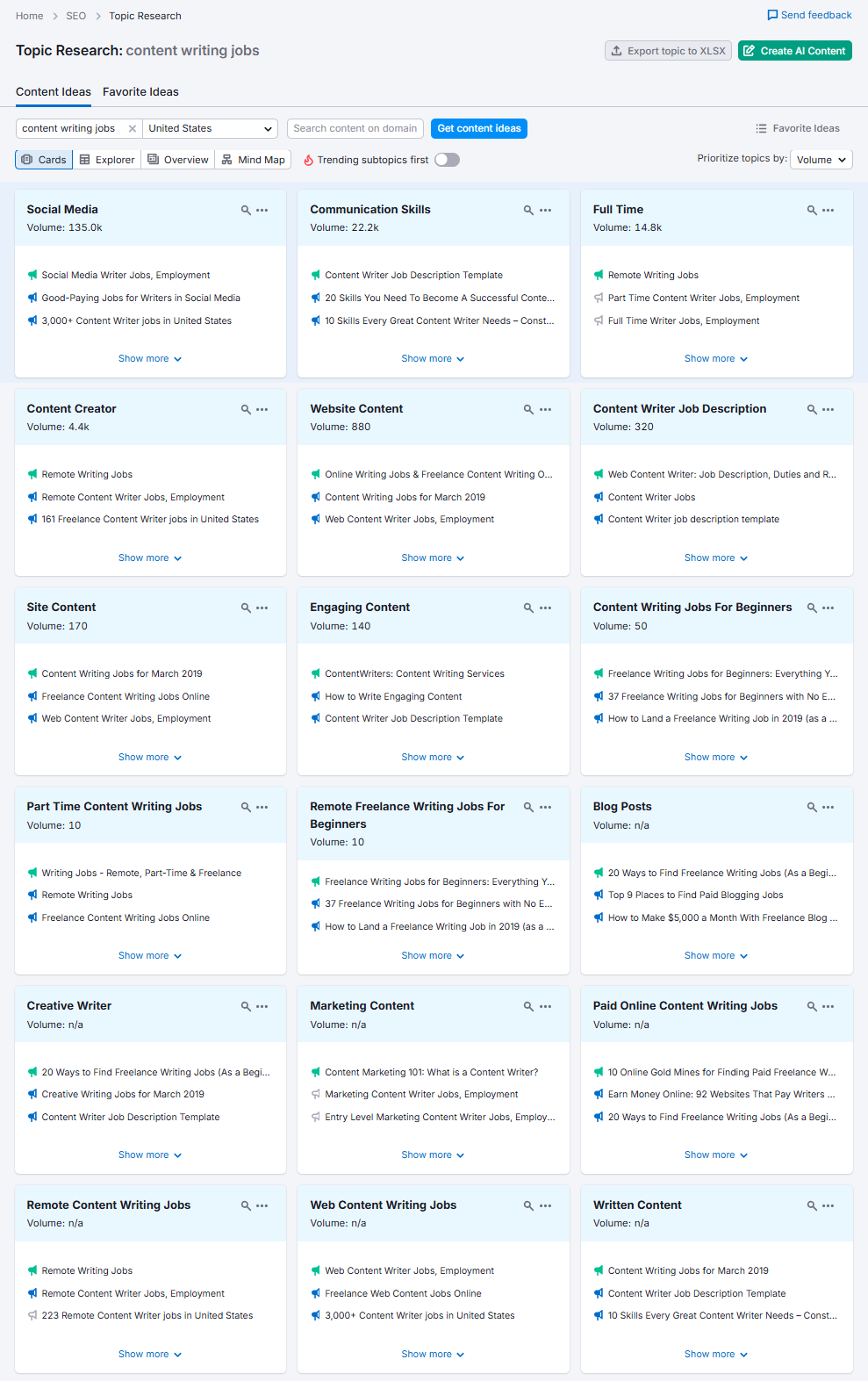
Key benefits of Semrush Topic Research:
- Discover new and relevant subtopics for content clusters and pillar pages
- See top headlines and popular title formats used by competitors
- Find location‑specific content ideas for local SEO campaigns
- Identify the most frequently asked questions to turn into FAQ sections
- Generate content ideas quickly when you’re stuck or planning an editorial calendar
You can click on any subtopic card to expand it. You’ll see more ideas, headlines, and questions. These can easily be turned into blog posts, listicles, how‑to guides, or review articles.
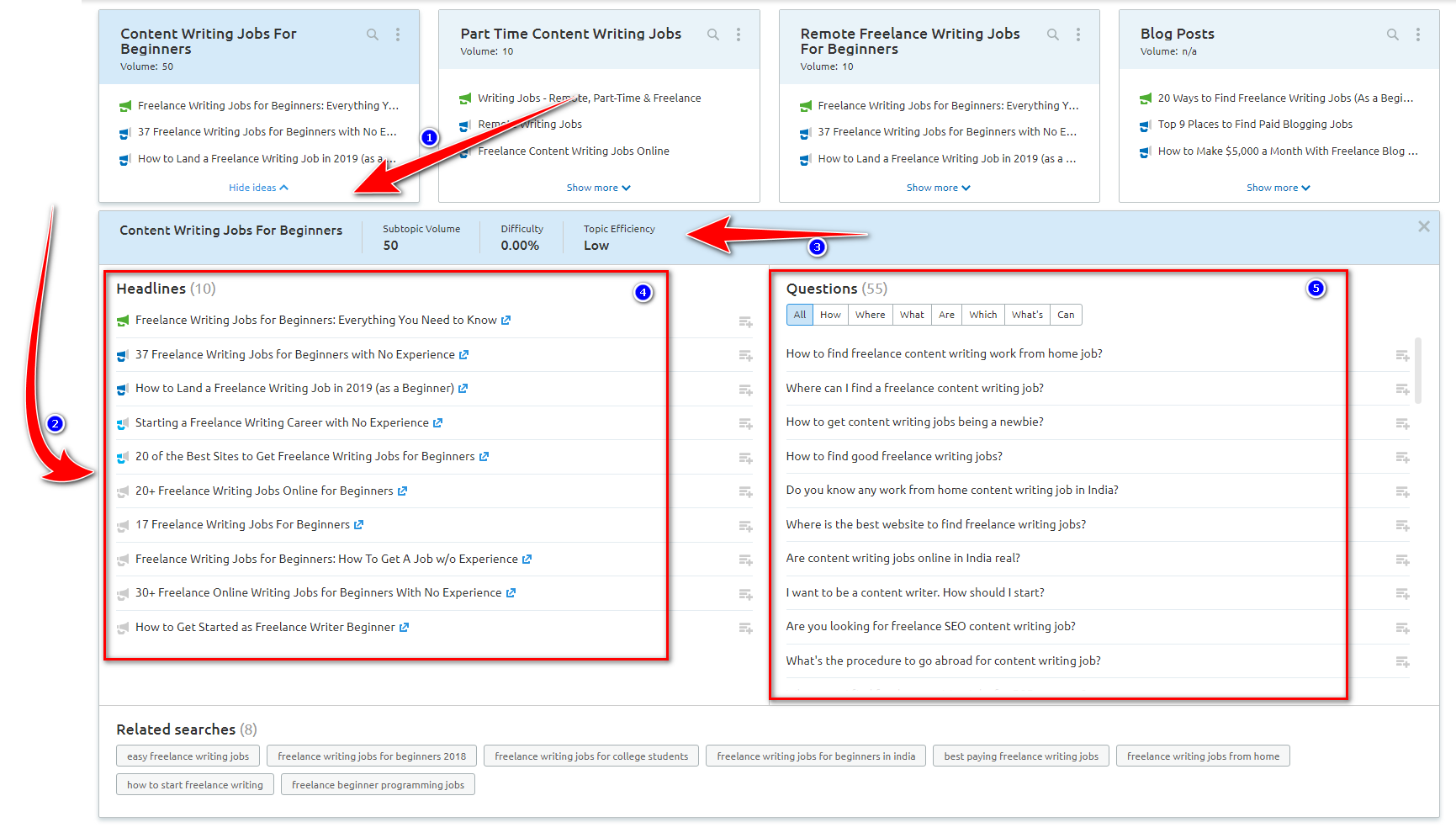
For content marketers, this positions Semrush Topic Research as one of the top content ideas tools. It is particularly useful for building a long-term strategy.
c. SEO Content Template
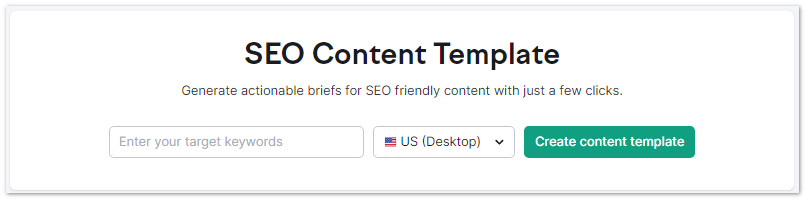
The Semrush SEO Content Template tool assists you in creating SEO‑friendly content briefs. It does this by analyzing what already works in Google’s top 10 results.
Do not guess how long your article should be. Do not guess which semantically related keywords to include. Instead, you get a ready‑to‑use template with concrete SEO recommendations.
To get started, you:
- Enter one or multiple target keywords
- Choose your location (country, region, or city) and device type
- Click Create content template
Semrush then analyzes the top 10 ranking pages for those keywords and generates a template containing
- Recommended semantically related keywords to include in your content
- Suggested optimal text length based on competitors
- A readability score target (using Flesch Reading Ease)
- A list of potential backlink prospects – domains that commonly link to your competitors
- Basic SEO best practice reminders, such as where to place your primary keyword (title, H1, meta description, body)
This SEO content brief becomes your roadmap for writing a piece that’s competitive in your niche. You can open the detailed competitor analysis.
It shows how top pages are using the keywords in their content. It also shows how they are using them in their headings.
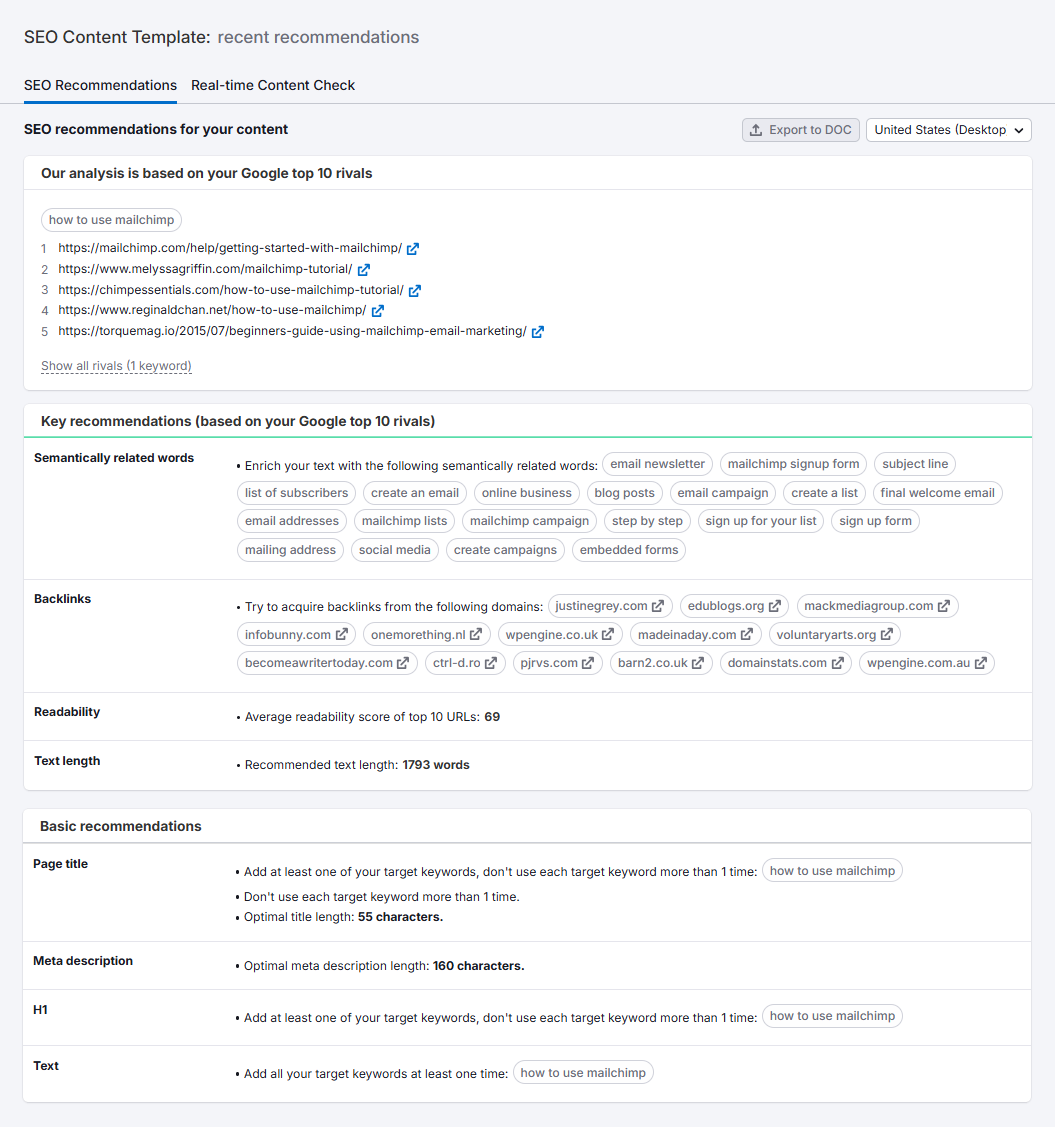
Some practical ways I like to use the SEO Content Template:
- Build content briefs for writers with clear keyword and structure guidelines
- Align new articles with existing content clusters and internal linking plans
- Quickly see what text length and readability level the SERP expects
- Identify high‑quality websites to target for backlinks once the piece is published
You can export your template as a document. Alternatively, use it with the SEO Writing Assistant. This keeps all recommendations in one workflow.
These Semrush content tools include SEO Writing Assistant, Topic Research, and SEO Content Template. Together, they work as a powerful content marketing toolkit. They help you generate Semrush content ideas. They build data‑driven SEO content templates. They optimize every article to rank higher and bring in more organic traffic.
5. Link Building
Backlinks are still one of the top ranking factors for Google and other search engines, and they directly influence your authority, trust, and visibility. You can do basic keyword research without tools, but effective, scalable link building really needs a robust platform like the Semrush SEO Toolkit.
I’m a big fan of Semrush’s link-building toolkit because it helps me find relevant link prospects, track competitors’ backlinks, and manage outreach campaigns in one place.
Using Semrush has helped grow my domain authority and organic traffic by cleaning up toxic links and focusing on high‑quality, contextual backlinks.
Semrush’s interface for link building is clean and intuitive (very similar in usability to Ahrefs).
Inside the Backlink and Link Building sections, you get a complete suite of tools to build and manage your link profile:
- Backlink Analytics – Analyze your own and competitors’ backlink profiles, discover new link opportunities, and benchmark authority.
- Backlink Audit – Scan your backlinks to identify toxic or potentially harmful links and prepare disavow files to protect rankings.
- Link Building Tool – Collect prospects based on keywords and competitors. Run outreach campaigns. Monitor acquired links from one dashboard.
- Bulk Backlink Analysis (Bulk Analysis) – Analyze up to 200 URLs or domains at once. See backlinks, referring domains, and authority. Gain insights quickly for prospecting.
Together, these Semrush link-building tools simplify link prospect discovery, outreach management, and backlink monitoring. This simplification lets you build long‑term, scalable link growth instead of chasing one‑off links.
a. Backlinks
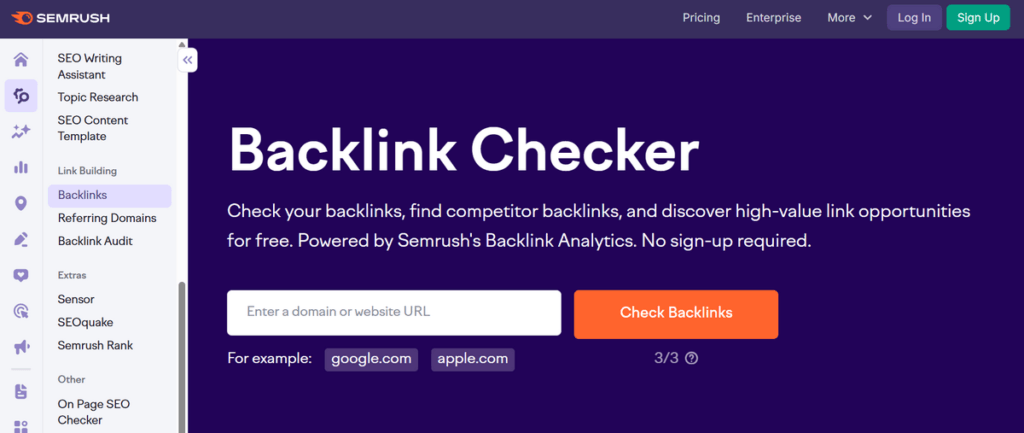
Semrush’s Backlink Analytics is a powerful component of its Link Building toolkit. It gives you a complete picture of any website’s inbound link profile. This applies whether it’s your own site or a competitor’s.
Semrush claims it has “the largest backlink database in the industry.” The tool indexes data from over 43 trillion links. It spans 390 million domains and crawls 10 billion URLs per day.
That scale alone sets it apart from most free and paid backlink checkers on the market.
What You Can See in the Backlink Report
When you run a backlink check inside Semrush, you get instant access to the following key metrics and data points:
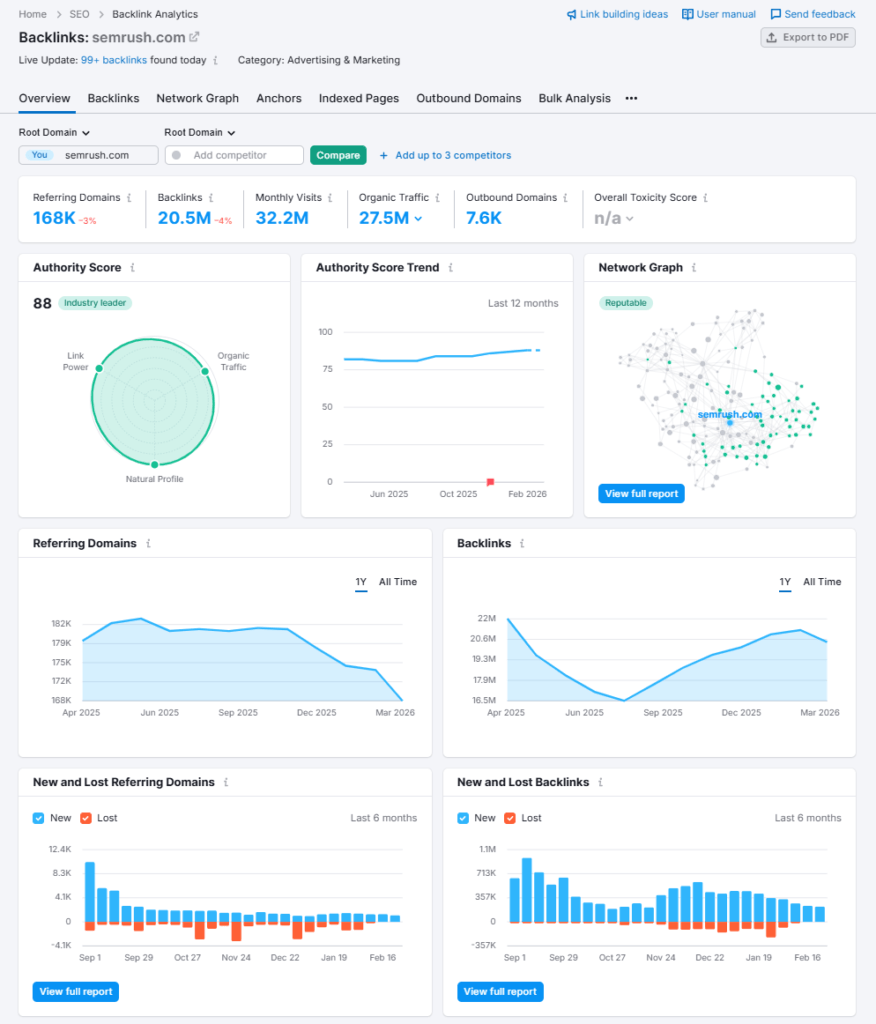
- Authority Score — Semrush’s proprietary SEO strength metric, calculated based on the quality and quantity of a domain’s backlinks
- Total Backlinks — The complete count of all inbound links pointing to the analyzed domain
- Referring Domains — The number of unique websites sending links to the target domain
- Source Page Details — Each linking page’s title, URL, anchor text, and Authority Score
- Link Attribute Tags — Identifies whether each backlink is dofollow or nofollow
- Link Status Tags — Flags backlinks as newly discovered or recently lost
How to Use Backlink Data Strategically
Beyond raw numbers, Semrush turns backlink data into actionable SEO intelligence. Here’s how the tool helps in real-world link building:
- Spot New Link Sources — Uncover authoritative sites that already link to your competitors but haven’t linked to you yet. These are warm outreach targets since they’re already active in your niche
- See What Content Earns Links — Analyse which competitor pages attract the most backlinks and identify the content types and topics driving those links
- Recover Lost Backlinks — The Link Status tags let you quickly identify valuable links that have disappeared, so you can reach out to restore them—often easier than building entirely new link relationships
- Improve Your Link Profile—Benchmark your backlink metrics against competitors, set realistic link-building goals, and prioritize outreach to higher Authority Score domains
- Study Competitor Anchor Text Patterns—Review how competitors structure their anchor text and link distribution, then adapt those strategies for your own campaigns
- Monitor Link Growth Over Time — Track how both you and competitors gain new referring domains. Steady, consistent growth signals a sustainable link-building approach
What Makes It Stand Out
Unlike many backlink tools that hide critical data behind paywalls, Semrush’s Backlink Checker allows you to check backlinks instantly. No registration is required, and it delivers fresh data sourced from daily web crawls.
Results are sorted by Authority Score. This ensures you always see the most impactful links first. These are not just the most recent ones.
For SEO professionals who need deeper access, the full Backlink Analytics platform unlocks unlimited results. It offers advanced filtering and toxic link auditing. Users can track historical backlinks and perform professional-grade competitor analysis. This makes it a go-to tool for both link-building campaigns and ongoing link-profile maintenance.
Pro Tip for Bloggers: If you run affiliate or niche review sites, use the “Recover Lost Backlinks” feature. It alone can save you significant link equity. This is especially true after site migrations or URL restructures.
b. Referring Domains
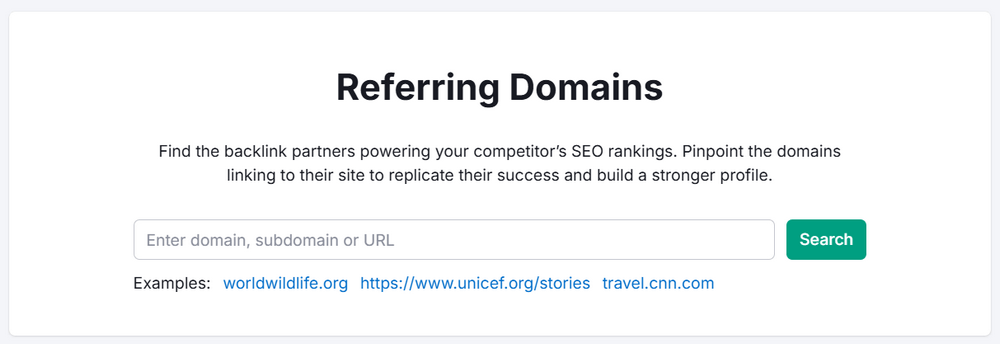
The Referring Domains report in Semrush shows every unique domain that links back to a website. It helps you understand how diverse and trustworthy that site’s backlink profile is.
Google treats the number and diversity of referring domains as a key ranking signal. Fifty backlinks from fifty different domains are usually more valuable than hundreds of links from just a few sites.
Your objective in growing your SEO with link building is to earn links from high-quality, niche-relevant referring domains. Acquire as many diverse and reputable links as possible. Aim to expand your sources rather than repeatedly getting links from the same sites.
Semrush’s Referring Domains tool lets you pinpoint your competitors’ strongest partnerships. These include blogs, media sites, portals, and regional sites that send them links. By analyzing these partnerships, you can target similar opportunities in your own link-building strategy.
You can also pair this with the Backlink Gap tool to find domains that link to multiple competitors. They do not link to you yet. These domains are often prime outreach prospects.
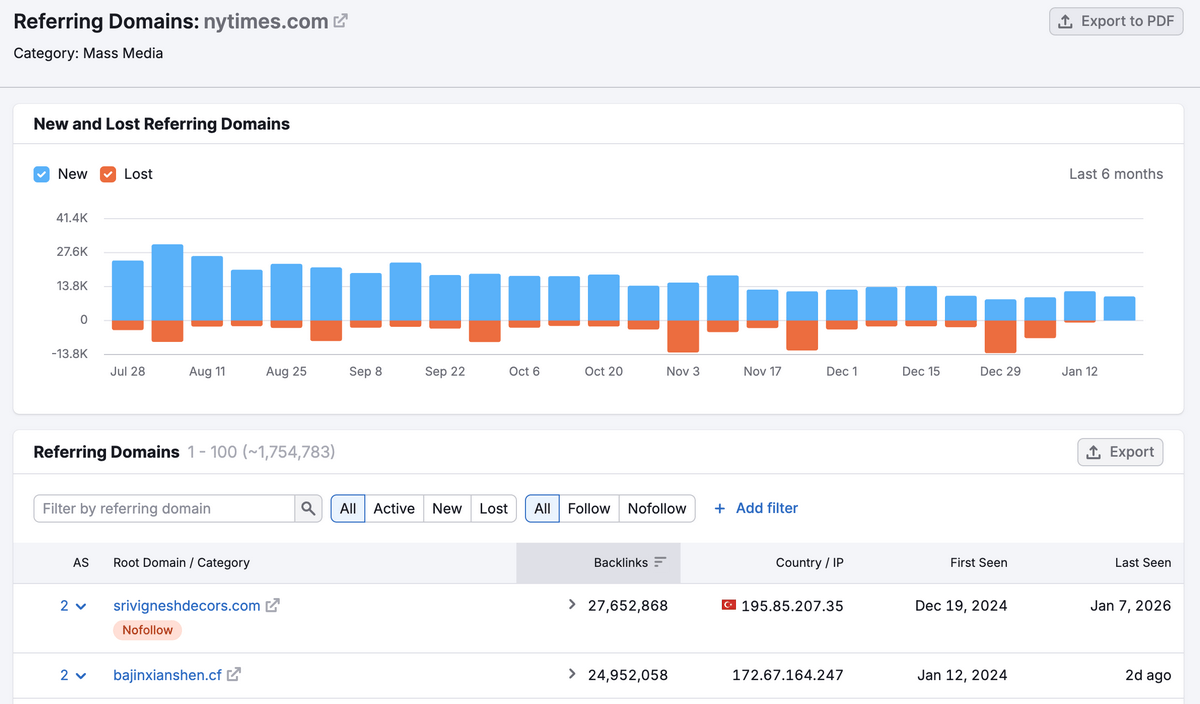
Inside the Referring Domains report, you get:
- A New vs Lost Referring Domains graph showing how a site’s referring domain profile changes over time.
- A sortable table of all referring domains with several metrics. These metrics include total backlinks, authority score, and first/last seen dates. Additionally, they include IP address, country, and category.
- Sorting options by backlinks, authority score, first seen, and last seen to find the most valuable or newest partnerships quickly.
- Geographic and IP insights provide checks on diversity by country and server. This avoids reliance on too many links from one region or IP range.
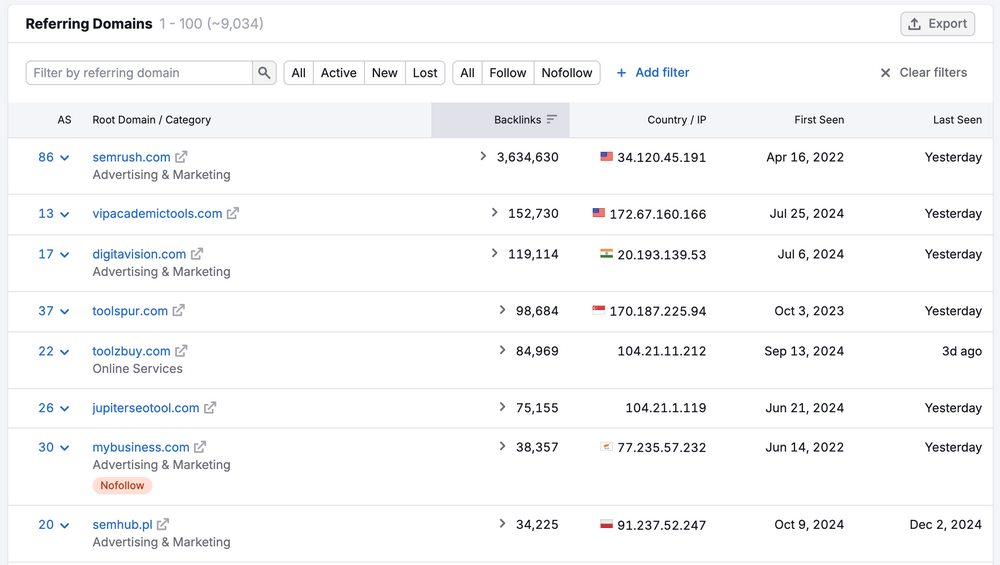
You can narrow results further with advanced filters at the top of the table:
- Quick filters for All / Active / New / Lost and All / Follow / Nofollow.
- Additional filters by authority score range, Category (industry), zone (TLD), country, link attributes, and IP address.
For example, you can filter for high‑authority score domains in a specific industry. You can also filter by country. Then export that list as a refined set of high‑value link prospects.
This makes the Referring Domains report a core part of the Semrush link-building feature set. It is essential when you’re trying to grow strong, diverse, and trustworthy backlinks at scale.
c. Backlink Audit
Backlink Analytics tells you who is linking to you. The Backlink Audit tool indicates whether those links are helping or hurting you.
This is one of Semrush’s most critical Link Building features. It is designed to keep your backlink profile clean. It ensures your profile is healthy and penalty-proof.
The tool’s tagline says it best: “Keep your backlink profile healthy!” — and that’s exactly what it’s built to do.
1. AI-Powered Toxicity Score
Semrush’s AI-based Toxicity Score is at the heart of the Backlink Audit tool. It is a proprietary metric. This score evaluates the risk level of every domain linking to your website.
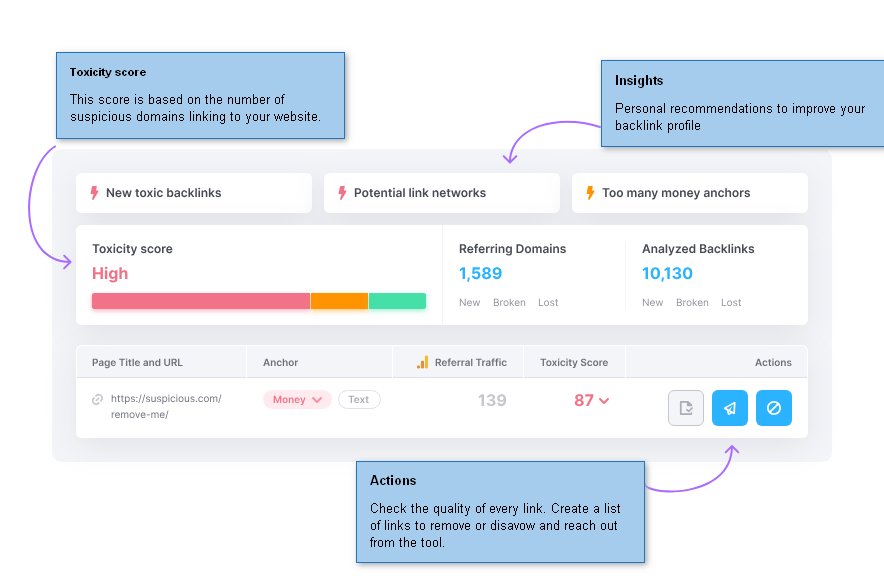
The score is determined by the number of suspicious domains pointing to your site. It is displayed prominently as Low, Medium, or High.
The tool also flags specific warning signals such as:
- New toxic backlinks — freshly discovered harmful links that need immediate attention
- Potential link networks — patterns that suggest manipulative link schemes
- Too many money anchors — over-optimized commercial anchor text that can trigger Google penalties
2. Comprehensive Link Evaluation — 50+ Parameters
Semrush’s Backlink Audit is more advanced than basic backlink checkers. It thoroughly evaluates the quality of every inbound link using over 50 evaluation parameters. This includes:
- Investigating link quality through multiple technical and contextual signals
- Grouping referring domains by metrics like IP address, category, and link type
- Checking for healthy distribution of anchor text and Authority Scores
This level of granularity simplifies identifying genuinely valuable links. It also helps differentiate from manipulative or low-quality links that could drag down your rankings.
3. Manage Suspicious Links — Right From the Tool
What makes this feature stand out in a review is its end-to-end disavow workflow, which lets you act on bad links without ever leaving Semrush:
- Contact site owners directly from within the tool using built-in outreach functionality with site owners’ email data
- Send backlinks to your Disavow list for bulk management
- Upload the Disavow file straight to Google — no manual file creation or Search Console fumbling required
This streamlined process saves hours. It is much quicker than manually compiling disavow files. This efficiency makes it invaluable for SEO professionals who manage large or legacy sites.
4. All Your Backlink Data in One Place
Semrush Backlink Audit aggregates data from multiple sources so you get the most complete picture possible:
- Pulls from the Semrush backlink database (43 trillion links)
- Integrates with your Google Search Console account for verified link data
- Supports direct import from Majestic or a custom file upload
This multi-source approach eliminates blind spots that single-database tools often miss.
5. Automated Monitoring & Alerts
The Backlink Audit tool doesn’t just run a one-time check — it actively monitors your link profile and sends alerts when things change:
- Receive notifications about new, broken, and lost backlinks
- Monitor for unusual spikes or drops in your referring domain count
- Instantly detect spam attacks or potential Google penalties before they cause ranking damage
This proactive monitoring is especially valuable for affiliate sites and niche blogs. A sudden toxic link attack can wipe out months of ranking progress overnight.
| Feature | Details |
|---|---|
| Evaluation Parameters | 50+ link quality signals |
| Toxicity Scoring | AI-based, domain-level risk scoring |
| Disavow Workflow | Built-in, direct upload to Google |
| Data Sources | Semrush DB + GSC + Majestic import |
| Outreach | Built-in email outreach to site owners |
| Alerts | New, lost, broken backlinks + spam detection |
For bloggers, affiliate marketers, and SEO professionals, the backlink audit tool is an essential safeguard. This applies particularly to those who have built up a site over time. They may have used guest posting or aggressive link building. It offers the diagnostic depth of a technical SEO audit. Additionally, it provides the practical action steps needed to clean up your profile. All of this is available within a single dashboard.
6. Extras
a. Semrush Sensor
Semrush Sensor is a real-time Google SERP volatility tracker included in the Semrush SEO toolkit.
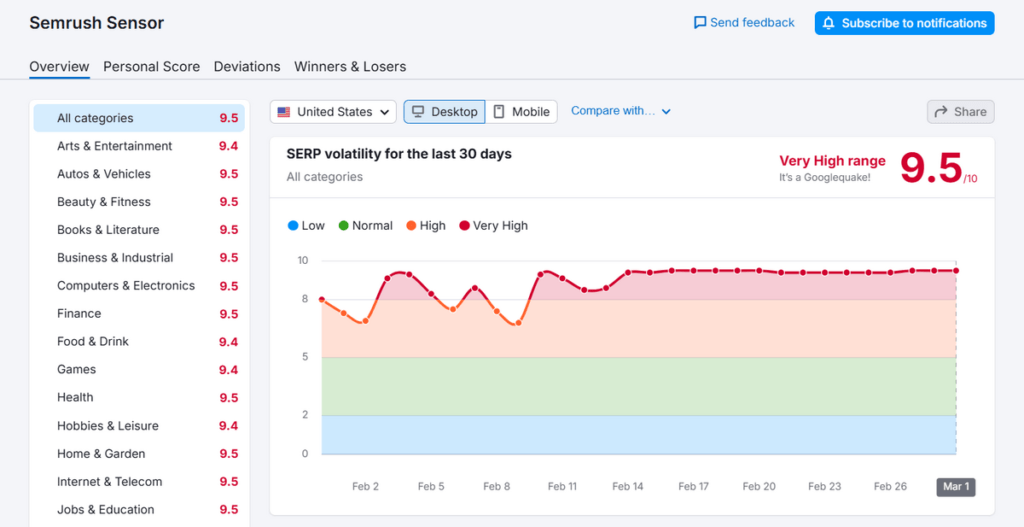
It continuously monitors ranking fluctuations across industries, devices, and countries. This gives you an instant answer to a frustrating SEO question. You can quickly determine if the ranking drop is your fault, or if Google is updating. Is this ranking drop my fault, or is Google updating?
The tool measures volatility on a 0–10 scale. It categorizes it across four levels — Low, Normal, High, and Very High. This makes the current search landscape easy to read at a glance.
Key Features
- Volatility Score — A daily 0–10 score reflecting SERP instability across all categories. As of March 1, 2026, it stands at 9.5/10 — “It’s a Googlequake!”
- 25+ Industry Categories — Monitor volatility by niche including Health, Finance, Shopping, Travel, and more
- Desktop & Mobile Split — Tracks volatility separately for desktop and mobile SERPs
- SERP Features Occurrence — Shows real-time prevalence of AI Overviews (24%), People Also Ask (62.21%), Featured Snippets, Sitelinks, and more
- Personal Score Tab — Measures volatility based on your own tracked keywords, not just industry averages
- Winners & Losers Tab — Reveals which sites gained or lost the most visibility during volatile periods
- Push Notifications — Subscribe to alerts for major volatility spikes
Why It Matters for Users
For bloggers, affiliate marketers, and SEO professionals, Semrush Sensor eliminates guesswork during ranking drops.
You don’t need to spend hours auditing your content or backlinks. A quick Sensor check tells you instantly whether Google is running a broad update.
The category-level breakdown helps niche site owners spot industry-specific turbulence. The SERP Features tracker helps content strategists adapt to shifts in AI Overviews. It also assists with changes in Featured Snippets before rankings are impacted.
Best of all, Semrush Sensor is completely free to access. It is one of the most practical tools in the entire Semrush suite.
b. SEOquake Browser Extension
SEOquake is a free browser extension developed by Semrush. It brings powerful on-page SEO analysis directly into your browser. No dashboard login is required.
Designed for bloggers, affiliate marketers, and SEO professionals who need quick insights on the go, SEOquake is very versatile. It allows you to audit any webpage instantly while browsing. You can do this without switching between multiple tools or tabs.
Whether you’re analyzing your own content or checking out a competitor’s page, SEOquake delivers real-time SEO data. You get the information right at your fingertips. It is also useful for evaluating a potential link-building target.
It is powered by Semrush’s industry-leading database. The metrics you see, such as Authority Scores, backlink counts, and keyword data, originate from the same data. This data powers the full Semrush suite.
Most SEO browser tools offer only surface-level metrics. However, SEOquake functions as a complete on-page SEO audit toolkit built into your browser. It’s 100% free to download and install.
Key Features of SEOquake
- On-Page SEO Audits — Instantly audit any webpage for critical on-page SEO factors including title tags, meta descriptions, headings, and keyword usage, directly from your browser
- Compare URLs in Real Time — Side-by-side URL comparison lets you benchmark your pages against competitor pages without leaving your browser
- Internal Link Analysis — Examine the internal link structure of any website to identify linking gaps, orphan pages, or over-linked sections
- SERP Overlay — Displays key SEO metrics (Authority Score, backlinks, indexed pages) directly in Google search results for every listing — saving time on manual lookups
- Export All Data to a File — Export full audit and analysis data into a structured file for deeper offline review, client reporting, or team collaboration
- Keyword Density Analysis — Identifies the most frequently used keywords on any page to help evaluate content relevance and optimization depth
- 100% Free to Install — Available as a Chrome extension with no Semrush subscription required, making it accessible for beginners and professionals alike
c. Semrush Rank
Semrush Rank is Semrush’s own global ranking system. It shows which domains have the highest organic visibility in Google. This is based on estimated monthly organic traffic.
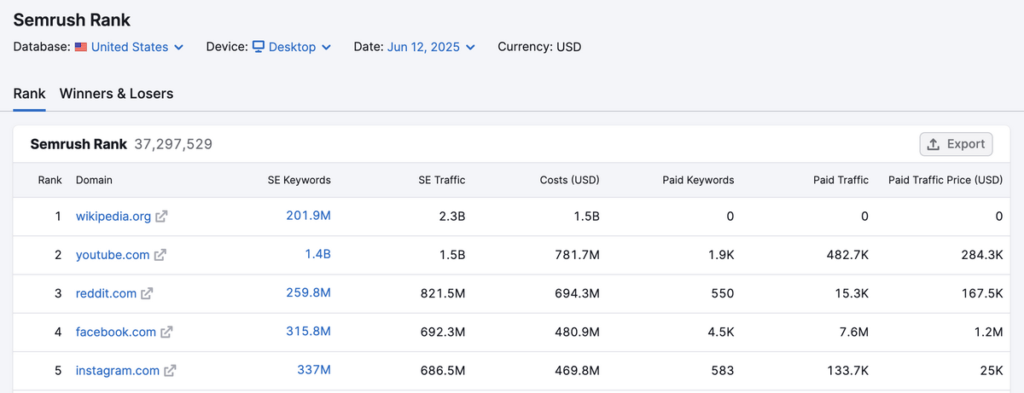
It’s included in the SEO Toolkit. It can be viewed for any regional database. This allows you to see how big a site’s search presence is in specific markets. Examples include the US, UK, India, and more.
The metric is simple to interpret: the lower the Semrush Rank number, the stronger the domain’s online presence.
For example, giants like Google, Wikipedia, Amazon, and YouTube all have a Semrush Rank below 10.
Behind the scenes, Semrush Rank uses various data points. These include the number of organic keywords a domain ranks for within the first 10 Google result pages. It also considers estimated organic traffic. Additionally, it calculates the equivalent “traffic cost” if that same traffic were bought via Google Ads.
Inside the Semrush Rank interface, you can switch on historical data going back to January 2012. This allows you to analyze how a domain’s organic visibility has changed over time. Use the Winners & Losers report. It shows which sites gained the most visibility. It also shows which sites lost the most traffic compared to the previous month.
7. Other
1. On Page SEO Checker
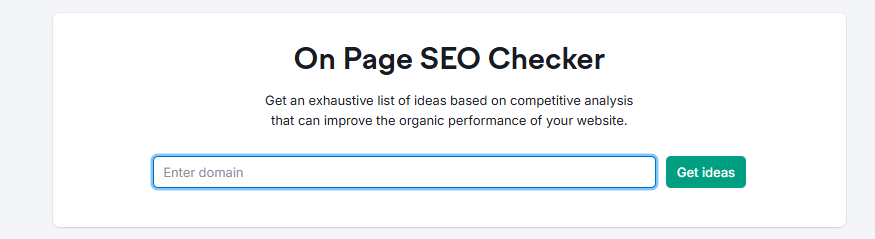
The Semrush On-Page SEO Checker is a powerful on‑page optimization tool. It helps you identify SEO opportunities across your site. You can organize and act on these opportunities at scale. Once you configure a project, the tool analyzes your landing pages. It then delivers data‑driven recommendations. These recommendations aim to improve rankings, click‑through rate (CTR), and user engagement.
It’s divided into four core tabs—Overview, Optimization Ideas, Top 10 Benchmarking, and Idea Tasks. This allows you to review your on-page SEO strategy from different angles. You can prioritize the highest-impact tasks first.
1. Overview Tab
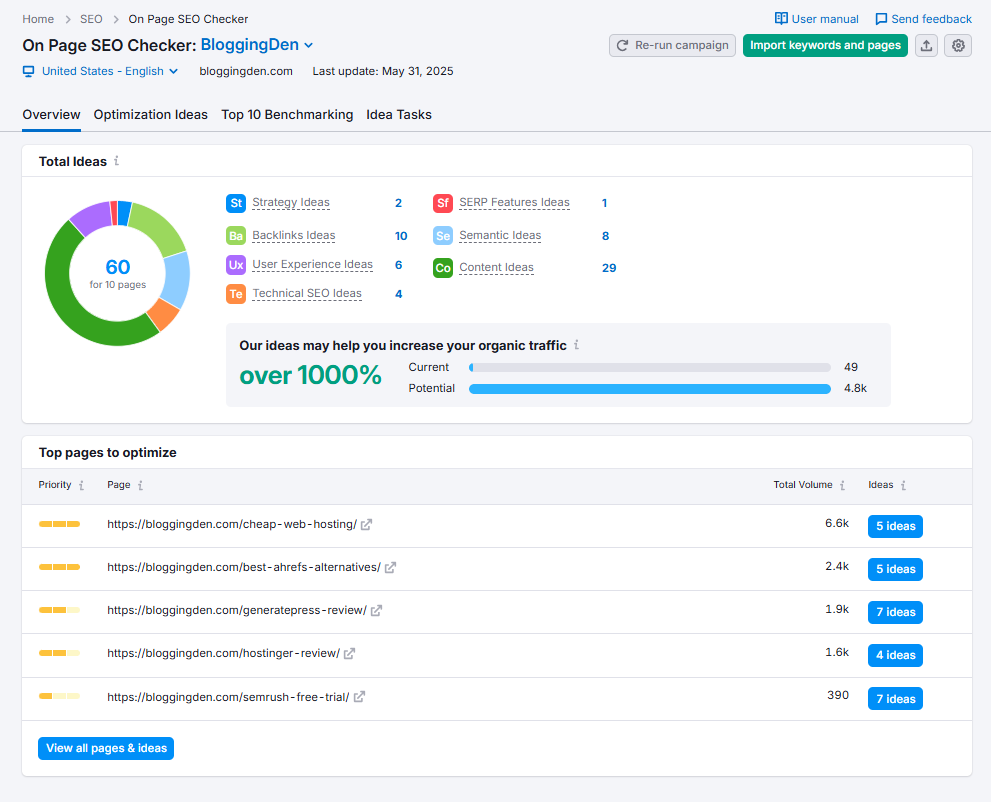
The Overview tab gives you a high‑level snapshot of your site’s on‑page SEO performance and optimization potential.
It quickly highlights which landing pages need the most attention. It also identifies where the biggest opportunities lie to boost organic traffic and conversions.
a. Total Ideas
This widget aggregates all on‑page SEO ideas for your project, grouped into:
- Strategy ideas (page targeting, keyword cannibalization, SERP intent alignment)
- Backlink ideas (internal linking, external link opportunities)
- User experience suggestions (engagement, bounce rate signals)
- Technical SEO fixes (Core Web Vitals, HTTPS, mobile‑friendliness)
- Content optimization tips (thin content, missing keywords, topical depth)
- Semantic SEO ideas (supporting terms, related keywords)
- SERP feature recommendations (featured snippets, local pack, FAQs)
Pro tip: Connect Google Analytics to unlock UX‑driven ideas based on real user behavior. Use Google Search Console to gain insights from search queries.
b. Top Pages to Optimize
This block highlights the high‑impact landing pages.
- Number of SEO ideas per URL
- Potential traffic uplift and keyword visibility
- Implementation difficulty (easy, medium, hard)
Click any page to open detailed recommendations and start optimizing the URLs that can move the needle fastest.
c. Import Keywords and Pages
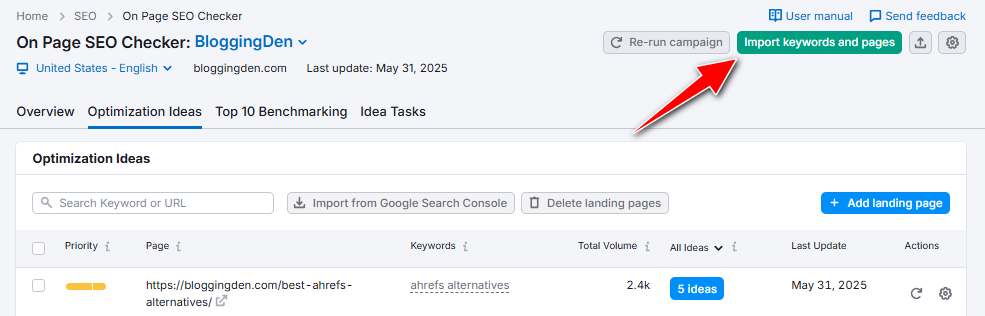
To streamline your on‑page SEO workflow, you can import URLs and target keywords directly from:
- Google Search Console
- Semrush Organic Research
- CSV uploads
- Position Tracking campaigns
Use filters to zero in on quick‑win opportunities. For example, find pages stuck on page 2–3 of Google. They just need stronger on‑page SEO to break into the top 10.
2. Optimization Ideas Tab
The Optimization Ideas tab drills down into each landing page and shows specific, prioritized on‑page SEO recommendations.
It’s where you evaluate keyword targeting, content quality, and technical on‑page elements at the individual URL level.
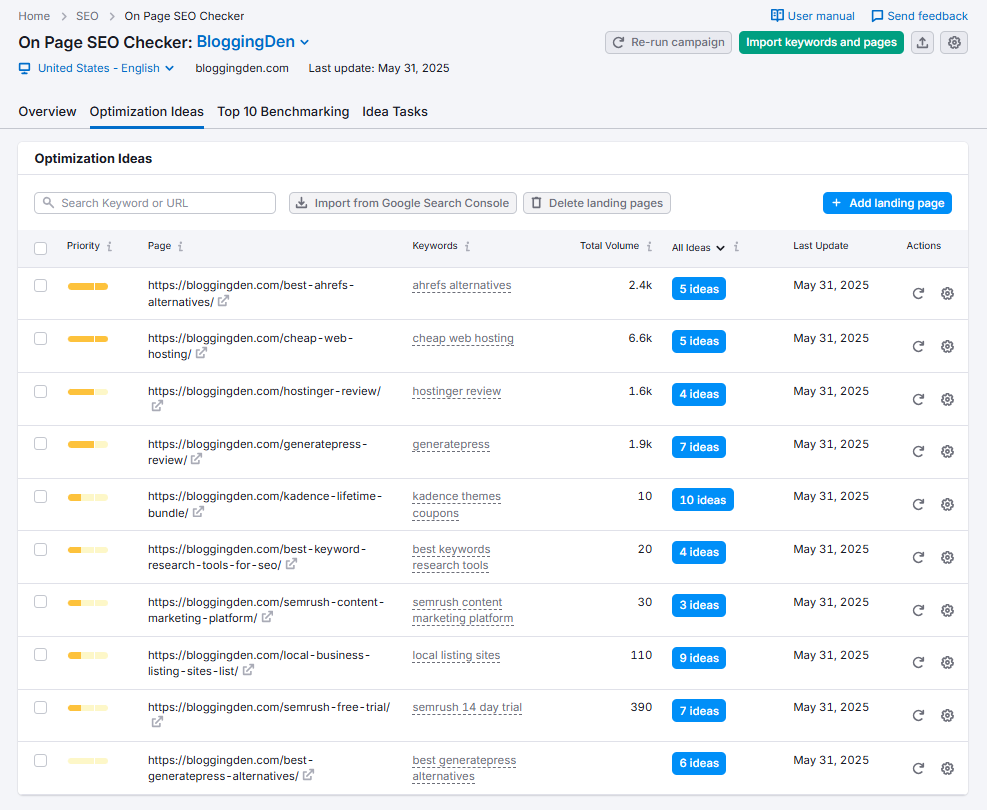
a. Total Volume
This view provides a snapshot of each landing page’s SEO potential. It combines keyword and idea data. Each row shows:
- Landing page URL
- Assigned target keywords
- Combined monthly search volume
- Number of on‑page SEO ideas
- Last update timestamp
Sorting by priority, link, or total ideas helps you manage tasks. It allows you to focus your optimization efforts on pages with the highest payoff.
b. Add Landing Pages
Use Add Landing Page to expand your campaign with additional URLs you want Semrush to analyze. This is perfect for:
- Newly published articles and landing pages
- Recently refreshed content
- Underperforming posts you want to re‑optimize
Click the blue button, add your page and target keywords, then re‑run the analysis to instantly generate new optimization ideas.
c. You can edit Keywords. You can also edit URLs if needed.
The gear icon under Actions allows you to update a page’s target keywords. It also lets you change the URL if your content strategy or site structure changes. You can then refresh the suggestions using the blue refresh icon to keep your on‑page analysis accurate and up‑to‑date.
d. Import from Google Search Console
The Import from GSC option retrieves top‑performing URLs. It also collects queries directly from Google Search Console. This helps you:
- Find pages already getting impressions and clicks
- See keyword‑level data for more precise optimization
- Prioritize content that’s close to ranking higher in the SERPs
It’s one of the best ways to combine Semrush on‑page insights with real Google search data.
3. Top 10 Benchmarking
The Top 10 Benchmarking tab compares your landing page against the current top‑10 Google results for each target keyword.
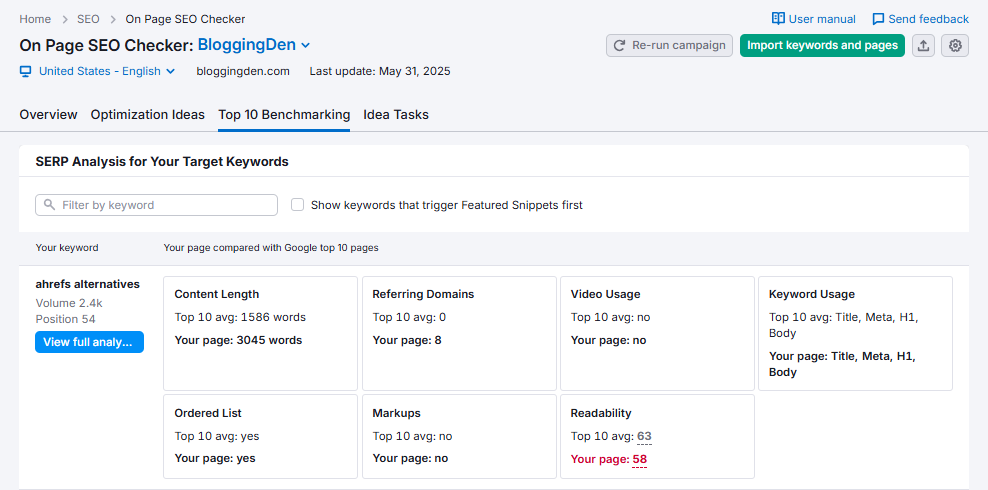
This shows you exactly what leading competitors are doing better in terms of content, links, and technical optimization.
Key metrics to monitor:
- Content length – Check if your page is thinner than top‑ranking competitors and add more depth where needed.
- Referring domains – Build more high‑quality backlinks if rivals have stronger link profiles.
- Video and media usage – Add multimedia if top results use videos or rich media to enhance engagement.
- Keyword usage – Ensure primary keywords appear naturally in titles, H1/H2s, meta tags, and body copy.
- Lists and structure – Use ordered lists and clear headings for list‑type queries (e.g., “best tools”) to improve featured snippet potential.
- Schema markup – Implement structured data (FAQ, product, review, etc.) if competitors are leveraging schema to win SERP features.
- Readability – Simplify content to match or beat competitor readability levels and improve UX signals.
Click View full analysis to study how each competitor structures their content, uses headings, and builds backlinks—then mirror what works while adding more value.
4. Idea Tasks
The Idea Tasks tab acts like an SEO project management board built into the On‑Page SEO Checker.
It consolidates all your page‑level recommendations into a real‑time to‑do list and helps you track what you’ve implemented over time.
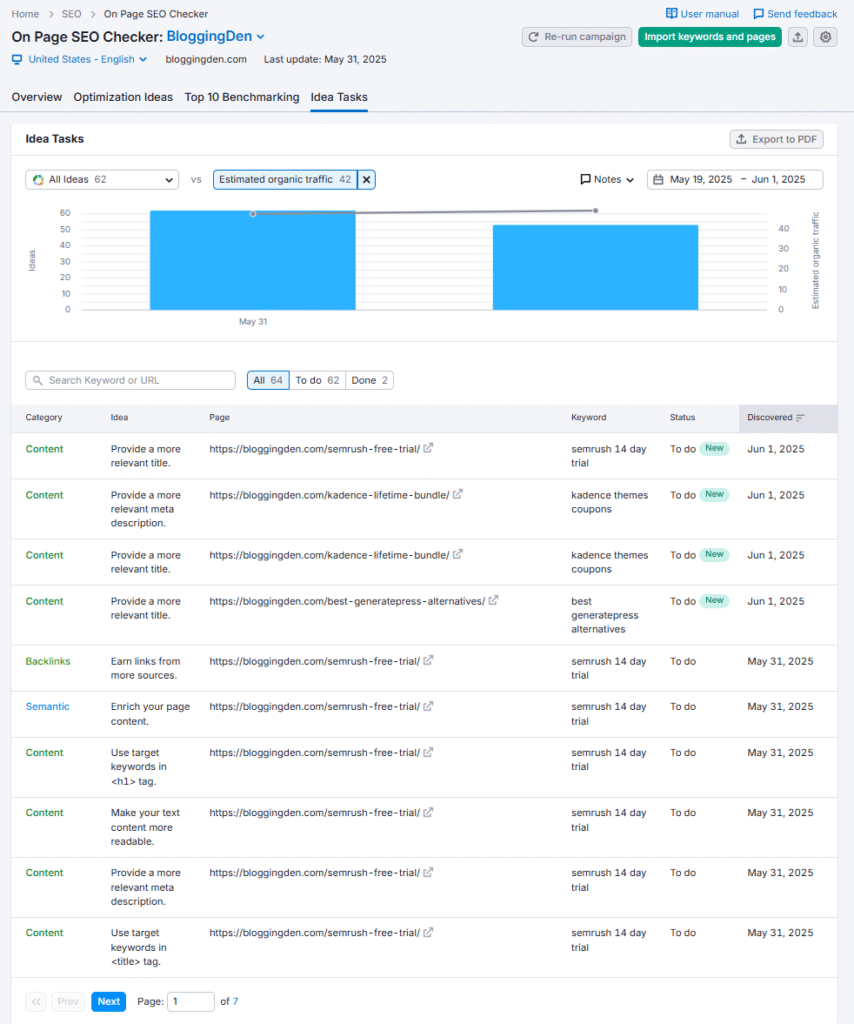
You’ll see ideas grouped into clear categories:
- All Ideas – Master list of every recommendation for the selected page
- Strategy – Suggestions for better keyword targeting, search intent alignment, and page focus
- SERP Features – Tips to optimize for featured snippets, People Also Ask, and other SERP elements
- Semantic – Guidance on adding related terms and entities to strengthen topical relevance
- Content – Advice on depth, freshness, structure, and on‑page copy improvements
- Backlinks – Ideas for acquiring or strengthening links to the page
- Technical – Fixes for issues like slow load times, missing tags, or mobile problems
- User Experience – Recommendations to improve engagement signals and on‑page behavior
Instead of guessing what’s wrong with a page, you get a clear, prioritized action plan you can follow. Use the Idea Tasks tab as a built‑in SEO task manager: assign tasks, implement fixes, and revisit the tab to see how your on‑page SEO changes impact rankings over time
2. Organic Traffic Insights
Organic Traffic Insights is a Semrush tool. It helps you unlock “not provided” keywords. This is done by merging data from Google Analytics, Google Search Console, and Semrush into a single dashboard. Once you connect GA and GSC, you can see which keywords drive organic traffic to your most important pages. You will also see impressions, CTR, and average position.
- Combines GA, GSC, and Semrush data to reveal hidden organic keywords.
- Shows keyword‑level metrics (sessions, impressions, CTR, average position) for each landing page.
- Lets you filter by device, country, and other dimensions to refine your SEO strategy.
- Allows exporting discovered keywords into Position Tracking, Keyword Magic, and On‑Page SEO Checker for deeper analysis and optimization.
- Helps turn “not provided” traffic into actionable keyword ideas that improve rankings and content performance
Key Benefits of Organic Traffic Insights (for Bloggers)
- Reveals the real keywords sending traffic to your blog posts, even when GA shows “not provided.”
- Helps you spot easy content update wins—keywords where you already rank and can quickly move higher with better on‑page SEO.
- Uncovers new topic ideas for related posts, FAQs, and content clusters around your top landing pages.
- Lets you send discovered keywords straight into Position Tracking or Keyword Magic to build a data‑driven content plan.
Ready to unlock those hidden keywords and squeeze more traffic out of your existing content? Connect Organic Traffic Insights to your GA and GSC and start optimizing your best‑performing pages today.
3. Link Building
If you’re serious about improving your SEO performance, use the Semrush Link Building Tool. It is one of the best ways to systematically earn high‑quality backlinks from authority domains.
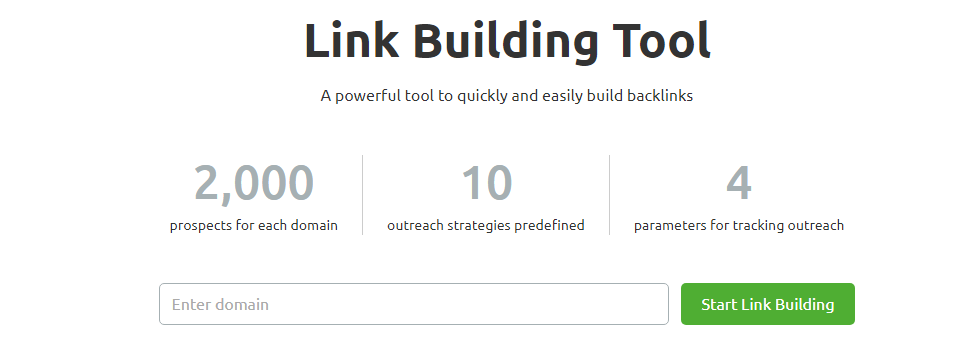
I’ve found it extremely useful for discovering backlink opportunities. It also helps in running competitive link analysis. Furthermore, it aids in managing outreach campaigns from a single, organized dashboard.
The tool generates a personalized list of link‑building prospects based on your target keywords and top SEO competitors. It pulls in competitive backlink data and domain metrics. This allows you to spot gaps where you can win powerful links.
You can then use the built‑in outreach module to contact site owners. This module provides customizable email templates. It saves time and keeps all communication inside Semrush.
You can integrate your Gmail account. You can also connect to Google Search Console. This connection helps automatically retrieve contact information and verify acquired links. This makes the whole outreach process smoother.
One of my favorite parts is the “Monitor/Track” stage. You always know which emails were opened. You can also see which emails were replied to. Additionally, you know which opportunities turned into live backlinks. You can keep an eye on whether those backlinks stay active over time.
Core features of the Semrush Link Building Tool
- Generates up to thousands of link‑building prospects per domain based on keywords and competitor domains.
- Provides an easy‑to‑use outreach workflow with built‑in, relationship‑focused email templates.
- Integrates with Gmail and Google Search Console for smoother communication and link verification.
- Automatically pulls contact details and social info for outreach targets where available.
- Includes a Monitor/Track phase. You can see which backlinks are acquired, active, or lost. Contact site owners if a link disappears.
- Supports competitive SEO analysis, market research, and backlink benchmarking as part of your broader Semrush link-building strategy.
Whether you’re an SEO beginner or a seasoned digital marketer, this tool makes strategic link building more structured. It is also more scalable and effective.
Even on a basic plan or trial, the core functionality delivers strong value if your goal is to build high‑authority backlinks and grow organic traffic in a predictable way
4. Log File Analyzer
To truly understand how search engines crawl your site at a technical level, use the Semrush Log File Analyzer. It’s one of the most powerful tools in the entire Semrush SEO toolkit. This tool is often underutilized.
It might sound technical at first, but the concept is straightforward. Search engines like Google send out bots. These bots, often known as Googlebot or web crawlers, scan and index your website.
Every time these bots visit a page, that action gets recorded in your web server’s log files (access.log).
The Log File Analyzer helps you upload and interpret those raw logs. It turns messy server data into clear and actionable technical SEO insights.
Instead of manually digging through hundreds of log entries, Semrush makes the log file analysis process simple. You can complete it in three steps. First, download your log files via FTP. Then, upload them into the tool. Finally, receive a detailed crawl report.
What the Log File Analyzer Reveals:
- Crawl errors detected — Identify exactly what errors Googlebot encountered during its crawl
- Uncrawled pages — Spot important pages that search engine bots are completely missing
- Crawl budget efficiency — Find out whether your crawl budget is being wasted on low-value pages like old redirects, duplicate content, or thin pages
- Most crawled pages — See which pages Googlebot visits most frequently and whether that matches your SEO priorities
- Googlebot crawl management — Understand and control how Googlebot navigates across your site’s architecture
- Hidden technical SEO issues — Uncover deep crawl problems that standard site audits often miss entirely
Why It Matters for Technical SEO in 2026
The Log File Analyzer is genuinely valuable because it provides 100% accurate, first-party data. It does not rely on estimations or third-party approximations.
You get to see your website exactly the way Google sees it. This is a critical advantage when performing a deep technical SEO audit. It is also crucial for troubleshooting a sudden rankings drop.
For bloggers and affiliate site owners managing large content libraries, this tool is particularly useful for identifying crawl budget leaks. These are situations where Googlebot wastes crawl resources on outdated URLs. It may also occur with paginated archives or parameter-based duplicate pages, instead of your high-priority money pages.
The Log File Analyzer is not a tool you’ll use every day. However, during a site migration, it is an absolute game-changer. It provides unmatched visibility into your site’s crawlability and indexation health. It is also crucial during a core update recovery or a full technical SEO audit.
Semrush SEO Toolkit Pros and Cons
Here’s an updated look at the main advantages and disadvantages of the Semrush SEO Toolkit. This will help you decide if it fits your SEO and content strategy needs.
Pros of Semrush SEO Toolkit
- It combines all core SEO tools in a single platform. These tools include keyword research, site audit, rank tracking, backlink analysis, content tools, and competitive research. This eliminates the need for multiple subscriptions.
- Conduct robust keyword research. Use tools like Keyword Overview and Keyword Magic Tool. Leverage AI‑powered metrics such as potential traffic and personal keyword difficulty.
- Powerful competitive analysis (domain overview, organic research, keyword gap, and backlink analytics) to uncover competitors’ keywords, traffic sources, and link strategies.
- Backlink tools include Backlink Analytics, Backlink Audit, Link Building Tool, and Bulk Backlink Analysis. These tools help to research and clean up links. They also assist in actively building high-quality links.
- Accurate position tracking with daily rank updates, multi‑location, and multi‑device tracking on higher plans.
- Strong content marketing toolkit (SEO Writing Assistant, Topic Research, SEO Content Template, and Keyword Strategy Builder) for planning and optimizing content.
- Smooth integrations with Google Analytics, Google Search Console, and common CMSs (like WordPress) for richer data and easier workflows.
- Clean, customizable reports suitable for clients and in‑house teams, including automated and branded reporting options.
- Regular product updates ensure alignment with modern SEO and search trends. New AI-powered features such as AI visibility, Copilot insights, and AI content optimization also contribute to this alignment.
Cons of Semrush SEO Toolkit
- Premium pricing: Plans start at a relatively high monthly cost. This can be steep for freelancers, solo bloggers, and very small businesses.
- Feature and limit restrictions on lower‑tier plans. These include fewer projects, keyword tracking limits, and crawl limits. Some tools and content features are locked to higher tiers.
- Steeper learning curve than simpler SEO tools. Semrush includes many modules and reports. These take time to fully understand and use.
- Some add‑ons, like AI Visibility Toolkit and certain advanced features, require extra fees. These fees are in addition to the core subscription, increasing the overall cost.
- The interface can feel overwhelming at first, especially for beginners who only need a few core reports and not the full marketing suite
Semrush SEO Toolkit Pricing and Plans 2026
If you’re looking for an SEO tool that includes almost all features, consider the Semrush SEO toolkit. You can review their plans and pricing.
Which Semrush SEO Toolkit plan is best for you?
Semrush SEO Toolkit now has three pricing plans. All the plans or subscriptions are available based on monthly and yearly payments.
The toolkit offers three plans with different prices. It comes with three other plans, with a slight variation from monthly to yearly plans.
- Semrush SEO Toolkit Pro: $139.95/month
- Semrush SEO Toolkit Guru: $249.95/month
- Semrush SEO Toolkit Business: $499.95/month
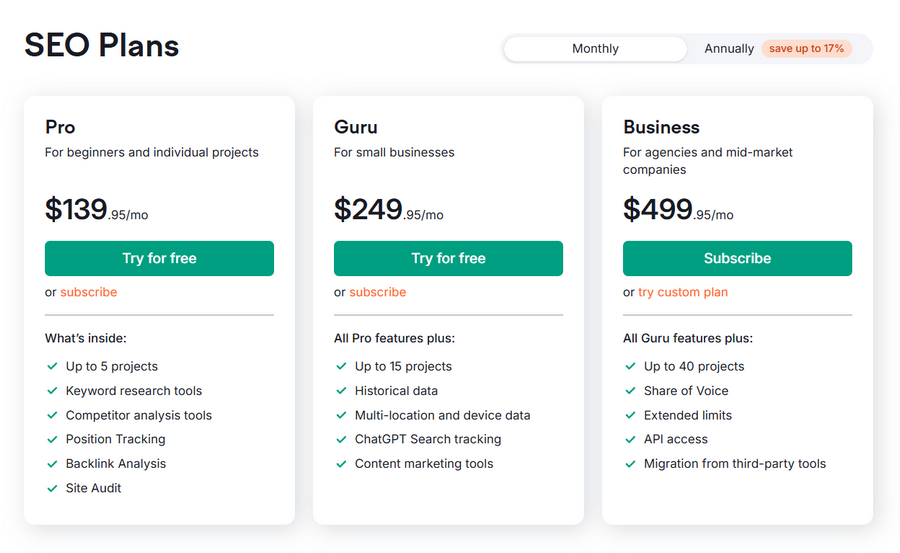
a. Semrush SEO Toolkit Pro Plan
This foundational plan provides essential SEO and marketing tools. It is designed for individuals and small teams.
They can start analyzing domains, conduct keyword research, and monitor site health. The price starts from $117.33 per month (annual plan) or $139.95 per month (monthly).
Basic Features and their limits
- 5 SEO Projects
- 500 keywords to track
- 100,000 pages to crawl per month
- 10,000 results per report
- 250 keyword metric updates per month
- 500 SEO Ideas per month
- 3 scheduled PDF reports
Who should buy the Semrush SEO Toolkit Pro plan?
This plan is best for beginners, freelancers, startups, and in-house marketers with limited budgets. It’s designed for those who want to become experts or learn entrepreneurship in the digital marketing space.
👉 Grab Semrush SEO Toolkit Pro plan (FREE TRIAL)
b. Semrush SEO Toolkit Guru Plan
The Guru plan builds on the Pro features. It offers more extensive limits. The plan includes access to advanced functionalities like historical data and the content marketing platform.
It caters to growing businesses and marketing agencies. This plan starts from $208.33 per month (annual plan) and $249.95 (Monthly)
Basic Features and their limits
- 15 SEO Projects
- 1,500 keywords to track
- 300,000 pages to crawl per month
- 30,000 results per report
- 1,000 keyword metric updates per month
- 800 SEO Ideas per month
- 3 scheduled PDF reports
+ Included in this plan
- SEO Writing Assistant
- SEO Content Template
- Topic Research
- Historical Data
- Multi-targeting in Position Tracking
- ChatGPT Search Tracking
- Looker Studio reporting integrations
Who should buy the Semrush SEO toolkit Guru plan?
Building on the Pro features, the Guru plan offers more extensive limits. It includes access to advanced functionalities like historical data and the content marketing platform. This is beneficial for growing businesses and marketing agencies.
👉 Grab Semrush free trial Guru plan (FREE TRIAL)
c. Semrush Business Plan
The most comprehensive plan is the business plan. It delivers the highest limits and includes features like API access.
This makes it suitable for large enterprises and agencies managing extensive marketing campaigns. This plan starts from $416.66 per month (annual plan) and $499.95 (Monthly)
Features
- 40 SEO Projects
- 5,000 keywords to track
- 1,000,000 pages to crawl per month
- 50,000 results per report
- 5,000 keyword metric updates per month
- 2,000 SEO Ideas per month
- 3 scheduled PDF reports
Includes everything in Guru plus:
- SEO Share of Voice tracking
- API Access
Who should buy the Semrush SEO Toolkit Business plan?
This plan is ideal for agencies, e-commerce initiatives, and companies with a significant online presence. These organizations need a more extensive business strategy. They also need higher usage limits.
👉 Grab Semrush SEO Toolkit Business plan free trial (FREE TRIAL)
| Feature | SEO Toolkit Pro | SEO Toolkit Guru | SEO Toolkit Business |
|---|---|---|---|
| Price (per month) | $139.95/month | $249.95/month | $499.95/month |
| Best For | Best for freelancers, small business owners, and SEO beginners | Best for growing agencies and teams ready to scale | Best for established agencies and large businesses |
| Projects | 5 | 15 | 40 |
| Keywords to Track | 500 | 1,500 | 5,000 |
| Pages to Crawl (per month) | 100,000 | 300,000 | 1,000,000 |
| Results per Report | 10,000 | 30,000 | 50,000 |
| Historical Data Access | Limited | Yes | Yes |
| Content Marketing Platform | No | Yes | Yes |
| API Access | No | No | Yes |
Frequently Asked Questions
What is the Semrush SEO Toolkit used for?
Semrush SEO Toolkit is an all‑in‑one SEO platform used for keyword research, site audits, rank tracking, competitor analysis, content optimization, and link building to improve organic traffic and visibility.
Is Semrush still worth it in 2026?
Yes, Semrush is still worth it in 2026 if you’re serious about SEO because it combines powerful keyword, content, technical, and link‑building tools plus new AI‑powered features in one premium platform.
Who should use the Semrush SEO Toolkit?
Semrush is best for bloggers, SEO professionals, agencies, and businesses that need detailed data, competitive insights, and scalable workflows rather than basic, entry‑level SEO tools.
What are the main benefits of Semrush?
Key benefits include deep keyword research, accurate position tracking, comprehensive site audits, strong backlink tools, content marketing features, and customizable reports for clients and teams.
What are the drawbacks of Semrush?
The main drawbacks are its higher price, feature and limit restrictions on lower-tier plans, and a steeper learning curve for beginners due to the number of tools and reports available.
Does Semrush offer a free trial?
Yes, Semrush offers a time‑limited free trial that gives you access to most core features so you can test keyword research, site audits, and link-building workflows before choosing a paid plan.
How accurate is Semrush’s keyword and traffic data?
Semrush’s keyword and traffic data are estimates based on large databases and clickstream data; they’re very useful for trends and comparisons but won’t exactly match Google Analytics or Search Console numbers.
Can Semrush help with link building?
Yes, Semrush includes Backlink Analytics, Backlink Audit, Link Building Tool, Bulk Backlink Analysis, and Referring Domains reports to research competitors, find prospects, clean toxic links, and manage outreach.
Does Semrush have tools for content marketing?
Semrush provides a full content toolkit, including Topic Research, SEO Content Template, SEO Writing Assistant, Keyword Strategy Builder, and Organic Traffic Insights, to plan, brief, and optimize SEO content.
Which Semrush plan is best for beginners?
For most beginners and solo bloggers, the lower‑tier SEO plan (often called Pro) is usually enough to start keyword research, site audits, and basic tracking, while growing agencies and larger sites benefit more from Guru or Business tiers.
Final Words on Semrush SEO Toolkit Review 2026
Our in-depth Semrush SEO Toolkit review 2026 makes one thing clear. Semrush is still a powerhouse SEO and digital marketing platform. This is suitable for anyone serious about sustainable online growth.
It gives you everything you need to boost organic visibility, traffic, and conversions. You can uncover lucrative keywords with tools like Keyword Overview and Keyword Magic Tool. Additionally, you can improve site health with comprehensive site audit reports.
Yes, it’s a significant investment. However, the breadth of features offers strong long‑term value for bloggers, agencies, and brands alike.
These features include competitive research, link‑building tools, a content marketing toolkit, rank tracking, and detailed reporting.
Combined with robust customer support, Semrush Academy, and extensive documentation, the learning curve becomes much more manageable over time.
Whether you’re running a small business, scaling an agency, or managing an enterprise site, there’s a Semrush plan for you. Each plan is designed to match your SEO workflow and growth stage.
If you haven’t tested it yet, use the 7‑day free trial. Run keyword research, a full site audit, and a link‑building campaign on your key project. Then, decide which Semrush plan fits your goals and budget.
Taking action on the insights from this review can be the first step toward a more data‑driven, profitable SEO strategy in 2026 and beyond
Semrush SEO Toolkit Review 2026
Semrush SEO Toolkit is an all‑in‑one SEO and digital marketing platform that offers keyword research, site audit, backlink analysis, rank tracking, competitive research, and content marketing tools to help websites increase organic visibility, traffic, and conversions in 2026.
Product SKU: SEMRUSH-SEOTOOLKIT-2026
Product Brand: Semrush
Product Currency: USD
Product Price: 129
Price Valid Until: 2026-12-31
Product In-Stock: InStock
4.7
Pros
- All‑in‑one SEO platform with keyword research, site audit, rank tracking, content, and link‑building tools in one place.
- Excellent competitive analysis for keywords, backlinks, and traffic, ideal for bloggers, agencies, and growing businesses.
- Strong content and AI features (SEO Writing Assistant, Topic Research, SEO Content Template, Copilot insights) for planning and optimizing content at scale
Cons
- Pricing can be high for beginners and small businesses, especially when adding higher‑tier plans or add‑ons.
- Steeper learning curve due to the number of tools and reports, so new users need time to get comfortable.
- Some advanced features and higher limits are only available on Guru/Business plans.