
A logo is often the first thing people notice about your brand. If you choose the right free logo creator, you can design a clean, professional‑looking logo in just a few minutes—without hiring a designer or learning complex software.
Whether you are launching a new blog, starting a small business, or rebranding your online store, a strong logo helps you stand out, build trust, and look more credible across your website and social media profiles. The good news is that modern logo creation tools are beginner‑friendly and packed with templates, icons, and fonts that make logo design simple, even if you have zero design experience.
In this guide, you will discover the 24 best free logo creator tools you can use right now to create a professional logo online. You will learn what each tool offers, who it is best for, and how to pick the right option for your blog or business so you don’t waste time testing dozens of random generators.
As a professional blogger since 2009, I personally tested each of these free logo creator tools to help you choose the right one.
What is a logo?
A logo is a visual symbol or wordmark that represents your brand in a single glance. It can be made of text, icons, shapes, or a combination of these elements, and it appears on your website, social media profiles, marketing materials, and products . A good logo helps people instantly recognize your business and connects your audience to your brand’s personality and values.
When you create a professional logo, you are not just designing a graphic. You are building a strong brand identity that makes your blog or business look credible, memorable, and trustworthy in a crowded market. That is why choosing the right colors, fonts, and style is so important, even if you are using a free logo creator or simple logo creation tool.
If you have not chosen your blog topic yet, it is smart to explore the best blogging niches first, then design a logo that visually matches the niche and audience you plan to target.
Types of logos
Logos come in several styles. Understanding these main types will help you choose the right direction before you open any logo creation tool.
- Monogram logos (lettermarks): Monogram logos use initials or a short set of letters instead of the full brand name. They work well for brands with long names or multi‑word names. Examples: IBM, CNN, HBO, ASUS.
- Wordmarks (logotypes): Wordmarks are font‑based logos that focus on the full business name. They rely heavily on typography and spacing, making them perfect for brands with short, distinctive names. Examples: Google, Visa, Coca‑Cola.
- Pictorial marks (logo symbols): These logos are icon‑based and use a simple image to represent the brand. Over time, the symbol becomes strongly associated with the company. Examples: the Twitter bird, the Apple logo, the Pinterest icon, and the Flipkart bag.
- Abstract logo marks: Abstract logos use shapes or forms that do not represent a literal object but still convey a clear feeling or idea about the brand. They are unique and highly recognizable when designed well. Examples: Adidas, Pepsi, Toyota, SBI.
- Mascots: Mascot logos feature illustrated characters that act as brand ambassadors. They are often friendly, colorful, and family‑oriented, making them popular with food brands, events, or educational projects. Examples: KFC Colonel, Ambuja Cement character.
- Combination marks: Combination marks pair a wordmark or lettermark with a symbol or icon. Text and image can appear side by side, stacked, or integrated. This type is very flexible because you can use the icon alone once your brand is well known. Examples: eBay, Puma, Mahindra, Burger King, Doritos.
- Emblems: Emblem logos place text inside a symbol, badge, seal, or crest. They often have a traditional or official feel and are common with government organizations, universities, and heritage brands. Examples: Government of India, Indian Railways, Government of Andhra Pradesh, Hindustan Petroleum.
When you experiment with a free logo creator, you can test different logo types quickly—starting with a wordmark and then moving to a combination mark once you are happy with the overall style.
What are the basic elements of a logo?
No matter which style you choose, every effective logo is built on a few basic elements. Keeping these in mind will help you use any logo creation tool more effectively.
- Typography: Typography refers to the fonts and text styling used in your logo. It might be a single letter, your initials, or your full business name. The right font choice makes your logo readable, modern, friendly, or professional depending on your brand’s tone. When you are customizing your logo text, try pairing your icon with some of the best Google Fonts so your typography stays clean, readable, and consistent across your website.
- Imagery (icons and shapes): Imagery includes symbols, icons, and decorative or geometric shapes. These visuals help communicate what your brand does or what it stands for, even before someone reads the text. Most free logo makers offer huge icon libraries to simplify this step.
- Color: Color is one of the most powerful elements in logo design. It influences mood and perception—blues often signal trust, greens suggest growth, reds feel energetic, and black can feel premium or minimal. Many designers start with black‑and‑white versions and then test monochrome and multicolor variations to see what works best.
- Context (usage and placement): Context means where and how your logo will appear: website header, favicon, mobile app icon, YouTube banner, or print materials. A professional logo must look clear and balanced in all these places. When you create a professional logo online, always preview it in multiple sizes and backgrounds to ensure it stays readable and recognizable.
Understanding these fundamentals first will make the next step—choosing the right free logo creator and logo creation tools—much easier and more effective for your branding.
Best Online Free Logo Maker Tools and AI Logo Generators
These are simple and free logo maker tools to build a logo online. Choose any one of the given tools and make your own logo for your blog or company.
| Tool | Type | Free Plan | AI‑Powered | Best For |
|---|---|---|---|---|
| Canva | Online logo maker | Yes | Partial* | Overall use, bloggers, content creators |
| Wix Logo Maker | Online logo maker | Design free | Yes | Bloggers, small businesses |
| Free Logo Services | Template logo maker | Yes | No | Local businesses, quick templates |
| LogoMaker | Online logo maker | Design free | No | Small businesses, simple logos |
| Online Logo Maker | Canvas logo tool | Yes | No | Users who want more manual control |
| Logo Factory | Basic logo maker | Yes | No | Very simple, fast logos |
| Logotype Maker | Template logo maker | Design free | No | Clean, text‑driven business logos |
| Design Mantic | Template logo maker | Design free | No | Professional, industry‑based logos |
| Logo Sea | Online logo maker | Yes | No | Simple business and blog logos |
| Logo Garden | Template logo maker | Design free | No | Small businesses, local brands |
| LogoGenie | Online logo maker | Design free | No | Beginners, guided logo creation |
| LogoInstant | Premade templates | Some free | No | Designers wanting editable templates |
| DesignWizard | Design suite + logos | Yes | No | Logo + social and marketing graphics |
| Hatchful | Free logo maker | Yes | Yes | New blogs, YouTube, online stores |
| Ucraft | Free logo maker | Yes | Partial* | Minimal, flat logo designs |
| LogoMakr | Online logo maker | Yes | No | Manual, custom layouts with icons |
| MarkMaker | Experimental generator | Yes | Yes | Exploring styles via AI‑like suggestions |
| Logaster | Branding platform | Preview free | Yes | Full logo + basic brand kit |
| Logo Yes | Online logo maker | Design free | No | Very small/local businesses |
| DesignEvo | Free logo maker | Yes | No | Fast, template‑based custom logos |
| Looka AI | AI logo maker | Preview free | Yes | AI logo + full brand kit |
| Turbologo | AI logo maker | Preview free | Yes | Startups needing fast branding |
| Logopony AI | AI logo maker | Limited free | Yes | Timeless, AI‑generated logo concepts |
| Namecheap Logo Maker | AI logo maker | Yes | Yes | Free, watermark‑free business logos |
| GPT Image / Ideogram | AI image generator | Limited free | Yes | Fully custom, prompt‑based logo ideas |
*Partial = AI used in some features or generation steps, but not a fully dedicated AI logo generator.
1. Wix Logo Maker
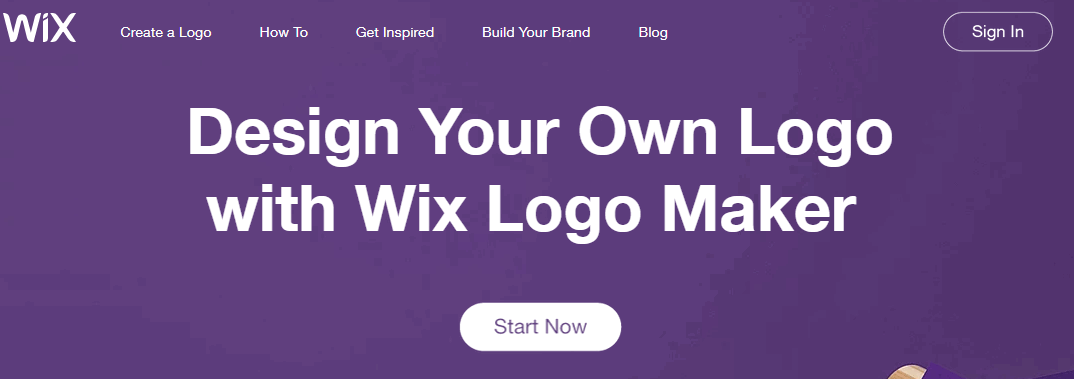
Wix Logo Maker is an AI‑powered free logo creator that helps you design a custom logo based on your brand name, niche, and style preferences.
Instead of starting from a blank canvas, you answer a few guided questions, and the system generates multiple logo ideas that already match your brand’s look and feel.
This makes it a practical logo creation tool for bloggers, startups, and small businesses that want to create a professional logo quickly without advanced design skills.
Features of Wix Logo Maker
- AI‑driven logo suggestions based on your industry and style preferences.
- Drag‑and‑drop editor to change fonts, colors, icons, and layout.
- Multiple logo variations (horizontal, stacked, icon‑only) for different use cases.
- High‑resolution logo files suitable for websites, print, and social media.
- Optional brand kit with social media logo versions and brand guidelines.
Pros
- Very beginner‑friendly interface with step‑by‑step guidance.
- Fast way to get dozens of logo concepts tailored to your niche.
- Designs look modern and clean, suitable for most online businesses.
- Strong preview options so you can see your logo on mockups like business cards and websites.
Cons
- Truly free usage is limited to designing and previewing; high‑resolution downloads are paid.
- Less control compared to full graphic design suites if you want highly custom artwork.
- Pricing is per logo package, which may not be ideal if you frequently rebrand.
Price of Wix Logo Maker
- Basic Logo Only: around $20 one‑time for high‑resolution PNG files.
- Advanced Logo Only: around $50 one‑time, including multiple logo variations and full commercial rights.
- Bundled logo + website plans are available at an additional monthly cost for users building a full site on Wix.
Wix Logo Maker is a strong choice if you want an AI‑guided logo creation tool that delivers polished results with minimal effort. It is particularly useful for bloggers and small business owners who value speed and simplicity over pixel‑level control.
You can design for free, test many concepts, and only pay when you find a logo that truly matches your brand and is ready to use everywhere you show your business online.
2. Free Logo Services
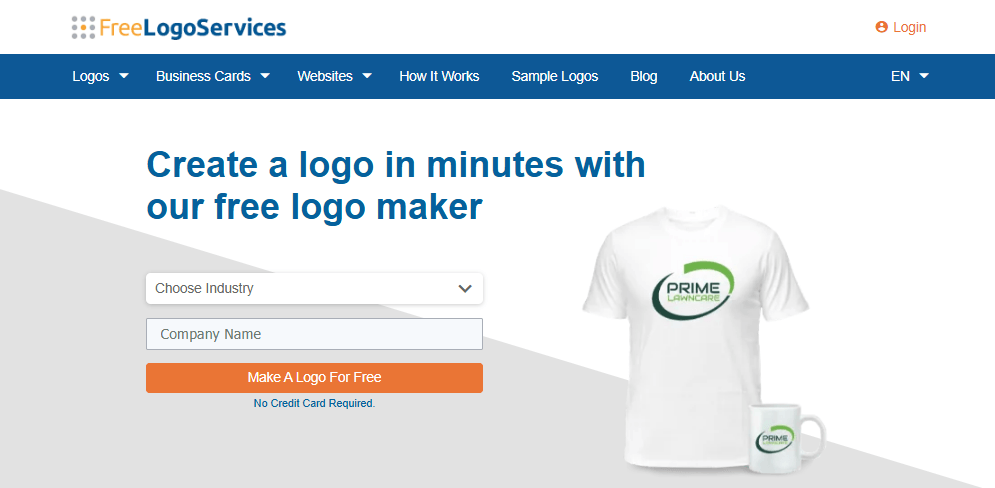
Free Logo Services is a template‑based free logo creator that focuses on convenience and variety.
Instead of designing from scratch, you pick your industry, enter your brand name, and browse hundreds of pre‑designed logo templates tailored to your niche.
This makes it a helpful logo creation tool for users who want to create a professional logo quickly by starting from a proven layout rather than an empty canvas.
Features of Free Logo Services
- Industry‑based template library for local businesses, blogs, services, and more .
- Simple editor to change text, fonts, colors, and icon arrangement.
- Additional services for business cards, stationery, and printed marketing materials.
- Online storage for your logo projects when you create an account.
- Integrated branding workflows so you can apply your logo across multiple assets.
Pros
- Very fast to use because you start from ready‑made logo concepts.
- Good for non‑designers who feel overwhelmed by fully manual editors.
- Templates cover a wide range of industries, including bloggers and online businesses .
- Branding extension options (cards, signs, etc.) make it easy to implement your logo.
Cons
- Designs can feel less unique if you do not invest time in customization.
- Some advanced downloads and print‑ready formats may require payment.
- Interface is more focused on templates than deep customization, which might limit creative users.
Price of Free Logo Services
- Designing and previewing logos is typically free.
- High‑resolution and vector downloads, as well as printed materials, are offered on paid packages.
- Exact pricing often varies by bundle (logo only vs. logo + business cards or other products).
Free Logo Services works best for users who want a free logo creator that handles most of the creative thinking for them.
If you are happy to start from a template and make light edits, you can create a professional logo for your blog or small business in less time than it takes to draw a rough sketch.
It may not satisfy advanced designers, but for speed and simplicity, it is a practical option to include in your toolbox.
3. LogoMaker
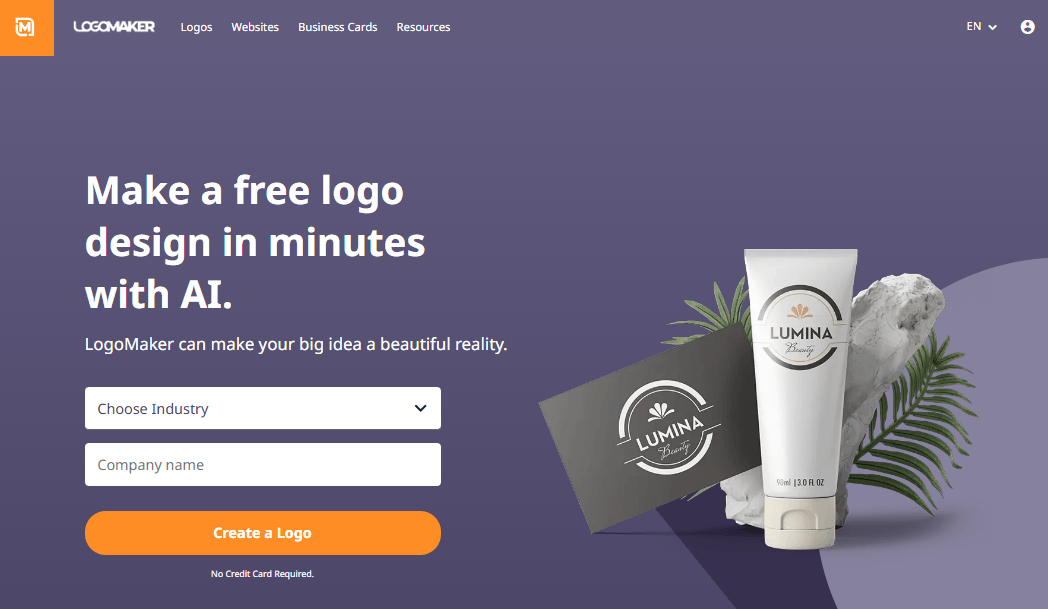
LogoMaker is one of the longest‑running online logo creation tools, aimed at users who want a quick, guided way to design a custom logo.
You begin by entering your business name and browsing a huge library of icons and layouts that match different industries.
With a few tweaks, you can create a professional logo that is ready to use on your website, social media, and printed materials without hiring a designer.
Features of LogoMaker
- Step‑by‑step wizard that asks for your business name and niche.
- Large selection of icons and layouts tailored to different industries.
- Simple editing tools to adjust fonts, colors, and alignment.
- Option to download multiple logo file types and sizes for web and print.
- Additional branding assets, such as business cards and marketing materials, available as add‑ons.
Pros
- Very fast way to generate logo ideas for new blogs or businesses.
- Interface is clean and focused, making it easy for beginners to use.
- Library of icons and layouts covers many common online and offline niches.
- Ability to purchase files in multiple formats saves time for non‑technical users.
Cons
- Truly custom designs are harder to achieve compared to full graphic design software.
- Some users may find the style of certain templates slightly dated if not customized.
- High‑resolution and vector files usually require a paid package.
Price of LogoMaker
- You can design logos for free and preview them inside the editor.
- Downloading high‑resolution, commercial‑use logo files is typically offered through one‑time paid packages, with pricing varying by bundle and file formats.
LogoMaker is a dependable choice if you want a straightforward free logo creator that does most of the heavy lifting.
It is particularly useful for first‑time bloggers, freelancers, and small local businesses who need to create a professional logo quickly, without navigating complex design tools.
With a little customization, you can turn its templates into a logo that looks polished enough for long‑term use.
4. Online Logo Maker
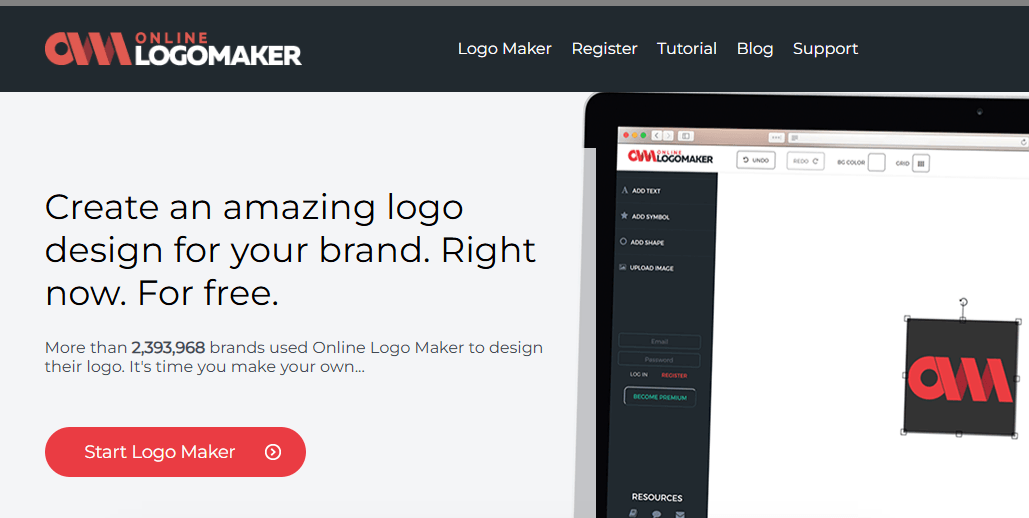
Online Logo Maker is a browser‑based free logo creator that gives you a blank canvas and a set of design elements to build your own logo from scratch.
Instead of relying only on premade templates, you can mix text, icons, and shapes to match your brand’s unique style.
This makes it a flexible logo creation tool for bloggers, freelancers, and small businesses who want more creative control while still being able to create a professional logo without learning complex design software.
Features of Online Logo Maker
- Canvas‑style editor with drag‑and‑drop elements.
- Library of icons, shapes, and basic graphic elements.
- Options to add multiple text layers with different fonts and sizes.
- Simple controls for colors, alignment, and layering.
- Ability to save projects (with an account) and edit them later.
Pros
- More freedom and flexibility than rigid template‑only tools.
- No steep learning curve—controls are simple and intuitive.
- Good for users with a clear logo concept in mind.
- Works entirely in the browser, so no software installation is needed.
Cons
- Lack of advanced templates means more work if you start with no idea.
- Design quality depends heavily on your own sense of layout and style.
- Export options and resolution quality can be limited on free plans.
Price of Online Logo Maker
- Designing logos and testing concepts can typically be done for free.
- Higher‑resolution downloads and extra features may be available through paid options or account‑based upgrades.
Online Logo Maker is ideal if you prefer building your logo step by step instead of choosing from pre‑designed templates.
It strikes a balance between simplicity and creative control, making it a solid logo creation tool for users who know roughly what they want their logo to look like.
With a bit of experimentation, you can create a professional logo that feels unique to your brand, even when starting from a completely blank canvas.
5. DesignEvo
DesignEvo is a popular free logo maker that offers thousands of templates and an intuitive editor to help you design logos in minutes.
It is built specifically for users who “can’t draw” but still want a polished, custom logo for their blog, startup, or online shop.
As a dedicated online logo maker, DesignEvo makes it easy to create a professional logo by mixing ready‑made layouts with your own colors, fonts, and brand name.
Features of DesignEvo
- 6,000+ logo templates across many industries and styles.
- Simple drag‑and‑drop editor for icons, text, and shapes.
- Millions of icons and a wide range of fonts to choose from.
- Ability to adjust spacing, alignment, and color schemes.
- Export options for web‑resolution logos in the free plan and higher resolutions in paid plans.
Pros
- Template variety makes it easy to find a design close to your vision.
- Very user‑friendly interface suitable for complete beginners.
- Ideal for bloggers and small businesses needing quick, custom logo design.
- Free plan is usable for web logos and basic branding.
Cons
- Popular templates may be used by many brands if not customized.
- High‑resolution and vector exports require a one‑time payment.
- Not as flexible as full graphic suites for highly complex designs.
Price of DesignEvo
- Free plan: Create logos and download web‑resolution files suitable for websites and online use.
- Paid plans: One‑time purchases that unlock high‑resolution images, vector formats, and full commercial rights.
DesignEvo is a strong all‑round logo generator for anyone who wants professional‑looking results without a steep learning curve.
Its large template library and simple editor help you create your own logo that feels polished and on‑brand in a short amount of time.
For most bloggers, creators, and small businesses, it strikes the right balance between power, ease of use, and affordability.
6. Logo Factory
Logo Factory (LogoFactoryWeb) is a 100% free online logo maker that lets you create professional logos in minutes with no registration, no email, and no payment required.
It is a browser-based free logo creator built for users who want to design a clean logo quickly using ready-made symbols and text—without needing any design skills.
With hundreds of icons and dozens of fonts, it is a practical logo creation tool for blogs, small businesses, and side projects that need to create a professional logo fast.
Features of Logo Factory
- 100% free logo maker with no subscription, email, or registration required.
- Simple, intuitive editor to add your company name and customize fonts, sizes, and styles.
- Gallery of 700+ symbols across 55+ categories (business, technology, food, fitness, real estate, etc.).
- Color controls so you can match your logo to your brand palette.
- High‑quality logo files ready for web and basic print use, downloadable in seconds.
- Unlimited edits: you can modify and re‑download your logo as many times as you like.
Pros
- Completely free online logo maker, with no hidden fees or watermarks.
- Very easy to use—even total beginners can create a logo in a few minutes.
- Large selection of professional symbols and many font choices.
- Fast workflow: choose a symbol, add text, customize, and download.
- Ideal for blogs, small businesses, and quick branding projects.
Cons
- Focuses on symbol‑plus‑text designs; complex custom illustrations are not supported.
- No full brand kit or advanced templates like some premium AI logo makers.
- Limited export options compared to high‑end design suites or paid branding platforms.
Price of Logo Factory
- 100% free forever: all logo creation features and downloads are free to use.
- No subscription, no one‑time fee, and no registration required to design or download your logo.
Logo Factory is best suited for users who want a fast, completely free online logo maker without complicated settings or upsells.
If you only need a clean, symbol‑plus‑text logo for a website, blog, or small business, this free logo creator can help you create a professional logo in just a few clicks.
While it does not replace full design software or advanced AI branding suites, it remains a highly practical option when speed, simplicity, and zero cost are your top priorities.
7. Logotype Maker
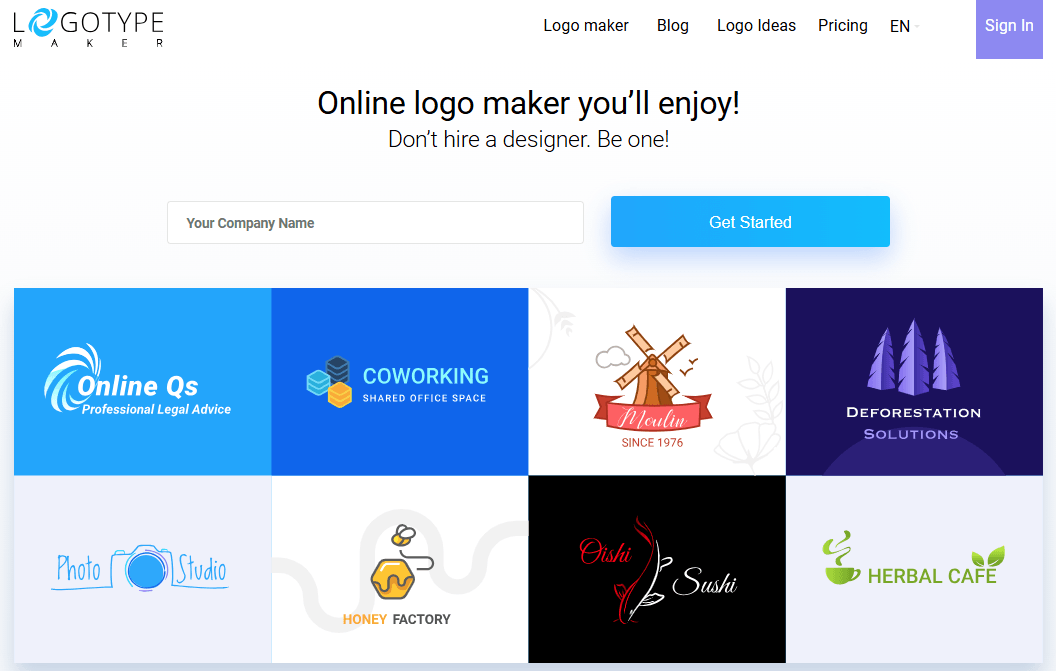
Logotype Maker is a streamlined logo creation tool that generates ready‑to‑use logo concepts from your brand name and industry.
Instead of forcing you to design every element, it quickly presents multiple logo ideas based on modern typography and icon combinations.
This approach helps you create a professional logo that looks polished and brand‑ready without starting from scratch, making it appealing for bloggers, agencies, and small businesses.
Features of Logotype Maker
- Automatic logo suggestions after you enter your brand name.
- Industry and style filters to get relevant logo ideas.
- Editor to modify fonts, colors, icons, and layout.
- Multiple logo layout variations (horizontal, stacked, icon‑only).
- Download options for web and print formats depending on plan.
Pros
- Saves time by generating structured logo options automatically.
- Ideal for users who want clean, typography‑driven designs.
- Easy customization, even for non‑designers.
- Logos often look corporate and professional, suitable for serious brands.
Cons
- Free usage may be limited to design and preview, not full download.
- Some templates can feel similar if many users pick the same base designs.
- Access to vector files and branding packs typically requires an upgrade.
Price of Logotype Maker
- You can generally design and experiment for free inside the tool.
- High‑resolution, vector, and commercial‑use files are usually offered via one‑time purchase or tiered pricing plans, depending on what file types you need.
Logotype Maker is a solid choice if you want your logo to lean towards clean, text‑driven branding rather than playful or experimental artwork.
By combining automated suggestions with simple editing tools, it allows you to create a professional logo quickly while still maintaining control over the final result.
For many online businesses and blogs, it provides a good balance between automation and customization.
8. Design Mantic
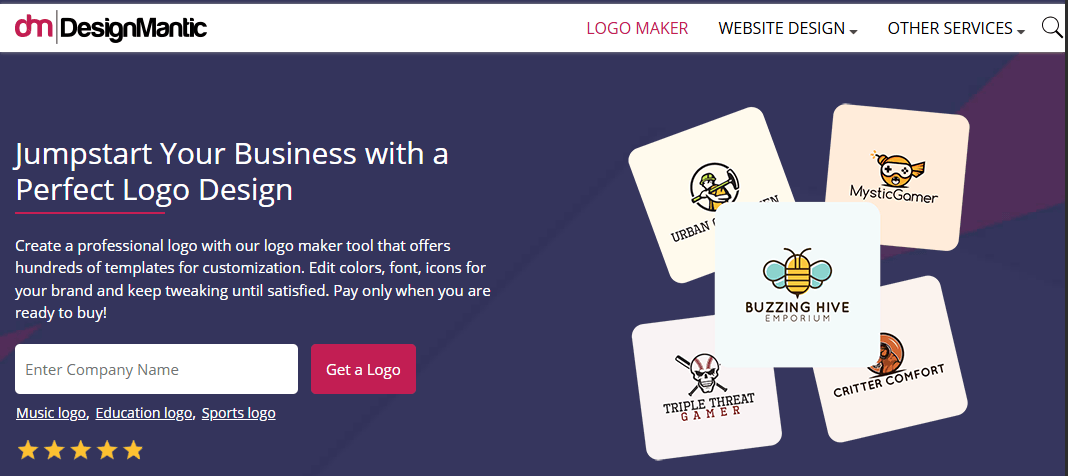
Design Mantic is a full‑featured logo creation tool that helps you design logos based on industry‑specific templates and modern layouts.
After entering your company name and selecting a niche, you get access to a wide range of logo concepts that you can customize inside a simple editor.
This template‑first approach makes it easier to create a professional logo even if you have no design background and only a rough idea of what you want.
Features of Design Mantic
- Large library of logo templates categorized by industry and style.
- Integrated editor to modify fonts, colors, icons, and text placement.
- Ability to generate multiple logo variations from a single concept.
- Additional design services like business cards and branded materials.
- Option to download high‑resolution and vector logo files.
Pros
- Saves time by giving you a starting point that already looks professional.
- Templates cover a variety of niches, from bloggers to local businesses.
- The editor is intuitive, so you can fine‑tune your logo without a learning curve.
- Brand extension tools make it easy to roll out the new logo across print and digital assets.
Cons
- Designs can look templated if you use them without much customization.
- Most advanced file formats and full commercial rights are locked behind paid plans.
- Not ideal if you want to create highly experimental or artistic logo styles.
Price of Design Mantic
- Browsing templates and designing logos is typically free.
- Downloading the final logo in high‑resolution or vector format, and ordering branding materials, is usually offered via paid packages with one‑time pricing per logo or bundle.
Design Mantic is well‑suited to users who want professional‑looking results with minimal effort.
If you like starting from a template that already feels polished, this free logo creator can help you quickly refine and launch a logo that fits your brand.
With a bit of customization, you can create a professional logo that feels tailored to your blog or business rather than generic.
9. Logo Sea
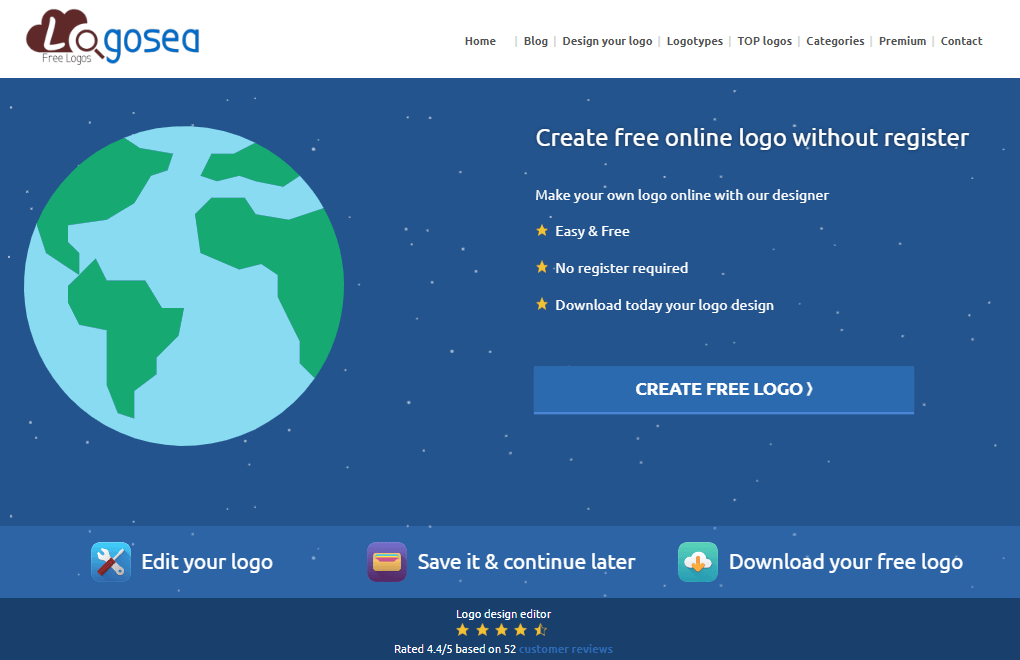
Logo Sea is an online logo creation tool designed to help small businesses, bloggers, and freelancers create simple yet modern logos in a short amount of time.
It combines a user‑friendly interface with a collection of icons and text tools, allowing you to assemble a logo that matches your brand colors and style.
For users who want to create a professional logo without diving into advanced software, Logo Sea offers a straightforward and accessible solution.
Features of Logo Sea
- Clean, web‑based editor with drag‑and‑drop capabilities.
- Library of icons and symbols suitable for a variety of industries.
- Text tools for adding and styling your brand name and tagline.
- Color controls to align the logo with your existing brand palette.
- Options to export logo files suitable for websites and basic branding use.
Pros
- Simple interface that is easy to understand, even for beginners.
- Speeds up logo creation thanks to prebuilt icons and layout options.
- Good fit for basic business, blog, and personal branding projects.
- No need for installation or technical setup; everything runs in the browser.
Cons
- Less suitable for creating highly detailed or complex logo concepts.
- Template and icon variety may not match that of larger, more established tools.
- Free export options can be limited in resolution or formats.
Price
- Designing and testing logos is generally free.
- Higher‑resolution files or commercial‑use packages are often available as paid upgrades, depending on the features you need.
Logo Sea is a practical pick for anyone who wants a no‑nonsense free logo creator that gets the job done quickly.
While it may not offer the depth or AI features of some premium platforms, it provides everything a new blogger or small business owner needs to create a professional logo that looks clean and consistent with their brand identity.
For straightforward logo projects, it deserves a place on your shortlist.
10. Logo Garden
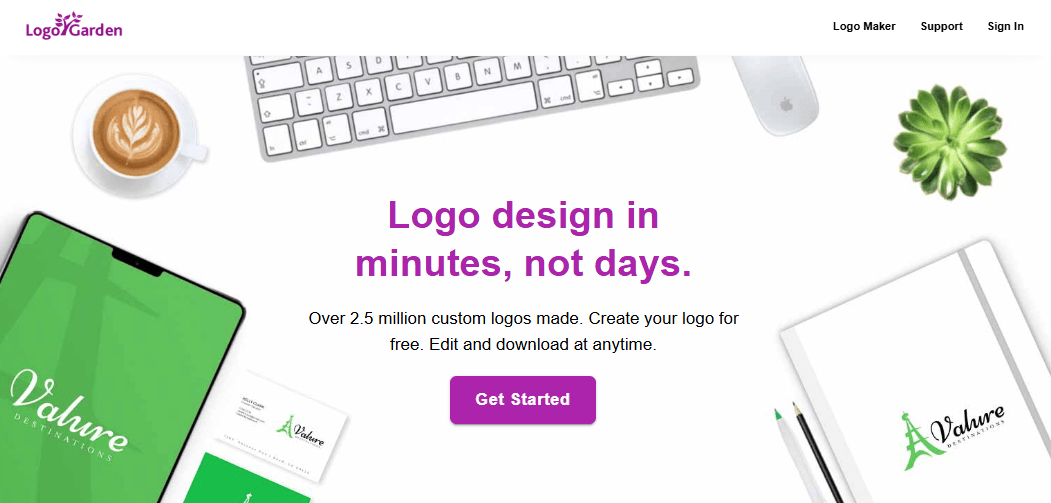
Logo Garden is an online logo maker designed to help small businesses, bloggers, and startups launch a brand identity quickly.
Instead of learning complex design software, you can work inside a simple web interface that lets you choose icons, fonts, and colors to match your niche.
As a free logo maker with upgrade options for advanced files and services, Logo Garden is ideal if you want to create your own logo and get it onto your website, business cards, and social profiles as fast as possible.
Features of Logo Garden
- Template‑driven logo generator with industry‑based categories.
- Library of icons and shapes suitable for local businesses, blogs, and online brands.
- Text editor to customize your brand name, tagline, and font styles.
- Color tools to match your existing brand palette or experiment with new combinations.
- Options to extend your logo into business cards and other branded materials.
Pros
- Easy to use, even if you have never used a logo design tool before.
- Good range of icon and template options for common business types.
- Helps you move from logo concept to basic branding assets in one place.
- Works completely online, so you can design and edit from any browser.
Cons
- Designs can feel templated if you do not customize fonts and colors enough.
- Advanced files like vector formats are usually locked behind paid options.
- Not ideal for very unique or highly artistic custom logo design projects.
Price of Logo Garden
- You can typically use the free logo maker features to design and preview your logo.
- High‑resolution and vector logo packages, plus printed materials, are offered through paid plans or one‑time purchases.
Logo Garden is a practical business logo creator for new brands that need something professional‑looking without hiring a designer.
If you are comfortable starting from a template and then adjusting fonts, icons, and colors, it gives you all the basics you need to create a professional logo and roll it out across simple branding materials.
For most small online businesses and bloggers, it provides a quick and affordable path to a consistent visual identity.
11. LogoGenie
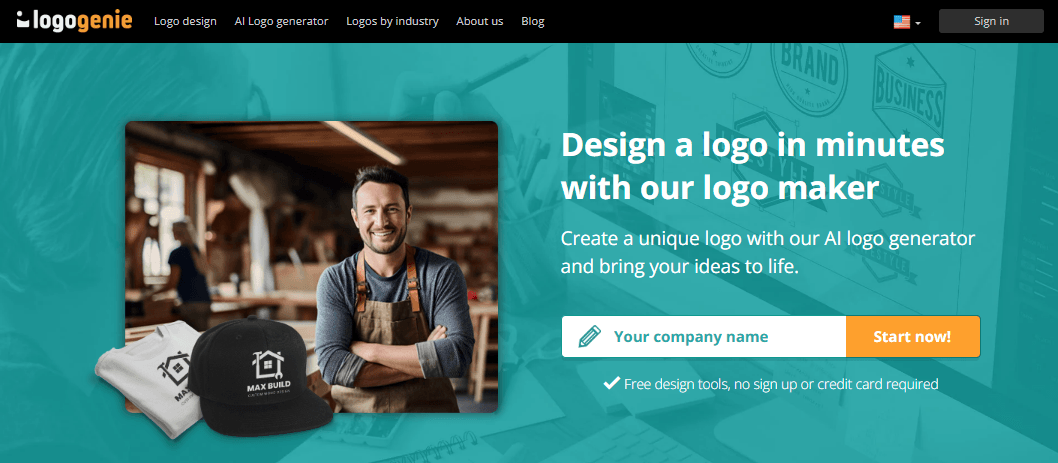
LogoGenie is an online logo maker that combines guided logo generation with a straightforward editor, making it easy to design a logo even if you have never used a design tool before.
You start by entering your business name and choosing your industry; the platform then suggests multiple logo ideas you can refine.
As a flexible logo generator, LogoGenie helps you create a professional logo with minimal effort, suitable for websites, social accounts, and printed marketing materials.
Features of LogoGenie
- Step‑by‑step wizard that generates logo suggestions based on your niche.
- Editable templates with customizable fonts, colors, icons, and layouts.
- Large catalog of symbols to match blogs, agencies, e‑commerce, and local services.
- Multiple logo file formats available for web and print use.
- Options for additional branding assets such as business cards and stationery.
Pros
- Very beginner‑friendly, making logo creation feel less intimidating.
- Good starting templates that can be turned into unique designs with tweaks.
- Quick way to create your own logo without a steep learning curve.
- Suitable for both personal brands and small company logo design needs.
Cons
- Some templates may look similar across different brands if minimally edited.
- Most free usage focuses on designing; premium files often require payment.
- Limited advanced illustration features compared to full design suites.
Price of LogoGenie
- You can usually design and experiment for free using the online editor.
- High‑resolution, vector, and commercial‑use logo files are sold via one‑time packages or tiered pricing depending on the bundle.
LogoGenie is a strong choice if you want an online logo design tool that holds your hand through the process.
Its combination of automated logo ideas and simple editing tools lets you create a professional logo without feeling stuck at a blank screen.
For bloggers, freelancers, and new businesses, it offers a smooth path from brand name to a finished logo that is ready to be published across their digital channels.
12. LogoInstant
LogoInstant takes a different approach from typical online logo makers by offering a collection of pre‑designed, ready‑to‑download logo templates. Instead of building a logo from scratch, you select a design that matches your style, then customize it using your own software.
This makes LogoInstant useful if you want a more polished starting point for custom logo design but still plan to create your own logo without hiring a professional designer.
Features of LogoInstant
- Library of professionally designed logo templates in various styles.
- Logos often available in editable formats (such as vector or layered files).
- Categories tailored to common industries and business types.
- Simple download system so you can start editing right away.
- Some designs may include usage notes or attribution guidelines.
Pros
- Templates look more like agency work than basic generator output.
- Great time‑saver if you want a high‑quality base to customize.
- Ideal for designers and advanced users who prefer working in desktop apps.
- Helps you learn layout and typography by reverse‑engineering existing designs.
Cons
- Not a free live logo maker—you need external software to edit the files.
- Less suitable for absolute beginners who want a simple browser‑based editor.
- Depending on the license, some logos might not be exclusive or may require attribution.
Price of LogoInstant
- Many templates can be downloaded for free, subject to individual usage terms.
- Premium templates or bundles, if available, are sold at one‑time prices.
LogoInstant is best for users who value quality templates over drag‑and‑drop convenience. If you are comfortable with tools like Illustrator, Affinity, or other design apps, you can use these templates as a shortcut to create a professional logo that looks refined and unique.
For bloggers or business owners working with a designer, it can also serve as a great source of logo ideas to customize further.
13. DesignWizard
DesignWizard is an online design platform that includes a capable online logo maker alongside templates for social media posts, banners, and marketing graphics.
Rather than just generating a single logo, it helps you build a full set of branded visuals around your new logo.
This is especially valuable if you want to create a professional logo and then instantly reuse it across YouTube thumbnails, social posts, and ads, keeping your brand consistent everywhere.
Features of DesignWizard
- Template library for logos, social graphics, presentations, and more.
- Drag‑and‑drop editor for icons, text, shapes, and images.
- Brand‑focused tools to apply the same logo and colors across multiple designs.
- Support for uploading your own assets and combining them with templates.
- Download options for web‑ready and print‑ready images.
Pros
- All‑in‑one approach: logo plus complete visual branding kit.
- Perfect for bloggers, YouTubers, and marketers who need recurring graphics.
- Easier than juggling separate logo design tools and graphic design apps.
- Helps you maintain a cohesive look for all online branding materials.
Cons
- Logo‑specific features are less specialized than some dedicated logo generators.
- Certain templates and download formats may require a paid plan.
- Can feel more complex if you only want a very quick, simple logo.
Price of DesignWizard
- You can often start with free logo maker capabilities and basic templates.
- Advanced assets, premium templates, and higher‑resolution downloads are part of paid plans or credits.
DesignWizard is ideal if you see your logo as just one part of a bigger visual branding system. Instead of stopping after you create your own logo, you can immediately apply it to banners, social posts, and other marketing materials.
For content creators and online entrepreneurs, this integrated approach makes it easier to keep every piece of design aligned with your brand identity.
14. Shopify Logo maker
Shopify logo maker is a beginner‑friendly free logo maker that uses themed templates to help you design a logo in just a few clicks.
You choose your industry, select a style, and enter your brand name; the Shopify logo maker then generates multiple logo options tailored to your choices.
As an easy‑to‑use logo generator, it is perfect for bloggers, online store owners, and creators who want to create a professional logo without any prior design experience.
Features of Shopify Logo maker
- Guided wizard that asks about your business type and visual style.
- Dozens of themed templates optimized for blogs, e‑commerce, services, and more.
- Built‑in editor to tweak fonts, colors, and layouts.
- Logo packs that often include versions for social media and favicons.
- Fully web‑based, so you can design from desktop or mobile browsers.
Pros
- Extremely simple workflow—great for first‑time logo creators.
- Generates a variety of designs from a single brand brief.
- Helpful logo packs with sizes ready for common online platforms.
- Works well as a quick business logo creator for Shopify stores and other online brands.
Cons
- Templates can feel similar if you do not customize them enough.
- Less suitable for complex or highly custom logo design concepts.
- Advanced branding options beyond the logo may require additional tools.
Price of Shopify Logo maker
- The Shopify logo maker is typically a free logo maker, allowing you to design and download logos at no cost.
- Some extended features or integrations may be tied to other Shopify services, but logo creation itself is free for most users.
Shopify’s logo maker is one of the most accessible ways to create your own logo online if you are new to branding and design.
Its wizard‑based approach and ready‑to‑use logo packs make it especially attractive for new blogs, YouTube channels, and small online stores.
If your main goal is to create a professional logo quickly and move on to building content or products, Shopify Logo Maker deserves a top spot on your list of tools to try.
15. Canva
Canva is one of the most popular online logo makers for bloggers, small businesses, and content creators who want to design a logo and social graphics in one place.
Its drag‑and‑drop interface, large template library, and built‑in stock assets make it easy to create a professional logo even if you have no design background.
As a free logo maker with optional Pro upgrades, Canva doubles as both a logo design tool and a full content creation platform for your blog, YouTube channel, or online store.
Features of Canva
- Thousands of ready‑made logo templates for different niches and styles.
- Drag‑and‑drop editor for icons, fonts, colors, and layout.
- Integrated library of stock photos, shapes, and illustrations.
- Brand Kit (in paid plans) to save brand colors, fonts, and logos.
- Ability to resize and reuse your logo across social media posts, banners, and thumbnails.
Pros
- Very beginner‑friendly; perfect for non‑designers.
- Lets you create your own logo and apply it across all your graphics.
- A huge template and asset library saves time and boosts creativity.
- Works entirely online, so you can design from any device.
Cons
- Free logo exports may be limited in terms of transparent backgrounds and advanced features.
- Popular templates can look familiar if not customized enough.
- Not a dedicated logo generator, so you must make more manual design decisions.
Price of Canva
- Canva Free: Includes the logo maker, basic templates, and standard exports.
- Canva Pro: Monthly or yearly subscription unlocking premium templates, a brand kit, a background remover, and more advanced features.
Canva is an excellent choice if you want an online logo maker free that also covers all your other design needs.
You can create a professional logo for your blog or business, then instantly reuse it inside social graphics, featured images, and marketing creatives.
For most creators, it becomes the central place to handle both logo design and day‑to‑day visual content without needing multiple tools.
16. Ucraft
Ucraft offers a focused free logo maker that lets you design clean, minimal logos using icons, text, and geometric shapes.
Unlike heavy design suites, Ucraft’s logo tool is fast and simple, so you can build a logo from scratch even if you are new to graphic design.
It is especially useful when you want to create your own logo online with a modern, flat style that looks good on websites, apps, and social profiles.
Features of Ucraft
- Web‑based logo editor with a simple, uncluttered interface.
- Icon and shape library to build logos from graphical elements.
- Text tools to customize your brand name and tagline with different fonts.
- Color picker to match your brand palette or experiment with new combinations.
- Export options for web‑ready logo files.
Pros
- Ideal for minimal, flat logo styles that work well in digital branding.
- Easy for beginners to understand, with no complicated panels.
- Gives more creative control than many template‑only logo generators.
- Works as a lightweight alternative to full design software.
Cons
- Fewer templates and assets compared to big platforms like Canva.
- Best suited to simple logos; not ideal for complex illustrations.
- Some advanced export formats may require sign‑up or paid options.
Price of Ucraft
- Core free logo maker features and basic logo downloads are typically available at no cost.
- Higher‑resolution, vector, or commercial‑use packages, if offered, come as affordable upgrades.
Ucraft is a great pick if you prefer a clean, minimalist approach to logo design and want a straightforward online logo maker.
It helps you create a professional logo by combining simple shapes, icons, and typography without overwhelming you with features.
For blogs, SaaS tools, and tech‑style brands, its flat aesthetic and easy‑to‑use editor make it a smart, focused choice.
17. LogoMakr
LogoMakr is a browser‑based logo design tool that gives you a blank canvas, icon search, and text controls to build a logo exactly how you want it.
Instead of relying heavily on templates, you search for icons, drag them into the workspace, and combine them with your brand name.
It’s an excellent option if you want to create your own logo with more control than a typical one-click logo generator, while still keeping the process simple and fast.
Features of LogoMakr
- Large searchable icon library covering many industries and styles.
- Canvas interface for arranging and resizing elements freely.
- Text tools with multiple fonts, sizes, and color options.
- Quick tutorial that explains how to design a logo from scratch.
- Export options for low‑res free files and high‑res paid files.
Pros
- More creative freedom than template‑based online logo makers.
- Simple, intuitive interface that non‑designers can learn quickly.
- Good for unique layouts and combinations that don’t feel templated.
- Lets you experiment with multiple logo ideas before settling on a final version.
Cons
- Design quality depends on your own eye for spacing and composition.
- Free exports usually have lower resolution; high resolution requires payment.
- No built‑in system for brand kits or extended visual assets.
Price of LogoMakr:
- You can design and export a low‑resolution logo for free, often with certain usage limitations.
- High‑resolution and vector files are available via a small one‑time fee, making it affordable compared to hiring a designer.
LogoMakr is ideal if you want a flexible online logo maker that still feels accessible as a non‑designer.
By combining icons and text in a freeform canvas, you can create a professional logo that looks unique and fits your brand’s personality.
For side projects, startups, and bloggers who enjoy hands‑on control, it’s a powerful yet simple solution.
18. LogoMaster AI
LogoMaster AI is an AI‑powered online logo maker built for startups, freelancers, and small businesses that want to design a brand‑ready logo in just a few minutes.
You enter your company name and choose your industry and style preferences, and the AI logo generator instantly creates multiple logo concepts tailored to your brand.
With its one‑time pricing and simple editor, LogoMaster AI makes it easy to create a professional logo without hiring a designer or learning complex software.
Features of LogoMaster AI
- AI‑driven logo generator that suggests logo designs based on your brand name, industry, and style choices.
- Intuitive editor to customize fonts, colors, icons, spacing, and layout.
- Curated library of icons, trendy color palettes, and modern font combinations.
- Multiple logo variations (horizontal, stacked, dark, light, monochrome) for flexible usage.
- High‑resolution exports in web‑ and print‑ready formats such as PNG and SVG.
- Brand‑focused outputs suitable for websites, social media profiles, presentations, and print materials.
- Unlimited edits on higher‑tier plans, so you can refine and re‑download your logo whenever needed.
Pros
- Very fast workflow—you can generate and customize logos in about five minutes.
- AI suggestions help non‑designers get professional, modern designs quickly.
- One‑time purchase model, so you pay once and own your logo files.
- Multiple file formats and variations make it easy to use your logo everywhere.
- Ideal for startups and SMEs that need a serious, business‑ready brand identity.
Cons
- Free usage is mainly for generating and previewing logos; downloads require payment.
- Does not include full custom illustration like a human designer might create.
- Brand kits and extended assets are more limited than some all‑in‑one branding platforms.
Price of LogoMaster AI
- Basic plan: entry‑level one‑time fee, suitable for essential high‑resolution logo files.
- Premium plan: higher one‑time fee, adds vector files, unlimited changes, and more variations.
- Enterprise plan: top‑tier one‑time package with extra color variations, multiple logo versions, and extended brand information.
- All pricing is structured as one‑time payments per logo package, with no ongoing subscription required.
LogoMaster AI is a strong choice if you want an AI logo maker that balances automation, customization, and professional output.
Its AI logo generator quickly delivers polished concepts, while the editor lets you fine‑tune details so your logo matches your brand perfectly.
For startups, agencies, and online businesses that need to create a professional logo and export it in multiple formats without recurring fees, LogoMaster AI is a very compelling option.
AI‑powered logo generator
19. Looka AI
Looka is an AI logo generator that combines artificial intelligence with a brand kit system to help you design a complete visual identity from one dashboard.
Instead of manually arranging icons and fonts, you answer a few questions about your business name, industry, and style preferences, and Looka’s AI logo maker generates dozens of logo concepts instantly.
It is ideal if you want to create a professional logo with AI and then extend it into business cards, social media graphics, and basic brand guidelines.
Features of Looka AI
- AI‑driven logo generator that creates tailored logo concepts based on your inputs.
- Customizable designs with controls for fonts, colors, layout, and icons.
- Brand Kit with ready‑made templates for social media, business cards, email signatures, and more.
- Multiple high‑resolution export formats (PNG, SVG, EPS, PDF) on premium plans.
- Optional website builder integration so your logo and site share the same branding.
Pros
- Very fast way to get many on‑brand logo ideas without designing from scratch.
- Brand Kit makes it easy to keep your visuals consistent across platforms.
- AI suggestions often feel modern and polished, even for non‑designers.
- Great fit for startups and online businesses that need a complete visual identity quickly.
Cons
- Truly free usage is limited to trying the online logo maker; high‑res downloads are paid.
- Costs more than one‑time basic free logo makers, especially with Brand Kit subscriptions.
- Some users may want more granular manual control than the AI workflow provides.
Price of Looka AI
- Basic Logo Package: around $20 one‑time for a single PNG logo file.
- Premium Logo Package: around $65 one‑time, including multiple high‑res formats and full ownership.
- Brand Kit subscriptions: annual plans that add hundreds of branded templates and extra features.
Looka AI is a smart choice if you want more than just a simple free logo maker and are ready to invest in a cohesive brand presence.
Its AI logo generator can help you quickly discover a logo style that fits your brand, then roll it out across marketing assets in minutes.
For serious bloggers, SaaS tools, and e‑commerce brands, it offers a powerful way to create a professional logo with AI and build a consistent identity from day one.
20. Turbologo
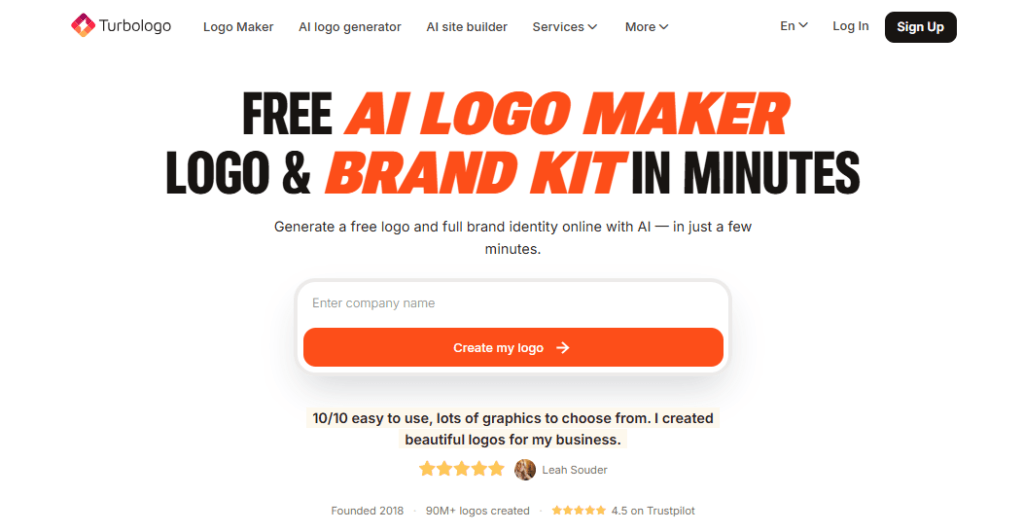
Turbologo is an AI logo maker designed to help startups and small businesses generate logos and brand kits in a few clicks.
You describe your business and choose your industry and visual preferences, and the AI logo generator produces a range of logo concepts automatically.
From there, you refine fonts, colors, and icons inside an easy‑to‑use editor, making it a practical way to create a professional logo and matching assets without hiring a designer.
Features of Turbologo
- AI‑powered logo generation based on business name, niche, and style.
- User‑friendly editor to tweak icons, colors, fonts, and layout.
- High‑resolution exports in formats like PNG, SVG, JPG, and PDF.
- Brand kit tools for social media headers, business cards, and stationery.
- Mockups to preview how your logo looks on business cards, apparel, and more.
Pros
- Generates many logo ideas in seconds, saving time during the concept phase.
- Integrated brand kit helps you build a full set of marketing visuals around your logo.
- Editing tools are simple enough for non‑designers to use confidently.
- Great fit for startups that need to launch fast with coherent branding.
Cons
- Most value is in paid packages; the online logo maker is more limited in free mode.
- Some AI‑generated concepts may still require refinement to feel truly unique.
- Not ideal if you want fully custom illustration work designed from scratch.
Price
- You can usually try the AI logo generator and preview logos for free.
- High‑resolution logo files and full brand kits are sold via tiered plans or one‑time packages, priced according to file types and included assets.
Turbologo is a strong option if you want an AI logo maker that focuses on both logo design and brand implementation.
By combining a fast AI logo generator with a practical brand kit, it helps you create a professional logo and immediately roll it out across the visuals your business needs most.
For busy founders and marketers, this all‑in‑one approach can save hours of design and setup time.
21. Logopony AI
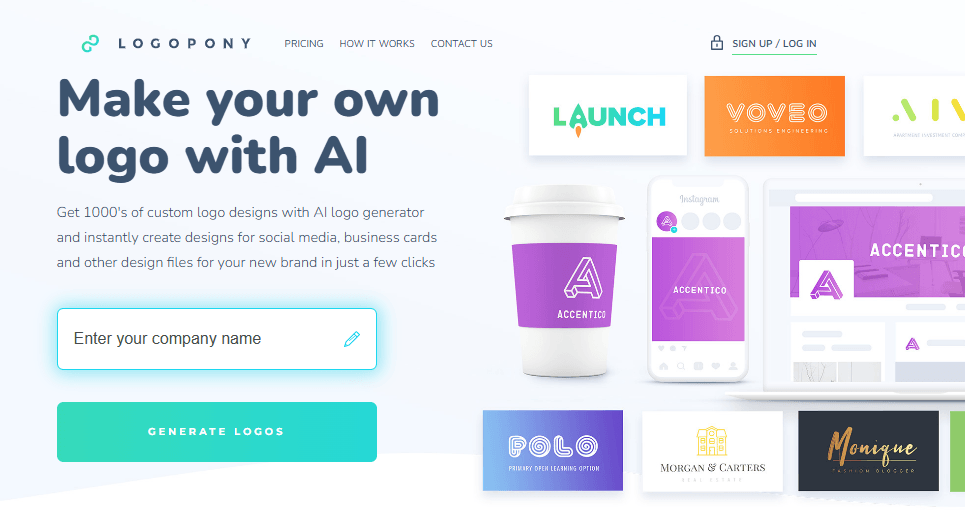
Logopony AI is a dedicated AI logo generator that creates modern, timeless logos with just a few clicks.
You enter your brand details and preferences, and the AI quickly generates multiple logo options tailored to your niche.
This makes Logopony ideal for entrepreneurs and creators who want to create a professional logo with AI that feels clean, scalable, and ready for long-term use across web and print.
Features of Logopony AI
- AI‑driven logo generation trained specifically on logo design patterns.
- Simple interface that lets you generate many logo concepts in seconds.
- Editable designs where you can adjust colors, fonts, and icon choices.
- High‑quality exports optimized for websites, social media, and print.
- Focus on “ageless” logo styles that look good over time.
Pros
- Very quick way to explore multiple logo styles without manual design work.
- AI focuses on timeless designs instead of overly trendy looks.
- Great for users who want to avoid generic, clip art–style logos.
- Works well as an online logo maker for businesses planning to scale.
Cons
- Free plan, if available, may limit the number of exports or file formats.
- Customization options can be less detailed than full design software.
- Some brands may still want a human designer to refine the final logo.
Price of Logopony AI
- You can typically test the AI logo maker and generate designs at low or no cost initially.
- High‑resolution and commercial‑use logo files are usually part of paid packages, priced by the number of exports or included assets.
Logopony AI is a compelling solution if you value speed and long‑term logo quality. Its AI logo generator is tuned to produce professional, versatile designs suitable for websites, apps, and printed materials.
For online creators, agencies, and small companies, it offers a fast route to create a professional logo using AI, without sacrificing a clean, durable aesthetic.
22. Namecheap Logo Maker
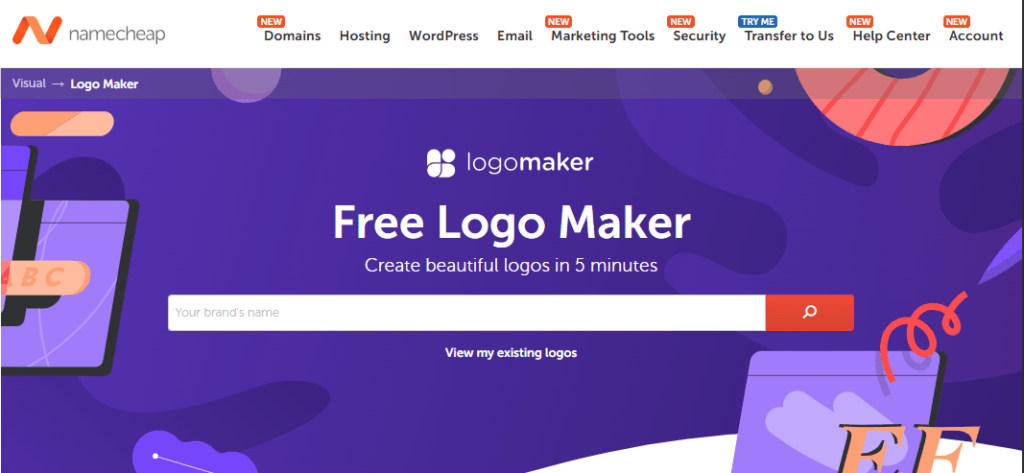
Namecheap Logo Maker is a 100% free AI logo generator with no watermark, making it a standout choice for budget‑conscious creators.
You answer a short series of questions about your brand name, icon style, and colors, and the online logo maker generates custom logo options instantly.
Because it is both a free logo maker and watermark‑free, it is perfect if you want to create your own logo and use it commercially without extra costs.
Features of Namecheap Logo Maker
- AI‑powered logo creation based on your business name and preferences.
- Step‑by‑step wizard for selecting icon styles, colors, and fonts.
- Customizable logo editor to refine the generated designs.
- High‑resolution logo downloads with no watermark.
- Completely web‑based and tied into the broader Namecheap ecosystem.
Pros
- Truly free online logo maker, including high‑quality, watermark‑free downloads.
- Simple, guided process that any beginner can follow.
- Good range of styles for blogs, e‑commerce, startups, and personal brands.
- Excellent option for early-stage businesses that need to minimize costs.
Cons
- Template variety is solid but not as extensive as some paid AI logo makers.
- Does not offer as deep a brand kit as premium platforms like Looka.
- Advanced design tweaks are more limited than in pro design software.
Price of Namecheap Logo Maker
- The tool is promoted as a 100% free AI logo maker with no watermark on logo downloads.
- You pay only for any additional Namecheap services you choose, such as domains or hosting, not for the logo itself.
Namecheap Logo Maker is one of the best options if you are specifically looking for a free logo maker without a watermark.
With its AI‑assisted workflow and generous download policy, you can create a professional logo with AI and start using it on your site, social channels, and marketing materials immediately.
For bloggers, freelancers, and small businesses on a tight budget, it is a must‑try tool.
23. GPT Image / Ideogram
GPT‑based image tools and Ideogram represent a new wave of AI logo generators that create logos from text prompts instead of traditional templates or wizards.
Rather than clicking through a standard online logo maker, you describe the logo you want—style, colors, symbols, typography—and the AI produces several visual options based on your prompt.
This approach offers unprecedented creative freedom and is ideal for brands that want to create a professional logo with a truly unique look. This is a very good AI image generator for blogs.
Features of GPT Image / Ideogram
- Text‑to‑image generation that turns your written logo brief into visual concepts.
- Support for detailed prompts specifying style (minimal, 3D, vintage, tech, etc.).
- Ability to generate fully custom compositions beyond typical template layouts.
- High‑resolution outputs suitable for digital branding and mockups.
- Especially strong at stylized text and graphic design‑like layouts (Ideogram).
Pros
- Massive creative flexibility—no two logos need to look alike.
- Great for exploring innovative or unconventional logo ideas.
- Ideal for designers and brands who want full control through prompt engineering.
- Can be used alongside classic online logo makers for hybrid workflows (generate concepts with AI, refine in a logo design tool).
Cons
- Requires practice with prompts to get consistent, usable results.
- Logos may not always be perfectly vector‑ready or scalable out of the box.
- You may need additional software to clean up, vectorize, or standardize the final design.
Price of GPT Image / Ideogram
- Many AI image tools offer free tiers with limited credits or watermarked outputs.
- Paid tiers typically use credit‑based or subscription pricing, depending on generation volume and resolution needs.
GPT‑driven image models and Ideogram are powerful options if you want to push beyond the limits of traditional AI logo makers and online logo generators. They let you craft highly specific logo concepts directly from text, then refine or vectorize them as needed. For creatives and advanced users, this route is one of the most flexible ways to create a professional logo with AI that looks completely different from template‑based designs.
24. QuillBot AI Logo Generator
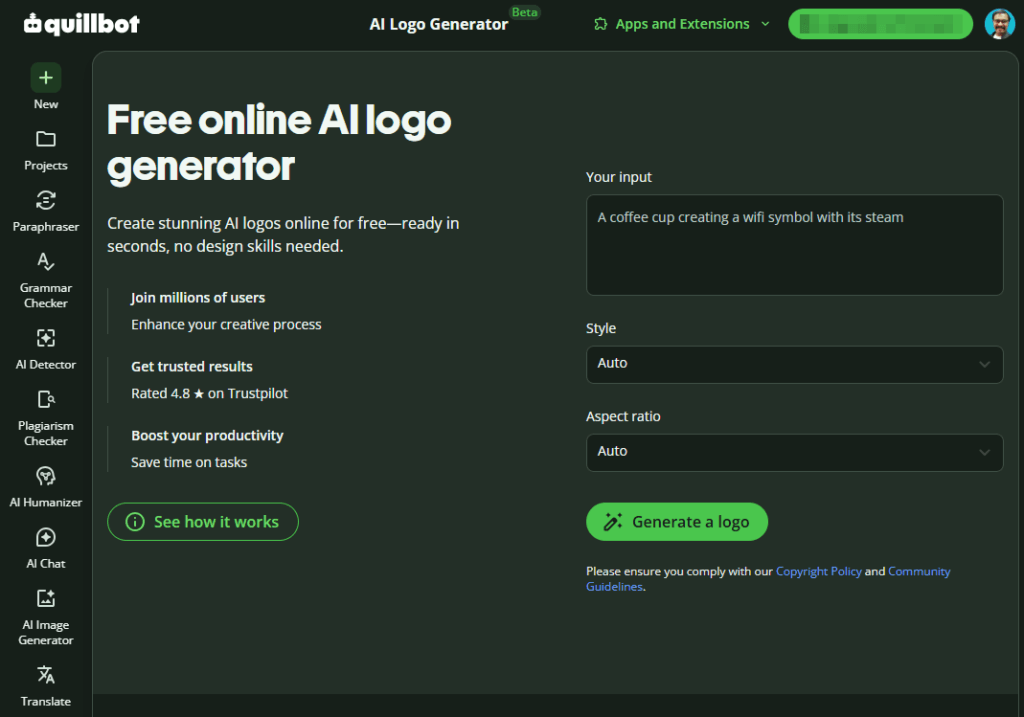
Quillbot AI Logo Generator is a free AI logo maker that turns simple text prompts into custom logo designs in seconds.
Instead of choosing from fixed templates, you describe the logo you want—brand name, style, colors, and icons—and the AI logo generator creates multiple options automatically.
It is ideal if you want to create a professional logo with AI and experiment with different ideas without needing design skills or paying for expensive software.
Features of QuillBot AI Logo Generator
- Text‑to‑image AI logo generator that creates logos from natural language prompts.
- Option to choose an image style (minimal, icon, flat, digital illustration, etc.) before generating.
- Generates at least two logo outputs per prompt so you can compare and pick your favorite.
- Simple interface where you can refine and edit prompts to get closer to your ideal design.
- Completely free to use with no watermark on generated logo images.
- Part of Quillbot’s broader image and design tools, useful for matching visuals with your content.
Pros
- 100% free AI logo maker with watermark‑free outputs.
- Very flexible; you are not limited to preset templates or icon libraries.
- Great for brainstorming and exploring multiple logo directions quickly.
- Easy to use, even if you’ve never worked with AI image tools before.
- Works well alongside writing tools, making it handy for bloggers and content creators.
Cons
- Outputs are raster images; you may need extra tools to vectorize or refine final logos.
- Results depend heavily on the quality and detail of your prompts.
- Does not provide a full brand kit or layout templates like some dedicated branding platforms.
Price of QuillBot AI Logo Generator
- The AI logo generator is completely free to use, with no hidden costs.
- You can create unlimited logo designs without paying, and there is no watermark on the generated images.
- Any paid Quillbot plans are for writing features, not required to use the logo generator itself.
If you want a truly free prompt-based AI logo generator, Quillbot AI Logo Generator is a good alternative to the traditional template-based online logo maker.
It allows you to quickly create a professional logo with AI, test different styles, and download clean, watermark-free images for your brand.
For bloggers, startups and digital creators already using Quillbot for writing, it adds an easy way to keep both your words and visuals on-brand with no extra cost.
Frequently Asked Questions (FAQs) on Best Free Logo Creator & Logo Creation Tools in 2026
What is a logo and its importance?
A logo is a visual symbol or wordmark that represents your brand’s identity. It helps people recognize your business quickly on your website, products, and marketing materials. A good logo builds trust, supports brand recall, and makes your blog or business look professional across all online and offline platforms.
What are the benefits of using a logo maker?
A logo maker lets you design a logo in minutes without hiring a designer. You can choose templates, customize fonts and colors, and instantly preview how your logo looks. It’s cost‑effective, beginner‑friendly, and perfect if you want to create a professional logo for your blog, startup, or small business.
Are there any free logo makers?
Yes, there are many free logo makers and online logo generators available. These tools allow you to design and download basic logos at no cost, often with templates, icons, and fonts included. Some platforms charge only for high‑resolution or vector files, making them ideal if you want to start with a free option.
Is Canva.com the best online logo maker?
Canva is one of the best online logo makers for beginners and bloggers. It offers thousands of logo templates, drag‑and‑drop editing, and a free plan with enough features for most users. While other tools also perform well, Canva stands out for its ease of use and strong integration with other design needs.
What is the best free logo maker online?
The best free logo maker depends on your needs. Canva, Shopify logo maker, DesignEvo, and Namecheap Logo Maker are excellent options for creating logos without design skills. Some tools are completely free, while others charge only for high‑resolution or vector files. Test a few platforms to see which interface and styles fit your brand.
How can I make a logo online for free?
To make a logo online for free, choose a free logo maker like Canva, Shopify Logo Maker, or Namecheap Logo Maker. Enter your brand name, pick a template or icon, customize colors and fonts, and then download the logo. Most tools let you create a professional‑looking logo in minutes without design experience.
How do I make a free YouTube logo?
You can create a free YouTube logo using an online logo maker such as Canva or Shopify logo maker. Start with a square logo template, add your channel name, choose bold, readable fonts, and pick colors that stand out on both light and dark backgrounds. Download the logo as a high‑quality PNG and upload it to your YouTube channel.
What is the best free logo creator without a watermark?
Namecheap Logo Maker is one of the best free logo creators without watermarks. It lets you generate custom logos using AI and download high‑quality files for free. Some other tools may also offer watermark‑free downloads in their free plans, so always check the export options and license terms before choosing.
Can I create a professional logo online for free?
Yes, you can create a professional logo online for free using tools like Canva, Shopify Logo Maker, DesignEvo, and Namecheap Logo Maker. These platforms offer quality templates, icons, and fonts suitable for real businesses. While advanced formats or brand kits may be paid, the free versions are enough to launch a clean, professional logo.
Which is the best AI logo creation tool in 2026?
In 2026, top AI logo creation tools include Looka, Turbologo, Logopony AI, and Namecheap Logo Maker. These AI logo generators create custom logo concepts based on your brand name and style preferences. The “best” option depends on your budget, need for brand kits, and how much customization you require.
What is the best logo creator for bloggers?
For bloggers, Canva and Shopify’s logo maker are often the best logo creators. Canva is perfect if you also need featured images, Pinterest pins, and social media graphics. The Shopify logo maker works well when you want a quick, simple logo with ready‑made social media versions. Both tools are beginner‑friendly and offer free plans.
Is the Canva logo maker free to use?
Yes, Canva’s logo maker is free to use on the basic plan. You can access logo templates, icons, and fonts, then download your logo as a standard‑quality image at no cost. For transparent backgrounds, Brand Kit, and premium assets, you can upgrade to Canva Pro, but it is not required to start.
Final Words: Which Free Logo Creator Should You Choose?
Choosing the right free logo creator depends on your goals, budget, and design comfort. If you want an all-round online logo maker that also does social graphics, Canva is a great place to start for most bloggers and small businesses.
Wix Logo Maker and Shopify logo maker are good logo makers for beginners, particularly if you want a guided workflow focused on website branding.
If you want to create a professional logo with AI, platforms such as Looka, Turbologo, Logopony AI and Namecheap Logo Maker give you powerful AI logo generator options without the need for design skills.
Namecheap Logo Maker is especially attractive if you’re looking for a free logo maker without a watermark.
If you want to create your own logo online and have more control, but still have a tight budget, tools like DesignEvo, Logaster and LogoMakr are perfect.
For best results, choose one main logo design tool, and then try one or two alternatives to compare styles and outputs.
Spend some time on typography, colors, icon style, so that your final design is cohesive with your niche and audience.
A good online logo maker and a good idea of your brand can help you to launch a neat, memorable logo that will serve your blog or business for years to come.


Informative & useful post! I Love Logaster so much 😍😍
There is so many interesting and useful options that I can choose.. and thats it… I am truly very very satisfied with this service!
Logaster Logo Generator is a really useful WordPress plugin that will generate logos for your site right within your WordPress dashboard. 😊😊😊
Great Share!
Thank you so much for sharing this informative post about the best online tools for logo design. A well-designed logo is what helps a business create a unique business identity for itself. It can be designed using a Free Logo design Software but with very low chances of success. The very first thing one has to understand is that a logo is what helps a potential customer differentiate between so many companies in the competitive business world of today. Once again thank you so much for this post. Keep Sharing!
Thanks a lot for giving your feedback and sharing your thoughts. We are really happy to be a helpful free tool.
Very useful post Satish. Thanks a trillion times for compiling these logo marker sites. Now I can choose from one of them and get started. You’re doing a great job over here.
Thanks for the post. I tried all of them and Online Logo Maker was my favorite one.