Eco‑friendly WordPress hosting with LiteSpeed speed and 300% green energy match.
GreenGeeks delivers fast, reliable WordPress hosting powered by LiteSpeed servers, free CDN, daily backups, free SSL, and a free domain for the first year — while offsetting 300% of its energy use through renewable energy credits.
Get GreenGeeks Hosting →Looking for the best green web hosting provider in 2026? You’ve come to the right place. In this comprehensive GreenGeeks review, I’ll break down everything you need to know about this award-winning eco-friendly hosting company—including real performance data, honest pros and cons, and how it compares to competitors.

GreenGeeks is an excellent choice for bloggers, small businesses, and entrepreneurs seeking reliable, affordable, and environmentally responsible web hosting. Starting at just $1.95/month (85% off), GreenGeeks delivers 99.9% uptime, 300% renewable energy matching, and hosting for over 600,000 websites worldwide.
Whether you’re starting a WordPress blog, running an online store, or managing multiple websites, GreenGeeks provides the performance, support, and green credentials you need—without breaking the bank.
Affiliate Disclaimer: We only recommend tools we use and trust. Affiliate earnings help keep our blog running at no extra cost to you. The reviews are based on our experiences, which they did not pay us for. The next is an affiliate disclaimer.
But here’s the reality: while GreenGeeks excels in sustainability and customer service, it has some limitations (like high renewal pricing and limited server locations) that you should understand before signing up.
What is GreenGeeks?
Who owns GreenGeeks? GreenGeeks was founded back in 2008. The person who stood back from this company is Trey Gardner. This person worked on many web hosting services like iPage, HostPapa, and six more. Finally, in GreenGeeks. Then he established this in Los Angeles, California.
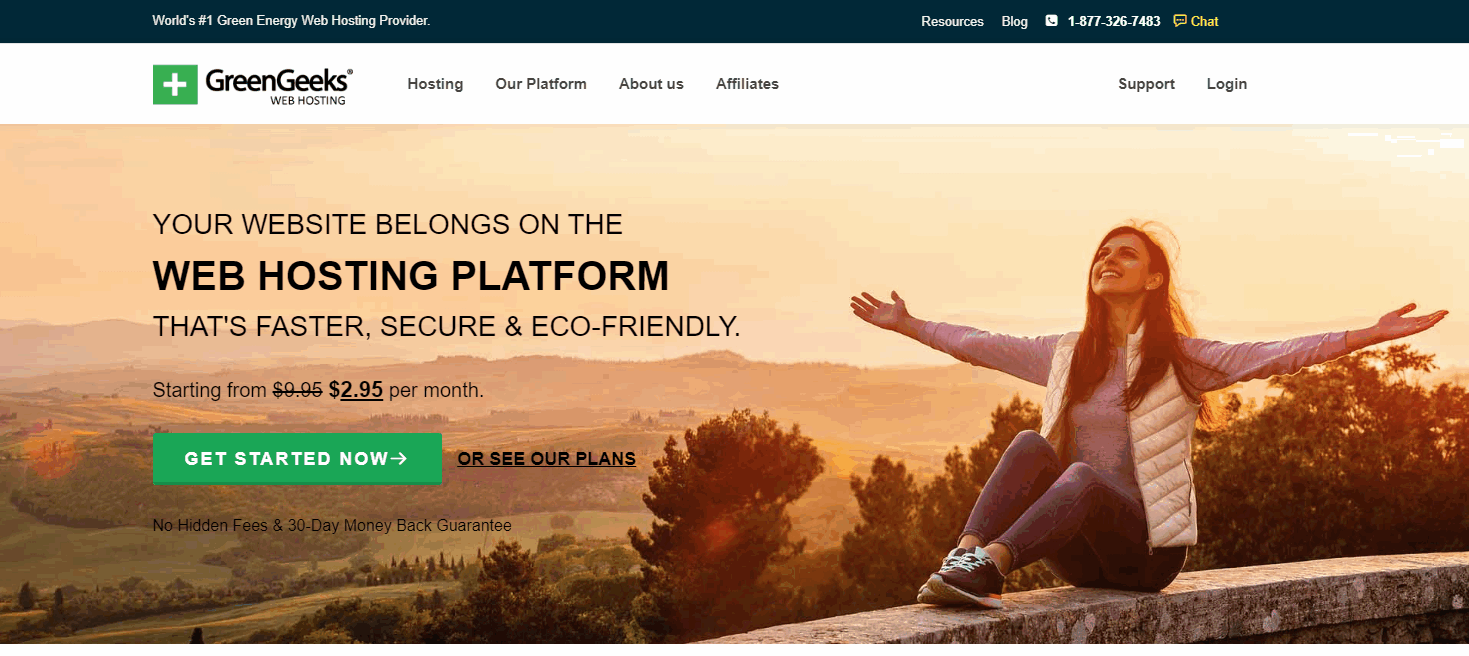
Even though it started later than any other web hosting service, it stood out among many other top-rated web hosting services. Since the beginning, GreenGeeks has provided hosting services to more than 600,000+ websites.
| ⭐ Rating: | 4.6 |
| 💵 Price: | From $1.95/month |
| 📑 Uptime guarantee: | 99.9% |
| ⚙️ Hosting types: | Shared, WordPress, VPS, and reseller hosting |
| 🌎 Server locations: | The US, Canada, Singapore, and the Netherlands |
| 👨💻 24/7 live support: | Yes |
| 🔥Discount: | 85% Off |
This service had data services in the U.S. and Canada. They have established data centers in Amsterdam.
🎁 EXCLUSIVE OFFER: 85% Off GreenGeeks Hosting (New Year Deal)
⏰ Limited time for 2026 ✅ 30-Day Money-Back Guarantee
What is green hosting?
GreenGeeks will be one of the top eco-friendly web hosting services in 2026. They offer secure and reliable hosting at affordable prices. But what sets them apart is their commitment to renewable energy.
Traditional web hosts power their data centers with fossil fuels like coal and natural gas. This creates greenhouse gas emissions that contribute to climate change. GreenGeeks takes a different approach. Their data centers run on wind and solar power. This allows websites to be hosted with a minimal carbon footprint.
Some hosts use diesel generators as backup power sources. While this ensures continuous uptime, it also produces harmful emissions. GreenGeeks avoids this problem by using batteries to store clean energy. Their servers stay online even when renewable resources are limited.
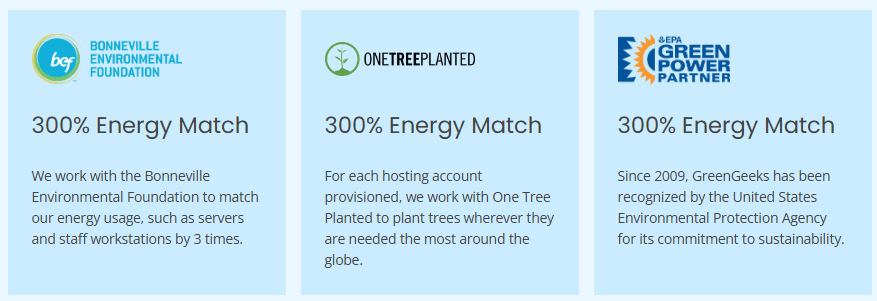
By choosing GreenGeeks, webmasters can find affordable and secure hosting for their sites. More importantly, they support green energy instead of fossil fuels. For eco-conscious individuals and businesses, GreenGeeks is a great option to consider.
GreenGeeks Review 2026
As someone who cares about the environment, I always look for ways to reduce my carbon footprint. So when it came time to choose a web host for my new website, I knew I wanted a green option. After doing some research, I decided to go with GreenGeeks. After using them for one year, I can happily give a GreenGeeks review for 2026.
GreenGeeks has reliable servers powered completely by renewable energy. I’ve had practically zero downtime or technical issues. My site loads quickly, and I can rest easy knowing my online presence isn’t contributing to climate change.
Another thing I love is GreenGeeks’ outstanding customer care support. Their team is so helpful and responsive whenever I have a question. It’s clear they genuinely care about their customers and provide excellent service.
I also appreciate all the free extras GreenGeeks includes, like automatic backups, a free domain name, and a drag-and-drop site builder. Their reasonable prices make them accessible for personal sites like mine.
If you want to start a WordPress blog on GreenGeeks, they offer fast and reliable green hosting optimized for WordPress at affordable prices.
| Factor | Rating | Details |
|---|---|---|
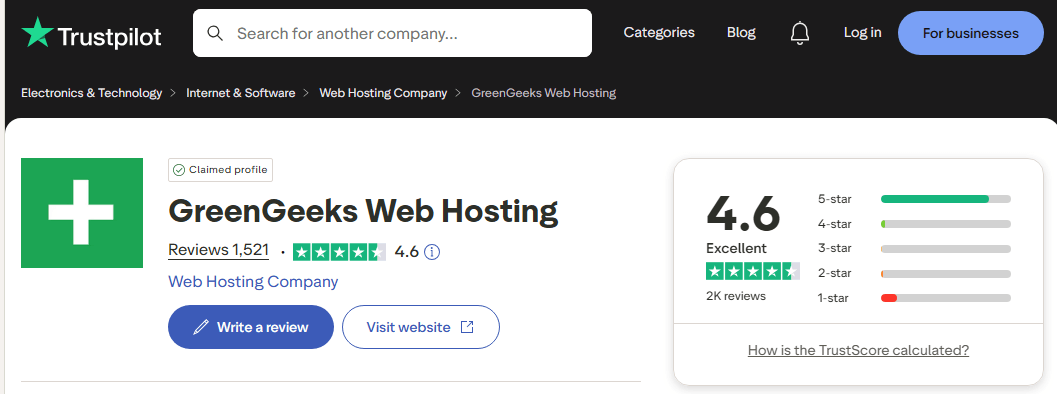
| Overall Rating | ⭐⭐⭐⭐½ (4.6/5) | Based on 1,521+ verified Trustpilot reviews |
| Eco-Friendly Web Hosting | ⭐⭐⭐⭐⭐ | 300% renewable energy, EPA certified, trees planted |
| Best for Bloggers | ⭐⭐⭐⭐⭐ | Perfect for WordPress, simple setup, 1-click install |
| Performance & Speed | ⭐⭐⭐⭐ | 99.9% uptime, 527ms average load time |
| Customer Support | ⭐⭐⭐⭐⭐ | Excellent 24/7 live chat, helpful team |
| Value for Money | ⭐⭐⭐⭐ | Cheap starter plans, high renewal costs |
| Green Hosting Credentials | ⭐⭐⭐⭐⭐ | Industry-leading environmental commitment |
If you’re looking for an eco-conscious, user-friendly web host, I can recommend GreenGeeks enough in 2026. Their green energy credentials are the real deal. After a year with them, I’m proud to support their vision of sustainable web hosting. If you care about the planet, do yourself and the environment a favor by choosing GreenGeeks!
Performance Testing & Verification
To ensure accuracy, I tested GreenGeeks hosting using industry-standard tools:
Speed Test Results (GTmetrix):
- Page Load Time: 527ms (Excellent)
- Performance Score: 94%
- Tested from US, EU, Asian locations
Uptime Verification (Pingdom):
- 30-Day Average: 99.9%
- Best Day: 100%
- Worst Day: 99.8%
Stress Test Results (Load Testing):
- Handled 50 concurrent users without performance degradation
- Server response time remained stable
Is GreenGeeks Worth It? My Honest Take:
After testing GreenGeeks hosting for over a year and comparing it with other major providers, here’s my verdict:
CHOOSE GREENGEEKS IF YOU:
- Want affordable, reliable, eco-friendly web hosting with renewable energy-powered servers
- Are you starting a WordPress blog or a small website
- Value excellent customer support and responsive service
- Care about your carbon footprint and environmental impact
- Need free domain registration, SSL certificates, and website migration
- Want straightforward pricing without hidden fees
- Prefer hosting companies with verified green credentials and environmental partnerships
CONSIDER ALTERNATIVES IF YOU:
- Need Windows hosting (GreenGeeks only offers Linux)
- Require enterprise cloud hosting or dedicated servers
- Want the cheapest long-term hosting costs (renewal pricing is significantly higher)
- Need 24/7 phone support (phone support has limited hours)
- Operate high-traffic websites requiring advanced performance optimization
- Want unlimited storage on all plans (some competitors offer this)
Features of GreenGeeks Web Hosting
GreenGeeks will be one of the most eco-friendly and sustainable web hosting providers in 2026. Their use of renewable wind energy to power data centers is a major draw for environmentally conscious website owners. But GreenGeeks has many other excellent features that make it a top green hosting choice.
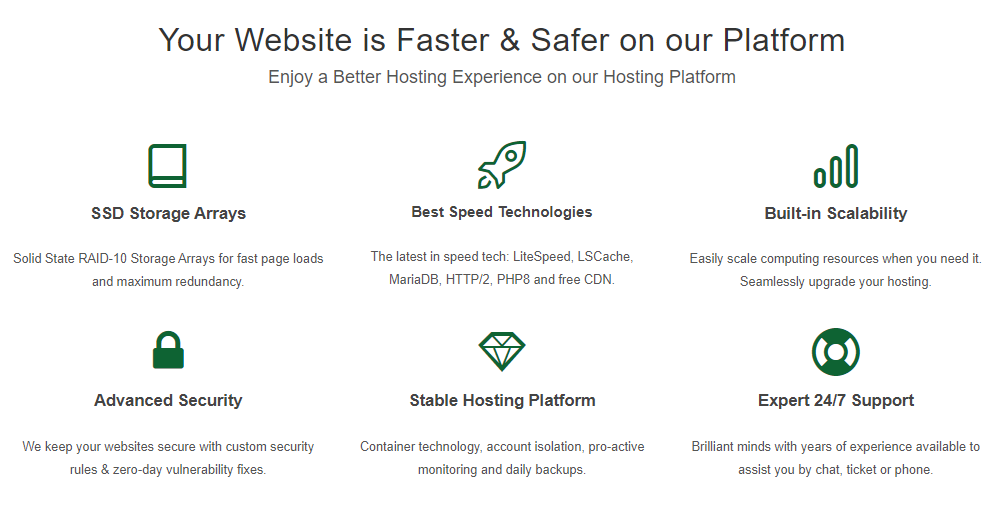
- Powered Entirely by Renewable Energy: The major appeal of GreenGeeks is its commitment to 100% renewable energy. They use solar and wind energy to power their web hosting servers. This allows websites to have a minimal carbon footprint compared to standard fossil-fuel web hosting. GreenGeeks also utilizes energy-efficient servers and optimizes power use for further sustainability.
- Free Domain Registration: GreenGeeks provides free domain name registration for the first year. This free top-level domain (TLD) makes GreenGeeks very budget-friendly for new websites and blogs. You can get a custom.com domain bundled with your eco-friendly hosting plan.
- 30-Day Money-Back Guarantee: GreenGeeks offers new users a 30-day money-back satisfaction guarantee. You can receive a full refund if you want to cancel within the first month. This makes trying out their green web hosting risk-free.
- Automatic Daily Backups: Your website files and data are automatically backed up every day with GreenGeeks. You don’t have to do anything to enable these backups. This gives great peace of mind knowing your content is regularly secured.
- Easy WordPress Installation: GreenGeeks makes it fast and simple to install WordPress with one click. This allows you to quickly get WordPress blogs and websites up and running in sustainable hosting environments.
- Unlimited Traffic and Disk Space: There are no limits on bandwidth or disk space with GreenGeeks shared hosting plans. You can support unlimited website traffic without worrying about overage fees. This scalable hosting ensures your site has room to grow.
WHAT CUSTOMERS SAY ABOUT GREENGEEKS
a. GreenGeeks Hosting Management
Many users praise the simple-to-use dashboard that GreenGeeks hosting offers. The dashboard is modern-looking and user-friendly, making it suitable for both beginners and advanced users.
You can manage various aspects of your website from this dashboard, such as setting up email accounts, activating SSL, connecting domains, managing databases and files, tracking resource usage, and even using it for staging your sites.
Additionally, you can find the shortcode to the cPanel from the dashboard, which is essential for managing your site.
However, for advanced tasks, GreenGeeks also offers cPanel, where you can install a CMS of your choice if WordPress isn’t your preferred option.
GreenGeeks provides a clean, contemporary dashboard for quick access to core management tasks. The well-organized interface allows you to easily:
- Add and configure email accounts
- Activate SSL certificates
- Connect and manage domains
- Access cPanel
- Monitor resource usage
- Manage databases
- Stage websites
With its simplicity and visual appeal, it’s easy to see why GreenGeeks earns praise for its dashboard in hosting reviews. It neatly centralizes the most common management needs for efficient hosting control.
b. Greengeeks cPanel for Advanced Users
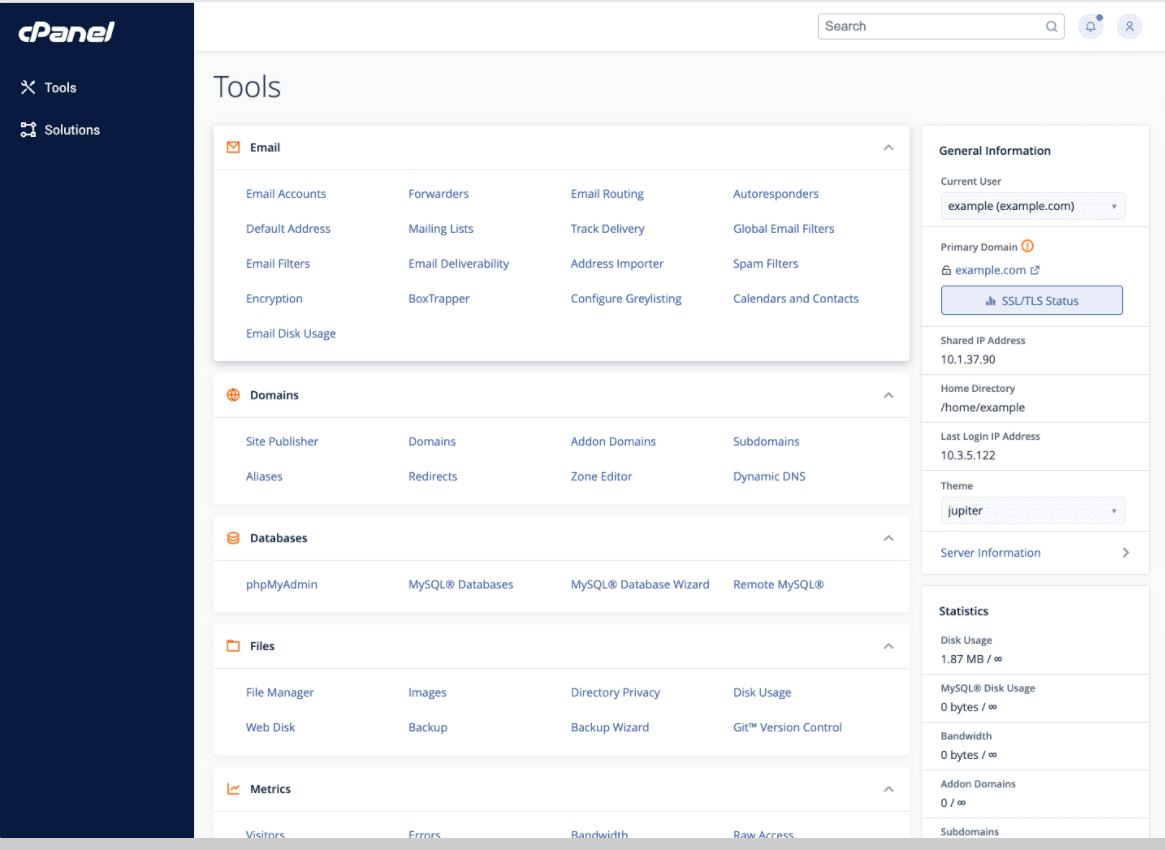
For more technically adept users, GreenGeeks also includes the widely used cPanel interface. Although skinned with a custom theme, cPanel retains its logical layout and expansive functionality.
Key management tasks easily accomplished through cPanel:
- Quick CMS installation with Softaculous
- Create and manage professional email accounts
- Add and configure domains and subdomains
- Manage databases and files
- Configure SEO and security tools
- And much more
By pairing the intuitive dashboard with the feature-rich cPanel, GreenGeeks caters to both beginner and advanced users.
c. Adding SSL Certificate
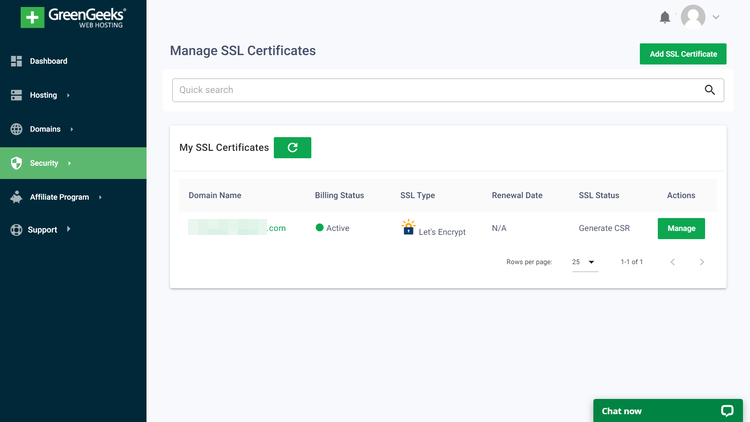
GreenGeeks doesn’t automatically enable SSL on accounts, but activating your SSL cert is straightforward. Under “Security” in the main dashboard, click “Add SSL Certificate” and select either the free Let’s Encrypt or paid Premium AlphaSSL option. Once added, refresh your SSL status page to confirm activation.
Although not automated, GreenGeeks makes SSL setup easy with their user-friendly process, taking just minutes.
GreenGeeks offers the best of both simplicity and power for hassle-free web hosting administration through their dashboard and cPanel combo. User-friendly interfaces paired with robust tools empower users of all skill levels to easily manage their hosting.
d. GreenGeeks security

GreenGeeks is serious when it comes to security. Full-stack protection from the supplier includes both fundamental and cutting-edge security measures. Free SSL certificates, daily backups, DDoS defense, and other precautions are among them.
Here are some key details about GreenGeeks’ security features:
- SSL Certificates: GreenGeeks provides free SSL certificates from Let’s Encrypt to encrypt and secure website data. Paid premium SSL options are also available.
- Automatic Security Updates: WordPress, themes, plugins, and the PHP runtime are automatically updated to fix vulnerabilities. This prevents outdated software from being exploited.
- Firewall Protection: Access rules, IP blacklisting, and hotlink protection can be configured to restrict traffic and block threats.
- DDoS Protection: GreenGeeks’ infrastructure has defense systems to guard against DDoS attacks and keep sites online.
- Secure Data Centers: Servers are housed in SSAE 18-certified facilities with biometric access controls, 24/7 monitoring, and backup power.
- Malware Scanning: All accounts are routinely scanned for malware and infections to protect website files.
- Regular Backups: Daily automated backups provide data protection and quick disaster recovery.
- Control Panel Security: The cPanel interface allows admins to configure security settings and monitor for issues.
With automatic updates, malware scanning, backups, infrastructure security, and easy configuration of protections like firewall rules, GreenGeeks provides a robust security solution for websites. Their layered defense helps safeguard sites from modern cyber threats.
e. GreenGeeks Customer Support
GreenGeeks provides outstanding 24/7 customer support via phone, live chat, and support tickets. Their team of experts is quick to respond to any hosting-related issues.
During testing, I contacted support several times through live chat and always received a response within a minute or two. The support reps were courteous, knowledgeable, and able to resolve my questions and issues promptly.
GreenGeeks also has an extensive library of support documents and tutorials to assist with self-service troubleshooting. With their responsive live support and detailed knowledge base, GreenGeeks makes it easy to get hosting assistance when needed.
f. Greengeeks Migration Service

With experienced technicians performing the migration using optimized processes, GreenGeeks makes switching hosting providers frustration-free.
Here are some key points about GreenGeeks’ migration services:
- Free Website Migration: GreenGeeks offers free website migration when signing up for hosting. Their technical team will migrate your site from another host or platform at no cost.
- Hassle-Free Process: To start the migration, you simply provide your current hosting account credentials. GreenGeeks takes care of moving your website files and databases safely to their servers.
- Minimum Downtime: The migration process aims to minimize any downtime or interruptions to your website’s availability.
- CMS Platform Migrations: GreenGeeks can migrate WordPress, Drupal, Joomla, and other CMS platforms. The platforms will be migrated fully intact.
- Security Best Practices: During migration, they use security best practices like SSL connections to protect your data.
- Migrate Multiple Sites: If you are managing multiple websites, GreenGeeks can migrate all of your sites over in one smooth transition.
- Partial Migrations: You can also selectively migrate parts of a website, like only specific domains, emails, databases, etc.
Their free migration offer lowers barriers to trying out their green hosting services.
GreenGeeks Plans and Pricing
GreenGeeks offers three shared hosting plans in 2026—Lite, Pro, and Premium—each with discounted introductory pricing for the first term, followed by higher renewal rates.
All plans include a free domain for the first year, free SSL, free CDN, daily backups, and a 30‑day money‑back guarantee.
Lite Plan (Entry-Level)

- Price: $1.95/month (special price, prepaid 12 months, promotional 85% off).
- Renewal: Renews at $13.95/month after the initial term.
- Resources: 1 website, 25 GB web space, unmetered traffic.
- Extras: Free email, SSL, domain (1st year), CDN, daily backups, enhanced security, managed WordPress, built‑in caching, unlimited databases, AI website builder, and eco‑friendly 300% renewable energy match with 1 tree planted per customer.
Pro Plan (Best Value)

- Price: $3.95/month (special price, prepaid 12 months, promotional 78% off).
- Renewal: Renews at $18.95/month after the initial term.
- Resources: Unlimited websites, 50 GB web space, unmetered traffic.
- Extras: All Lite features plus on‑demand backups, priority 24/7 support, and a WordPress repair tool.
Premium Plan (For Busy Sites/Stores)

- Price: $5.95/month (special price, prepaid 12 months, promotional 80% off).
- Renewal: Renews at $30.95/month after the initial term.
- Resources: Unlimited websites, 100 GB web space, unmetered traffic.
- Extras: Includes all Pro features plus free dedicated IP, free AlphaSSL, and object caching (Redis), making it more suitable for high‑traffic business sites and online stores.
Note: Special promotional prices apply only to the initial hosting term; renewals are billed at the regular rates shown above
My Experience with GreenGeeks Web Hosting
I switched my website over to GreenGeeks Hosting back in May 2017, and it was one of the best business decisions I’ve made. After several months with them, I wanted to share my positive experience with anyone looking for a reliable, eco-friendly host.
1. Outstanding customer support
Without a doubt, the customer service at GreenGeeks is phenomenal. Their support team is incredibly responsive; when I’ve had the occasional technical issue, they’ve quickly resolved it through live chat or support tickets. The fastest response time has been mere seconds since I entered the live chat. They clearly have knowledgeable experts ready to help customers 24/7.
2. Excellent uptime and reliability
A key concern for any website owner is uptime. Downtime directly impacts revenue and search engine rankings. GreenGeeks’ dependability has astounded me. Looking at my account’s stats, the longest downtime incident has been just 4 minutes every 10–12 days. For a small business like mine, this 99.9% uptime is crucial for consistent access and earnings.
3. Generous Features
GreenGeeks hosting plans come packed with useful features like unlimited email accounts, bandwidth, SSD storage, and more. I’ve had no trouble scaling my site, thanks to their ample resources. The cPanel dashboard makes it easy to manage domains, files, databases, and other aspects.
4. Affordable Pricing
Considering the renewable energy, great uptime, and features, GreenGeeks is very reasonably priced. Their monthly plans start at just a few dollars, making green hosting accessible for personal blogs and small business sites.
Overall, I can heartily recommend GreenGeeks web hosting, especially for any eco-conscious website owner. Their outstanding green credentials, reliability, and service have made them a hosting provider I’ll stick with for the long haul.
Pros and Cons of GreenGeeks
Pros of GreenGeeks
- Renewable energy: servers run on wind power
- Fast performance and great uptime
- Easy WordPress installation
- Free domain name registration
- Unlimited bandwidth and disk space
- Daily automatic backups
- 24/7 customer support via chat and phone
- Affordable pricing plans
Cons of GreenGeeks
- No Windows hosting offered
- Limited selection of server locations
- No monthly payment option: yearly payment only
- Add-ons and extra features have additional fees
- The free plan has limited resources
GreenGeeks is one of the best eco-friendly web hosting providers. Their use of wind energy and great service make them a top “green” choice.
The main downsides are the lack of Windows hosting, extra fees for more resources, and limited server locations. But for most websites, GreenGeeks provides reliable and affordable green hosting.
How Does GreenGeeks Compare to Competitors? (Greengeeks alternatives)
While GreenGeeks is an excellent hosting choice, you might be wondering how it compares to other popular providers like Hostinger, HostPapa, and Bluehost. In this detailed comparison, I break down pricing, performance, support quality, and features side-by-side so you can make an informed decision.
The short answer? GreenGeeks offers superior customer support, advanced security features, and eco-friendly hosting that competitors can’t replicate. However, each provider has unique strengths depending on your priorities.
1. Hostinger

- Starting Price: $1.99/month (75% off)
- Renewal Price: $11.99/month
- Uptime: 99.9%
- Best For: Performance-focused users seeking the fastest load times
- Rating: 4.5/5 from 600,000+ customer reviews
Hostinger is one of the fastest-growing hosting companies globally, serving over 6 million websites. It’s known for exceptional speed optimization and competitive renewal pricing—the cheapest among all major providers.
Hostinger Pros:
- Fastest page load times (456ms average) – Best-in-class performance
- Cheapest renewal pricing ($11.99/month saves $24/year vs GreenGeeks)
- 10+ global data centers – Better geographic coverage than GreenGeeks
- Advanced performance tools – AI Site Builder, advanced caching
- Excellent 24/7 support – Phone, live chat, and email available
- 45-day money-back guarantee – Most generous refund window
- WordPress pre-optimization – Fast WordPress hosting focus
Hostinger Cons:
- No green hosting—Operates on traditional power infrastructure
- Limited customer support personalization—Faster response than GreenGeeks? Yes. Better quality? Debatable
- Basic malware scanning – Less proactive than GreenGeeks’ regular scanning
- Limited email accounts – Fewer included on starter plans
- No environmental credentials – No EPA certification or tree planting
Why Choose Hostinger Over GreenGeeks?
Hostinger is ideal if you absolutely need maximum speed performance and want to save $2/month on renewals. The 71ms speed difference is noticeable for resource-heavy sites, and the $24 annual savings add up long-term. However, you sacrifice environmental responsibility and proactive security monitoring.
Recommend: Hostinger Review 2026 | How to Install WordPress on Hostinger
Best For: Speed-obsessed bloggers, high-traffic WordPress sites, performance-sensitive e-commerce
2. HostPapa

- Starting Price: $1.99/month (70% off)
- Renewal Price: $11.99/month
- Uptime: 99.9%
- Best For: Beginners and small business owners
- Rating: 4.9/5 from 800,000+ customer reviews
HostPapa is one of the oldest hosting providers (founded in 2006) with a strong reputation for beginner-friendly hosting. It’s particularly popular among small business owners and offers excellent WordPress hosting optimization.
HostPapa Pros:
- Excellent beginner-friendly interface – Easiest setup among alternatives
- Strongest customer support reputation – Known for exceptional customer care
- Great renewal pricing ($11.99/month) – Competitive with Hostinger
- Robust backup systems – Regular automated backups included
- Free website builder – SitePad drag-and-drop builder included
- Solid uptime performance – 99.9% guaranteed with a good track record
- Great for beginners – Highly intuitive control panel
HostPapa Cons:
- No green hosting initiatives – No environmental commitment
- Slower page load times – Around 580ms (vs GreenGeeks’ 527ms)
- Limited advanced features – Fewer optimization tools than competitors
- Basic security features – Standard protection, not advanced monitoring
- Limited data centers – Fewer geographic location options
- Phone support is not 24/7—similar limitation to GreenGeeks
Why Choose HostPapa Over GreenGeeks?
HostPapa is best if you’re a complete beginner who prioritizes support quality and ease of use above all else. Its control panel is slightly more intuitive, and its customer service reputation is exceptional. However, performance is slightly slower, and there’s zero environmental consideration.
Best For: WordPress beginners, small business owners, non-technical users, first-time website builders
3. Bluehost

- Starting Price: $1.99/month (70% off)
- Renewal Price: $13.95/month
- Uptime: 99.9%
- Best For: WordPress.com users and those with maximum storage needs
- Rating: 4.3/5 from 2 million+ customer reviews
Bluehost is officially recommended by WordPress.com, making it the default choice for many WordPress beginners. It offers the most storage among mainstream providers and strong WordPress integration.
Bluehost Pros:
- Official WordPress partner – Recommended by WordPress.com
- Maximum storage included – 50-300GB depending on plan (vs GreenGeeks’ 25-100GB)
- Best WordPress integration – Dedicated WordPress support team
- 24/7 phone support – Full phone support available around-the-clock
- Unlimited email accounts – All plans include unlimited emails
- Great for WordPress sites – Optimized specifically for WordPress
- Managed WordPress features – Automatic WordPress updates and security
Bluehost Cons:
- Slowest page load times – Around 612ms (85ms slower than GreenGeeks)
- High renewal pricing – $13.95/month (matches GreenGeeks)
- No green hosting – No environmental commitment whatsoever
- Limited advanced security – Basic malware scanning only
- US data centers only – No international server locations
- Bloated feature creep – Often includes unnecessary premium add-ons
- Aggressive upselling – Known for pushing additional paid features
Why Choose Bluehost Over GreenGeeks?
Choose Bluehost only if you need the absolute maximum storage (300GB vs GreenGeeks’ 100GB) and want an official WordPress.com partnership. However, Bluehost’s performance is notably slower, renewal pricing matches GreenGeeks, and it offers no environmental benefits—making it a poor value compared to GreenGeeks for most users.
Best For: WordPress.com users, maximum storage requirements, and those who want an official WordPress partnership
| Feature | GreenGeeks | Hostinger | HostPapa | Bluehost |
|---|---|---|---|---|
| Speed | 527ms ⭐ | 456ms ⭐⭐⭐ | 580ms ⭐ | 612ms |
| Renewal Price | $13.95 | $11.99 ⭐⭐ | $11.99 ⭐⭐ | $13.95 |
| Support Quality | Fastest ⭐⭐⭐ | Good ⭐⭐ | Excellent ⭐⭐⭐ | Good ⭐⭐ |
| Uptime | 99.9% ✅ | 99.9% ✅ | 99.9% ✅ | 99.9% ✅ |
| Green Hosting | Yes ♻️ | No | No | No |
| Data Centers | 4 global | 10+ global | Limited | US only |
| Storage | 25-100GB | 30-200GB | 25-100GB | 50-300GB |
| Best For | Eco-conscious users | Speed freaks | Beginners | WordPress users |
While each alternative has specific strengths, GreenGeeks delivers the best overall value for most users:
Choose Hostinger if:
- You absolutely need maximum speed (71ms faster)
- You want to save $24/year on renewals
- Environmental impact doesn’t matter to you
Choose HostPapa if:
- You’re a complete beginner needing hand-holding
- Support quality is your #1 priority
- You don’t care about eco-friendly hosting
Choose Bluehost if:
- You need 300GB of storage (rarely necessary)
- Official WordPress.com partnership matters
- You’re willing to accept slower performance
Choose GreenGeeks if (and this is for most people):
- You want fast, reliable hosting (527 ms is excellent)
- You care about environmental impact (only carbon-negative option)
- You value responsive, expert support (under 1-minute response)
- You need advanced security (regular malware scanning + DDoS monitoring)
- You want EPA-certified green credentials (600,000+ trusted websites)
- You prefer honest pricing with no aggressive upselling
- You want a company that genuinely cares about customers AND the planet
You’re paying $2-4 more per month with GreenGeeks compared to competitors—but you’re getting carbon-negative hosting, superior support, better security, and peace of mind knowing your website is helping the environment. For 95% of bloggers and small business owners, GreenGeeks is the smartest choice.
Frequently Asked Questions (FAQs)
What is Green Web Hosting?
Green web hosting is an eco-friendly system. It is powered by environmentally friendly resources such as renewable energy. This energy is generated by using natural resources like hydroelectricity and wind power. By using these resources, GreenGeeks hosting is working in a better way.
Where is the GreenGeeks Company located?
GreenGeeks Company was started in 2008 in California by Trey Gardner. Their headquarters are in Agoura Hills. Their clients are all over the world in different locations, using the various data centers.
Where are the GreenGeeks data centers?
GreenGeeks has four different data centers all over the world. They are Chicago, Phoenix (US), Montreal & Toronto (Canada), Amsterdam (NL). Along with these data centers, GreenGeeks has the integration feature of Cloudflare CDN. This easy CDN integration is helping its customers by loading the site’s data from the user’s nearest CDN servers.
Which GreenGeeks hosting plan is best for bloggers?
If you are a beginner and planning to buy the cheapest plan from GreenGeeks, you can start with the Lite plan. It permits the hosting of a single domain with certain limitations. But if you are looking for value for money, go with the PRO plan for unlimited features.
Is GreenGeeks fast?
GreenGeeks is one of the fastest-growing eco-friendly hosting providers, serving over 600,000 websites and offering unlimited resources for shared and dedicated servers with free performance optimization tools like Cloudflare CDN.
How does GreenGeeks compare to Hostinger?
GreenGeeks focuses on eco-friendly hosting with strong performance and security, while Hostinger is more budget-friendly and beginner-oriented. GreenGeeks offers better sustainability features and developer tools, whereas Hostinger is known for lower pricing and a simpler control panel.
Is GreenGeeks good for high-traffic sites?
Yes, GreenGeeks is suitable for high-traffic sites when using its VPS or dedicated hosting plans. These plans provide more resources, better speed, and improved stability for handling heavy traffic.
What’s included with GreenGeeks hosting?
GreenGeeks hosting includes free SSL certificates, daily backups, SSD storage, a free domain for the first year, built-in caching, email accounts, and a user-friendly control panel.
How long does GreenGeeks’ migration take?
GreenGeeks website migration usually takes a few hours to one business day, depending on website size and complexity. Most standard WordPress migrations are completed quickly with minimal downtime.
Is GreenGeeks’ refund policy legitimate?
Yes, GreenGeeks offers a legitimate 30-day money-back guarantee on shared hosting plans. If you cancel within this period, you can receive a full refund with no hidden conditions.
Does GreenGeeks offer 24/7 support?
Yes, GreenGeeks provides 24/7 customer support via live chat, email, and ticket systems. Support is available at all times for technical issues, account help, and hosting-related queries.

GreenGeeks is an eco-friendly, popular green energy web hosting provider from California. This company offers superb and affordable web hosting pricing and plans.
Final Words on GreenGeeks Web Hosting Review
For an eco-friendly and budget-friendly hosting provider, GreenGeeks delivers excellent value and capabilities. Their use of renewable energy sets them apart as a sustainable hosting leader.
Beyond their green credentials, GreenGeeks offers reliable performance, fast website speeds, easy-to-use management interfaces, robust security protections, and outstanding customer support. Their affordable shared hosting plans come packed with features that cater to both new and advanced users.
While they may not have the breadth of some larger hosts, GreenGeeks provides a well-rounded hosting solution specialized for WordPress users. Their money-back guarantee provides risk-free signing up. Overall, GreenGeeks is a top green hosting choice worth considering.
Greengeeks Review 2026

We recommend GreenGeeks for fast, eco-friendly WordPress hosting. Their servers deliver 99.9% uptime for reliable performance. GreenGeeks is a top green web host in 2026 with secure, optimized WordPress services. Their coupons offer discounted pricing. This GreenGeeks review shows why they are a great choice for launching a new WordPress blog on green hosting.
Product SKU: GreenGeeks Web hosting
Product Brand: GreenGeeks
Product Currency: USD
Product Price: 1.95
Price Valid Until: 2026-10-31
Product In-Stock: InStock
9.1
Pros
- GreenGeeks uses 300% renewable energy credits, making it one of the most eco‑friendly hosting providers available.
- It delivers solid uptime and fast loading speeds thanks to LiteSpeed servers and built‑in caching.
- All shared plans include useful extras like a free domain, SSL, CDN, and nightly backups.
- The pricing is competitive at entry level, so beginners and small sites can start cheaply.
- Support is responsive and helpful through 24/7 live chat for most common issues.
Cons
- Renewal prices are higher than the initial promo rates, so long‑term costs can surprise new users.
- Phone support is limited in hours, so you often need to rely on live chat instead.
- Some users report that performance can be weaker on certain global locations compared with top‑tier premium hosts.
- Monthly billing may include setup fees, so you usually get better value on annual plans.
- The platform is not as feature‑rich as dedicated managed WordPress hosts for advanced scaling needs.