In 2026, many bloggers and small businesses I speak with are actively seeking a better Bluehost alternative because they’re tired of slow sites, support delays, and unexpected renewal bills. If you’re feeling the same, you’re in the right place.
In this guide, I’ve hand‑picked and tested the best Bluehost alternatives for WordPress, bloggers, ecommerce stores, and small businesses in both the USA and India.
Hostinger
Hostinger offers reliable performance, enhanced security, and hosting plans designed to keep websites fast, stable, and easy to manage.
Get Hostinger →HostArmada
HostArmada delivers fast web hosting with free SSL, firewall protection, Cloudflare CDN support, and a beginner-friendly setup for growing sites.
Get HostArmada →Rocket.net
Rocket.net provides high-speed WordPress hosting with built-in CDN, WAF, malware protection, and security features optimized for performance.
Get Rocket.Net for $1 →GreenGeeks
GreenGeeks offers fast and secure hosting with managed WordPress features, free SSL, automatic updates, and platform-level security protections.
Get GreenGeeks →You’ll see how options like Hostinger, HostArmada, DreamHost, A2 Hosting, GreenGeeks, HostPapa, Cloudways, DigitalOcean, and InMotion stack up on speed, uptime, pricing, features, and real‑world usability.
As a professional blogger and SEO from India who has actually hosted sites on these platforms, I’ll show you which hosts work best for Indian traffic, which ones are safer for US‑based businesses, and which plans give you the most value for money.
Along the way, you’ll find clear comparison tables, use‑case‑based recommendations, and a simple migration checklist so you can move away from Bluehost without downtime or guesswork.
What Is Bluehost in 2026?
Bluehost is one of the largest shared web hosting companies in the world and is best known as an officially recommended host by the WordPress.org team.
It was acquired years ago by EIG (Endurance International Group, now Newfold Digital), a company that owns multiple hosting brands and centralizes a lot of its infrastructure, support, and billing systems.
For many years, Bluehost has been a default entry‑level choice for new bloggers and small businesses because of its low introductory pricing and beginner‑friendly setup.
In 2026, Bluehost is still a popular WordPress web hosting solution for newbies who want a simple dashboard, 1‑click installs, and bundled freebies like a free domain and SSL.
If you are just starting a personal blog or a small site that gets fewer than roughly 10,000 page views per day, Bluehost can still work as a basic starting point.
However, as soon as you start growing a serious blog, a small business website, or an ecommerce store, you’ll quickly notice the gaps—especially when you compare it with a faster or more specialized Bluehost alternative for bloggers, small businesses, or ecommerce websites.
That’s why many of my readers from both the USA and India now ask specifically for the best Bluehost alternatives 2026, including managed WordPress hosting alternatives to Bluehost, cloud hosting alternatives to Bluehost, and even eco-friendly Bluehost alternatives that offer better performance, uptime, and transparency than traditional shared hosting.
Why Look for Bluehost Alternatives?
Most people look for a Bluehost alternative for three simple reasons: uptime, speed, and pricing. Shared servers can be slow and unstable, so if your blog or store keeps going down, it’s time to compare faster alternatives to Bluehost and reliable Bluehost alternatives with high uptime.
For ecommerce websites, even 10 minutes of downtime during a sale can cost serious money, so average performance is not enough.
That’s why I recommend Bluehost alternatives with free SSL, backups, and stronger SLAs, especially when your site is your main income source.
Pricing is the other big issue. Bluehost’s intro offers look cheap, but renewals often surprise beginners and small businesses.
In 2026, there are many cheap Bluehost alternatives with more transparent pricing, and even cheap web hosting alternatives to Bluehost in India or a Bluehost alternative with Indian data centers for better local speed and billing.
Hosting itself has also evolved. Modern providers use LiteSpeed or NVMe SSDs, offer CDNs and daily backups, and usually provide better support.
This is why the best Bluehost alternatives in the USA and the fastest Bluehost alternatives for Indian websites are not just “other hosts”—they’re genuine upgrades in technology and service.
If you’re facing regular downtime, slow support, or confusing renewals, it’s a clear signal to build a shortlist of managed WordPress hosting alternatives to Bluehost, cloud hosting alternatives to Bluehost, and even eco-friendly Bluehost alternatives.
In this guide, I’ll walk you through the best Bluehost alternatives for WordPress, including options for beginners, Bluehost alternatives for bloggers, and Bluehost alternatives for small businesses so you can pick a host that actually matches your goals.
Get the Best Deal on Hostinger
Hostinger is one of the strongest Bluehost alternatives for bloggers who want lower pricing, better speed, and an easier dashboard. If you’ve decided to go with Hostinger, use this link to get a Hostinger discount before checkout.
When You Should Seriously Consider Moving Away From Bluehost
Before you migrate from Bluehost to another host, I recommend you evaluate your situation with two simple questions:
- Is your server downtime consistently more than 5 minutes at a time or happening multiple times per week?
- Is your blog or site going down frequently, and is Bluehost customer support unable to help you fix the root cause?
If your answer is “yes” to either, it’s a strong sign you’re ready for a Bluehost alternative with better support and more stable infrastructure.
For growing sites, especially ecommerce websites and high‑traffic blogs, it’s safer to move early to a managed WordPress hosting alternative to Bluehost or a more scalable cloud hosting alternative to Bluehost, rather than waiting until problems start to hurt your rankings and income.
In this updated guide, I’ll share my hands‑on experience with hosts like Hostinger, HostArmada, DreamHost, A2 Hosting, GreenGeeks, HostPapa, DigitalOcean, InMotion, and Cloudways as the best Bluehost alternatives in 2026.
You’ll see which ones are the best Bluehost alternatives in the USA, which are ideal Bluehost alternatives in India, and which options work best for beginners, bloggers, small businesses, and ecommerce stores
Best Bluehost Competitors List for 2026
I’m still not recommending HostGator, JustHost, or HostMonster as Bluehost alternatives because they are part of the same EIG/Newfold Digital group as Bluehost itself.
If you’re moving away from Bluehost due to performance, uptime, or support issues, switching to another EIG brand usually doesn’t solve the core problems.
Instead, I focus on independent or non‑EIG providers that consistently perform better in real‑world tests. These best Bluehost alternatives 2026 offer faster WordPress hosting, more reliable uptime, and transparent pricing that actually makes sense beyond the first billing cycle.
Many of them are ideal as a Bluehost alternative for bloggers, a Bluehost alternative for small businesses, or even a Bluehost alternative for ecommerce websites that need stable performance during traffic spikes.
If Bluehost is down or you’re simply unhappy with renewals and support, the hosts I recommend below are cheap Bluehost alternatives that still deliver strong hardware, better support, and useful extras like free SSL and automated backups.
You’ll also see which ones work best as Bluehost alternatives for WordPress, which provide cloud hosting alternatives to Bluehost, and which are smarter picks for users in the USA and India looking for fast hosting with nearby data centers.
1. Hostinger
Best Overall Bluehost Alternative for Beginners & Bloggers

In 2026, Hostinger is my top Bluehost alternative for beginners, bloggers, and small business owners who want faster WordPress hosting without breaking the bank.
Compared with Bluehost, Hostinger usually delivers better speed, more consistent uptime, and clearer long‑term pricing, which is why many reviewers list it among the best Bluehost alternatives 2026 for WordPress sites.
With global data centers (including locations close to India and the USA), it’s a strong choice if you need a Bluehost alternative for bloggers, a Bluehost alternative for small businesses, or a cheap Bluehost alternative that still feels modern and easy to use.
Key Features:
- LiteSpeed‑powered or optimized servers for noticeably faster WordPress loading times than typical low‑cost shared plans.
- Global data centers (US, Europe, Asia, etc.), making it one of the fastest Bluehost alternatives for Indian websites and US‑focused projects.
- Beginner‑friendly hPanel with 1‑click WordPress installs, staging, auto‑updates, and guided setup, ideal as a Bluehost alternative for beginners.
- Free SSL, email accounts, automatic backups on many plans, and built‑in caching make it a strong Bluehost alternative with fast hosting and better security defaults.
- Optimized WordPress plans with caching, CDN options, and performance tools that help bloggers hit Core Web Vitals more easily.
- Support for multiple websites on a single plan, which is useful for niche site builders and agencies.
- 24/7 live chat support, extensive knowledge base, and onboarding tutorials for new users.
- Integrated malware scanning and security features that reduce reliance on extra plugins.
Pros of Hostinger
- Generally faster performance and better response times than Bluehost on similarly priced shared plans.
- Very competitive long‑term pricing, making it one of the best cheap Bluehost alternatives with more transparent pricing.
- Multiple global data centers, so you can choose locations close to your audience in the USA or India for better speed.
- Clean, modern dashboard that most beginners find easier than traditional cPanel, ideal for Bluehost alternatives for WordPress newbies.
- Good fit for bloggers and content creators who want a simple setup but still care about Core Web Vitals and SEO.
- Supports multiple websites and email hosting on affordable tiers, which helps niche site builders and freelancers.
- Often highlighted by comparison sites as a leading Bluehost alternative for bloggers and small sites.
Cons of Hostinger
- Like Bluehost, the lowest advertised prices usually require a multi‑year commitment; month‑to‑month is more expensive.
- Support is primarily live chat; there’s no standard phone support, which some small business owners still prefer.
- Resource limits (like inodes or CPU) can be strict on the cheapest plans if you run many sites or heavy plugins.
- The interface is custom (hPanel), so advanced users used to cPanel may need a short adjustment period.
- Not a fully managed WordPress hosting alternative to Bluehost; for very high‑traffic sites, you may still need cloud or premium managed hosting.
Hostinger Pricing
Hostinger keeps its pricing very aggressive, which is one big reason it’s often recommended as a cheap Bluehost alternative in 2026. For most beginners and bloggers, the regular shared “Web Hosting” plans are enough.
- Premium Web Hosting – From around $1.99/month (48‑month deal), supports up to 3 websites, 20 GB SSD storage, free domain for 1 year, free SSL, weekly backups, and email. Renews at a higher but still competitive rate.
- Business Web Hosting – From around $2.99/month (48‑month deal), supports up to 50 websites, 50 GB NVMe storage, daily and on‑demand backups, more email accounts, and better resources. Good fit for growing blogs and small businesses.
- Cloud Startup – From around $6.99/month (48‑month deal), supports up to 100 websites, 100 GB NVMe storage, higher RAM/CPU, dedicated IP, and priority support. This is closer to a lightweight cloud hosting alternative to Bluehost for high‑traffic projects.
If Hostinger looks like the best Bluehost alternative for your needs, you can get Hostinger discount before choosing your plan.
All plans are paid upfront, include a 30‑day money‑back guarantee, 99.9% uptime promise, global data centers, and unlimited bandwidth, which makes Hostinger one of the best Bluehost alternatives in the USA and a strong option for cheap web hosting alternatives to Bluehost in India when you want predictable pricing and better performance.
Start Your Blog on a Faster, Cheaper Bluehost Alternative
Ready to launch or move your blog? Hostinger gives you faster WordPress performance and more features than Bluehost at a much lower starting price. It’s perfect for beginners and serious bloggers on a budget.
2. HostArmada
Reliable Bluehost Alternative With NVMe and Free Backups
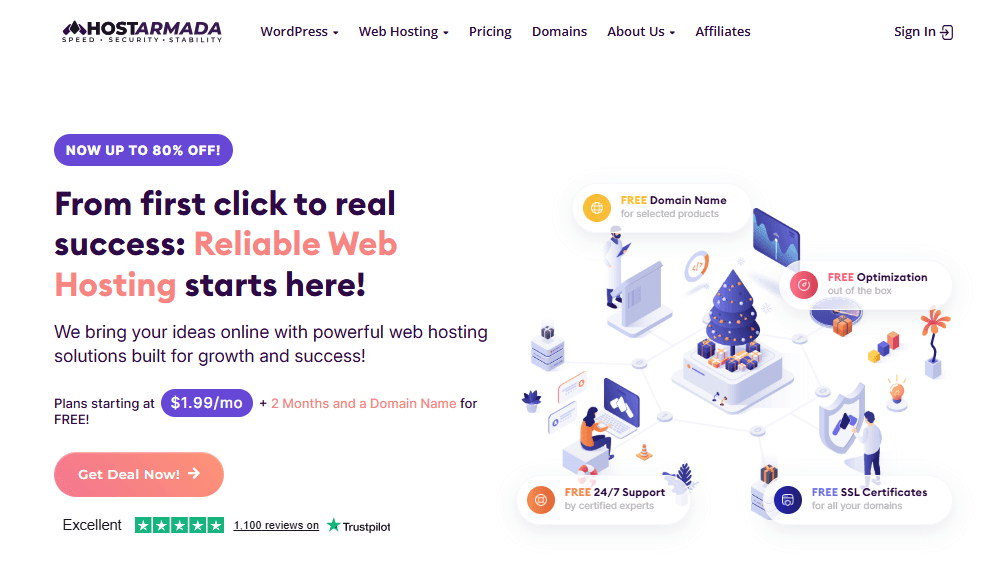
HostArmada is a highly reliable Bluehost alternative that focuses on speed, uptime, and security using cloud SSD/NVMe infrastructure.
It’s a great fit if you’re tired of random slowdowns on shared hosting and want a more stable platform for WordPress blogs, small business sites, or WooCommerce stores.
With 11+ global data centers, free SSL, and automatic daily backups, HostArmada is often recommended as a faster alternative to Bluehost and a solid option for Bluehost alternatives for WordPress in both the USA and India.
If you want performance and peace of mind, without jumping straight to expensive managed cloud hosting, HostArmada sits in a very nice middle ground
Features of HostArmada:
- Cloud SSD/NVMe‑based hosting for faster disk I/O and improved page load times compared to many traditional shared hosts.
- 11+ data centers worldwide and 100% network uptime target, making it a strong Bluehost alternative for Indian and global traffic.
- 99.9% uptime guarantee with 24/7/365 infrastructure monitoring and compensation if uptime drops below the SLA.
- Free SSL certificates for all domains on every shared and WordPress plan, ideal if you want a Bluehost alternative with free SSL and backups.
- Automatic daily backups (7, 14, or 21 restore points depending on the plan) are stored off‑server for better safety.
- Multiple security layers: WAF, network firewall, malware scanning and removal, brute-force protection, and hardened PHP environments.
- Speed‑oriented features on higher plans (“Speed Reaper”) like advanced caching, dynamic caching, HTTP/3, and Memcached/OPcache support.
- cPanel‑based environment with Softaculous 1‑click installer for WordPress and other apps, making it a friendly Bluehost alternative for beginners.
- Free website transfers (1–5 sites, depending on plan), including help with migrating from Bluehost.
- 24/7 support over chat, ticket, and phone, with a focus on quick responses and hands‑on technical help.
Pros of HostArmada:
- Cloud‑based SSD/NVMe infrastructure typically offers more consistent performance and better stability than many low‑cost shared environments.
- Strong focus on security and backups (daily backups included, multiple restore points), making it safer than hosts where backups are paid add-ons.
- Multiple global data centers and 100% network uptime target make it very attractive for Bluehost alternatives in the USA and for sites with Indian or mixed traffic.
- Free SSL for all websites, free migrations, and generous transfer limits make switching from Bluehost smooth.
- cPanel interface plus Softaculous keeps things familiar if you’re moving from another cPanel host, while still giving you a more modern backend.
- Highly rated support with quick responses and proactive help on migrations and performance tuning
Cons of HostArmada:
- Pricing is higher than the very cheapest entry‑level shared hosts, so it’s less of an “ultra‑cheap Bluehost alternative” and more of a quality‑focused choice.
- Promotional prices are tied to longer billing cycles; paying monthly is significantly more expensive.
- Brand recognition is still smaller than giants like Bluehost or Hostinger, which may make some beginners hesitant.
- While shared plans are powerful, very high‑traffic sites may still need VPS or cloud servers for maximum performance.
- Speed‑oriented “Speed Reaper” features are only available on the top WordPress plan, not the cheapest tier
HostArmada Plans and Pricing
HostArmada’s WordPress plans are structured as managed cloud SSD/NVMe hosting with strong discounts on longer terms, making them attractive Bluehost alternatives for WordPress when you factor in included backups and security.
- WP Launcher – From about $1.99/month (triennial promo), 15 GB NVMe storage, 1 website, 2 CPU cores, 2 GB RAM, free SSL, 7 daily backups, and malware scan/removal. Good starter Bluehost alternative for beginners and single‑site blogs.
- WP Evolver (Best Value) – From about $3.29/month (triennial promo), 30 GB NVMe storage, unlimited websites, 4 CPU cores, 4 GB RAM, free SSL, 14 daily backups. Ideal for bloggers with multiple sites or growing Bluehost alternatives for small businesses.
- WP Speed Reaper – From about $3.95/month (triennial promo), 40 GB NVMe storage, unlimited websites, 6 CPU cores, 6 GB RAM, 21 daily backups, advanced “Speed Reaper” features, and dynamic caching. Best for users wanting a faster alternative to Bluehost with premium performance on shared/cloud hosting.
All WordPress plans include free site transfers (1–5 sites), multiple hosting locations, a 45‑day money‑back guarantee, unlimited email accounts, and 24/7 support, which makes HostArmada a very strong, reliable Bluehost alternative with high uptime for both Indian and global traffic.
Move to a Safer, More Reliable Bluehost Alternative
Tired of random downtime and worrying about backups? HostArmada’s NVMe servers, daily backups, and strong support make it a great upgrade if your blog or business has outgrown Bluehost.
3. GreenGeeks
Eco-Friendly Bluehost Alternative With Better Support

GreenGeeks is my go‑to eco-friendly Bluehost alternative for bloggers and small businesses that care about both performance and the planet.
It’s a 300% green host, which means they match three times the energy they consume with renewable energy credits and even plant a tree for every new hosting account.
At the same time, their shared and WordPress hosting uses SSD storage, LiteSpeed, built‑in caching, and global data centers, so you’re not sacrificing speed to go green.
If you want a Bluehost alternative with better support, stronger security, and a sustainability story you can proudly mention on your about page, GreenGeeks is a strong candidate in 2026.
Features of GreenGeeks:
- 300% green hosting: for every unit of energy used, they match it with 3x renewable energy via Bonneville Environmental Foundation, plus a tree planted per account.
- Fast, secure shared and WordPress hosting with SSD storage, LiteSpeed web server, and built‑in caching for better page speed than typical budget shared hosting.
- Global data centers in North America, Europe, and Asia‑Pacific make it a viable Bluehost alternative for Indian and global traffic when you pair it with a CDN.
- Managed WordPress hosting features on shared plans: instant WP install, free WordPress migration, LiteSpeed Cache, auto‑updates, staging, and advanced WP security.
- Daily backups are included on all shared plans, with on‑demand backups on higher tiers, making it a reliable Bluehost alternative with free SSL and backups.
- Free SSL certificates (Let’s Encrypt) with automated deployment and renewal for all domains.
- 99.9% uptime guarantee, DDoS protection, container‑based isolation, and advanced firewall for improved stability and security.
- Easy‑to‑use cPanel, 1‑click installer for 150+ apps (WordPress, WooCommerce, Drupal, Joomla, etc.), and drag‑and‑drop AI website builder.
- 30‑day money‑back guarantee and free website migration for new customers coming from hosts like Bluehost.
Pros of GreenGeeks:
- 300% renewable energy match and tree planting make it one of the strongest eco-friendly Bluehost alternatives you can promote to your audience.
- SSD + LiteSpeed + built‑in caching and global data centers give very good performance for blogs and small business sites.
- Daily backups and a strong security stack are included, so you don’t pay extra for essential safety features.
- Free WordPress migration and free domain (first year) make switching from Bluehost painless.
- Managed WordPress features on shared plans (staging, auto‑updates, advanced WP security) make it an attractive Bluehost alternative for bloggers and WooCommerce stores.
- Reputable support with 24/7 availability and a clear focus on performance and sustainability, a plus if you want a Bluehost alternative with better support.
Cons of GreenGeeks:
- Regular renewal prices are higher than some ultra‑budget, cheap Bluehost alternatives; you pay a bit more for green hosting and features.
- Best pricing requires annual or longer terms; monthly billing is significantly more expensive.
- No data center is physically located in India yet, so Indian sites will rely more on CDN and the nearest region (e.g., Europe/Asia‑Pacific).
- Interface is cPanel‑based, which is powerful but can feel more complex than some beginner‑oriented custom dashboards.
- For very high‑traffic or enterprise projects, you may eventually need to upgrade to VPS or dedicated servers.
GreenGeeks positions its shared hosting as fast, secure, and eco‑friendly, with all key features included, making it a solid value Bluehost alternative for bloggers and small businesses in 2026.
- Lite – From $2.95/month (12‑month pre‑paid, renews at $13.95/month): 1 website, 25 GB SSD, unmetered traffic, free email, free SSL, free domain (1st year), free CDN, daily backups, managed WordPress features, AI builder, and 300% green energy match. Best for new blogs or simple business sites.
- Pro (Best Value) – From $4.95/month (12‑month pre‑paid, renews at $18.95/month): unlimited websites, 50 GB SSD, unmetered traffic, all Lite features plus on‑demand backups, priority 24/7 support, and WordPress repair tool. A strong Bluehost alternative for small businesses and growing bloggers.
- Premium – From $8.95/month (12‑month prepaid, renews at $30.95/month): unlimited websites, 100 GB SSD, all Pro features plus dedicated IP, premium SSL (AlphaSSL), and Redis object caching. Ideal for busy blogs and small ecommerce stores that want extra performance and security.
All shared plans include a 30‑day money‑back guarantee, free website migration, and the full green energy benefits, which is a strong selling point if you want to promote a Bluehost alternative that is good for both your audience and the environment.
Choose an Eco‑Friendly Bluehost Alternative with Solid Performance
Want fast WordPress hosting that’s also good for the planet? GreenGeeks gives you 300% green energy, daily backups, and better support while keeping pricing reasonable for bloggers and small businesses.
4. HostPapa
Small-Business-Friendly Bluehost Alternative
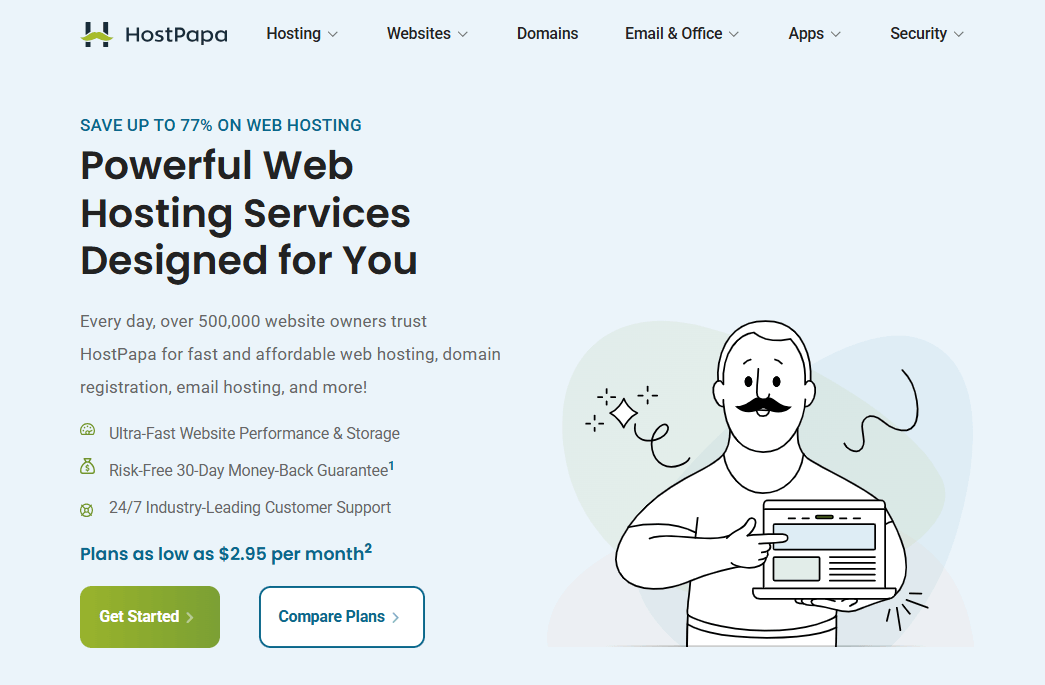
HostPapa is a small‑business‑focused Bluehost alternative that combines fast NVMe storage, strong security, and very hands‑on support.
It’s designed for local businesses, agencies, and freelancers who want reliable web hosting, business email, and simple tools under one roof.
With a 99.9% uptime guarantee, global infrastructure, and the “PapaSquad” support team available 24/7 by phone, chat, and email, HostPapa is often a better fit than Bluehost for users who value human support and small‑business‑oriented features.
If you run a local service business, nonprofit, or digital agency, HostPapa can be a very practical Bluehost alternative for small businesses in 2026.
Features of HostPapa:
- Beginner‑friendly shared web hosting with NVMe storage for faster website loading and better user experience.
- Optimized WordPress and managed WordPress hosting with staging, performance tuning, and advanced security features.
- 99.9% uptime guarantee and infrastructure built for “performance web hosting at competitive prices.”
- Free website and domain migration with a dedicated migration specialist to minimize downtime when moving from Bluehost.
- 24/7/365 “PapaSquad” support team via chat, phone, and email, with multilingual support and fast response times.
- Integrated website builder with templates, AI‑assisted setup, and mobile‑ready designs for small businesses that don’t want to hire a developer.
- Business‑grade email hosting plus optional Microsoft 365 and Google Workspace integration, useful for agencies and service providers.
- Strong security stack with CloudLinux, Imunify360, firewall, DDoS protection, malware scanning, and SSL.
- 30‑day money‑back and 100% satisfaction guarantee on shared hosting plans.
Pros of HostPapa
- NVMe‑based storage and performance‑tuned servers help deliver 3x faster load times than traditional HDD‑based hosting, great for local SEO and user experience.
- Very small‑business‑friendly: bundled domain, email, website builder, and strong support make it easy for non‑technical owners to get online.
- Dedicated PapaSquad support with high satisfaction scores and multilingual help, often a better experience than generic big‑brand support.
- Free website and domain migration, plus free SSL and CDN, make switching from Bluehost smooth and cost‑effective.
- Clear positioning for agencies, nonprofits, and local businesses, with case studies and testimonials that build trust.
- Scalable path: you can start on shared hosting and move up to VPS or dedicated servers as your business grows
Cons of HostPapa
- Best promo prices require a 3‑year term; shorter billing cycles cost more, similar to Bluehost’s structure.
- Renewal rates are higher than the introductory offers, so you need to plan your long‑term budget carefully.
- No India‑based data center, so Indian sites will rely on CDN and nearby regions for speed.
- cPanel‑based interface can feel a bit more complex for complete beginners compared to some ultra‑simplified dashboards.
- Not as widely discussed as Hostinger or SiteGround in “best Bluehost alternatives” lists, so it may require more explanation to clients
HostPapa structures its shared web hosting plans for different stages of small‑business growth, all with a 30‑day money‑back and 100% satisfaction guarantee.
- Essentials – From $2.95/month (3‑year promo): 1 website, 25 GB NVMe storage, 1x server resources, free domain (1st year), CDN, staging, basic security, standard SSL, basic backup, free migration. Good Bluehost alternative for beginners and single‑site local businesses.
- Growth – From $5.95/month (3‑year promo): 5 websites, 100 GB NVMe, 2x resources, free domain, CDN, staging, advanced security, standard SSL, automated backups (5 GB for first year). Ideal Bluehost alternative for small business owners running multiple sites or a main site plus landing pages.
- Premium – From $6.95/month (3‑year promo): unlimited websites, 200 GB NVMe, 4x resources, advanced security, premium SSL, automated backups. Good for agencies and growing businesses needing extra resources.
- Elite – From $9.95/month (3‑year promo): unlimited websites, unmetered NVMe, 8x resources, premium wildcard SSL, larger backups, and highest performance. Best for agencies or busy sites that want maximum shared hosting power before moving to VPS.
All plans include free website migration, 24/7 support, and a 99.9% uptime guarantee, which is why HostPapa can make more sense than Bluehost for small businesses and agencies that care about performance, plus real support.
Get Business‑Friendly Hosting Instead of Basic Bluehost
If you run a local business or agency, HostPapa bundles fast hosting, business email, and phone support so you’re not stuck waiting on generic tickets. It’s a smarter Bluehost alternative for real‑world businesses.
5. Rocket.Net
Premium Managed WordPress Alternative to Bluehost
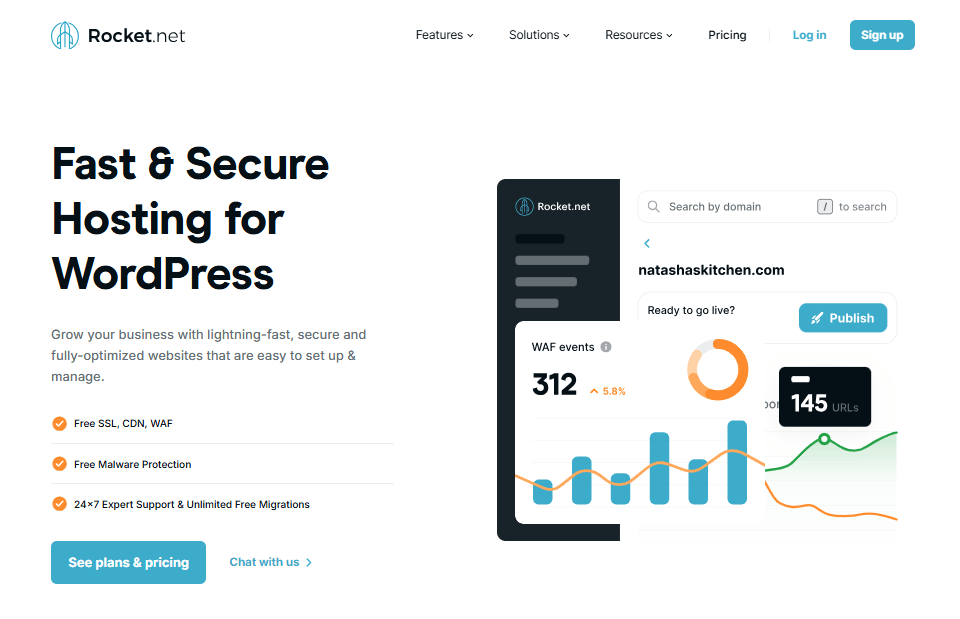
Rocket.net is a premium managed WordPress hosting platform that positions itself as one of the fastest options in the market, built specifically for WordPress, WooCommerce, agencies, and high‑value business sites.
Unlike a typical shared Bluehost alternative, Rocket.net is all‑in‑one: you get enterprise‑grade Cloudflare CDN, WAF, free SSL, built‑in caching, and 24/7 expert support on every plan.
Their entire stack is tuned for low TTFB globally, which makes it a strong choice if you want a performance‑focused Bluehost alternative for bloggers, ecommerce stores, or agencies that need speed, security, and predictable pricing without renewal surprises.
Features of Rocket.Net:
- Fully managed WordPress hosting with an “edge‑first” architecture using Cloudflare Enterprise CDN for fast delivery worldwide.
- Built‑in Web Application Firewall (WAF), DDoS protection, real‑time malware scanning and removal, and automatic WordPress updates.
- Free SSL certificates, free malware protection, and unlimited free WordPress migrations on all plans.
- Highly optimized performance stack: enterprise CDN, integrated caching, free WP Rocket plugin, and very low average TTFB across regions.
- Simple, user‑friendly control panel designed specifically for managing multiple WordPress sites, with performance analytics and collaboration options.
- Solutions tailored for agencies, bloggers, WooCommerce stores, enterprise sites, and resellers, not just basic blogs.
- 24/7/365 industry‑leading live support via chat, email, and phone, with WordPress experts and very fast response times.
- 30‑day money‑back guarantee and $1 first month intro on all plans so you can test without risk.
- No hidden upsells or renewal price hikes – “what you see is what you get” pricing policy.
Pros of Rocket.net:
- Exceptional performance: Rocket.net consistently delivers very low TTFB and faster global loading than many other “premium” WordPress hosts.
- Enterprise‑grade Cloudflare CDN, WAF, and security included on every plan, not sold as expensive add‑ons.
- Unlimited free migrations handled by their team, with the ability to test sites on temporary URLs before DNS changes.
- Transparent pricing with no renewal price increases, unlike many shared hosts that jump after the first term.
- Excellent support experience, often praised by agencies and SEO professionals who moved from Kinsta, WP Engine, or Cloudways.
- Ideal for serious blogs, WooCommerce stores, and agencies that have outgrown commodity shared hosting like Bluehost.
Cons of Rocket.net:
- Significantly higher starting price than typical cheap Bluehost alternatives; it’s a premium managed service, not budget shared hosting.
- Plans are based on the number of WordPress installs and allocated resources, which can be limiting if you want many small sites on a very low budget.
- No email hosting included; you need to use separate email services (e.g., Google Workspace, Microsoft 365).
- Overkill for very small, non‑critical sites that don’t need enterprise CDN and advanced security.
- WordPress‑only: not suitable if you want to host non‑WordPress apps on the same account.
Rocket.Net Plans & Pricing:
Rocket.net uses simple, all‑inclusive pricing with a 30‑day money‑back guarantee and $1 first month on all WordPress plans, and they explicitly do not raise renewal prices.
- Starter – $30/month (monthly), $1 for first month: 1 WordPress install, unmetered visits, 10 GB storage, 50 GB bandwidth, unlimited PHP workers, 99.99% uptime, free SSL, enterprise CDN, WAF, malware protection, free migrations, automated daily backups with 14‑day retention. Best for a single high‑value blog or small business site.
- Pro (Popular) – $60/month, $1 first month: 3 installs, unmetered visits, 20 GB storage, 100 GB bandwidth, unlimited PHP workers, all Starter features. Ideal for bloggers with multiple sites or small agencies.
- Business – $100/month, $1 first month: 10 installs, unmetered visits, 40 GB storage, 300 GB bandwidth, unlimited PHP workers, 14‑day backups. Good for growing agencies or networks of sites.
- Expert – $200/month, $1 first month: 25 installs, unmetered visits, 50 GB storage, 500 GB bandwidth, unlimited PHP workers, 14‑day backups. Built for agencies and larger publishers that manage many client sites.
All plans include the same core stack (enterprise CDN, WAF, security, free migrations, daily backups), so you mainly choose based on the number of WordPress sites and storage you need.
Rocket.net is best viewed as a high‑end managed WordPress hosting alternative to Bluehost for bloggers, WooCommerce stores, and agencies that want maximum speed, security, and support rather than the lowest possible price.
Switch to Premium Managed WordPress and Stop Worrying About Hosting
If your blog or ecommerce store is already making money, Rocket.net’s managed WordPress platform delivers enterprise‑grade speed, security, and support so you can focus on growth, not server issues.
6. Hosting.com (Formerly A2 Hosting)
Faster Bluehost Alternative With Turbo Servers
Hosting.com (the new brand for A2 Hosting) is a performance‑driven Bluehost alternative built for serious blogs, small businesses, ecommerce stores, and agencies that want speed and stability.
Their shared and WordPress hosting runs on AMD EPYC CPUs, NVMe storage, LiteSpeed caching, and a global network of 40+ locations, with an uptime commitment of 99.9%.
You also get free site migration, automated backups, strong security, and 24/7 “Guru Crew” support.
If you’re looking for a faster Bluehost alternative with Turbo‑style hosting that can grow from simple shared plans to VPS and managed WordPress, Hosting.com is one of the strongest 2026 options
Features of Hosting.com:
- High‑performance stack: AMD EPYC CPUs, Samsung NVMe storage, LiteSpeed caching, Anycast DNS, and “up to 20x faster Turbo” architecture for better TTFB and page speed than typical budget shared hosts.
- Global infrastructure with 40+ locations around the world, designed for low latency and fast load times for international audiences.
- Shared web hosting, cPanel hosting, managed and unmanaged VPS, VDS, and dedicated servers – so you can scale beyond simple shared hosting as your traffic grows.
- Optimized hosting for WordPress and WooCommerce with performance, security, and ease‑of‑use add‑ons (WP Rocket integration, speed & performance, security & protection, free website migration).
- Built‑in security: free SSL, WAF, brute‑force protection, DDoS mitigation, malware scanning, and automated backups with a 30‑day restore window.
- AI Sitebuilder for users who want to build a site visually with templates and AI assistance (useful for small businesses and beginners).
- Developer‑friendly features like SSH, WP‑CLI, staging environments, Node.js & Python support, and scalable infrastructure.
- Free account migration (websites, databases, email) with minimal downtime, plus a 30‑day money‑back guarantee.
Pros of Hosting.com
- Performance‑oriented hardware (NVMe, LiteSpeed, EPYC CPUs) and caching deliver measurably faster sites than many traditional shared hosts, making it a strong, faster alternative to Bluehost.
- Global data centers and Anycast DNS help you serve the US, Europe, and other regions with lower latency – ideal for international bloggers and ecommerce.
- Strong security and automated backups are included by default; you don’t need to bolt on lots of paid extras for basic protection.
- Free website migration and cPanel‑friendly transfers make moving from Bluehost straightforward.
- 24/7/365 in‑house support (“Guru Crew”) via chat, phone, and tickets with a strong focus on solving technical issues quickly.
- Unified management interface to control multiple sites, email, DNS, backups, and more from a single dashboard.
Cons of Hosting.com
- Starting prices are higher than ultra‑budget, cheap Bluehost alternatives; it’s positioned more as a premium shared/VPS host.
- Best promotional pricing requires committing to longer billing terms; paying monthly is more expensive.
- Interface and options can feel complex for complete beginners compared to “minimal” dashboards like some entry‑level hosts.
- No native India data center listed; Indian sites should pair Hosting.com with a CDN for best performance.
- Overkill for very small, non‑critical sites that don’t need advanced performance or developer features
Hosting.com Pricing:
Hosting.com keeps pricing simple and performance‑focused across its shared hosting tiers. You get NVMe storage, LiteSpeed, free SSL, automated backups, and free website migration on all plans, which already makes it a clear, faster alternative to Bluehost.
- Starter – From around $3.99/month (promo): 1 website, NVMe storage, LiteSpeed caching, free SSL, email, automated backups, and 24/7 support. Good Bluehost alternative for beginners with a single site.
- Plus – From around $6.99/month (promo): more resources and websites, NVMe storage, performance and security add‑ons, ideal for growing blogs and small businesses that have outgrown entry‑level shared hosting.
- Max – From around $11.99/month (promo): the highest shared tier with extra CPU/RAM and features for heavier sites, agencies, or small ecommerce projects that need more consistent speed than typical shared Bluehost plans.
All plans include a 30‑day money‑back guarantee, 99.9% uptime commitment, and 24/7 “Guru Crew” support, so you can safely test Hosting.com as a premium Bluehost alternative before fully committing.
Upgrade to Turbo‑Fast Hosting for Blogs and Stores
When you need more speed than typical shared hosting, Hosting.com’s Turbo‑style NVMe stack gives blogs and WooCommerce stores a serious performance boost over Bluehost. Ideal for sites that are starting to grow.
How to Choose the Right Bluehost Alternative for Your Website
Choosing the right Bluehost alternative in 2026 comes down to three things: your website type (blog, store, portfolio, agency), your budget, and how much performance/support you actually need. Shared hosting is usually fine for small sites, but ecommerce and client sites often do better on managed WordPress or cloud, where security, backups, and scaling are handled for you.
1. Match your use case: blogging, ecommerce, portfolio, agency
- Blogging/content sites: Pick Bluehost alternatives for bloggers that are fast and simple (WordPress install, caching, free SSL, backups).
- Ecommerce/WooCommerce: Choose a Bluehost alternative for ecommerce websites with strong security, reliable backups, and better performance under traffic spikes.
- Portfolio/brochure sites: A cheap Bluehost alternative is enough if uptime is stable and renewals are clear.
- Agencies/freelancers: Prioritize staging, migrations, multiple sites per plan, and developer tools (SSH/WP‑CLI).
2. Budget vs performance trade-offs
- If you want the lowest price, shortlist cheap Bluehost alternatives first, but confirm they still include SSL, backups, and basic caching/CDN.
- If you want speed + stability: expect to pay more for NVMe/LiteSpeed, better support, and stronger security (usually worth it as you grow).
- Avoid surprises: choose a Bluehost alternative with transparent pricing, and compare renewal rates (not just the first-term deal).
- Location note (USA + India): for the fastest Bluehost alternatives for Indian websites, pick closer regions + CDN; for USA traffic, pick US data centers and support hours.
3. When to stay on shared hosting vs move to cloud
- Stay on shared hosting if your site is small/medium, traffic is stable, and you don’t hit CPU/RAM limits (best for early-stage blogs and basic business sites).
- Move to managed WordPress when you want the host to handle updates, security hardening, backups, and WordPress-specific tuning (less tech work for you).
- Move to cloud hosting alternatives to Bluehost when your traffic spikes, your store becomes revenue-critical, or you need easy scaling without migrating servers
Frequently Asked Questions (FAQs) on Best Bluehost Alternatives 2026
What is the best Bluehost alternative in 2026?
For most beginners and bloggers, Hostinger is often the best overall Bluehost alternative because it’s fast, affordable, and easy to use.
Is Hostinger better than Bluehost for WordPress?
In many comparisons, Hostinger performs better on speed and value, which is why it’s frequently listed among the top Bluehost alternatives for WordPress.
Why do people switch from Bluehost to other hosts?
The main reasons are slow speed, downtime, support issues, and renewal pricing surprises. Many users move to faster, more reliable Bluehost alternatives with clearer long‑term pricing.
What are the best Bluehost alternatives for beginners?
Look for a Bluehost alternative for beginners with simple setup, free SSL, backups, and strong support—Hostinger and HostArmada are common beginner‑friendly picks.
What is the best Bluehost alternative for ecommerce websites?
For WooCommerce, choose Bluehost alternatives for ecommerce websites that offer better performance under traffic spikes, strong security, and reliable backups—managed WordPress or cloud hosting usually works best.
Which Bluehost alternatives have the best customer support?
Many “best Bluehost alternatives” lists highlight hosts like GreenGeeks (support + eco hosting) and HostArmada for responsive help and smoother migrations.
Are there cheap Bluehost alternatives with transparent pricing?
Yes. Some providers position themselves as cheap Bluehost alternatives and emphasize transparent renewal pricing or better long‑term value compared with Bluehost’s promo‑then‑renew model.
What are the best Bluehost alternatives in India?
The best Bluehost alternatives in India are usually hosts with nearby servers plus CDN support; many “India 2026” lists recommend budget hosts and India‑focused providers for better local speed.
Do I need cloud hosting to replace Bluehost?
Not always. Shared hosting works for small sites, but if you need scaling and stability, cloud hosting alternatives to Bluehost (like DigitalOcean‑based setups) are better for growth and traffic spikes.
Can I migrate from Bluehost without downtime?
Yes. Most top Bluehost alternatives offer free migration or migration support, and you can reduce downtime by migrating files first, testing on a temporary URL, then switching DNS during low‑traffic hours.
Final Conclusion: Best Bluehost Alternatives 2026
If Bluehost is starting to limit your growth in 2026, the good news is you don’t have to guess your next host. In my experience, the smartest move is to pick a Bluehost alternative based on how serious your site is (hobby blog vs ecommerce vs agency), where your audience lives (USA, India, or global), and how much you’re ready to invest in speed and support.
Shared hosting is still fine for early‑stage blogs and small business sites, but once traffic or revenue grows, a better‑optimized shared, managed WordPress, or cloud platform will protect your rankings and income far more than squeezing out one more year on a cheap plan.
| Host | Best for in 2026 | Hosting type | Features | Ideal user profile |
|---|---|---|---|---|
| Hostinger | Beginners & bloggers on a budget | Shared / WordPress | Faster in most tests, cleaner dashboard, very strong price‑to‑performance ratio | Why is it better than Bluehost |
| HostArmada | Reliability‑focused bloggers & small business | Cloud shared / WordPress | NVMe storage, daily backups included, strong security and support | Bloggers, small businesses, Indian + global traffic mixes |
| GreenGeeks | Eco‑conscious blogs & local businesses | Shared / WordPress | Bloggers and SMBs who want an eco-friendly Bluehost alternative | New bloggers, niche site owners, and small WordPress sites |
| HostPapa | Local small businesses & agencies | Shared / WordPress | 300% green energy, daily backups, good performance, and support | Business‑oriented features, phone support, and easy migrations |
| Hosting.com (formerly A2 Hosting) | Speed‑hungry blogs & devs | Shared / WordPress / VPS | Turbo‑style NVMe + LiteSpeed stack, advanced dev tools | High‑revenue blogs, ecommerce, and agencies needing “set it and forget it” performance |
| Rocket.net | Serious blogs, WooCommerce, agencies | Managed WordPress | Enterprise Cloudflare stack, top‑tier speed & security out of the box | Service businesses, local brands, and small agencies handling client sites |
My practical recommendation:
- If you want a simple, noticeable upgrade from Bluehost for a blog or small business site, start with Hostinger (best budget) or HostArmada (best reliability + backups).
- If you care about sustainability and branding, pick GreenGeeks as your eco-friendly Bluehost alternative.
- If your site is already earning well and downtime would hurt, skip shared and move straight to Rocket.net or Cloudways as your long‑term platform.
If you tell me your current monthly traffic and main monetization (AdSense, affiliate, services, ecommerce), I can point you to a single “best next host” from this list.
Hostinger
Hostinger offers reliable performance, enhanced security, and hosting plans designed to keep websites fast, stable, and easy to manage.
Get Hostinger →HostArmada
HostArmada delivers fast web hosting with free SSL, firewall protection, Cloudflare CDN support, and a beginner-friendly setup for growing sites.
Get HostArmada →Rocket.net
Rocket.net provides high-speed WordPress hosting with built-in CDN, WAF, malware protection, and security features optimized for performance.
Get Rocket.Net for $1 →GreenGeeks
GreenGeeks offers fast and secure hosting with managed WordPress features, free SSL, automatic updates, and platform-level security protections.
Get GreenGeeks →Save More with Hostinger
After comparing the best Bluehost alternatives, Hostinger stands out as a smart choice for beginners and budget-conscious bloggers. To lock in the best offer, click here to get Hostinger discount.