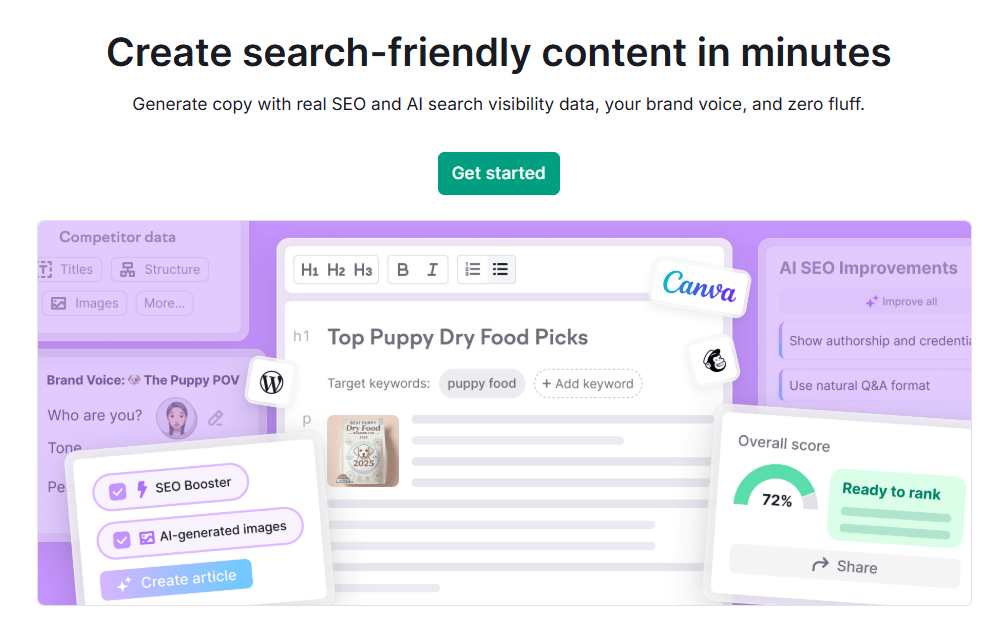
One content workspace for research, writing, optimization, and publishing.
Semrush Content Toolkit helps you find topic ideas, generate SEO briefs, write long-form articles, optimize content, create AI images, and publish directly to WordPress from one place.
Try Semrush Content Toolkit →Looking for a complete Semrush Content Toolkit review 2026? In today’s AI-driven SEO landscape, creating high-ranking content fast is non-negotiable for bloggers, affiliate marketers, and agencies.
Semrush Content Toolkit promises an all-in-one workspace that combines Topic Finder, SEO Brief Generator, AI Article Generator, content optimization, and repurposing into one dashboard—eliminating fragmented tools and manual workflows.
This hands-on Semrush Content Toolkit review dives deep into how to use Semrush Content Toolkit for real results, covering pricing and limits, pros and cons, feature tutorials, and comparisons like Semrush Content Toolkit vs Jasper or vs Surfer SEO.
Whether you’re a solo blogger building topical authority or a content team scaling for AI search (LLMO), we’ll show if it’s worth it in 2026.
Affiliate Disclaimer: We only recommend tools we use and trust. Affiliate earnings help keep our blog running at no extra cost to you. The reviews are based on our experiences, which they did not pay us for. The next is an affiliate disclaimer.
Quick Verdict: Semrush Content Toolkit shines for SEO + AI content workflows with unmatched data accuracy, but credit limits and learning curves make it best for serious users—not beginners.
| Category | Rating |
|---|---|
| Ease of Use | ⭐⭐⭐⭐☆ |
| SEO Data Accuracy | ⭐⭐⭐⭐⭐ |
| AI Writing Quality | ⭐⭐⭐⭐☆ |
| Repurposing | ⭐⭐⭐⭐⭐ |
| Value for Money | ⭐⭐⭐⭐☆ |
| Best For | Bloggers, Agencies |
Perfect for the Semrush Content Toolkit for bloggers and agencies ready to invest. Let’s break it down step-by-step.
What Is the Semrush Content Toolkit?
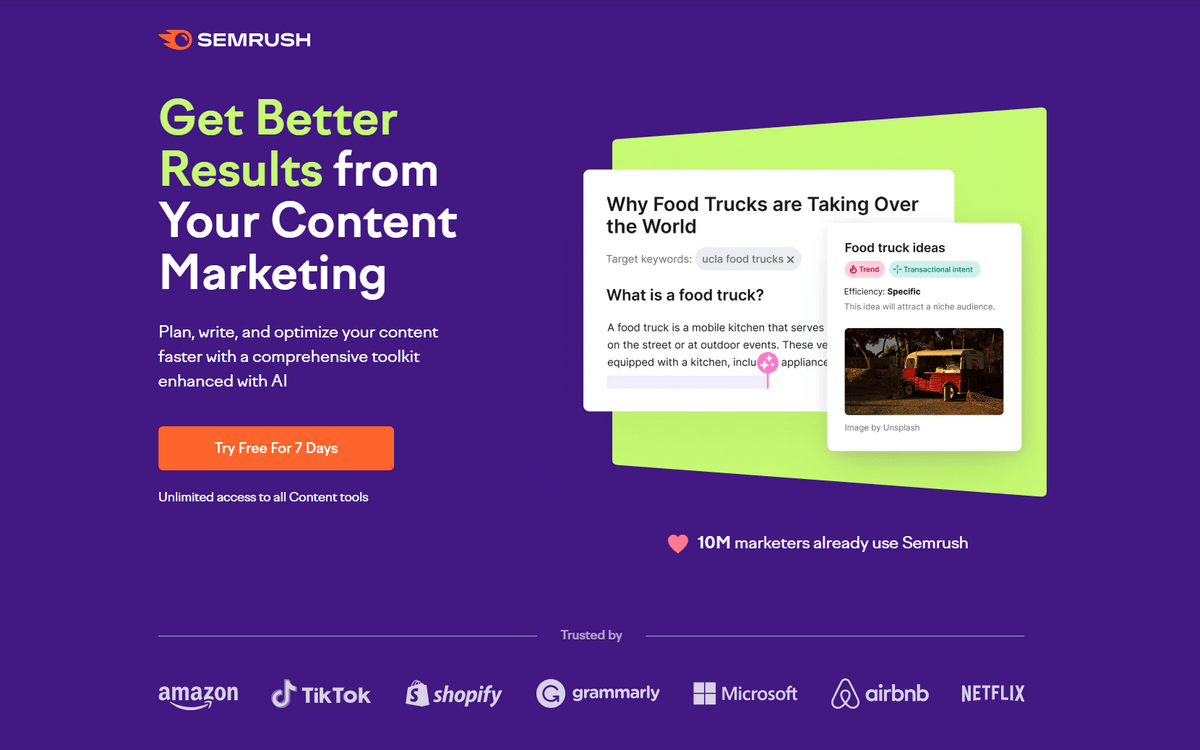
Semrush Content Toolkit is an all-in-one workspace designed to streamline your entire content lifecycle—from topic research and SEO brief creation to AI-powered writing, optimization for search and AI, repurposing, and direct publishing across channels.
Unlike standalone AI writers or basic keyword tools, it pulls real-time Semrush SEO data (like keyword volume, KD%, intent, and SERP analysis) into every step, making your content more competitive from the start.
It fits seamlessly inside the Semrush ecosystem, integrating with AI Visibility Toolkit for tracking AI search performance, Site Audit for on-page fixes, Position Tracking for ranking monitoring, and Social Poster for scheduling repurposed posts.
This creates a closed-loop system where your content research feeds into audits, optimizations track rankings, and social tools amplify reach—all without exporting data between apps.
The toolkit solves core pain points for content writers and bloggers like fragmented workflows (no more switching between Ahrefs, Jasper, and Canva), manual research (automated topic discovery beats guessing trends), inconsistent briefs (data-driven templates ensure team alignment), and multi-channel publishing (repurpose one article into LinkedIn, Instagram, email, and GBP posts in minutes).
In 2026, with AI search dominating, it’s built for LLM-ready content that ranks in Google, ChatGPT, and beyond.
Let us check the Semrush Content Toolkit features one by one
1. Semrush Content Dashboard
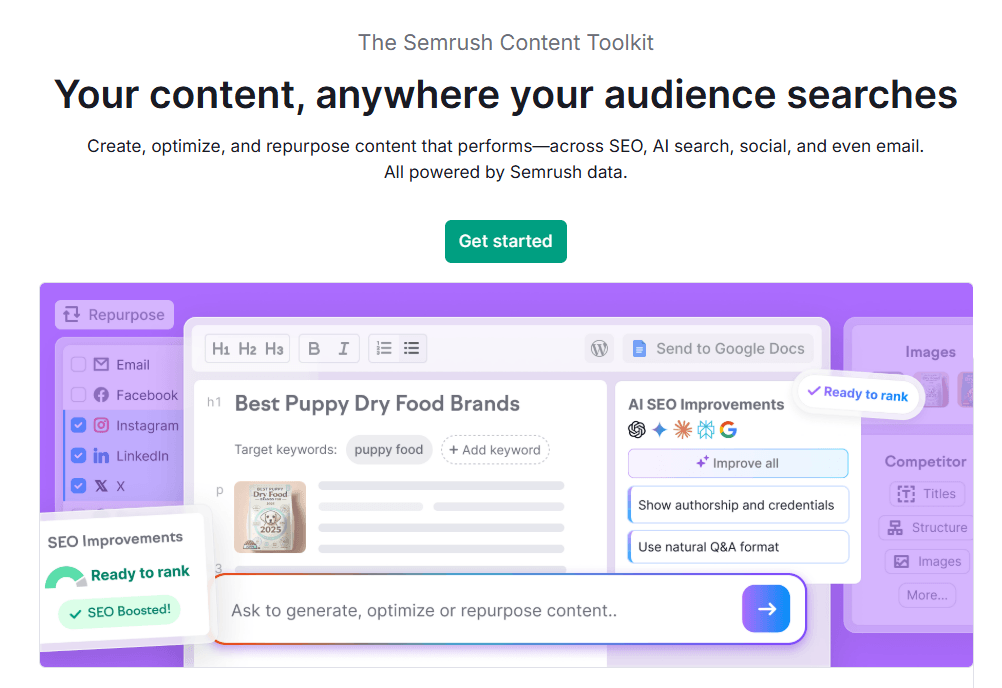
Semrush Content Toolkit gives you a central command center to plan, write, optimize, and repurpose all your content without jumping between tools.
The Content Dashboard acts as your starting point for every task, while “My Content” keeps all your drafts and finished pieces neatly organized.
Together, they replace scattered docs, spreadsheets, and multiple AI tools with one unified board and chat interface, so you can manage your entire content pipeline—from blog post ideas to social updates—inside a single, visual workspace.
From this dashboard, you can quickly start one of three main actions:
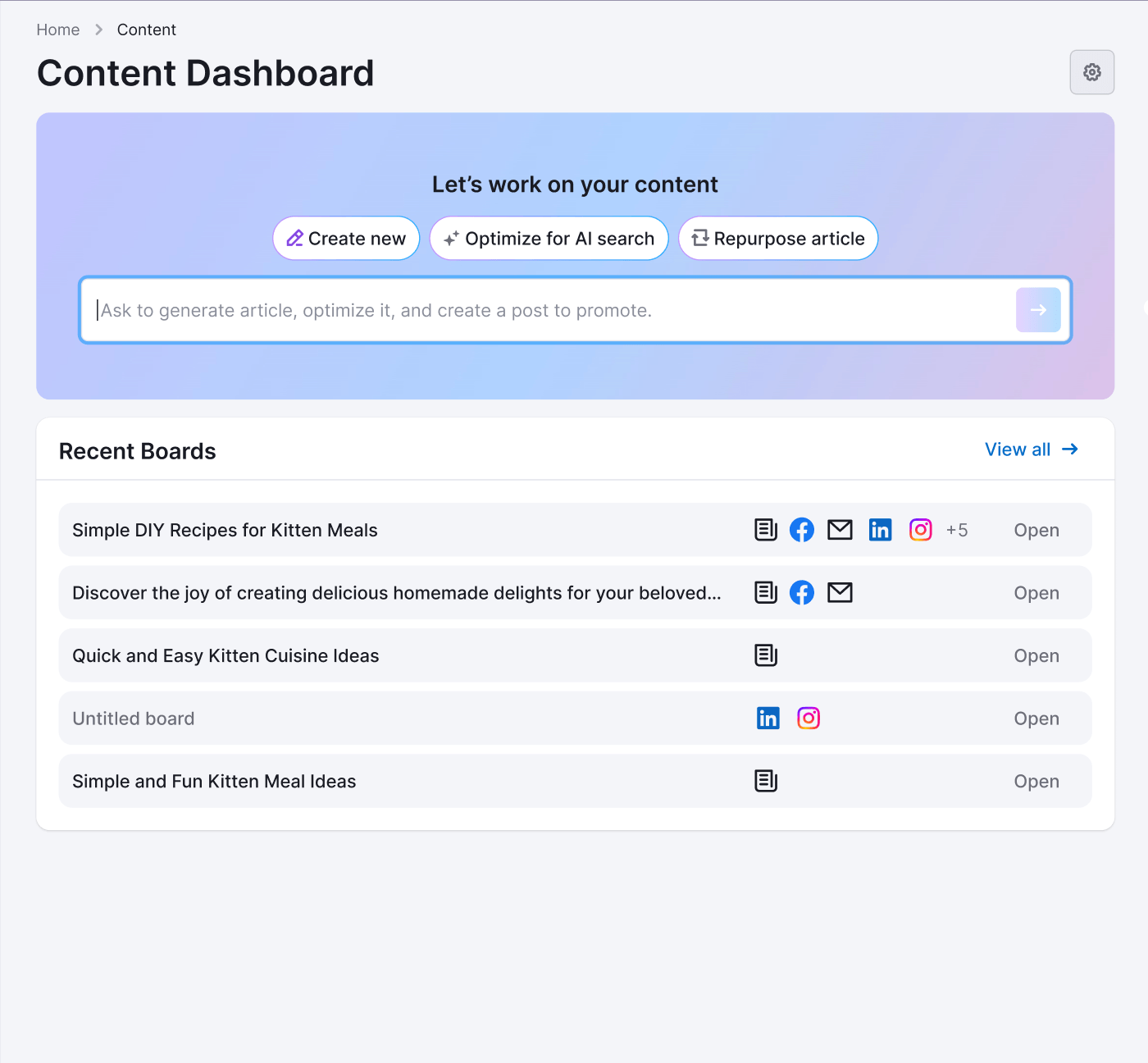
- Create new: Begin with a topic, keyword, or prompt and generate an article or brief.
- Optimize for AI Search: Improve an existing page so it performs better in Google and AI search engines.
- Repurpose article: Transform a published article into social media posts or email content.
You can also simply type a request into the built‑in chat instead of clicking buttons. The toolkit understands what you ask for and automatically chooses the right workflow or tool to move you forward.
My Content: Storage, Tracking & Reuse
Every piece of content you create, optimize, or repurpose is saved under My Content, where you can easily reopen, edit, organize, and publish it whenever you’re ready.
- Dedicated area where all your created, optimized, and repurposed items are stored.
- Search and filter content by title, status, date, or type (article, brief, social post, etc.).
- Reopen any asset to edit, re-optimize, or repurpose it for new channels.
- Connect to platforms like WordPress, email, and social tools for direct publishing.
Example: Managing a Blog Content Calendar
- Create cards for each planned blog post topic at the start of the month.
- Generate SEO briefs and AI drafts directly from the board for every card.
- Move cards through stages: idea → draft → optimize for AI search → publish.
- Use “Repurpose article” to turn published posts into social updates and newsletters.
2. Topic Finder
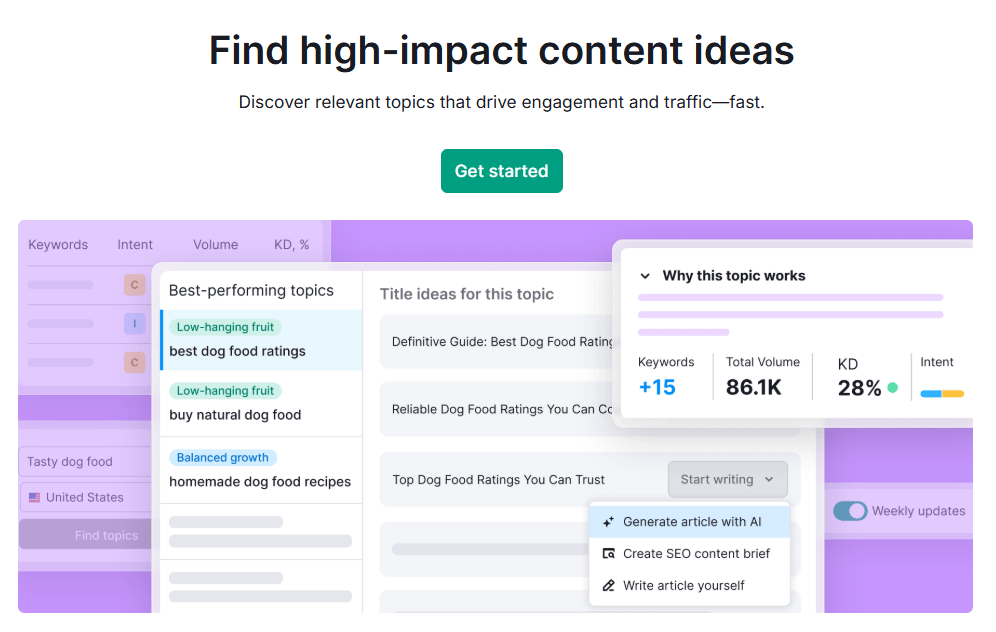
Semrush Topic Finder is a dedicated content ideation tool inside the Content Toolkit that helps you uncover high‑potential content ideas using real‑time SEO data.
Instead of manually digging through keywords and SERPs, it groups relevant queries into topics, shows you why each topic is worth covering, and lets you send the best ones straight into AI Article Generator or SEO Brief Generator.
For bloggers and affiliate marketers, this is one of the fastest ways to build topical authority and consistently find low‑competition topics that can actually rank.
Features of Topic Finder
- Discovers high‑impact content topics based on real‑time SEO data rather than guesswork.
- Groups related keywords into topics so you can plan articles around themes, not single phrases.
- Highlights content gaps and “low‑hanging fruit” opportunities your competitors haven’t fully covered.
- Connects directly with AI Article Generator and SEO Brief Generator for one‑click content creation.
How to Use Topic Finder
Using Topic Finder is straightforward and fits naturally into your content planning workflow. You start with a broad idea, let Semrush turn it into structured topic clusters, then push the best opportunities straight into briefs or AI-generated articles.
Here is a simple, practical flow you can follow every time you plan new content.
- Open the Content Toolkit dashboard and choose Topic Finder from the tools list.
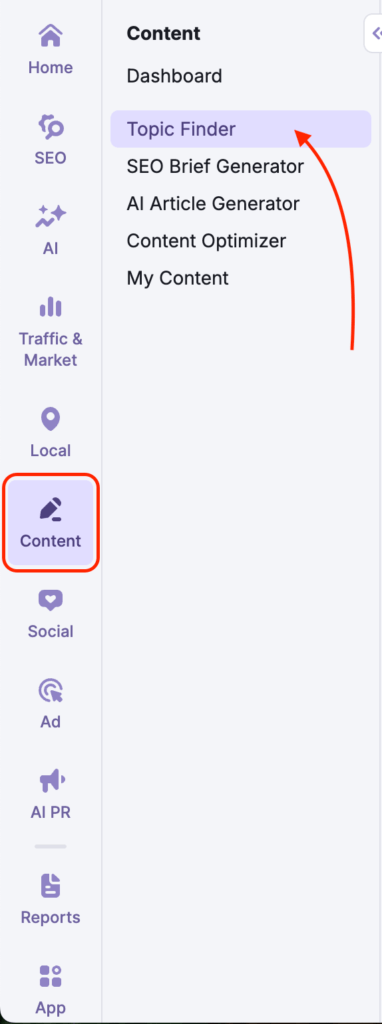
- Type a starting topic or seed keyword (for example: “email marketing tips,” “WordPress SEO,” or “semrush content toolkit review 2026”).
- Select your target location and language so the tool uses the right search data for your audience.
- Click Find topics to generate a list of topic clusters, each representing a potential article or content hub.

- Click on any topic to open its details and review why this topic works, overall search volume, average keyword difficulty, and dominant search intent.
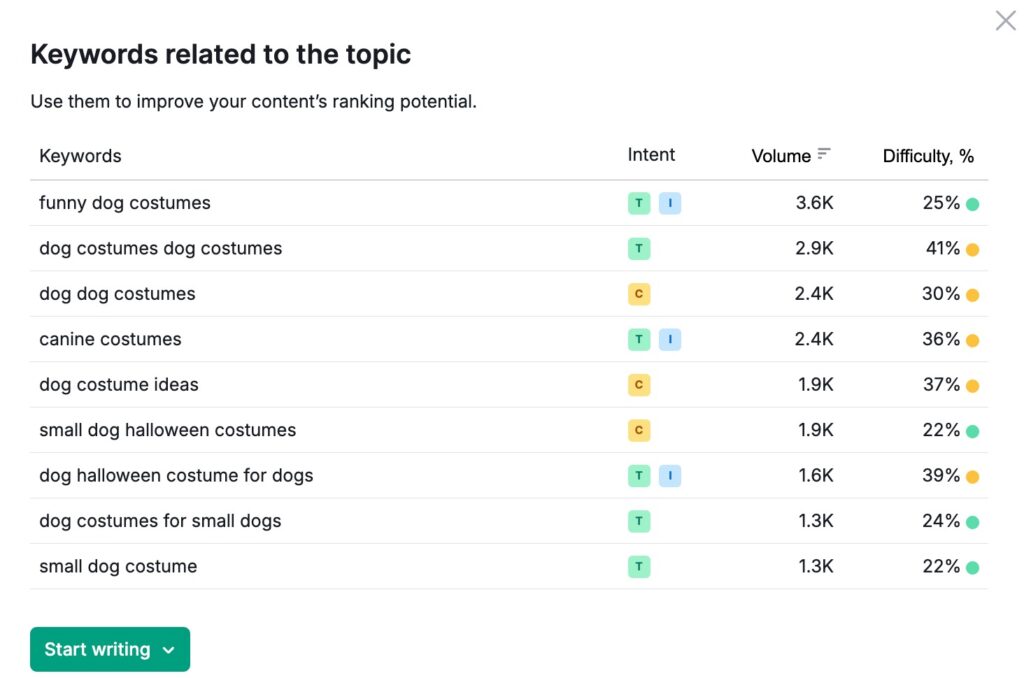
- Switch to the Keywords tab to see all related queries in that topic and pick your primary and secondary keywords.
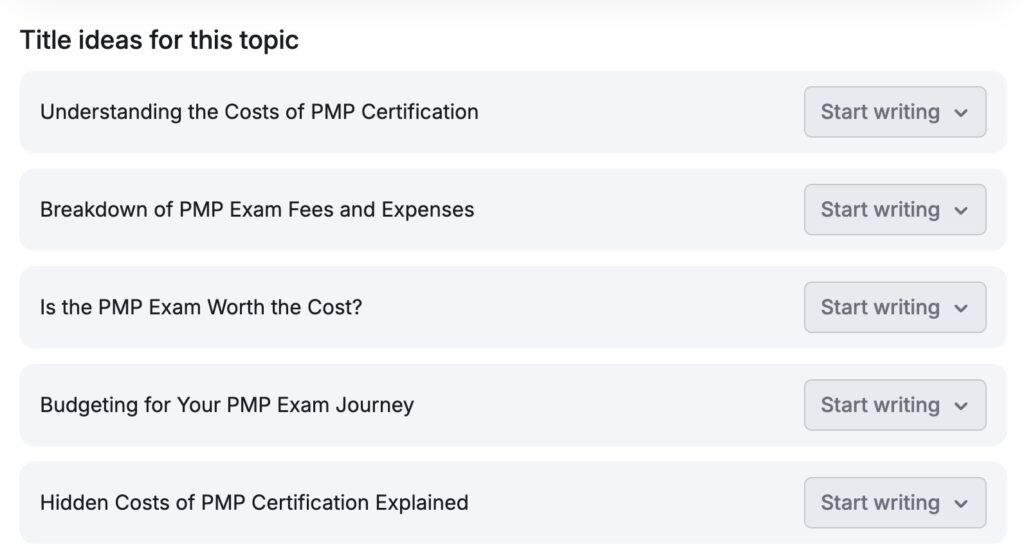
- Check the Title ideas suggestions to quickly grab SEO‑friendly headlines or adapt them to your brand voice.
- Save the best topics into Topic Lists (for example: “BloggingDen – Semrush series,” “Affiliate SEO,” “Email marketing”).
- When you are ready to create content, send a chosen topic directly to the SEO Brief Generator to build a detailed brief or to the AI Article Generator to get a first draft.
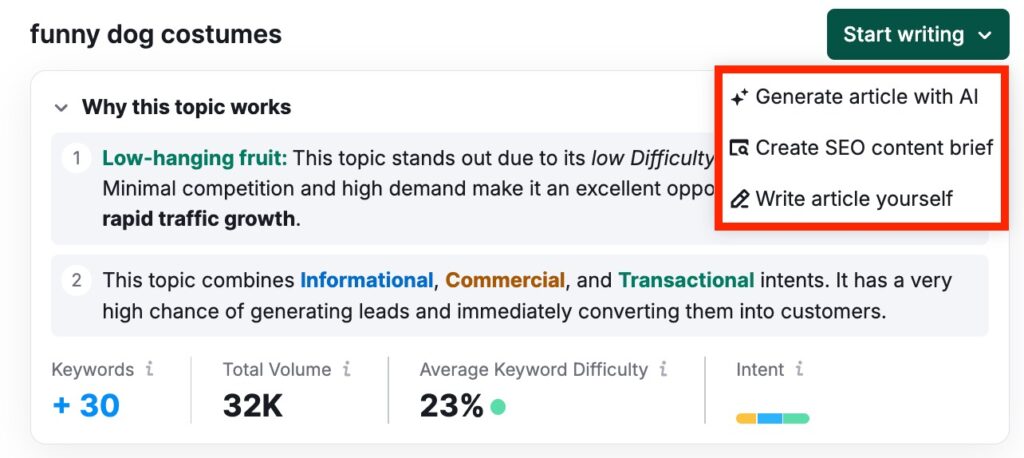
- Revisit your Topic Lists regularly, using weekly Topic Rotation and notifications to refresh your editorial calendar with new, data-backed ideas.
How Bloggers & Affiliate Marketers Can Use Topic Finder
- Build topical authority by clustering related topics and covering them as a full content series.
- Find low‑competition topics by focusing on groups with good volume and relatively low keyword difficulty.
- Feed winning topics directly into SEO briefs and AI articles for faster content production.
- Maintain a living content calendar by using Topic Lists and weekly rotation as your ongoing idea engine.
3. SEO Brief Generator
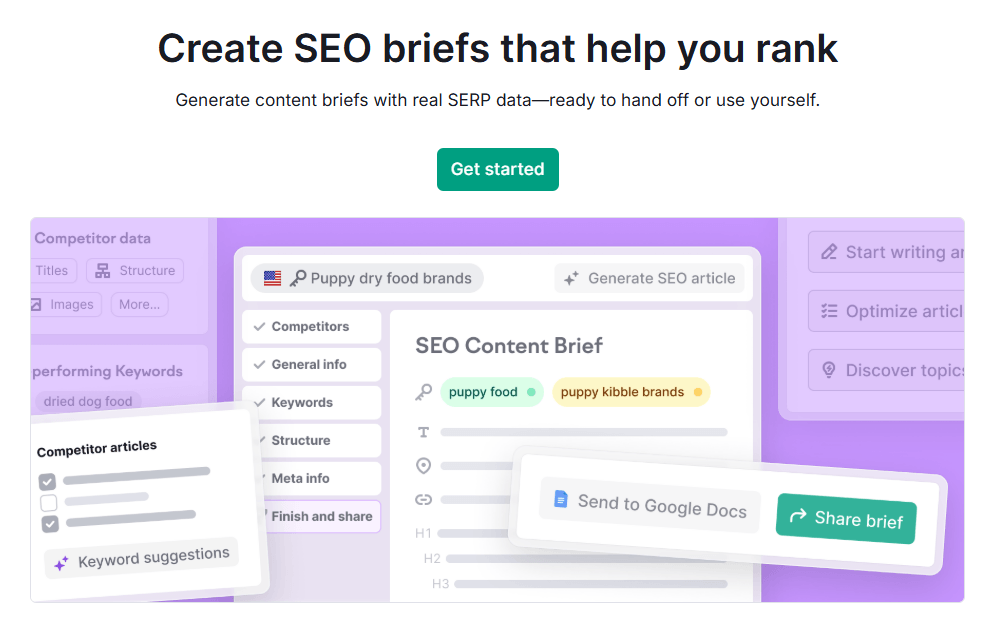
The SEO Brief Generator is a core tool inside Semrush Content Toolkit that creates SEO‑optimized content briefs using real‑time SERP data and competitor analysis.
Instead of writing guess-based instructions for writers or AI, you get a structured brief that mirrors what currently ranks: target keywords, headings, titles, meta tags, and ideal length.
This is essential when you want to scale content production across multiple writers, external freelancers, or AI workflows while keeping quality and SEO strategy consistent.
Features of SEO Brief Generator
- Generates data‑driven content briefs based on top‑ranking competitor pages.
- Uses real‑time SERP analysis to understand what Google already rewards for your primary keyword.
- Ensures every article follows a consistent structure, tone, and optimization standard.
- Ideal for teams working with multiple writers, agencies, or AI content at scale.
How to Use SEO Brief Generator
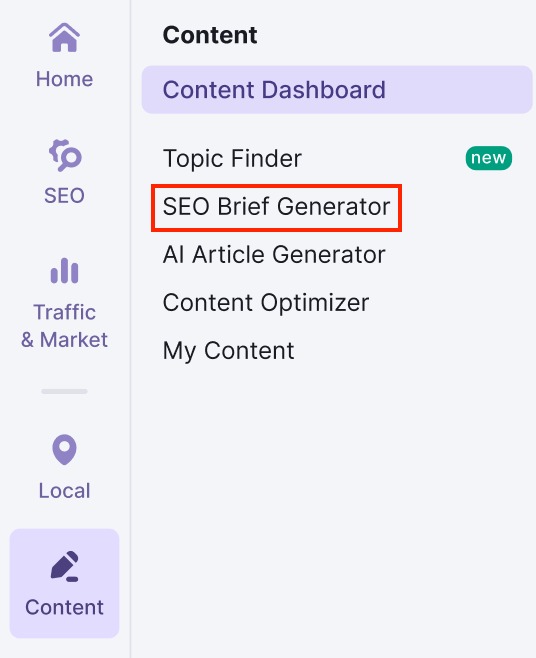
Open the SEO Brief Generator from the Content Toolkit menu or directly from the Content Dashboard.
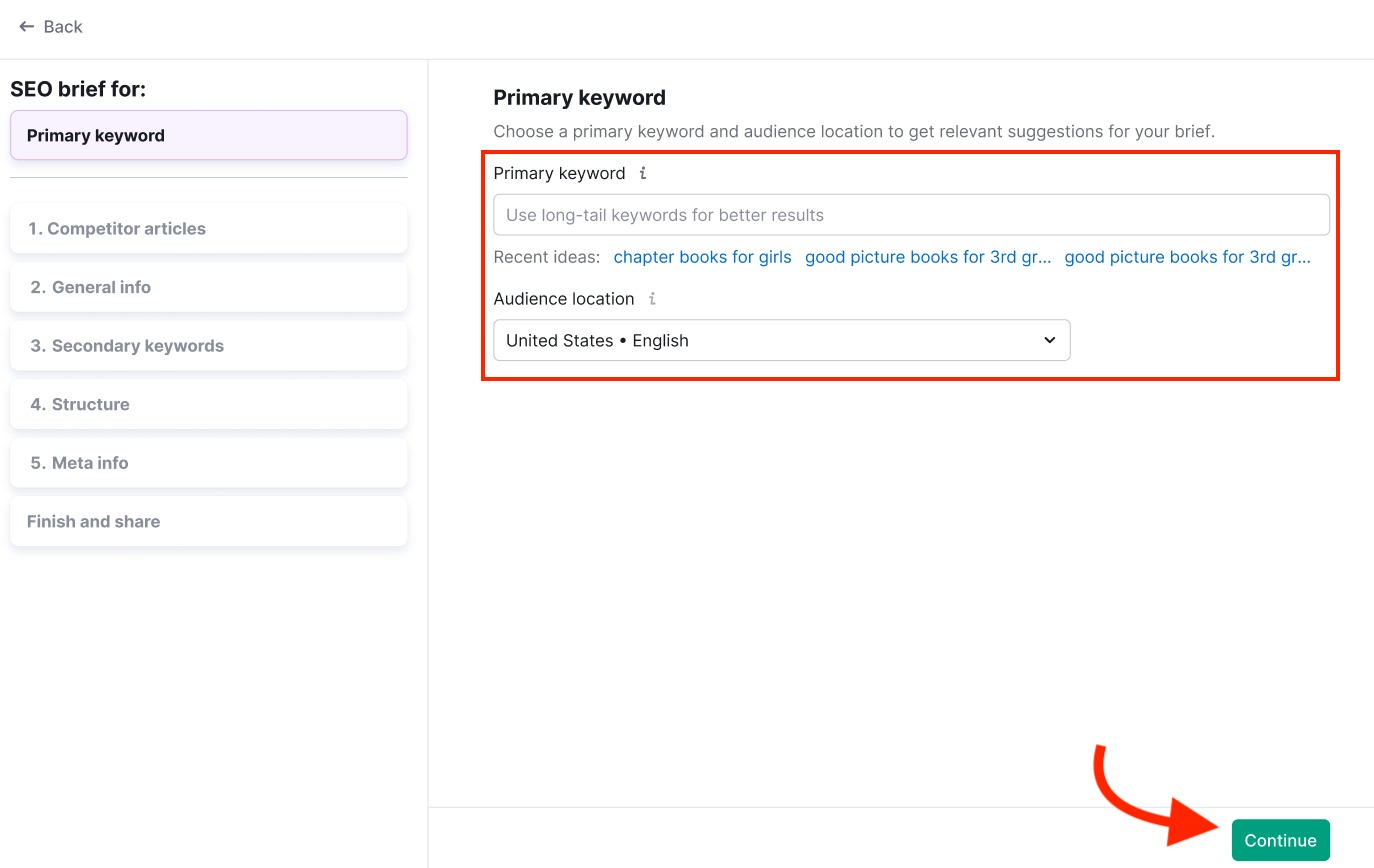
Enter your primary keyword and set your target location, then start a new brief.
Review the list of top‑ranking competitor pages and select the ones you want Semrush to analyze (add extra URLs if you have specific benchmarks).
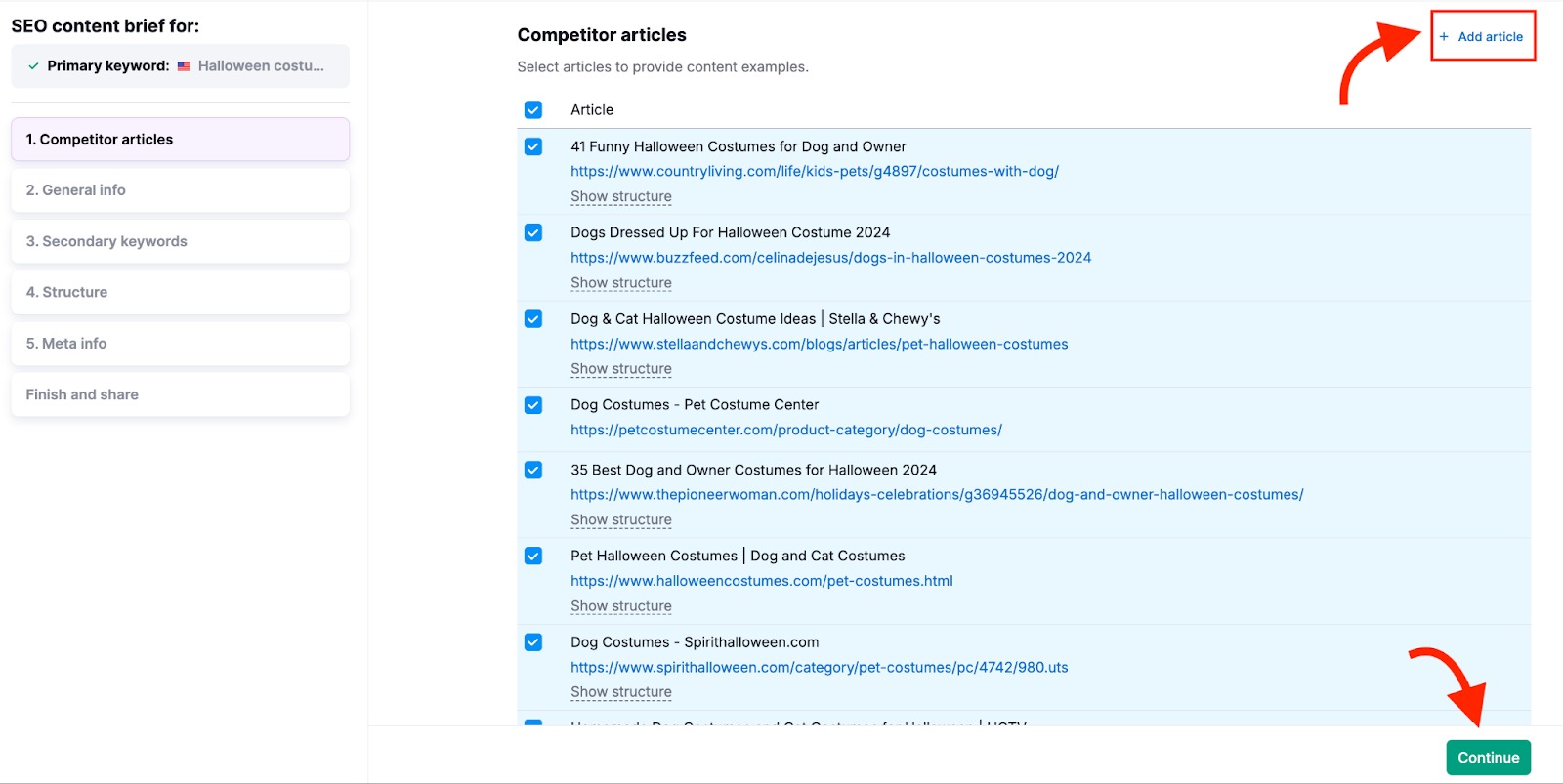
Let the tool generate initial recommendations, then:
a. Confirm or adjust the target word count.
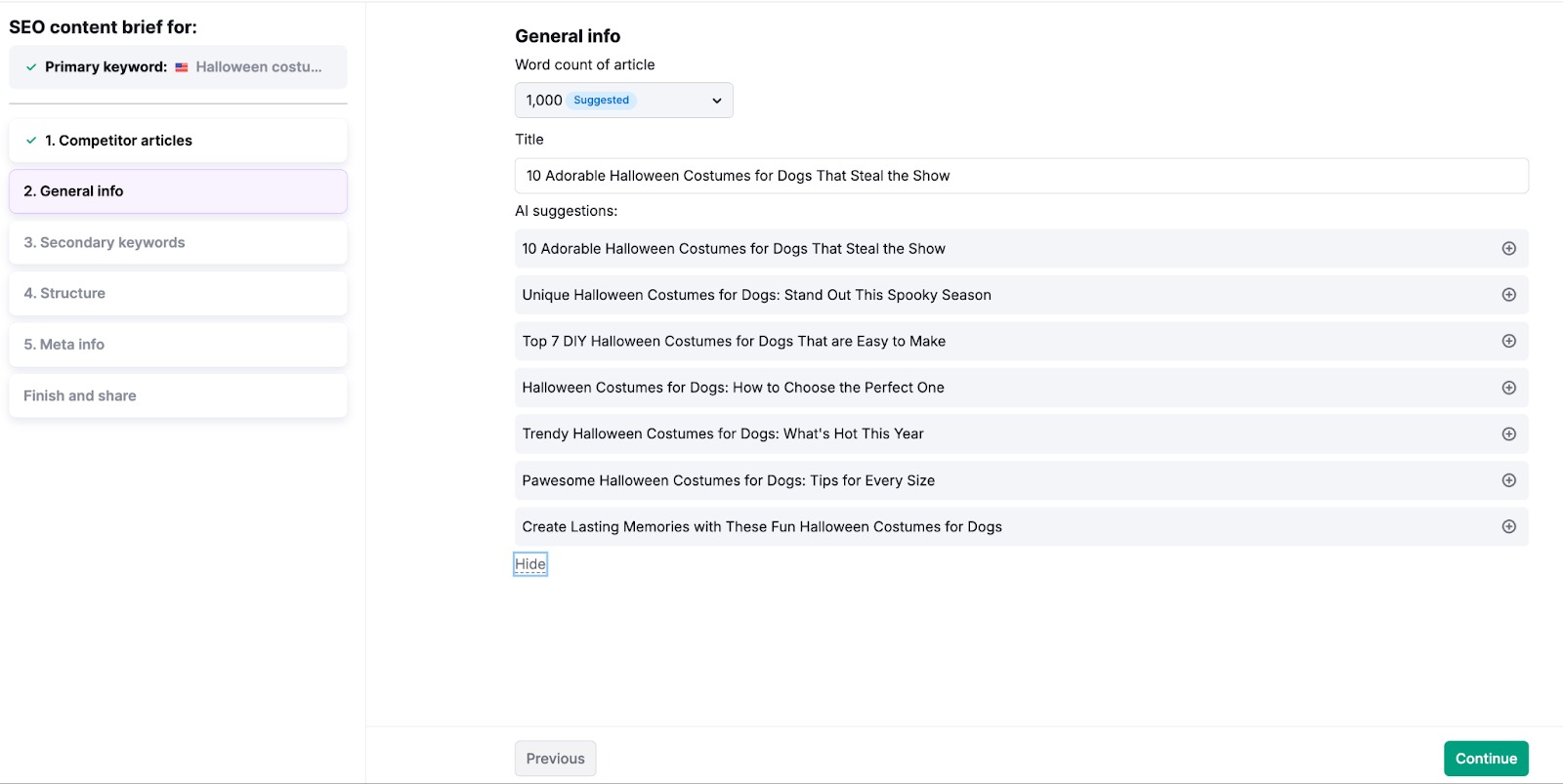
b. Pick or rewrite one of the title suggestions.
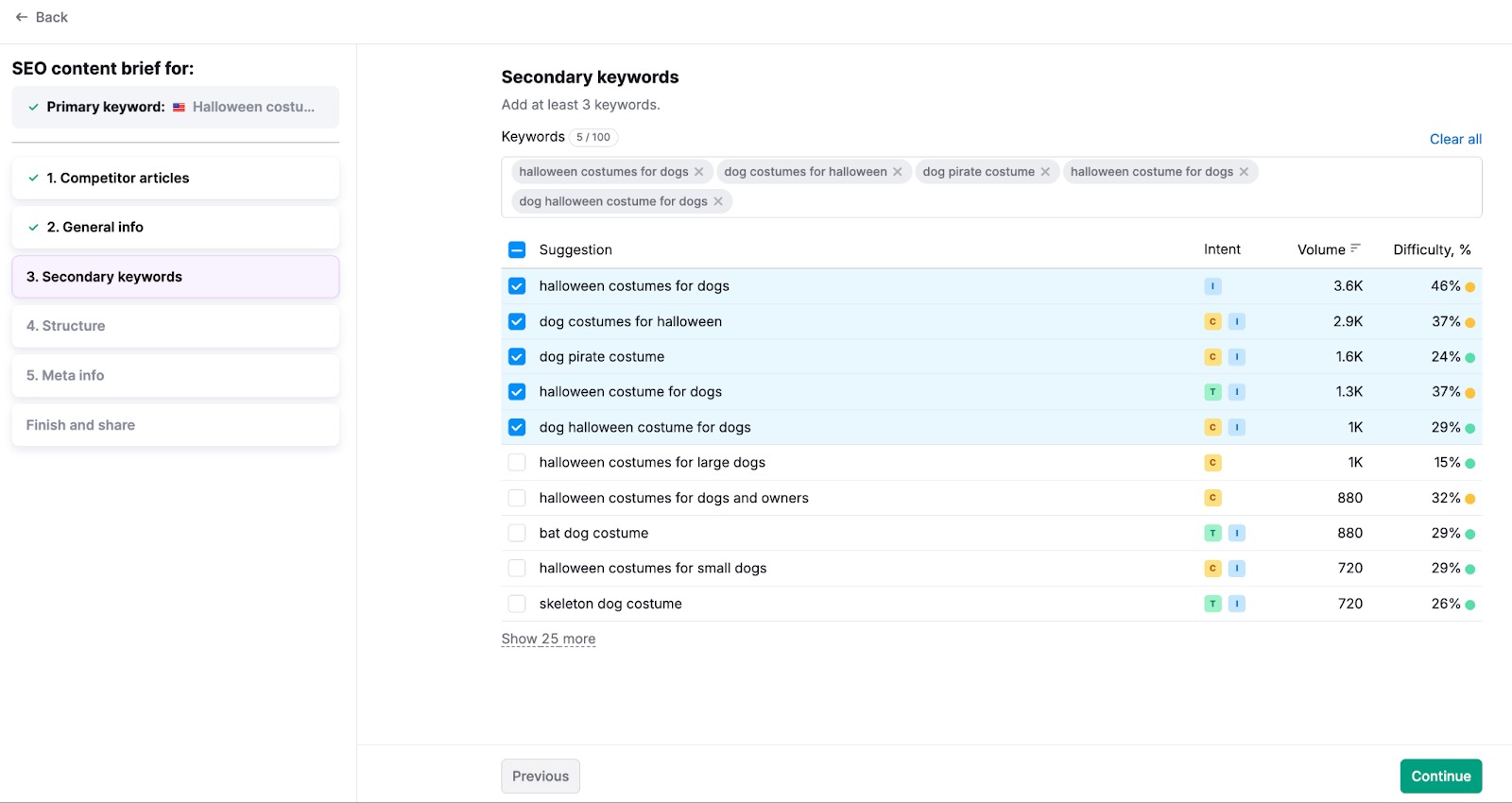
c. Choose secondary keywords from the suggested list, filtering by volume, intent, and KD, or add your own.
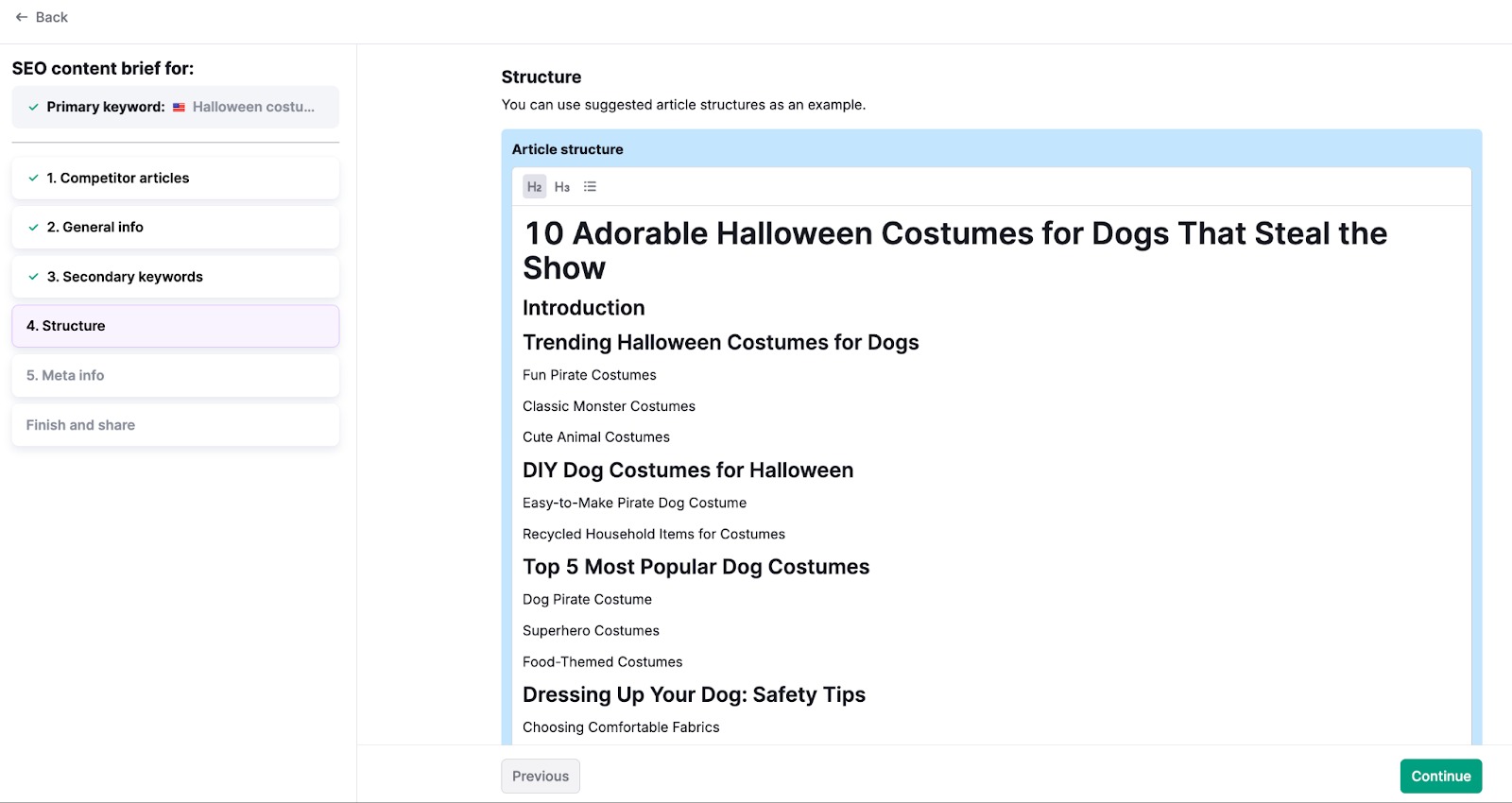
d. Edit the H2/H3 outline to align with your content strategy or unique angle.
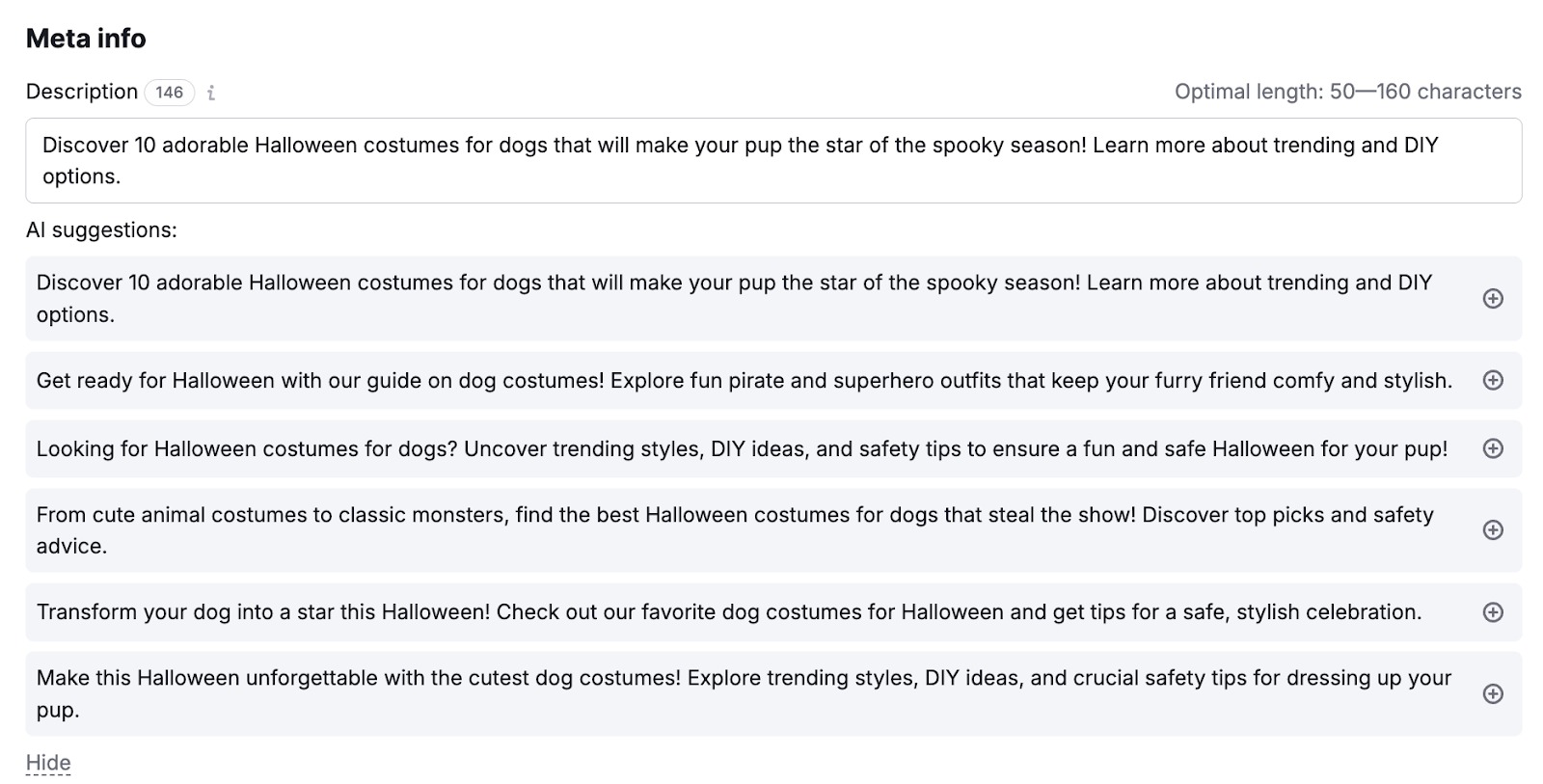
e. Approve or customize the meta description.
f. Add writing instructions like audience profile, tone (e.g., “practical for bloggers”), internal links, and conversion goals.
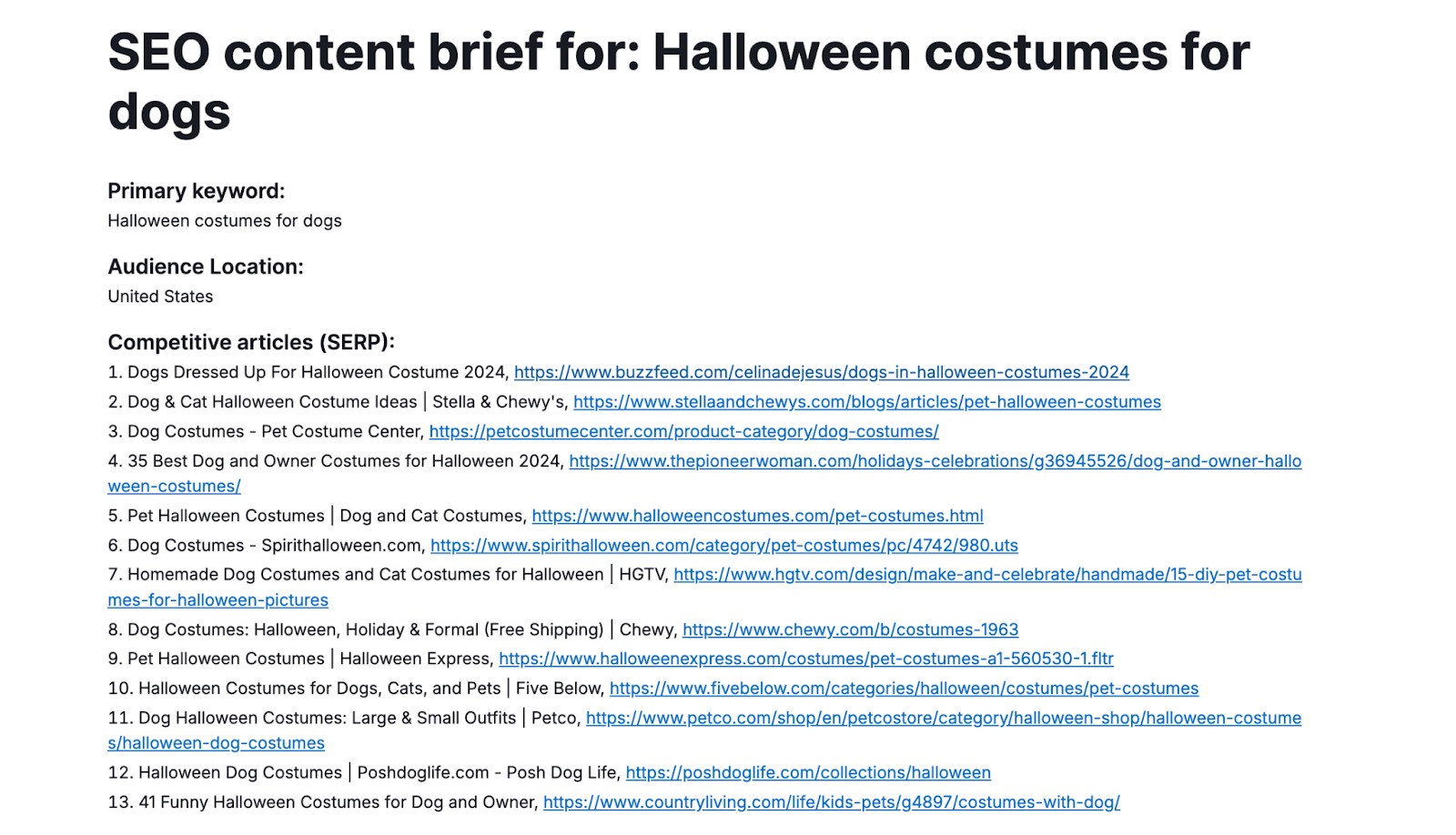
g. Hit Generate brief to produce the full document, then either share/export it or click Generate SEO article to move straight into AI drafting.
Standardizing Briefs Across Teams & Outsourcing
- Create a repeatable brief template: same structure, similar instruction style, and mandatory fields for every article.
- Use SEO Brief Generator as the single source of truth so in‑house writers, freelancers, and AI all follow the same outline and keyword set.
- Attach internal link guidelines and brand rules inside the “writing instructions” field to keep tone and on‑page SEO consistent.
- For agencies, build separate brief patterns per client or project, ensuring every writer delivers content aligned with that client’s SERP reality and business goals.
4. AI Article Generator
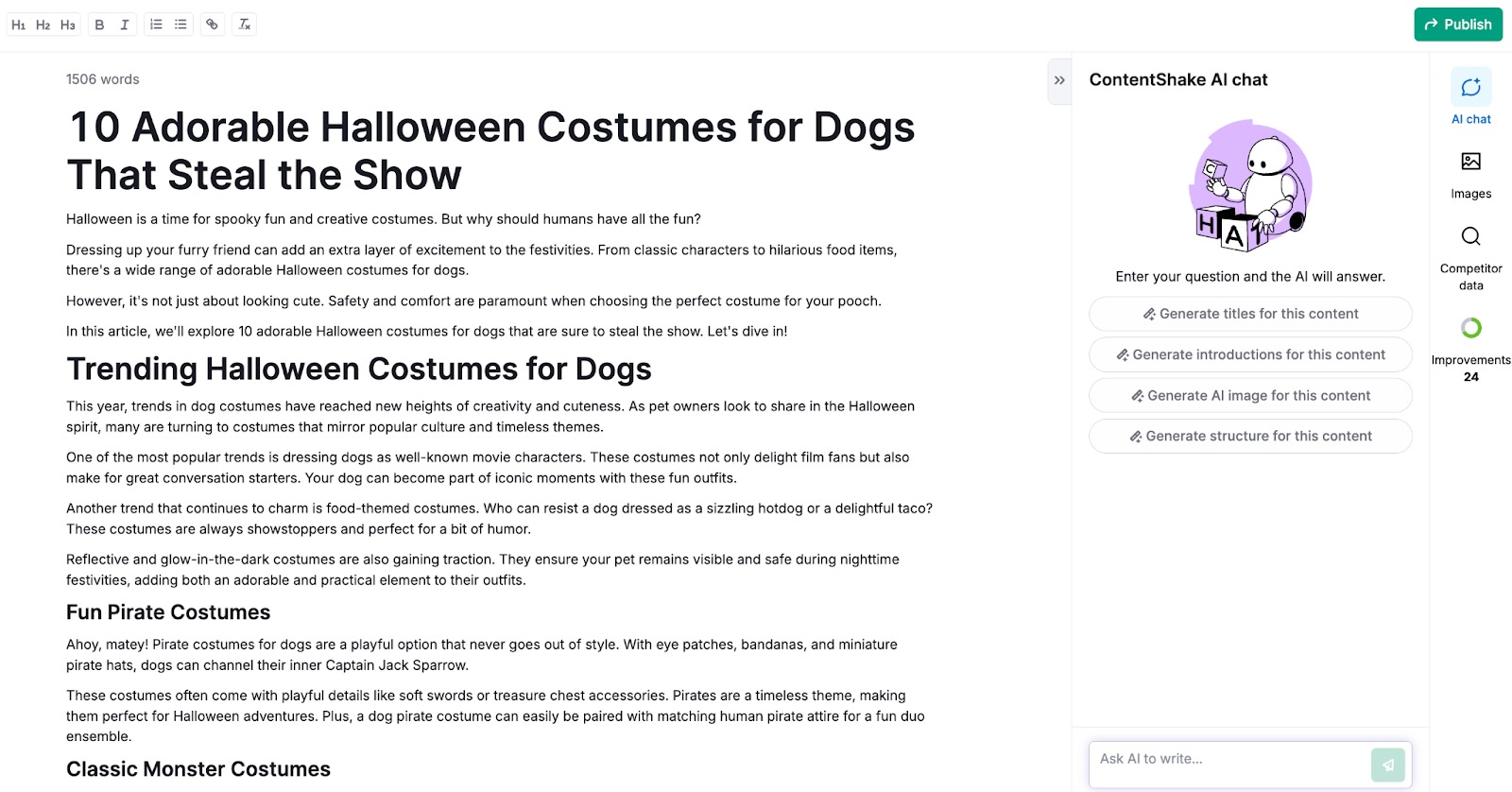
The AI Article Generator in Semrush Content Toolkit is built to create SEO‑friendly and AI‑optimized articles that perform across Google and modern AI search engines like ChatGPT.
It blends Semrush’s keyword, intent, and competitor data with AI writing to generate structured, ready‑to‑publish articles.
You can start from scratch or from an SEO Brief, then refine everything in a chat-based editor—ideal for bloggers, content marketers, and SEO teams who need to ship more content without sacrificing quality.
Features of AI Article Generator
- Combines Semrush keyword, intent, and competitor data with AI writing assistance.
- Adapts to your brand voice and target audience based on prompts and edits.
- Produces full, structured articles: introduction, headings, body, and conclusion.
- Integrates SEO and AI Search optimization so content is suitable for both Google and AI assistants.
- Works seamlessly with SEO Brief Generator, Topic Finder, and AI Search Optimizer.
How to Use an AI Article Generator
Step 1: Start a New Article
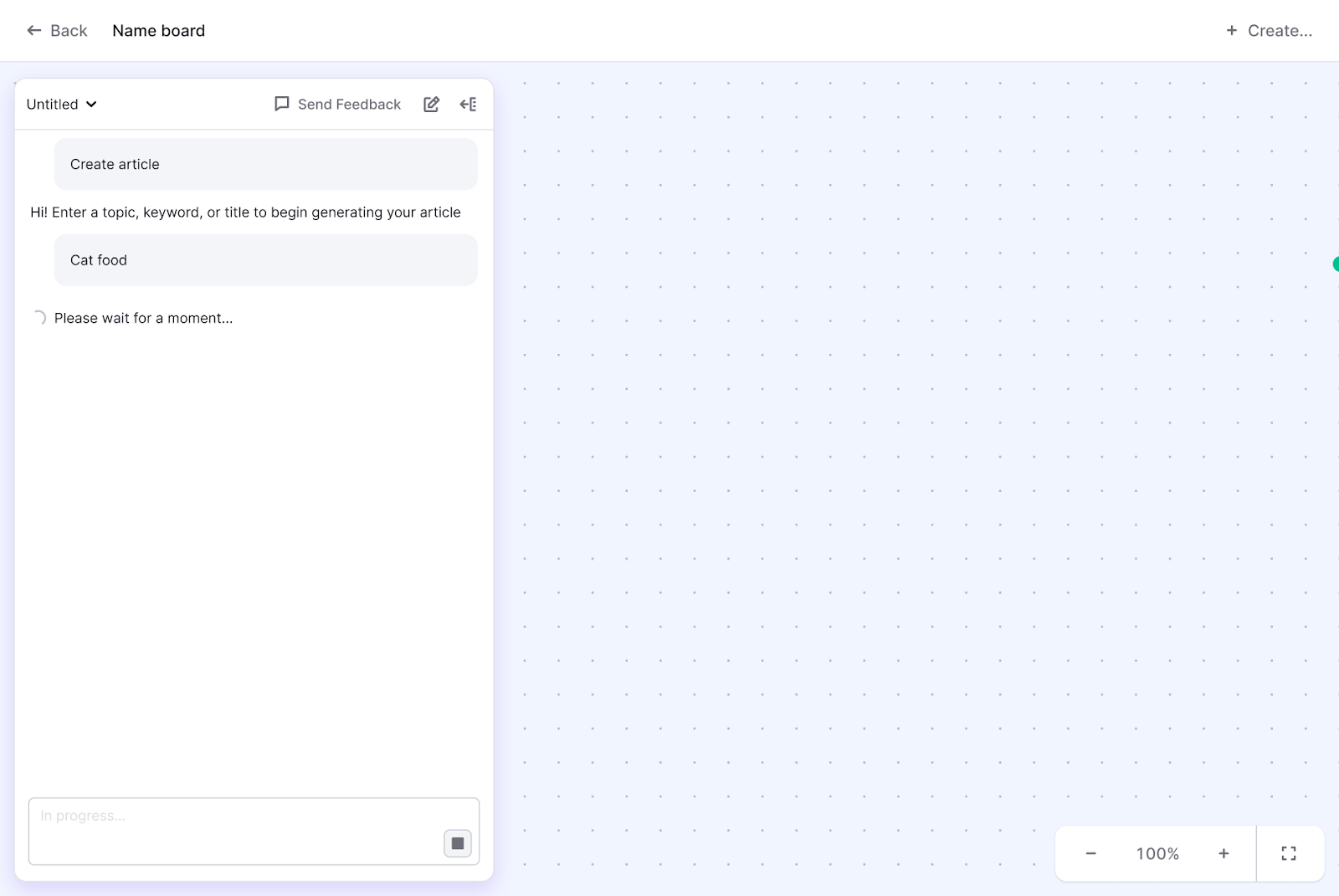
- Open the Content Dashboard in the Content Toolkit.
- Click Create new content and choose AI Article Generator.
- In the chat, enter your topic or prompt (for example, “Write an article about Semrush Content Toolkit for bloggers”).
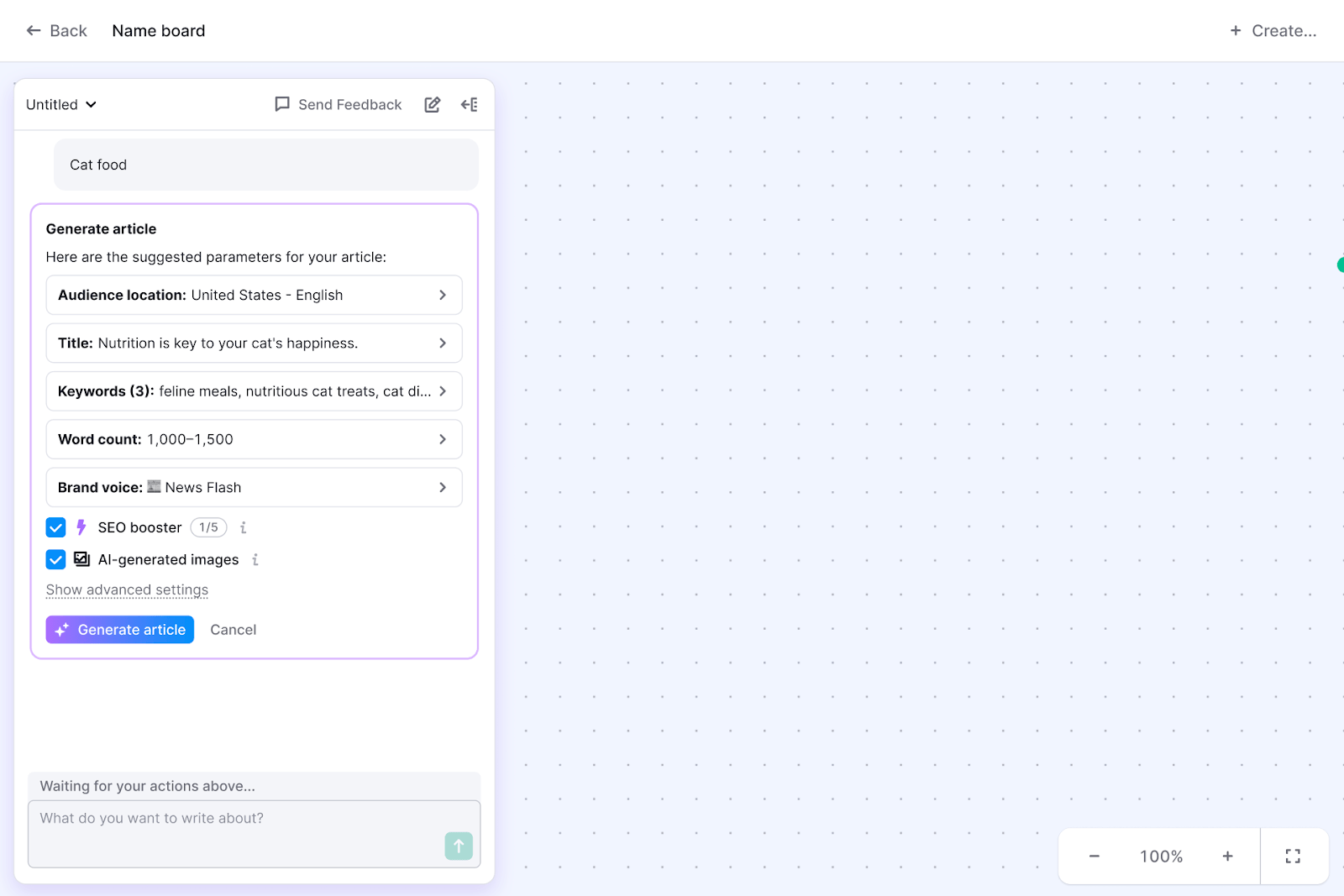
- Review the tool’s suggestions for recommended keywords, outline, tone, and ideal article length, then confirm to generate.
Step 2: Review and Refine the Draft
The generated article appears as a card in your workspace and opens in focus mode.
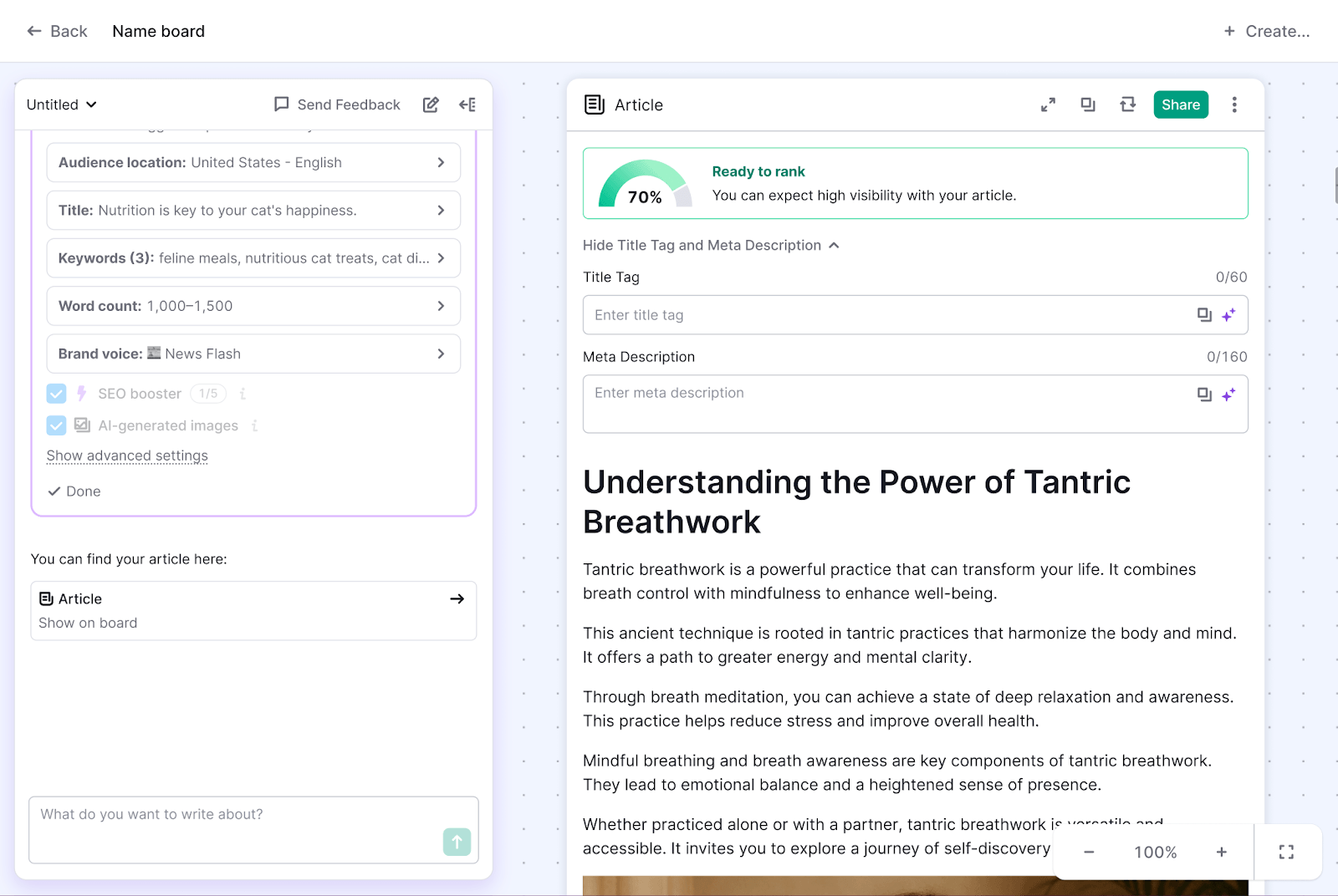
You’ll see a complete draft: intro, structured headings, conclusion, and integrated keywords from your brief or topic research.
- Use the editor or chat to:
- Rewrite specific sections.
- Change tone (more casual, more expert, etc.).
- Add examples, bullet lists, or FAQs.
- Shorten or expand paragraphs to improve readability.
Step 3: Optimize for AI Search
When the draft looks good, click Optimize for AI Search.
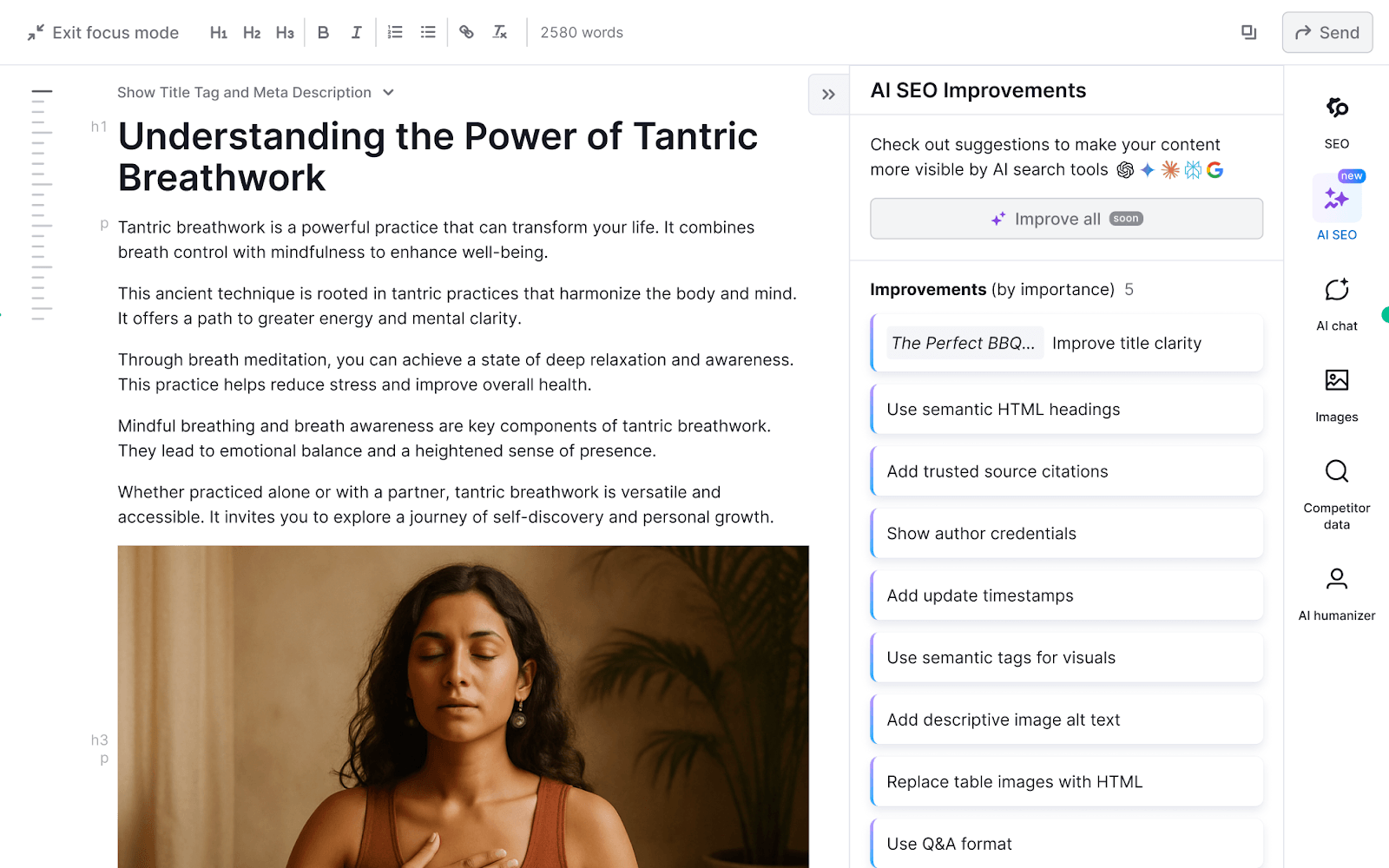
- The optimizer scans your article and suggests fixes for SEO and AI‑search readiness (structure, coverage, signals).
- Apply improvements directly inside the same interface and re-run checks when needed.
Step 4: Repurpose and Publish
Use the Repurpose article to turn your draft into social posts or email content.

Publish directly to connected platforms like WordPress, Mailchimp, Semrush Social Poster, or Zapier-linked apps.
- All generated, optimized, and repurposed items are saved in My Content for future updates.
- For best results, start your process with an SEO Brief so the AI Article Generator has a clear structure, keyword set, and intent to follow.
- Always keep paragraphs short, headings descriptive, and add your own expertise, examples, and internal links to satisfy E‑E‑A‑T and helpful content guidelines.
- Use the chat to polish voice and depth, then run AI Search optimization before publishing.
Done right, this workflow lets you consistently produce high‑quality, SEO‑ and AI‑ready articles at scale while still maintaining a human, authoritative touch.
5. AI Search Optimizer
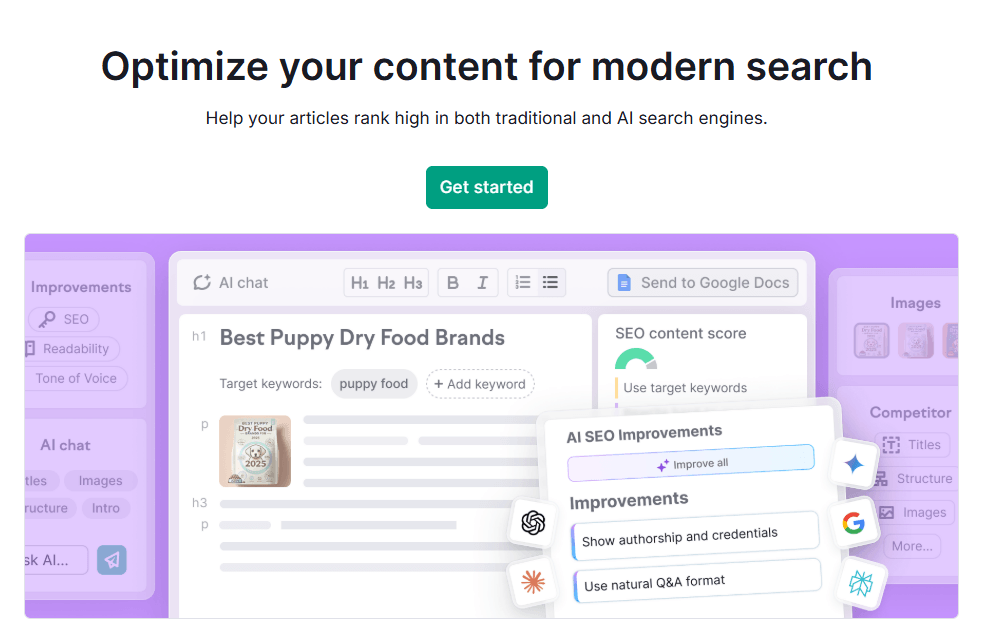
The AI Search Optimizer inside Semrush Content Toolkit is designed to improve your content’s visibility in both traditional search engines like Google and AI‑powered platforms driven by large language models (LLMs) such as ChatGPT, Gemini, and Perplexity.
It analyzes any text you provide—whether created in the toolkit or imported from elsewhere—and returns clear, actionable recommendations to make it better structured, more relevant, and easier for both algorithms and AI assistants to understand.
In 2026, when AI answers often appear before organic results, optimizing for AI search is just as critical as classic SEO.
Features of AI Search Optimizer
- Dual optimization modes for AI Search Optimization and SEO Optimization.
- Analyzes keyword coverage, readability, tone of voice, structure, metadata, and alt text in one place.
- Provides a ranked list of recommendations grouped by category (Keywords, Readability, Tone, Structure, Metadata, Alt attributes).
- Let’s you apply quick fixes directly in the editor, updating your optimization score in real time.
- Works seamlessly with the broader Semrush ecosystem, including AI Visibility tools, audits, and tracking.
How to Use AI Search Optimizer
- Open AI Search Optimizer
- From the Content Dashboard, click Optimize for AI Search.
- Choose how you want to import content:
- Select suggested pages based on your domain.
- Paste text from your clipboard.
- Enter a URL of the page you want to optimize.
- Pick an existing item from My Content.
- Set Your Optimization Targets
- Click Edit targets to define:
- Target region and language.
- Up to 30 target keywords.
- Tone of voice, recommended length, and desired readability level.
- This ensures all recommendations are tailored to your specific SEO and brand goals.
- Click Edit targets to define:
- Review and Apply Recommendations
- Run the analysis to get grouped suggestions for:
- Keywords: missing terms, usage improvements, placement tweaks.
- Readability: simplifying long sentences and dense paragraphs.
- Tone of voice: aligning with your chosen style.
- Structure: improving headings and logical flow.
- Metadata: refining titles and meta descriptions.
- Alt attributes: adding descriptive alt text to images.
- Accept or dismiss suggestions and watch your optimization score update instantly.
- Run the analysis to get grouped suggestions for:
- Polish Metadata and Visuals
- Use the side panel to generate or edit title tags, meta descriptions, and alt text, and manage images.
- Finalize the page before republishing or sending it into repurposing workflows.
Why It’s Different & Why It Matters in 2026
Classic on‑page SEO tools mainly focus on ranking in Google based on keywords, structure, and basic readability. AI Search Optimizer goes beyond that by specifically optimizing for how LLMs read, interpret, and reuse your content in AI overviews and conversational answers.
That means your content is not only well‑optimized for SERPs but also more likely to be cited, summarized, and trusted by AI assistants.
AI Search Optimizer is a key part of a modern content strategy, ensuring each article performs well in search results and AI answers.
Use it after drafting with AI Article Generator or when refreshing existing posts: import your content, set clear targets, apply high‑impact suggestions, and recheck your score.
By combining SEO and AI search optimization in a single workflow, you keep your content competitive and future‑proof across the evolving search landscape.
6. Content Repurposing
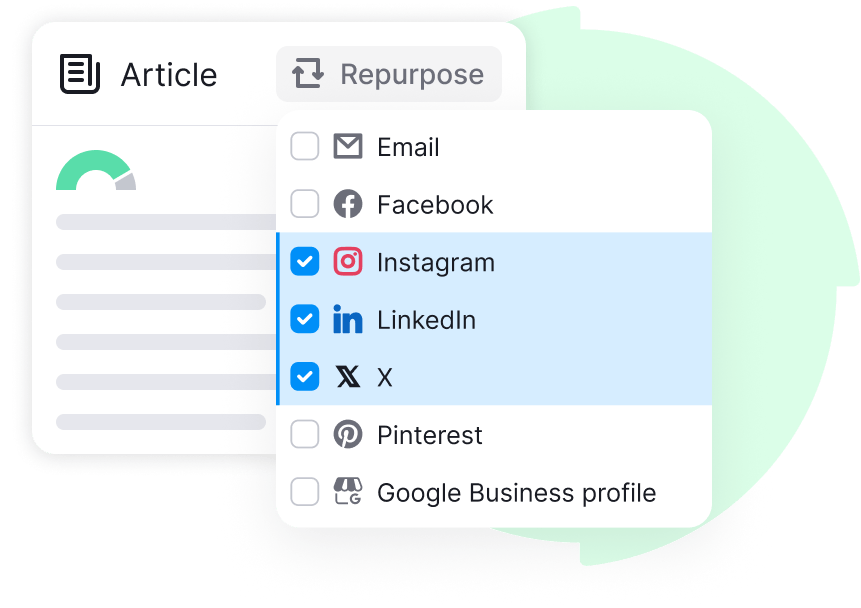
The Content Repurposing feature in Semrush Content Toolkit helps you turn existing website content into fresh assets for multiple channels without starting from scratch.
Instead of writing new posts for every social platform or email campaign, you can transform one high‑performing article into social updates, newsletters, and Google Business Profile posts in a few clicks.
This not only saves time but also keeps your messaging consistent and ensures your best content works harder across your entire marketing ecosystem.
Key Features of Content Repurposing
- Converts existing website content into new formats for social media, email, and local SEO.
- Supports multiple channels: LinkedIn, Facebook, Instagram, X, Pinterest, email newsletters, and Google Business Profile.
- Uses AI to adapt tone, length, and style to each platform’s requirements.
- Integrates with Semrush Social Poster, Mailchimp, WordPress, and Zapier for direct publishing and scheduling.
- Extends the lifespan of your best articles and keeps your brand voice consistent across all touchpoints.
How to Use Content Repurposing
Step 1: Launch Content Repurposing
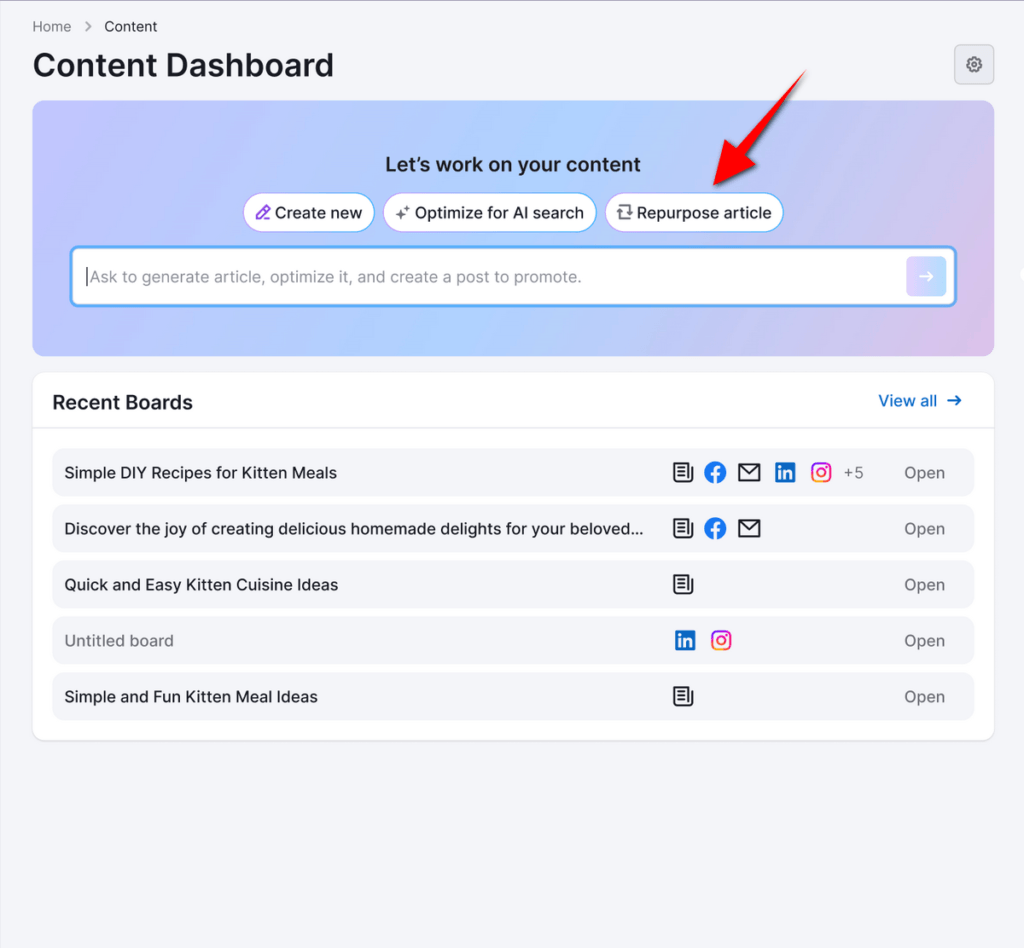
- Click “Repurpose article” to open the combined Chat and Board interface.
- Open the Content Toolkit from your Semrush dashboard.
Step 2: Choose the Article You Want to Repurpose
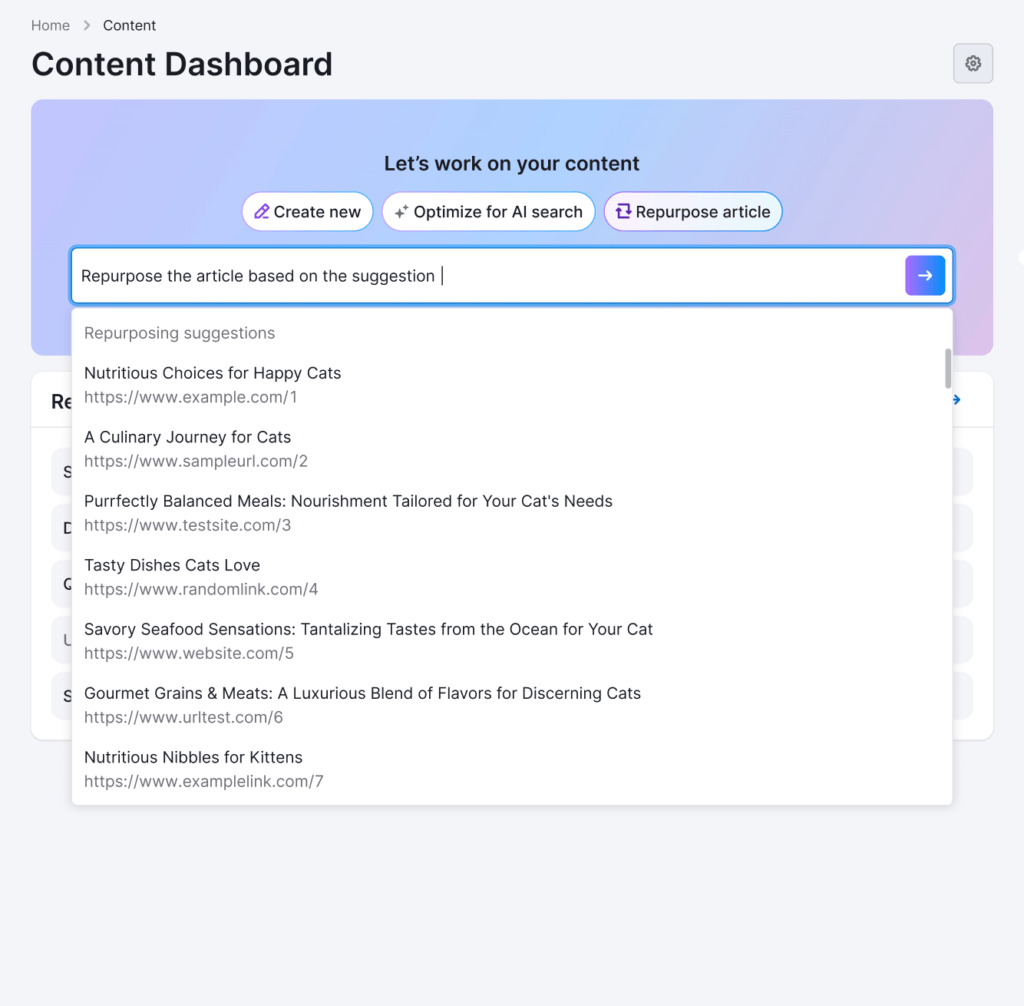
- Select content using one of these options:
- Pick from the suggested articles shown in the chat.
- Paste a URL to any live blog post or page.
- Choose an existing content card already on your Board.
- The chat confirms your selection and shows a short preview of the source content.
Step 3: Select Target Platforms
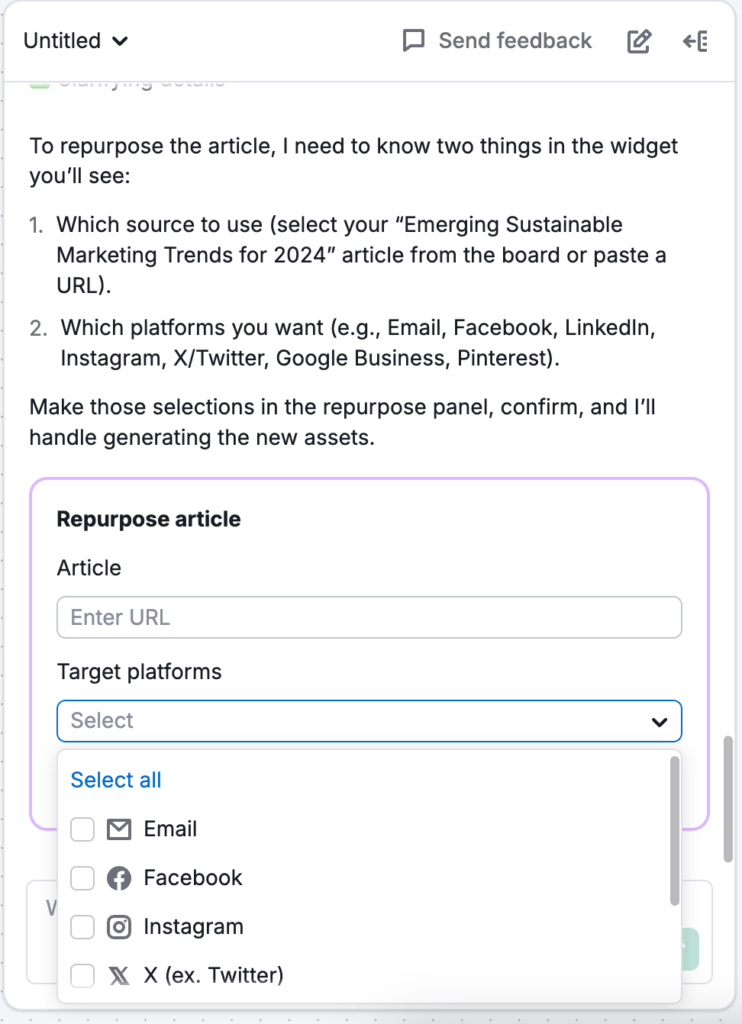
Choose where you want to repurpose your content:
- Social platforms: LinkedIn, Facebook, Instagram, X, Pinterest.
- Email: newsletters and announcements.
- Google Business Profile: local business updates and posts.
- You can select one or multiple platforms depending on your distribution strategy.
Step 4: Generate Repurposed Posts
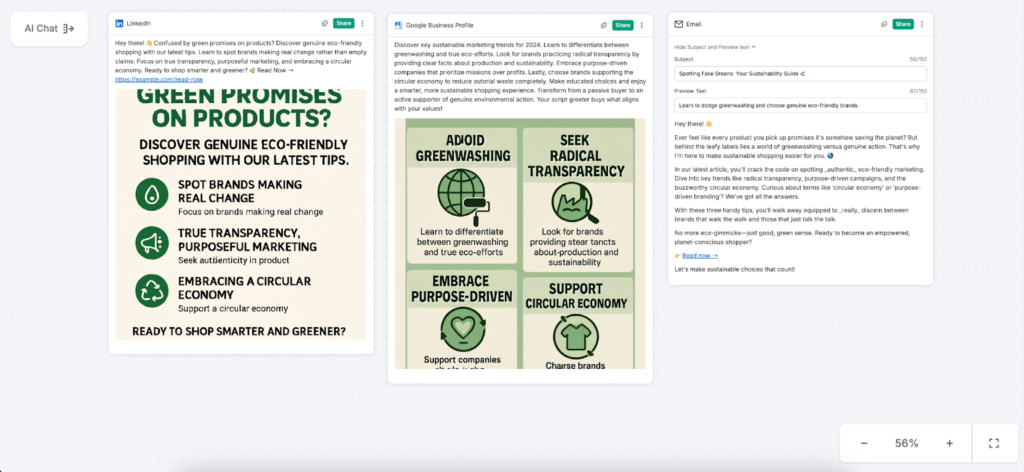
The tool automatically generates platform‑specific outputs:
- Short, scroll‑stopping copy for social media.
- Longer, informative email content ready for newsletters or product updates.
- Location‑focused Google Business Profile posts tailored for local audiences.
Each generated asset appears as a separate card on your Board.
Step 5: Review, Edit, and Publish
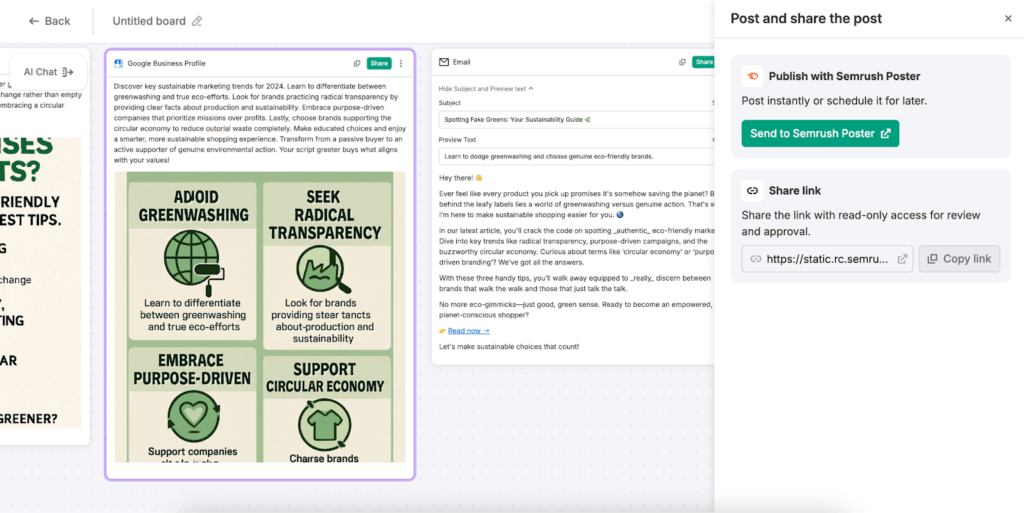
- Click each card to review and fine‑tune the generated copy and visuals.
- Preview how the content will look on each platform before publishing.
- Schedule or publish directly via Semrush Social Poster, Mailchimp, WordPress, or Zapier integrations.
- All edits are saved automatically, so you can revisit and update posts later.
Content repurposing is a powerful way for bloggers, affiliate marketers, and brands to multiply the impact of every blog post. Instead of writing separate content for each channel, you turn proven articles into ready‑to‑publish social posts, emails, and local updates in minutes.
This approach extends the life of your best content, keeps your messaging consistent, and frees up time to focus on strategy, monetization, and creating new pillar pieces while Semrush handles the heavy lifting of cross‑channel adaptation.
7. AI Chat & Visual Board
The AI Chat and Board Mode is the core interface of the Semrush Content Toolkit, combining a conversational AI chat with a visual board where all your content pieces live as cards.
Instead of jumping between separate tools for ideas, drafts, optimization, and repurposing, you manage everything in one place.
This chat‑first approach makes the content workflow more natural: you describe what you want, Chat executes it, and the Board keeps everything organized and visible for you and your team.
Key Features of AI Chat & Board Mode
- Chat‑driven interface that lets you create, optimize, and repurpose content using simple prompts.
- Board view that displays articles, ideas, SEO briefs, and repurposed posts as cards in a single workspace.
- Cards can be rearranged, grouped by stage, and opened in full for editing and further optimization.
- Works across all workflows: Create new, Optimize for AI Search, and Repurpose article.
- Supports collaboration, allowing teammates to work on the same board and share progress visually.
How to Use AI Chat & Board Mode
Step 1: Launch the Content Toolkit Dashboard
- Open the Content Toolkit from your Semrush account.
- You’ll see the main dashboard with options like Create new, Optimize for AI Search, and Repurpose article, plus a search/chat bar at the top.
Step 2: Start with Chat
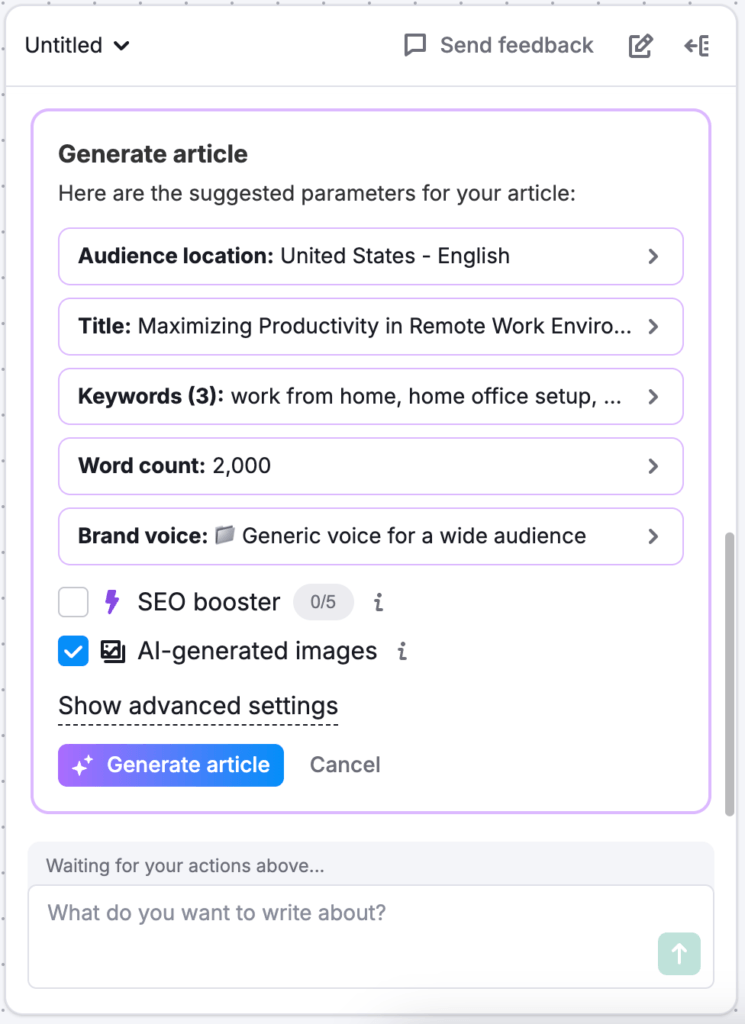
- Type your goal directly into the Chat bar (for example, “Create an article about Semrush Content Toolkit review 2026” or “Turn this article into LinkedIn posts”).
- Chat interprets your request and launches the right workflow, asking follow‑up questions about tone, length, and audience if needed.
Step 3: View Work on the Board
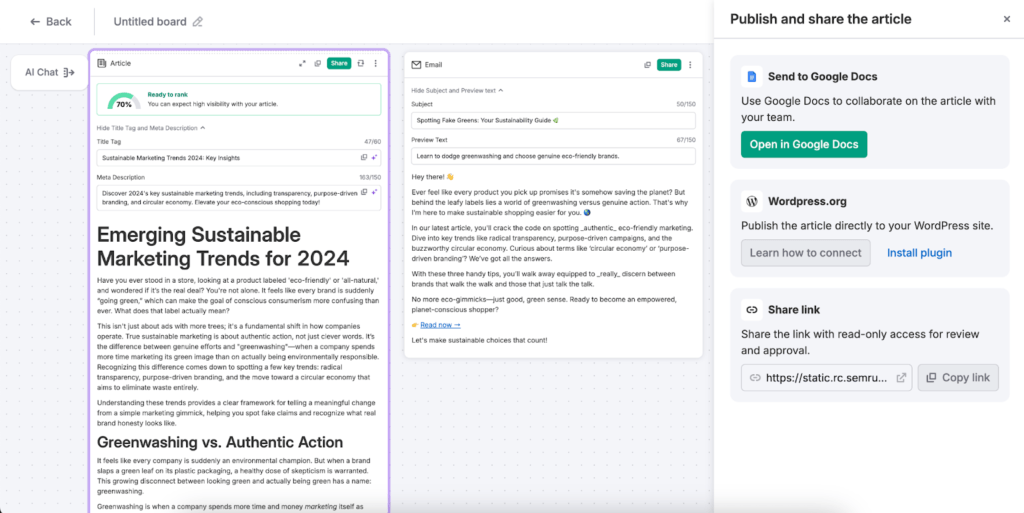
- Each piece of generated or imported content appears as a card on the Board with a title and a preview.
- Drag cards to different positions or columns to reflect your workflow stages (idea, draft, optimize, publish).
- Click a card to open the full content, continue editing, or ask Chat to improve specific sections.
Use Different Workflows Seamlessly
- Create new: Generate articles, SEO briefs, or outlines from scratch via Chat, which then appear as cards on the Board.
- Optimize for AI Search: Paste a URL or text; Chat analyzes it and creates cards with suggested improvements.
- Repurpose article: Select a source article and let Chat produce social posts, emails, or other formats as separate cards.
AI Chat and Board Mode turn Semrush Content Toolkit into a single, chat‑first workspace where ideas, drafts, optimizations, and repurposed assets all sit on one board.
Solo bloggers gain a clean, visual way to manage their editorial calendar without extra tools, while teams benefit from shared boards, clear status tracking, and collaborative editing—all powered by AI prompts instead of manual, repetitive work.
8. Semrush AI Writer Chrome Extension
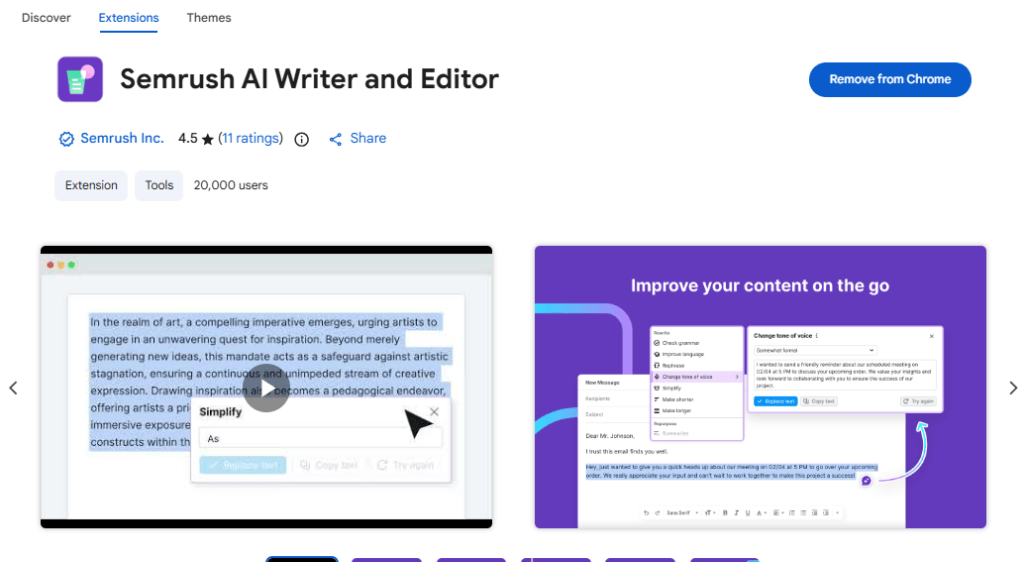
The Semrush AI Writer Chrome Extension lets you create, edit, and optimize content directly inside your browser on almost any website.
Instead of copying text into separate tools, you can improve blog posts, emails, social updates, or landing page copy in place, whether you are in WordPress, Google Docs, web forms, or social networks.
It is part of the Semrush Content Toolkit, so it brings the same AI writing power and Brand Voice options into your daily browsing and writing workflow.
Key Features of Semrush AI Writer for Chrome
- Works anywhere in Chrome: WordPress editor, Google Docs, email platforms, social networks, and other web editors.
- Helps you check and improve writing on the go, from long-form content to short comments.
- One-click actions to check grammar, improve language, rephrase, simplify, or change tone of voice.
- Can summarize long texts, change content length (shorten or expand), and recycle content into new formats.
- Supports formatted content: preserves links, lists, bold/italics, and other styling when processing text.
- Includes extra tools like translate to 30+ languages and Custom request for custom prompts.
- Can summarize or rewrite entire articles directly from live web pages that meet basic content criteria.
- Supports Brand Voices created in the Content Toolkit, so you can apply your saved brand styles directly in Chrome.
Typical Use Cases
- Writing directly inside WordPress: polish blog posts, fix grammar, and adjust tone before publishing.
- Editing in Google Docs: refine client content, briefs, and draft articles without leaving the document.
- Social media and community platforms: improve LinkedIn posts, X threads, comments, and replies for clarity and tone.
- Email marketing and outreach: shorten subject lines, rephrase outreach emails, and simplify complex updates.
- Product pages and landing pages: tighten copy, test different tones, and keep language consistent across pages.
How to Use Semrush AI Writer Chrome Extension
Step 1: Install and Activate
- Add “Semrush AI Writer for Chrome” from the Chrome Web Store.
- Make sure you are logged in to your Semrush account with Content Toolkit access or a trial.
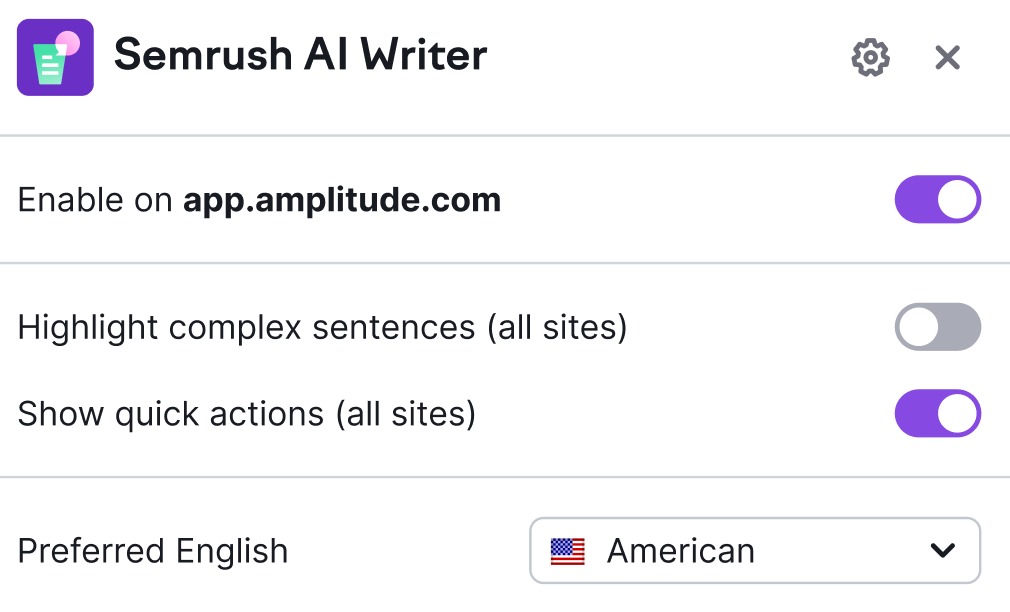
Invoke the Extension on Any Page
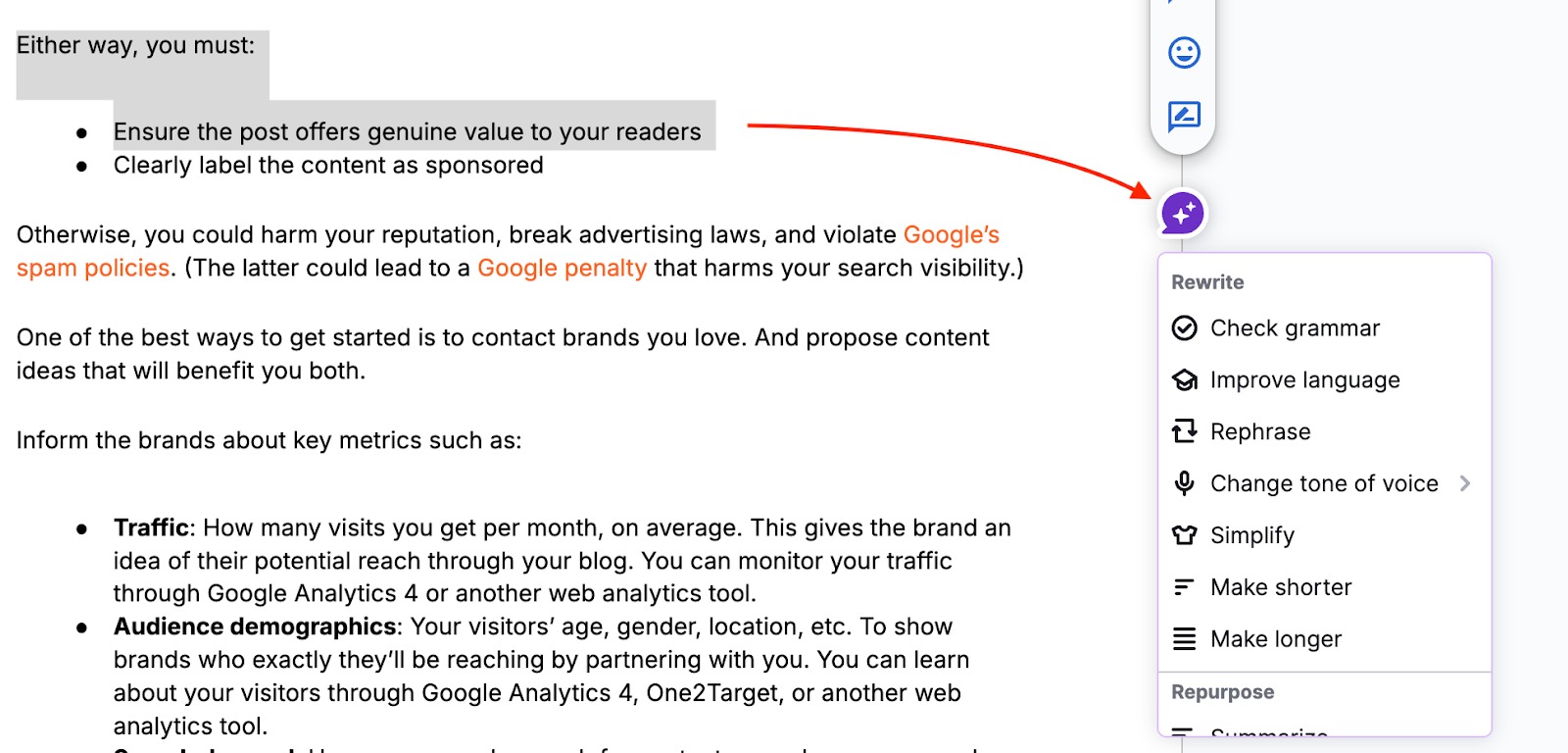
- Highlight the text you want to work on.
- Click the Semrush AI Writer icon (or use the contextual icon that appears near selected text).
Choose the Right Action
- Check grammar: automatically fixes spelling and grammar issues, letting you apply or reject changes.
- Improve language: polishes clarity and readability for a more professional result.
- Rephrase: generates alternative phrasings to avoid repetition or find a better wording.
- Change tone of voice: switch between very casual, casual, neutral, formal, and very formal styles.
- Simplify: turns complex sentences into simpler, more accessible phrasing.
- Summarize: creates concise summaries of long paragraphs, emails, or pages.
- Change content length: shorten or expand content while keeping the main meaning.
- Recycle content: turn existing text into another format, such as social posts or other content types.
- Translate: translate selected text into many supported languages.
- Custom request: enter your own prompt to ask the AI for a specific transformation.
- Summarize or Rewrite Full Articles: On compatible pages (with a clear H1 and enough body text), click the main extension button in the header. Choose to summarize or rewrite the page content for faster research and content refresh.
- Apply Brand Voices: In the extension’s interface, choose a saved Brand Voice from the dropdown. The extension rewrites text to match that voice and remembers your choice for future rewrites.
Turn Every Idea into a High‑Ranking Article
Use Topic Finder, SEO Brief Generator, and AI Article Generator together to create data‑driven, SEO‑ready content in minutes. Then polish it with AI Search Optimizer and repurpose it across social media and email without extra tools.
How this Chrome extension complements the Content Toolkit
The Semrush AI Writer Chrome extension is like an on-page helper, while the full Content Toolkit is your workflow hub.
Use the Content Toolkit for end-to-end processes—Topic Finder, SEO Brief Generator, AI Article Generator, AI Search Optimizer, and Content Repurpose—then rely on the Chrome extension for final polishing wherever you publish.
Together, they let you plan and produce SEO content in Semrush and then refine, localize, and adapt it directly inside WordPress, Google Docs, email tools, or any other browser-based editor you use daily.
Integrations & Publishing Options
Semrush Content Toolkit comes with powerful integrations and publishing options that let you push content directly to your main marketing channels without copy-pasting or exporting files.
Instead of juggling multiple tools to publish blog posts, send email campaigns, or schedule social media, you can handle everything from one central workspace, turning your content workflow into a smooth end‑to‑end pipeline.
Native Integrations
- WordPress: Publish SEO‑optimized articles created in the Content Toolkit straight to your WordPress site using the Semrush Content Toolkit plugin or integration.
- Mailchimp: Send email newsletters and campaigns using content generated or repurposed inside the Toolkit, without rebuilding them from scratch.
- Semrush Social Poster: Schedule and publish social posts derived from your articles to platforms like LinkedIn, Facebook, Instagram, X, and Pinterest.
- Canva: Import and reuse visuals directly in your articles and assets, keeping your brand’s design consistent.
- Zapier: Connect Semrush with thousands of other apps to automate publishing, notifications, and custom workflows (for example, WordPress, CRMs, and project tools).
Benefits of Integrated Publishing
- Publish blog posts to WordPress directly from the editor, as posts or drafts ready for final tweaking.
- Turn repurposed content into email newsletters in Mailchimp in just a few clicks, keeping your list engaged without extra formatting work.
- Use Semrush Social Poster to schedule social posts that were generated via content repurposing, covering multiple platforms from one screen.
- Reuse and update visuals via Canva integration, avoiding manual downloading and uploading of images across tools.
- Automate repetitive tasks with Zapier workflows (for example, sending content data to project management tools or triggering campaigns when new content is published).
Example End‑to‑End Workflow
- Research: Use Topic Finder and SEO Brief Generator to plan an article idea and build a data‑driven content brief.
- Write: Generate and refine the article with the AI article generator and AI chat inside the Content Toolkit.
- Optimize: Run AI Search Optimizer to polish the draft for both Google and AI search visibility.
- Repurpose: Use content repurposing to create social posts, email copy, and Google Business Profile updates from the same article.
- Publish:
- Send the article straight to WordPress as a post or draft.
- Push the email version to Mailchimp for your newsletter.
- Schedule the social posts via Semrush Social Poster.
- Use Zapier to sync this activity with other tools you use (CMS, CRM, task managers).
With these integrations and publishing options, Semrush Content Toolkit becomes your single source of truth for planning, creating, optimizing, repurposing, and distributing content across the web, email, and social—without leaving the platform.
Semrush Content Toolkit Pricing 2026
On the Semrush pricing page, Content Toolkit appears under the “Toolkits → Content” section as a dedicated Content Plans area.
It is currently offered as a single main plan called Base, which is focused on individuals and small teams that want to scale content production with AI and data-driven workflows.
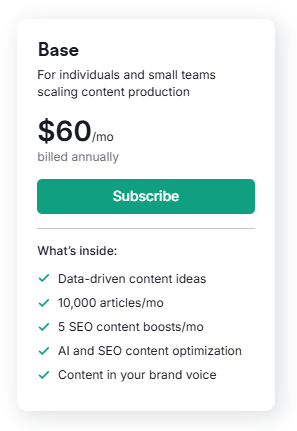
- Plan name: Base
- Positioning: For individuals and small teams scaling content production
- Price (annual billing): $60/month, billed annually
- What’s inside (core inclusions):
- Data-driven content ideas
- Up to 10,000 articles per month
- 5 SEO content boosts per month
- AI and SEO content optimization
- Content in your brand voice
This Base plan is the foundation of the Content Toolkit offering and is designed to give you enough AI and optimization power to handle serious blogging or small‑team production without moving into complex enterprise tiers.
Plan Details & Limits
From the details section of the Content Toolkit pricing block:
- Topic Finder
- Weekly topic ideas: Yes
- Country-specific topic ideas: Yes
- SEO Brief Generator
- Brief generation: Yes
Under the full details on the Semrush site, you can expand sections to see how many operations or content boosts you get per month, but the headline numbers for the base content plan are
- 10,000 Article generations per month (generation capacity, not a hard recommendation to use them all).
- 5 SEO content boosts per month (these are extra AI/SEO enhancements applied to content).
Additional limits for features like repurposing runs, AI search optimization calls, or other Content Toolkit operations may be clarified in the separate “Content Toolkit: Pricing and Limits” knowledge base and can evolve over time—so it’s wise to verify current quotas there when subscribing.
Pros & Cons of Semrush Content Toolkit in 2026
This section gives a quick, honest look at the biggest advantages and drawbacks of the Semrush Content Toolkit in 2026.
Use these pros and cons to decide whether it fits your workflow, budget, and content goals or if a simpler AI writer or basic SEO tool would be enough for you.
Pros
- All-in-one content workflow (research → brief → write → optimize → repurpose → publish).
- Backed by real keyword and SERP data for topic and brief creation.
- Optimizes for both Google SEO and AI search/LLM visibility.
- Strong content repurposing for social media, email, and local posts.
- Native integrations with WordPress, Mailchimp, Social Poster, Canva, and Zapier.
- Scales well for solo bloggers, in-house teams, and agencies.
- A visual board and chat-first interface simplify content management.
Cons
- Credit-based limits on AI generation and optimization features.
- Noticeable learning curve for new or non-technical users.
- Works best when fully committed to the Semrush ecosystem.
- Risk of over-relying on AI content without sufficient human editing.
- May be overkill or too costly for casual bloggers or very small sites.
Best Practices: Getting Maximum ROI from Semrush Content Toolkit
Using Semrush Content Toolkit with a clear workflow helps you get better rankings, stronger AI search visibility, and more content from the same effort.
The key is to connect Topic Finder, SEO Brief Generator, AI Article Generator, AI Search Optimizer, and Content Repurposing into one consistent system instead of using each tool in isolation.
1. Start Every Important Article with Topic Finder + SEO Brief Generator
- Use Topic Finder to discover high‑impact, low‑competition topics and build Topic Lists around your main niches.
- Focus on topics with healthy search volume, reasonable keyword difficulty, and clear search intent.
- Turn winning topics into detailed briefs using SEO Brief generator so every article has:
- A clear H2/H3 outline.
- Primary and secondary keywords.
- Suggested word count and meta description.
- Writing instructions tailored to your audience (bloggers, affiliate marketers, SaaS, etc.).
2. Use AI Article Generator for Drafts, Then Edit for E‑E‑A‑T
- Send each brief to the AI article generator to create the first draft quickly.
- Let the tool handle structure, keyword placement, and basic optimization for SEO and AI search.
- Manually refine the draft to strengthen E‑E‑A‑T (Experience, Expertise, Authoritativeness, Trustworthiness):
- Add real examples, case studies, screenshots, or personal insights.
- Insert internal links to relevant articles and money pages.
- Adjust tone and CTAs to improve conversions and user engagement.
3. Run AI Search Optimization Regularly
- After editing, run AI Search Optimizer to polish each article for:
- Google SEO (keywords, structure, metadata, readability).
- AI search/LLM visibility (clarity, coverage, helpfulness).
- Re‑run AI Search optimization every few months for your top URLs to:
- Refresh content for new SERP conditions and AI overview behavior.
- Fix degraded pages and identify missing subtopics.
4. Repurpose Every Winning Article
- Use Content Repurposing to turn your best‑performing posts into:
- LinkedIn carousels or posts.
- X threads.
- Facebook/Instagram captions.
- Email newsletters and nurture sequences.
- Google Business Profile posts for local visibility.
- Always repurpose:
- Articles that rank or convert well.
- In‑depth guides and reviews (like your Semrush Content Toolkit review 2026).
- This multiplies reach without writing everything from scratch for each platform.
5. Track Performance and Feed Insights Back into Topic Finder
- Use Semrush Position Tracking, Site Audit, and AI Visibility tools to monitor the following:
- Rankings and featured snippets.
- Pages included in AI overviews or assistant answers.
- Technical and on‑page issues are hurting performance.
- Identify topics and formats that consistently work, then feed these insights back into the following:
- Topic Finder (to create more content around winning themes).
- SEO Brief Generator (to refine outlines and keyword sets).
- Your internal content SOPs for writers and editors.
By following this loop—Topic Finder → SEO Brief Generator → AI Article Generator → AI Search Optimizer → Content Repurposing → Tracking—you get maximum ROI from the Semrush Content Toolkit and build a scalable, data‑driven content machine rather than just using it as another AI writer.
Frequently Asked Questions (FAQs) on Semrush Content Toolkit 2026
Is Semrush Content Toolkit worth it for bloggers in 2026?
Yes, Semrush Content Toolkit is worth it for serious bloggers and affiliate marketers who want data‑driven content, built‑in AI writing, and an integrated workflow from keyword research to publishing and repurposing.
What tools are included in Semrush Content Toolkit?
Semrush Content Toolkit includes Topic Finder, SEO Brief Generator, AI Article Generator, AI Search Optimizer, Content Repurposing, AI Chat & Board Mode, and the Semrush AI Writer Chrome extension.
How does Semrush Content Toolkit help with SEO?
It uses Semrush keyword and SERP data to build SEO briefs, guides AI writing to include the right keywords and structure, and offers AI search optimization to improve rankings and AI search visibility.
Can I use Semrush Content Toolkit with WordPress?
Yes, you can connect Semrush Content Toolkit to WordPress, generate articles in the toolkit, and then publish them directly as posts or drafts on your WordPress site.
What is the difference between Semrush Content Toolkit and a normal AI writer?
A normal AI writer just generates text from a prompt, while Semrush Content Toolkit combines AI with real SEO data, topic research, briefs, optimization, and repurposing tools in one system.
Does Semrush Content Toolkit help with social media and email content?
Yes, the content repurposing feature can turn your blog posts into platform‑specific social media posts and email newsletter copy in just a few clicks.
Do I still need to edit AI articles from Semrush Content Toolkit?
Yes, you should always review and edit AI‑generated articles to add real experience, examples, and brand voice so they meet E‑E‑A‑T and helpful content guidelines.
Who should use Semrush Content Toolkit?
Semrush Content Toolkit is best for professional bloggers, content writers, SEO‑driven businesses, and agencies that publish regularly and need a scalable, SEO‑focused content system.
Are there cheaper alternatives to Semrush Content Toolkit?
Yes, there are cheaper AI writers, but they usually lack Semrush’s keyword data, Topic Finder, SEO briefs, AI Search optimization, and deep integrations, so they are better suited only for basic drafting.
What can I do with Semrush Content Toolkit?
Semrush Content Toolkit lets you research topics, create SEO‑optimized articles with AI, optimize them for Google and AI search, and repurpose them into social media posts and email content from one workspace.
Can I create content directly from a Topic Finder topic?
Yes. After you pick a topic in Topic Finder, you can click “Start writing” and choose to generate a full AI article, create an SEO brief, or start writing manually with AI assistance.
Do I need an SEO brief to use the AI Article Generator?
No. You can generate an article just from a prompt. However, using an SEO brief first gives the AI article generator a better structure, keyword set, and intent, which usually leads to stronger SEO results.
Can I customize the tone or style of AI‑generated articles?
Yes. You can set the tone and audience in your initial prompt and then refine it using chat commands like “Make this more formal,” “more casual,” or “Add examples” so it matches your brand voice.
Can I publish content directly from the Content Toolkit?
Yes. You can publish articles straight to WordPress, send email content to tools like Mailchimp, and push social posts through Semrush Social Poster or connected apps without exporting files manually.
Can I use Topic Finder if I’m new to SEO?
Yes. Topic Finder is beginner‑friendly. You just enter a broad topic and location, and it suggests topics with clear SEO metrics and title ideas, so you can start creating relevant content even if you’re not an SEO expert yet.
Final Words on Semrush Content Toolkit Review 2026
Semrush Content Toolkit is worth it in 2026 for serious, SEO‑driven content creators who want an all‑in‑one system rather than a basic AI writer.
It brings together Topic Finder, SEO Brief Generator, AI Article Generator, AI Search Optimizer, Content Repurposing, and strong integrations to support a full content workflow from idea to multi‑channel publishing.
For professional bloggers, affiliate marketers, and content writers, the toolkit makes the most sense when you publish regularly, care about ranking on Google and AI search, and want to build topical authority around profitable topics.
Content teams and SEO‑driven businesses benefit from standardized SEO briefs, shared boards, and scalable AI drafts that keep brand voice and structure consistent across multiple writers and projects.
Agencies gain additional value from collaboration features, WordPress and Mailchimp integrations, and the ability to repurpose every client article into social and email assets without stacking more tools.
Semrush Content Toolkit
Semrush Content Toolkit is an all‑in‑one AI‑powered content platform that helps you research SEO topics, generate data‑driven briefs, create long‑form articles, optimize for Google and AI search, and repurpose content into social media and email campaigns from a single dashboard.
Product SKU: SEMRUSH-CONTENT-TOOLKIT
Product Brand: Semrush
Product Currency: USD
Product Price: 60
Price Valid Until: 2026-12-31
Product In-Stock: InStock
4.7
Pros
- Unified workflow from topic research to publishing
- Backed by strong keyword and SERP data
- Optimizes for both Google SEO and AI search
- Powerful content repurposing for social and email
- Tight integrations with WordPress, Mailchimp, Social Poster, Canva, and Zapier
- Scales well for bloggers, content teams, and agencies
Cons
- Credit‑based limits can be restrictive for heavy users
- Noticeable learning curve for complete beginners
- Works best if you commit to the Semrush ecosystem
- Risk of over‑relying on AI without enough human editing
A lighter or alternative solution may be enough if you publish only a few articles a year, don’t need deep keyword/SERP data, or just want a cheaper AI writer for simple drafts without Topic Finder, SEO briefs, or AI search optimization.
It can also be overkill if you’re already locked into another SEO/content stack and only need minimal content help, not a full content hub.
For BloggingDen readers, the recommendation leans clearly positive: if your goal is to grow authority sites, manage multiple blogs or clients, and stay ahead in an AI + SEO world, Semrush Content Toolkit gives you a scalable, future‑proof content engine.
Use it as your main hub—Topic Finder → SEO Brief Generator → AI Article Generator → AI Search Optimizer → Content Repurpose—and layer your own expertise, monetization tactics, and conversion optimization on top.
Ready to Scale Your Content with Semrush Content Toolkit?
If you’re serious about growing your blog, affiliate site, or client projects in 2026, Semrush Content Toolkit can become your central content engine. Use it to find profitable topics, generate SEO‑optimized articles with AI, optimize for AI search, and repurpose every winning post into social and email content—all from one dashboard.
Try it now and start turning your content strategy into a consistent traffic and revenue machine.
Affiliate link: I may earn a small commission at no extra cost to you.