Are you looking for the best website audit tools to make your site technically flawless and boost your organic traffic in 2026? Your website and its content must be optimized for search engines and aligned with what users actually search for, so relying on the best SEO audit tools and content audit tools is essential.
Today, bloggers, affiliate marketers, and webmasters cannot manually review hundreds of pages like in traditional website audits, so using the best SEO website auditing tools and technical SEO audit tools saves time and reveals hidden errors in just a few clicks.
Modern website audit software can quickly scan your entire site, highlight issues in on‑page SEO, technical SEO, UX, and backlinks, and then give you a prioritized action plan instead of leaving you to guess what to fix first.
Unlike hiring a one‑time content audit service provider, these free and paid website analysis tools let you run regular SEO audits, monitor your site health, and continuously improve rankings using features like crawl reports, Core Web Vitals checks, and keyword gap analysis.
In this guide, you’ll see the best website auditing tools for technical, on‑page, and off‑page SEO—so you can choose the right tool stack for your blog or business and make every audit faster, easier, and more accurate.
What is a site audit?
A site audit (or website SEO audit) is a complete analysis of your website’s technical setup, on‑page SEO, content quality, and user experience to see how well it follows search engine guidelines and satisfies user intent.
In simple terms, a site audit uses website audit tools and data to uncover issues like duplicate content, broken links, slow page speed, crawl errors, and keyword gaps that may be stopping you from ranking higher
According to Wikipedia,
A website audit is a thorough look at everything that affects how visible a website is in search engine results. This standard method gives a unique look at how many people visit a website overall and on each page. The website audit was completed solely for marketing purposes. The goal is to detect weak points in campaigns that impact web performance. This is one of the top 10 SEO tools.
Evaluations of your website are comprehensive and helpful. These issues are basically addressed in your website.
- Why is your site not generating enough traffic?
- Why aren’t your sales and conversion rates improving?
- What are your visitors confused about?
- Are there any technical problems?
In modern SEO, a site audit is the starting point for improving your visibility in Google and other search engines because it tells you what is working, what is broken, and where you need to optimize.
A proper SEO website audit usually combines technical SEO checks, content analysis, and off‑page signals, so you get a 360‑degree picture of your site’s health before using the best website audit tools to fix each problem
- Best Social Bookmarking Sites list for better SEO
- Best Social Media Scheduling Tools for Bloggers and Internet Marketers
Importance of Site Auditing
Website audits play an important role in site SEO because they reveal technical, on‑page, and off‑page issues that directly affect rankings and conversions. You need the best website audit tools and SEO audit tools for auditing and monitoring your website regularly, instead of waiting for traffic to drop.
The audit process involves many factors, from keyword analysis and content quality to site speed, UX, and backlink profile.
- Keyword Analysis: With modern website SEO audit tools, you can analyze the usage of keywords and phrases in your content, internal links, and meta tags. A website audit checks your site for topic and content gaps and suggests related keywords, long‑tail phrases, and search queries you should target to increase qualified organic traffic.
- Usability: A good site audit also reviews usability and user experience, helping your site capture visitors’ attention with clear layouts, readable content, and intuitive navigation. When you use the best SEO website auditing tools, you can spot UX issues like poor mobile design, confusing menus, or intrusive pop‑ups that hurt engagement and rankings.
- Loading time: Google treats page loading time and Core Web Vitals as important ranking factors, especially on mobile. Because users leave slow sites quickly, technical SEO audit tools reveal slow‑loading pages, heavy scripts, and render‑blocking resources and show you how to fix them so visitors stay longer and convert better.
- Organic Search: Many sites fail to appear on the first page because of technical errors, poor internal linking, or weak on‑page optimization, rather than “low traffic” alone. A website auditor helps you pinpoint wrong codes, broken permalinks, duplicate content, and a weak SEO structure so search engines can crawl, index, and rank your pages more effectively.
- Better content: Content quality is one of the most important aspects of SEO website auditing. Your audits provide clear guidelines to improve content depth, E‑E‑A‑T signals, bounce rate, time on page, and page views, and help you discover which topics and formats your audience enjoys and which pages drive the most conversions.
- Landing Pages: Auditing your top landing pages shows how well they convert and how they match search intent. The best website auditing tools analyze keywords, headings, CTAs, and content gaps on key landing pages, then suggest improvements in copy, layout, and internal links to increase sign‑ups and sales.
- Off-site Visibility: Off‑page signals such as backlinks, brand mentions, and social referrals are crucial for long‑term SEO growth. A thorough off‑page SEO audit reveals toxic links, weak referral sources, and missed opportunities on social media and third‑party sites so you can improve your backlink profile, build authority, and boost conversions from external traffic.
Types of Auditing
There are several types of website audits, and combining them gives you the most accurate picture of your site’s performance. Below are the main SEO auditing types you should know before choosing the best website audit tools for your blog or business.
- Technical SEO audit: Checks crawlability, indexation, site architecture, Core Web Vitals, HTTPS, structured data, and other behind‑the‑scenes elements that affect how search engines access and understand your pages.
- On‑page SEO and content audit: Reviews titles, meta descriptions, headings, keyword usage, internal links, and content quality to find optimization gaps and improve relevance for your target keywords.
- Off‑page SEO and backlink audit: Analyzes backlinks, anchor text, referring domains, and spammy links to protect your site from penalties and strengthen authority with high‑quality links.
- UX and performance audit: Focuses on user experience, mobile‑friendliness, site speed, and engagement metrics so visitors stay longer and convert better after you fix the issues found by your website auditing tools.
- Local SEO audit (for local businesses): Evaluates NAP consistency, local citations, Google Business Profile, and local landing pages to improve visibility in local search packs and maps.
- Competitor SEO audit: Uses competitor analysis tools to compare your keywords, content, and backlinks against top rivals so you can close the “content gap” and outrank them using the right SEO audit tools
Best SEO website auditing tools
I have made a short list of the best SEO website auditing tools in four different categories. By following this list, you will be able to save thousands of dollars every month on your site auditing process.
⚡Discover the power of Kadence Theme, your ultimate ally for SEO excellence! Elevate your website’s performance with Kadence’s SEO-friendly design and comprehensive tools. Unleash the potential for higher rankings and better visibility— start using Kadence today! 🚀
Technical SEO Audit Tools
A technical SEO audit focuses on crawlability, indexation, site architecture, Core Web Vitals, and other behind‑the‑scenes factors that influence rankings and user experience.
The following technical SEO audit tools help you quickly detect and fix issues like broken links, duplicate content, slow pages, and rendering problems, so your site stays healthy and search‑engine friendly
| Tool Name | Description | Action |
|---|---|---|
| SEMrush | Web Audit + On‑Page SEO + Backlink checker + Competitive Analysis. Semrush is one of the best SEO tools for marketing analysis, keyword research, backlink audits, and full website SEO audits. | Get Started |
| AHREFS | Site Audit + Backlink checker + Content Gap. Ahrefs is another top tool for researching website errors, competitive analysis, and SEO metrics with a powerful free webmaster tools plan. | Get Started |
| Screaming Frog SEO Spider | Best free website audit tool for crawling. Screaming Frog helps you find and fix onsite SEO issues like broken links, duplicate content, and missing tags at scale. | Get Started |
| Content Editor in Website Auditor | Website Auditor (SEO PowerSuite) gives a complete technical audit report and an in‑built content editor, making it one of the best SEO tools for auditing and monitoring your website. | Get Started |
| Site Audit from SERPSTAT | Serpstat is a growth tracking tool for SEO and content analysis with a powerful Site Audit module, making it a reliable website SEO checker. | Get Started |
| SEOMator | SEOMator is an SEO audit tool and website analysis platform with free site crawling and auditing to check your website’s SEO health status. | Get Started |
| Raven Tools | Raven Tools is a complete marketing and reporting platform for SEOs, search marketers, and startups, ideal for white‑label SEO reports and all‑in‑one SEO tools. | Get Started |
| Neil Patel SEO Analyzer | A freemium Ahrefs alternative and popular free SEO tool by Neil Patel that provides website SEO analysis, SEO audit reports, and basic backlink insights. | Get Started |
| Surfer SEO | One of the best SEO tools for website audit and content optimization. Surfer SEO generates keyword lists and questions by search volume and relevancy and helps you create high‑quality, SEO‑friendly content. | Get Started |
| SpyFu | SpyFu is a website auditor and competitive intelligence tool that helps digital marketers research competitor keywords for Google Ads, PPC, and SEO. | Get Started |
| SEOptimer | SEOptimer gives a quick overview of website SEO, performance, and social presence, and is widely used as a website SEO audit and reporting tool. | Get Started |
| WordTracker | Wordtracker includes keyword research and audit features that help you discover the exact keywords your competitors are using. | Get Started |
| SERanking | SERanking is a SEMrush alternative SEO toolkit with a wide range of SEO features and one of the best SEO platforms to analyze technical and on‑page SEO. | Get Started |
| Siteliner | Siteliner is a website analysis tool that scans your site to find issues that affect rankings, including duplicate content and broken links. | Get Started |
| WebCEO | WebCEO is a content audit service provider and cloud‑based SEO platform designed to meet the needs of small businesses and large SEO agencies with a full suite of SEO features. | Best free website audit tool for crawling. Screaming Frog helps you find and fix on-site SEO issues like broken links, duplicate content, and missing tags at scale. |
1. SEMrush Web Audit

The Semrush Site Audit tool crawls your website and checks it against 140+ technical and on‑page SEO issues, including crawlability, indexation, Core Web Vitals, HTTPS, hreflang, and structured data.
It assigns an overall Site Health score, groups problems by priority (errors, warnings, notices), and explains how to fix each issue step‑by‑step so you can improve your technical SEO without guesswork
Because Semrush connects Site Audit with Position Tracking, Backlink Audit, and the On Page SEO Checker, you can go from finding issues to optimizing content, links, and keywords inside one workflow.
This makes it one of the best website audit tools for bloggers, agencies, and businesses that need an all‑in‑one SEO platform rather than separate tools
2. AHREFS Site Audit
Ahrefs Site Audit is a cloud‑based technical SEO crawler that scans your entire website and reports on 100+ common issues, from broken links and redirect chains to indexability, canonicalization, and JavaScript rendering errors.
It calculates an overall Health Score, visualizes internal link structure, and lets you filter problems by severity so you know which fixes have the biggest impact firs
When you connect Ahrefs Site Audit with its keyword, content, and backlink tools, you can see how technical issues affect organic traffic and discover which pages to optimize or update. Ahrefs Webmaster Tools also offers a generous free plan, making it a strong option for bloggers and small businesses who want a reliable technical SEO audit tool without a big budget.
- Best Google Chrome Extensions For Bloggers and Online Marketers
- How to Clear Browsing History on Different Web Browsers?
Features of AHrefs Site Audit
- Monitor your SEO health: Ahrefs Site Audit crawls your website and checks it against 100+ common technical and on‑page SEO issues, then assigns an overall Health Score so you can see how well‑optimized your site is at a glance. You also get clear explanations and prioritized recommendations for fixing each issue, from broken links and redirects to Core Web Vitals, hreflang, and structured data.
- Know your backlinks: By connecting Site Audit with Ahrefs’ backlink index, you can quickly review your website’s inbound links, anchor text, and referring domains to spot toxic links and strengthen your link profile. This combination of technical crawl data and backlink insights makes it easier to keep your off‑page SEO safe and aligned with Google’s guidelines.
- See keywords that bring you traffic: Alongside technical checks, Ahrefs lets you see which keywords and pages drive organic traffic, plus key SEO metrics like search volume, keyword difficulty, and traffic value for each term. You can compare your ranking keywords with competitors, find content gaps, and prioritize pages to optimize after every SEO audit
3. Screaming Frog SEO Spider
Screaming Frog SEO Spider is a desktop crawler widely used by technical SEOs to audit small and very large sites in detail.
It crawls your URLs in real time and exposes issues such as broken links, missing or duplicate titles and meta descriptions, incorrect status codes, thin content, and problematic canonical tags
You can integrate Google Analytics, Google Search Console, and PageSpeed Insights APIs to combine crawl data with engagement metrics and performance insights. The free version lets you crawl up to 500 URLs, while the paid licence removes that limit and unlocks advanced features like custom extractions and JavaScript rendering.
Features of the Screaming Frog:
- You can find the broken links.
- To find the temporary and permanent redirects.
- It helps you analyze the page titles and metadata
- To discover duplicate content and low-content pages.
- To review the robots.txt file and Meta robots tags like ‘noindex,’ ‘nofollow,’ and canonical URLs.
- You can integrate the Google Analytics, Search Console, and Page Speed Insights APIs to fetch the website’s performance.
- To visualize the site architecture.
4. Site Audit from SERPSTAT

Serpstat’s Site Audit module provides a comprehensive overview of your domain optimization (SDO) by checking technical SEO, on‑page elements, and internal linking against best practices.
It highlights issues by severity, shows where they occur, and provides actionable recommendations so you can systematically fix problems that affect rankings and UX.
In addition to technical SEO, Serpstat combines rank tracking, keyword research, and backlink analysis, making it a versatile all‑in‑one SEO toolkit and a practical alternative to tools like Semrush and Ahrefs for growth‑focused bloggers and agencies
Features of SERPSTAT
Some of the most important tools provided by Serpstat include:
- Rank tracking: The rank tracking tool shows the daily positions of your web pages for selected keywords with detailed SERP history, so you can monitor visibility changes and measure the impact of your SEO efforts over time.
- Backlink analysis: The backlink analysis module gives you complete backlink data in a few clicks. Enter any domain and see new and lost links, referring domains, and anchor texts, making it easy to track and reverse‑engineer your competitors’ backlink strategies.
- Keyword research: Serpstat’s keyword research offers in‑depth URL analysis, search questions, keyword difficulty, and keyword distribution previews. This helps you find profitable keywords and build topic clusters around what people actually search for.
- Site Audit: With the Site Audit feature, you can run full technical SEO audits and get a Serpstat Domain Optimization (SDO) score along with a list of errors, warnings, and recommendations. It highlights crawling, indexation, performance, and on‑page issues and suggests what to fix to rank higher.
Serpstat offers paid plans starting from an entry‑level monthly price, and you can try most features with a limited free or trial version before upgrading.
5. Google Search Console

Google Search Console is a free webmaster tool from Google that shows how your site appears in search, which queries bring traffic, and what technical issues may be limiting visibility.
Its reports help you spot indexation problems, mobile‑usability errors, Core Web Vitals issues, structured data warnings, and manual actions directly from Google’s perspective
While it is not a full crawler like other technical SEO audit tools, Search Console is essential for understanding clicks, impressions, CTR, and average position for each page and keyword. For many beginners, combining Google Search Console with one or two dedicated website audit tools gives a powerful, low‑cost technical SEO setup.
6. SEOMator
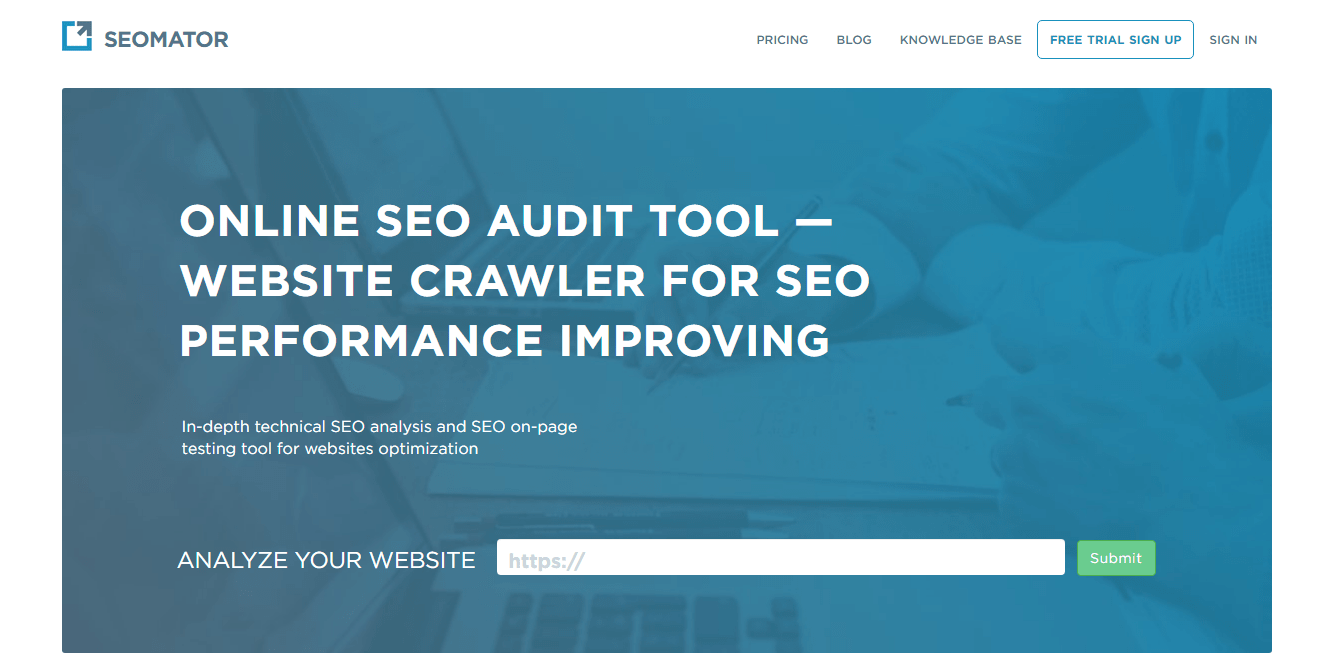
SEOMator is an online SEO audit and website analysis tool that crawls your site and generates a detailed report on technical SEO, on‑page content, internal links, mobile usability, and social signals.
It grades your website’s SEO health, explains detected issues, and offers “how to fix” tips that you can follow or share with clients.
You can download white‑label audit reports in PDF, use a Chrome extension for quick page‑level checks, and set up monitoring to track improvements over time.
This makes SEOMator a handy choice for freelancers and agencies who need fast, easy‑to‑understand SEO audit reports without installing heavy desktop software.
7. SiteCheckerPro

SitecheckerPro’s site audit tool is a powerful tool that helps users identify and fix issues on their website that could be affecting its SEO and user experience.
SitecheckerPro is an easy‑to‑use website audit and SEO monitoring platform designed to improve both search engine visibility and user experience. It combines technical SEO audit, on‑page SEO analysis, keyword tracking, and backlink monitoring in one intuitive dashboard, making it ideal for bloggers, agencies, and small businesses.
- On‑page SEO analysis: SitecheckerPro crawls your site and checks titles, meta descriptions, headings, internal links, images, and content depth to find on‑page SEO issues such as missing or duplicate tags, thin or low‑quality content, and slow pages. It then provides clear recommendations and checklists so you can quickly optimize each URL for your target keywords.
- Keyword and SERP analysis: The built‑in keyword tools help you discover important search queries for your pages, track rankings across locations and devices, and monitor SERP changes over time. You also get ideas for new long‑tail keywords and related topics to target based on relevance and potential search volume.
- Backlink profile and toxic links: SitecheckerPro shows the backlinks pointing to your site, including referring domains and anchor text, so you can evaluate the strength of your link profile. It also flags risky or spammy links that may harm your domain authority, helping you plan disavow or outreach campaigns.
- Mobile SEO and Core Web Vitals: The platform evaluates mobile‑friendliness, page speed, and Core Web Vitals, highlighting layout shifts, slow loading resources, and issues with responsive design. This makes it easier to optimize your site for mobile SEO and improve user experience on phones and tablets.
- Comprehensive technical SEO audit: The site audit scans key technical SEO factors—crawlability, indexation, HTTPS, redirects, canonical tags, sitemaps, broken links, duplicate content, and server errors—and groups problems by type and priority. This gives you a clear roadmap to fix technical issues that block rankings and organic traffic.
- Actionable, visual reports: All audit results are presented in a simple, visual format with colored severity levels, short explanations, and “how to fix” tips. You can drill down into each issue at the page level, so even non‑technical users can understand what needs to be fixed and why.
- Custom reports and white‑label options: SitecheckerPro lets you generate customizable SEO audit reports highlighting key metrics, issues, and wins. These reports can be shared with clients, stakeholders, or team members and used as a roadmap for future SEO tasks and content updates.
- Scheduled crawls and ongoing monitoring: You can schedule automatic site audits (daily, weekly, or monthly) and receive alerts when new errors appear or when important pages lose rankings. This continuous monitoring helps you maintain technical SEO health and react quickly to changes after updates or site migrations.
How to use SitecheckerPro to audit a website
- Sign up for a SitecheckerPro account and log in to your dashboard.
- Click on the “Site Audit” or “Website Crawler” section and add your website’s URL as a new project.
- Configure basic settings such as crawl limits, user agent, and whether to include or exclude specific subfolders, then start the audit.
- Wait for the crawl to complete (this can take a few minutes depending on site size), then open the project to view your overall site health score and list of issues.
- Click on any error or warning category to see affected URLs, impact, and recommended fixes, and start resolving the most critical problems first.
- Generate a PDF or online report if you want to share the audit results with clients or team members.
- Set up scheduled crawls and email alerts to keep tracking the technical and on‑page SEO health of your site over time.
On-Page SEO Audit Tools
On-page SEO audit tools are simple tools with advanced features that help you audit the on-page SEO at the content level. Most of the tools come with website content audit tools.
8. On-Page SEO checker from SEMrush
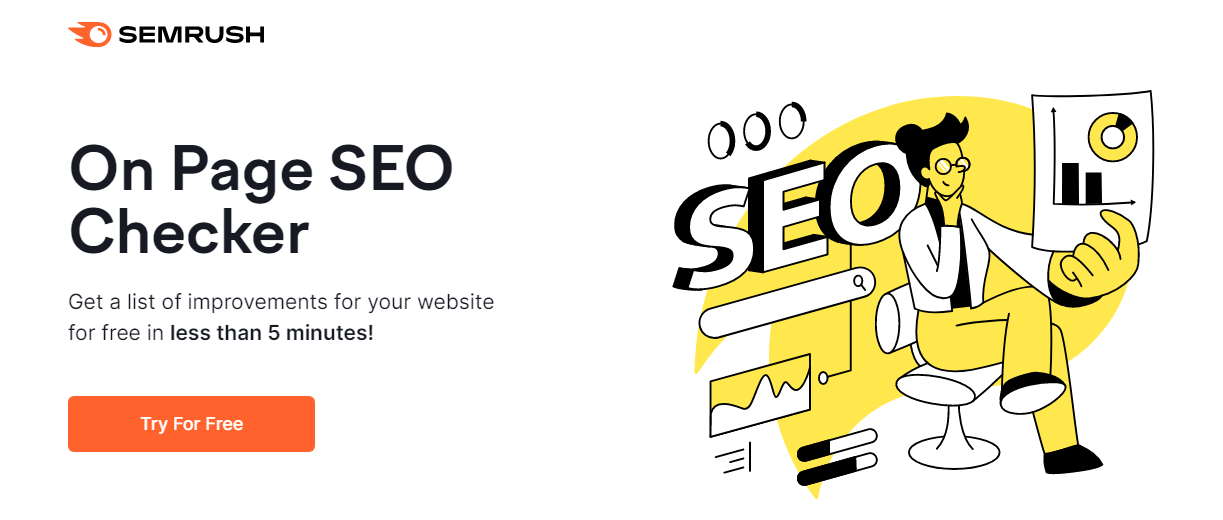
If you already use Semrush for site audits and technical SEO, you can also use its On‑Page SEO Checker to optimize individual pages and blog posts for better rankings.
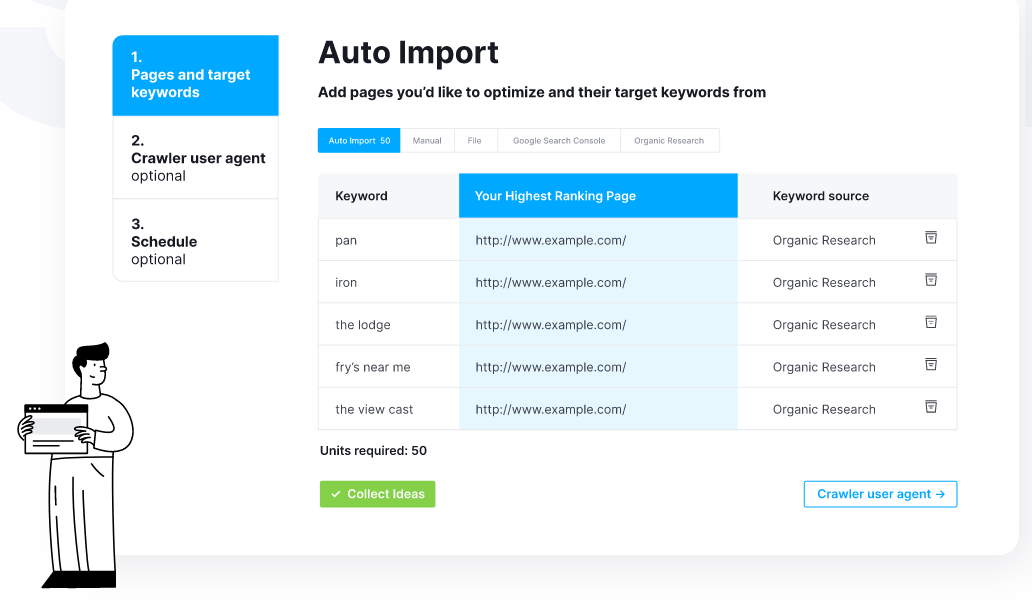
You can integrate Google Search Console with the Semrush On‑Page SEO Checker to pull in real performance data and make smarter decisions while doing on‑page SEO.
In the Semrush On‑Page SEO Checker, you will get benchmarking and data from the current top 10 competitors for each target keyword, including their content length, keyword usage, and backlink profile.
You can then edit and optimize your content using these details to increase your chances of ranking higher on Google.
This is a simple and easy‑to‑use tool that also highlights opportunities for featured snippets, “People also ask” boxes, reviews, and other SERP features.
The optimization ideas panel lists specific websites and competitor pages you can analyze and follow as models when updating your own content.
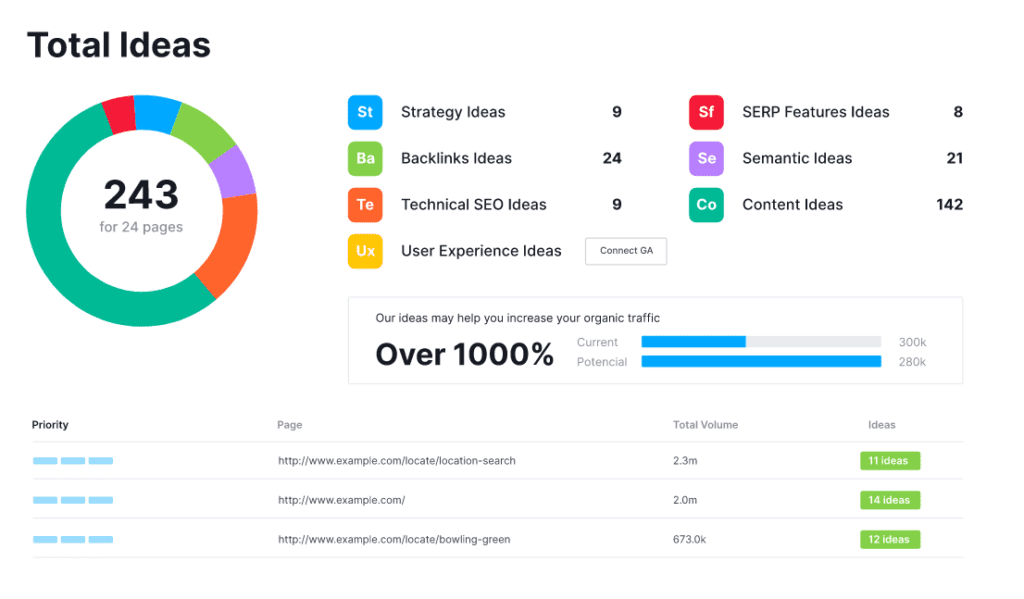
What will you get with this tool?
- Content Ideas: Adopt the best writing and formatting practices that Google tends to reward, including optimal content length, heading structure, and keyword placement.
- Backlink Ideas: Discover websites and pages you can reach out to for backlinks, based on where your top competitors are getting their links.
- Strategy Ideas: Work smarter, not harder, by learning which of your pages have the highest growth potential and should be prioritized over others.
- Semantic Ideas: Discover important related keywords, entities, and concepts that appear on the websites in Google’s top 10 so you can cover the topic more comprehensively.
- User Experience Ideas: Connect your Google Analytics account to get suggestions on improving user signals such as bounce rate, time on page, and conversions for better rankings.
- Technical SEO Ideas: Get a structured list of on‑page and technical issues affecting your target pages, with clear recommendations on what to fix.
- SERP Features Ideas: Learn how to optimize your content to appear in instant answers, featured snippets, review stars, and other rich SERP features
9. Surfer SEO
Surfer SEO is a powerful on‑page SEO checker that helps you optimize content using real‑time SERP data and more than 500 ranking factors. It includes tools like the SERP Analyzer and Content Editor, which make on‑page SEO, content optimization, and keyword placement much easier.
The cloud‑based engine compares your page against the top 40+ ranking competitors and shows you exactly what to adjust, such as word count, headings, keywords, internal links, and partial matches, so you can quickly close the gap and outperform them.
With the SERP Analyzer feature, you can explore high‑ranking pages for any keyword, filter by device and location, and analyze SERPs region‑wise by enabling target country or city rankings. Its user‑friendly interface makes it simple to access all features, even if you are not a technical SEO.
You can check my detailed Surfer SEO review to see how I use it in my content workflow and also read about the latest Surfer SEO pricing plans before you subscribe.
10. Content Editor in Website auditor

The content editor is a powerful built‑in feature of Website Auditor, part of the SEO PowerSuite desktop toolkit.
It works as a live content optimization dashboard, allowing you to write new articles or update existing content for your own sites or client projects while seeing SEO suggestions in real time.
This dashboard shows useful metrics like optimization score, total words, mapped keywords, recommended keywords, competitors’ list, suggested FAQs, and ideal word count. You can compare your draft with top‑ranking pages and tweak headings, internal links, and body copy until the page is fully optimized.
It is, without a doubt, one of the best tools for checking websites for technical and keyword‑related problems, combining site audit features with on‑page SEO recommendations. Once the audit is complete, you can export sample website audit reports in document format to share with clients or keep as part of your SEO documentation.
For content writers and bloggers, this feature is especially helpful because it suggests relevant, semantically related keywords to add for perfect on‑page optimization. Website Auditor also includes an XML sitemap generator, so you can quickly create or update sitemaps after publishing new content.
You can read my detailed SEO PowerSuite review and Website Auditor review for more information about these tools and license options.
The Website Auditor module in SEO PowerSuite helps you run full website audits and content optimization, providing crawl stats with broken links and more than 40 other SEO factors you can improve. Connecting your Google Search Console account gives you deeper data for indexing, impressions, and clicks.
Along with Website Auditor, there are other keyword optimization tools and content optimization tools that you can add to your workflow to grow search traffic faster. Even so, Website Auditor remains one of the best website audit software solutions available as a desktop application.
- SEO PowerSuite Rank Tracker Review: Best All-in-One SEO Software?
- WriterZen Review – Best SEO Content Creation and Keyword Research Tool
11. Siteliner
The Siteliner is another great website analyzer tool that helps you scan your site and identify SEO issues that can affect rankings and user experience. It is especially good at revealing your site’s overall quality, duplicate content, broken links, page size, and internal link structure.
The Siteliner crawler is fast and lightweight, delivering results almost in real time. Once you paste your URL into the search box, the tool quickly scans your pages and shows a neatly organized report within seconds, even for larger sites.
With this tool, you can also benchmark your site against other websites, comparing metrics such as average page size, page loading speed, and average word count to see how your content and performance stack up against the web.
Features of Siteliner:
- Detailed Page Results: It offers specific, page‑level results when analyzing a particular URL, including duplicate content, broken links, and internal link data.
- Summary Info of Entire Site: The analyzed results are presented in a summarized, visual format that is easy to understand, even for non‑technical users.
- Duplicate Content: It helps you visualize duplicate and near‑duplicate pages on your site so you can fix them and avoid possible search engine penalties.
- Page Power: It detects the most important pages on a website (based on internal link equity), helping you understand which URLs carry the most weight in search engines.
- Broken Links: It detects any URL that has been moved, changed, or no longer exists. Because broken links hurt user experience and can reduce search rankings, Siteliner makes them easy to find and fix.
- Internal Links In: You can pick any specific page and see how many pages on the site link to it, helping you optimize internal linking and boost the authority of key posts.
- Internal Links Out: You can see how many links on any selected page are redirecting to other pages of your website, which helps you balance internal link distribution.
- External Links Out: It shows how many outbound links each page has and which external sites you link to, useful for auditing external linking patterns.
- Presentation of Cached Page: Siteliner keeps a cached version of each scanned page so you can review how it looked at the time of the analysis and compare later changes.
- Multiple types of Reports: You can access three main report types—Site Report, Current Table, and XML Sitemap—which make it easier to export data, review findings, and implement fixes.
12. SEOptimer

SEOptimer is another great tool for performing quick website audits and generating client‑ready SEO reports. It gives an instant overview of a website’s SEO, performance, usability, and social presence, then highlights issues and the main SEO factors you should fix to improve rankings and conversions. It is one of the best free SEO audit tools for small businesses, agencies, and freelancers.
The on‑page SEO tools inside SEOptimer include the website audit tool, which grades your site and provides a detailed breakdown of problems by category (SEO, usability, performance, security, and social), along with clear recommendations.
You also get an embedded audit widget that you can place on your site to generate leads with customized audit forms, automatically sending white‑label audit reports to potential clients who submit their website URL.
13. Neil Patel SEO Analyzer
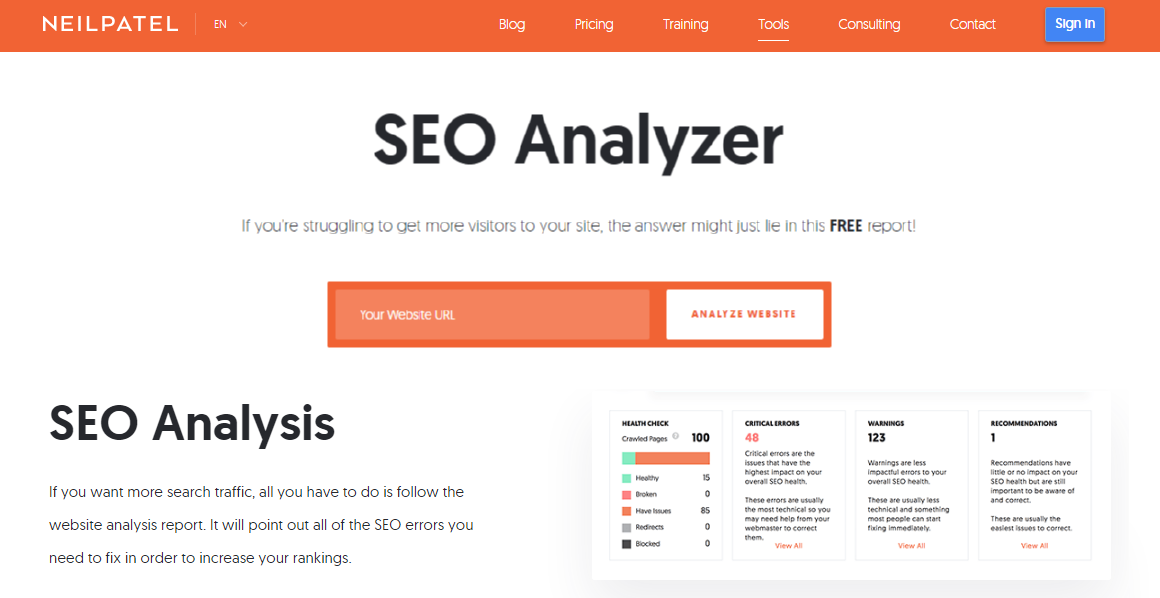
Neil Patel’s SEO Analyzer is a simple and free website SEO audit tool designed to help bloggers, small businesses, and digital marketers improve their site’s performance and organic search traffic. This all-in-one platform analyzes your website to identify SEO errors, keyword opportunities, and competitive gaps, then provides a complete audit report with step-by-step instructions and video tutorials.
The tool is beginner-friendly yet powerful enough for experienced SEOs, making it one of the best free website audit tools for anyone looking to improve rankings without spending on expensive software. You simply enter your URL, and within seconds, you get a prioritized list of issues and recommendations based on potential traffic impact and ease of implementation.
Features of Neil Patel SEO Analyzer
- SEO Checker: Get a complete list of errors that are hindering your site from achieving the top spot on Google. The SEO audit prioritizes each fix based on potential traffic impact and ease of implementation, so you know which changes will have the biggest effect on rankings. Once you make changes, you can re-run the report to verify you fixed the issues correctly.
- Site Speed Analysis: The tool measures your page loading times for both desktop and mobile devices because site speed no longer just impacts conversion rates—it also affects how high your site can rank in search engines. You’ll get detailed insights into what’s slowing down your pages and recommendations to improve Core Web Vitals.
- SEO Audit Report: The audit report doesn’t just point out errors; it gives you step-by-step instructions on how to fix each of them. Each report contains video tutorials that guide you through the process, making it easy even for non-technical users to implement the fixes and improve their SEO.
- Backlink Checker: The backlink analysis tool shows who links to your domain, tracks your domain authority score, and provides overall traffic metrics so you can see what’s working and what needs improvement. You can also analyze competitor URLs to see who links to them, their anchor text distribution, and discover new link-building opportunities.
- SEO Analysis Report: If you want more search traffic, all you have to do is follow the website analysis report. It points out all of the SEO errors you need to fix in order to increase your rankings, from technical issues and on-page problems to content gaps and backlink weaknesses.
Neil Patel’s SEO Analyzer delivers the best free website audit report in a clear, actionable format that you can follow immediately to boost your rankings and organic traffic.
Off-Page SEO Audit Tools
Even though the on-page SEO tools are good enough for higher rankings, you need to do some off-page audits for higher and long-term rankings for your websites. The off-page stats include backlinks, content marketing, and other features for your website.
Here are some tools that help you with off-page SEO audits for your websites.
14. SEMrush Backlink checker
Semrush is a comprehensive SEO platform with powerful backlink management features designed to help you analyze, audit, and grow your link profile.
The platform includes three main backlink tools: Backlink Analytics, Backlink Audit, and Link Building Tool, making it one of the best all-in-one solutions for off-page SEO and link management.
- Backlink Analytics helps you monitor and analyze all backlinks pointing to your domain or any competitor’s site. It draws from Semrush’s industry-leading database of 43 trillion backlinks from 390 million domains, giving you access to the most comprehensive backlink data available. You can track new and lost backlinks, analyze referring domains, view Authority Scores, check anchor text distribution, and see dofollow vs. nofollow link ratios in real time.
- The Backlink Audit Tool provides detailed health reports for your backlink profile by assigning a Toxicity Score (0-100) to each link based on 50+ toxic markers. This tool helps you identify spammy, low-quality, or potentially harmful backlinks that could trigger Google penalties and hurt your rankings. You can integrate Google Search Console, Google Analytics, and Majestic for more accurate data, then use the built-in workflow to contact site owners for link removal or create a disavow file to submit directly to Google.
- The Link Building Tool streamlines your outreach campaigns by discovering link prospects based on your target keywords, competitor backlinks, and brand mentions. It automatically retrieves contact information, lets you send personalized outreach emails from within Semrush (by connecting Gmail, Outlook, or Exchange), and tracks replies and link acquisition progress with visual dashboards. You can monitor active, broken, lost, and rejected backlinks over time, making it easy to measure campaign ROI.
With these three interconnected tools, Semrush gives you complete control over your off-page SEO strategy, from discovering opportunities and analyzing competitors to removing toxic links and building high-quality backlinks at scale.
15. AHREFS Backlink checker
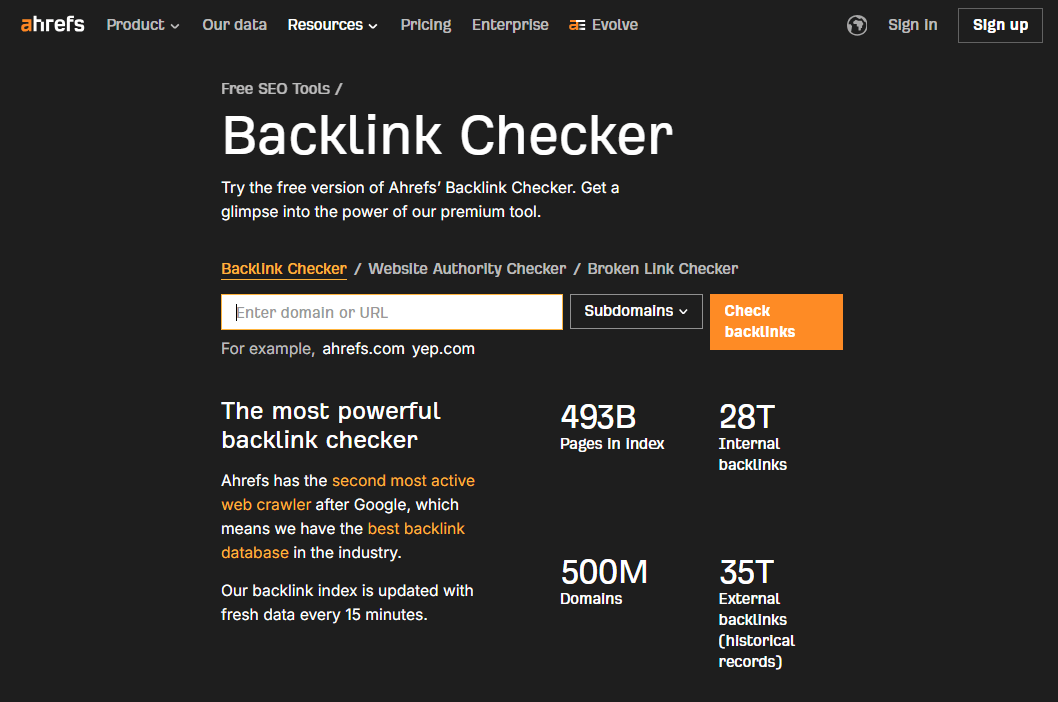
AHREFS Backlink Checker is a powerful free gateway into Ahrefs’ premium backlink data, letting you analyze any website, URL, or subsection with fresh link metrics updated roughly every 15 minutes.
Ahrefs runs the second most active web crawler after Google, so its backlink index is one of the largest and most frequently updated in the industry. The free Backlink Checker lets you sample this database and “get a glimpse” of the full tool’s power.
Key metrics you can see
When you enter any domain, URL, or path, you can view actionable SEO metrics such as:
- Number of referring domains.
- Number of backlinks.
- Domain Rating (DR).
- Ahrefs Rank (AR).
Domain Rating is Ahrefs’ proprietary metric for judging the backlink popularity and strength of a website, making it very useful for quickly assessing how authoritative a target is in link terms.
Backlink and domain reports
You can see an interactive view of referring domains and pages over time to monitor backlink growth or decline. A detailed Backlinks report lists every linking page with filters for link type (dofollow/nofollow), platform, DR, UR, referring domains, and more.
There is also a Referring domains report that shows each linking domain with metrics like DR, followed referring domains, followed linked domains, estimated organic traffic, and total/followed links to the target. A handy search function helps you quickly locate specific linking domains within this report.
Competitive and “link-worthy” insights
Ahrefs shows estimated organic traffic for linking pages and domains, which gives deeper insight into how popular and valuable those linking sources are. You can find “link-worthy” pages by researching competitors’ most linked-to content using the Best by links report and seeing where they attract the most links.
You can also filter for “404 not found” pages to uncover highly linked-to broken pages on any site and use them for broken link building campaigns. Outbound reports (Linked domains, Broken links, Anchors) reveal which sites your target links to, broken outgoing links, and the anchor texts used.
Why use it as a rival analysis tool
Because it combines a huge, fast-updating backlink index with rich filters and traffic estimates, Ahrefs’ Backlink Checker works very well for competitor backlink audits and prospecting. You can quickly see where rivals get links, which pages attract links, and which opportunities (like broken links or strong referring domains) you can target in your own link building.
If you are also exploring tools in the same category, you can review various Ahrefs alternatives on the linked resource you mentioned to compare features and pricing before deciding.
16. Spyfu
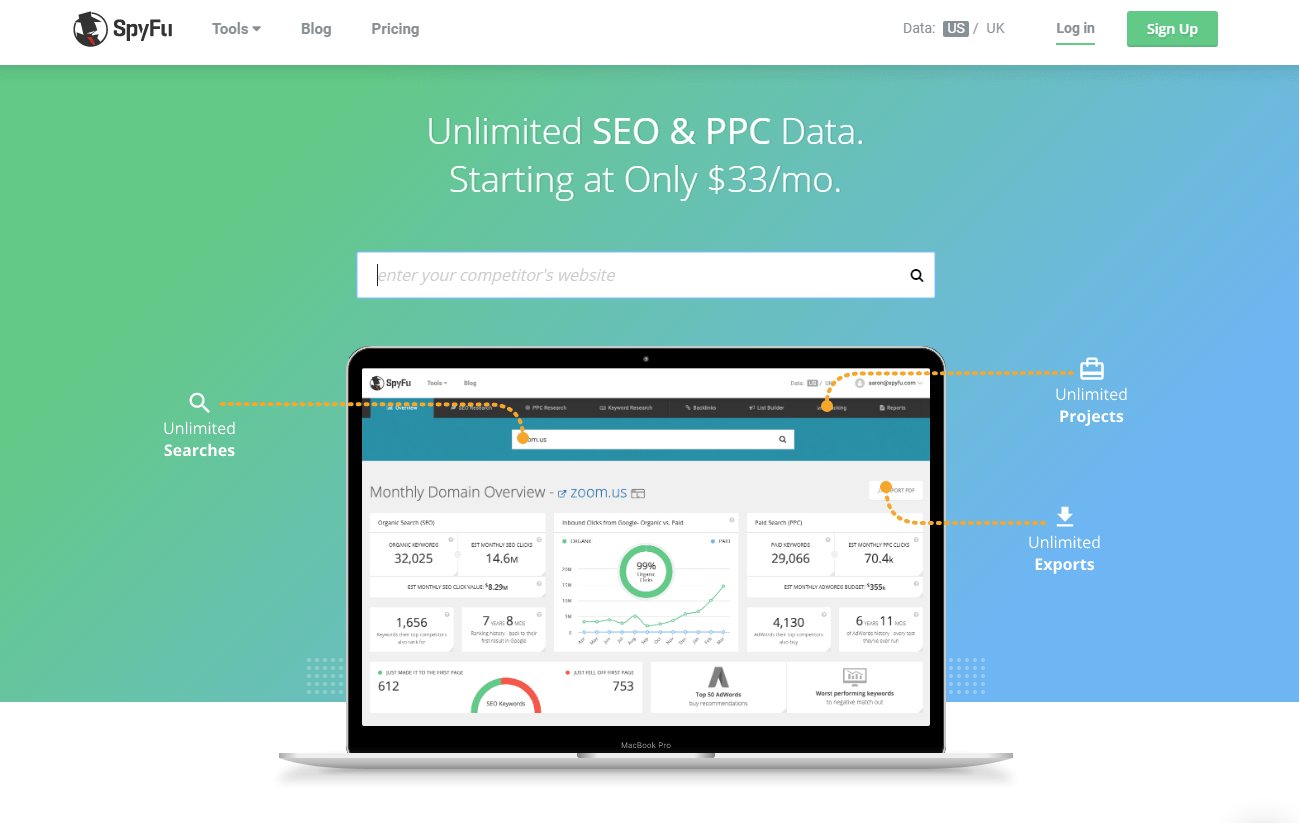
Spyfu is a competitor keyword research tool that helps you find out keywords and even backlinks from other websites.
Using the Spyfu competitor analysis tool, you can search for any domain and check its ranking factors in search engines. This is one of the best keyword research tools that helps you find the Google Ads competitor keywords and monitor the PPC competitors regularly.
If you rely on Google AdWords, choosing this tool is the best idea to get keyword ideas that your competitors are using. You can also keep an eye on the complete backlink profile of your competitors using the SpyFu tool.
17. WebCEO
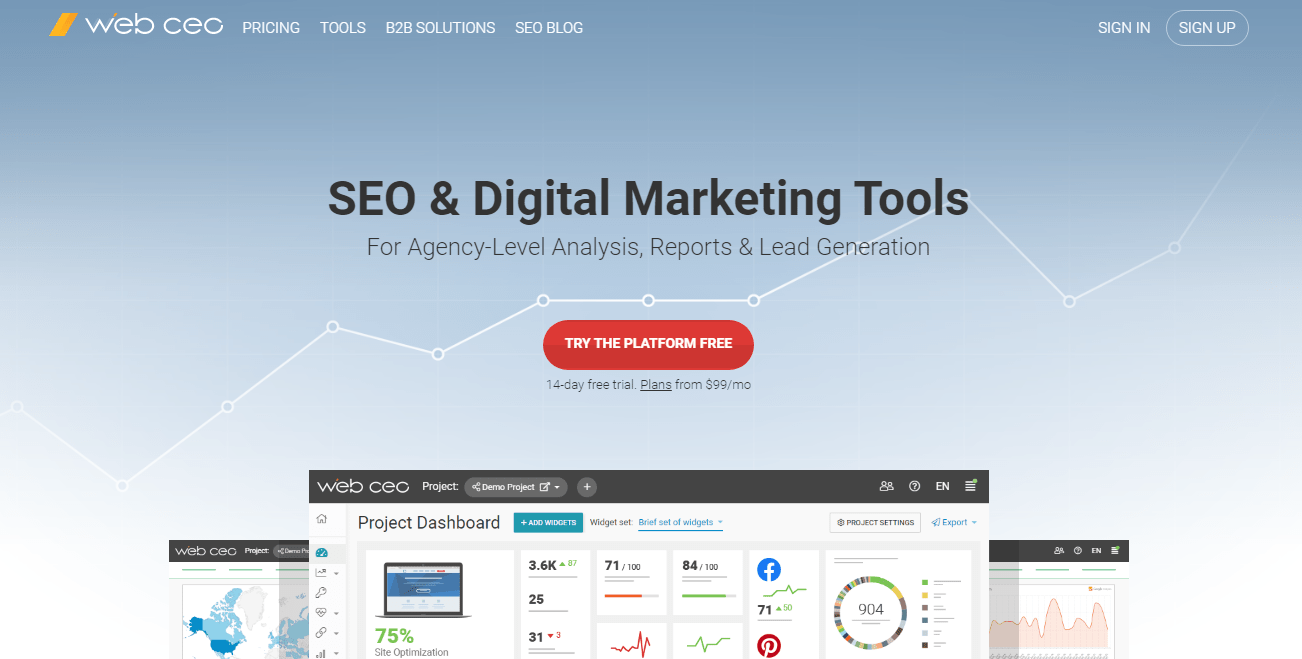
WebCEO is the best all-in-one tool for marketing agencies, from small to big. It is the best SEO reporting program, with an overall rating of 21 pro-level SEO software tools. It is another best alternative to the SEO Power Suite, which is built around white-hat SEO principles. It has been producing the best SEO software since 2001.
The WebCEO has powerful tools like the backlink checker and competitor backlink spy tool for backlink analysis. With WebCEO, you will get the best backlink opportunities where you can get backlinks from.
Features of WebCEO
- It comes with more than 21 premium SEO software tools.
- You can add multiple projects and schedule SEO tasks for better in-depth marketing analytics.
- perfect setup for the white-label marketing platform.
- You can manage your SEO services for your clients from this platform.
- You can collaborate with your SEO team to update specific SEO tasks.
18. Cognitive SEO
Cognitive SEO is another tool that comes with all the SEO features that should be there in a site audit tool. This is a complete SEO tool that can get you off all your SEO issues.
For off-page SEO practices like link building, Cognitive SEO is the best tool to use. This tool aggregates the backlink data from the trusted link database and gives the best set of links.
It’s easy to understand the reports and helps you research better competitor analysis. It also helps in preventing any unnatural link penalties and ultimately protecting your rankings.
19. Moz local SEO Research
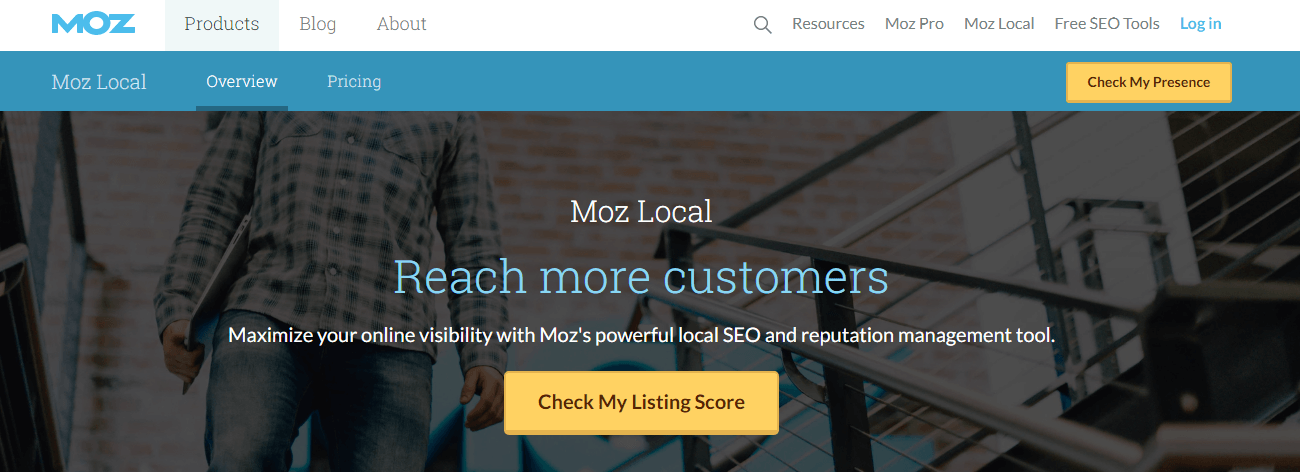
Moz local SEO is a tool that helps in listing businesses. If you want to list your business in your area, then have a clear idea of how businesses perform in your area. The Moz tool helps you in analyzing local SEO and gives a score for your website with ranking. This is a complete off-page SEO tool that helps in listing your website in your area.
Competitor analysis is made easy through MOZ local SEO tool which provides you the research strategy to rank higher and better.
20. BuzzSumo
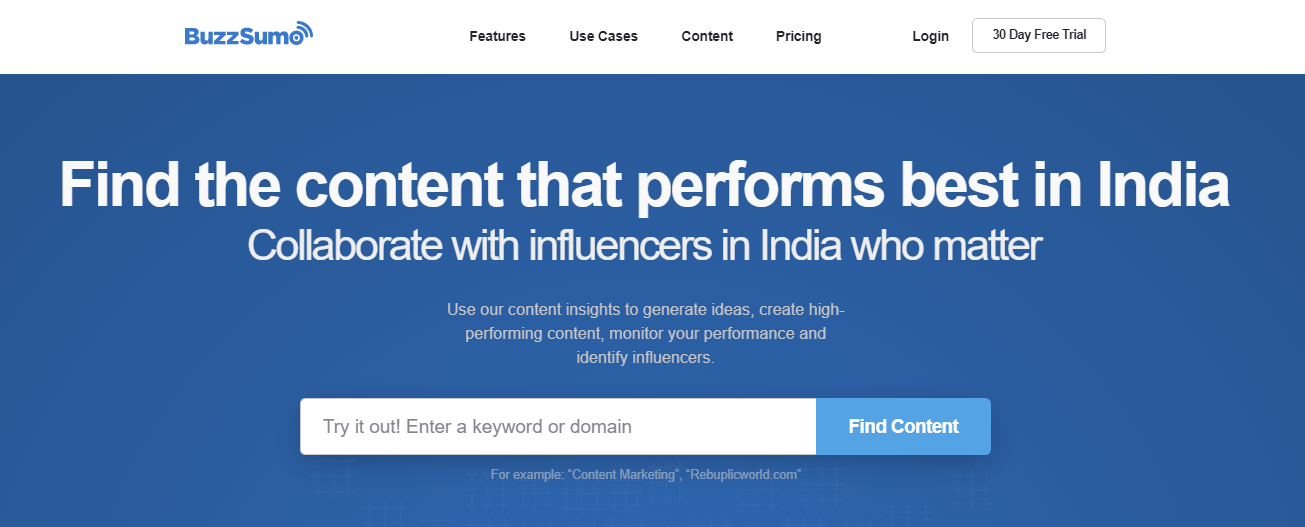
Buzzsumo is a complete content marketing tool to find the best content that performs well. You can simply enter any keyword or domain and get the best performing content, simple as that. This tool also helps in understanding social media sites and sharing content. The Buzzsumo can use 4 different key components. They are.
- Discovery: It explores high-performing content, so you can get more likes, links, and shares.
- Research: Analyze billions of data points to sharpen your marketing strategy.
- Influencers: Identify influential people to power-up your brand or campaign.
- Monitoring: Track comments and trends, so you can respond rapidly and capture opportunities.
If you want to find influencers on different social media platforms whose content may benefit your website, finding them on Buzzsumo is the best thing. Furthermore, for tracking and monitoring analytics and tracking comments and trends, the tool keeps track.
D. Competitor Analysis Tools
The competitor analysis tools are important in keeping your SEO intact. Here are some of the best competitor analysis tools.
21. SEMrush Competitor Analysis
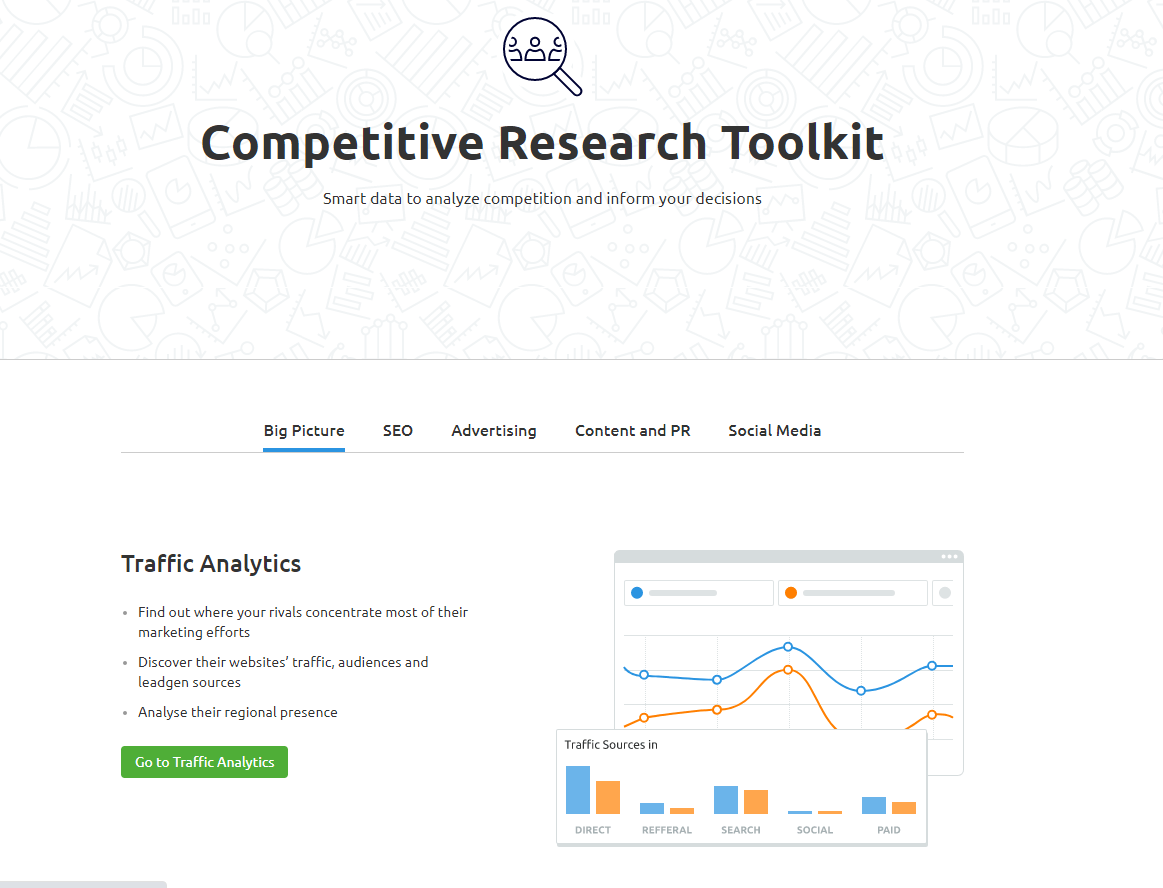
SEMrush is an all-in-one SEO tool that keeps track of your websites and gives complete competitor analysis to check your competitors’ rankings.
The complete traffic analysis tool finds out the competitors marketing efforts and their traffic patterns.
And also the organic research tool that helps in finding the best SEO practices. The keyword gap and also the backlink analytics tools are also available.
22. AHREFS content Gap
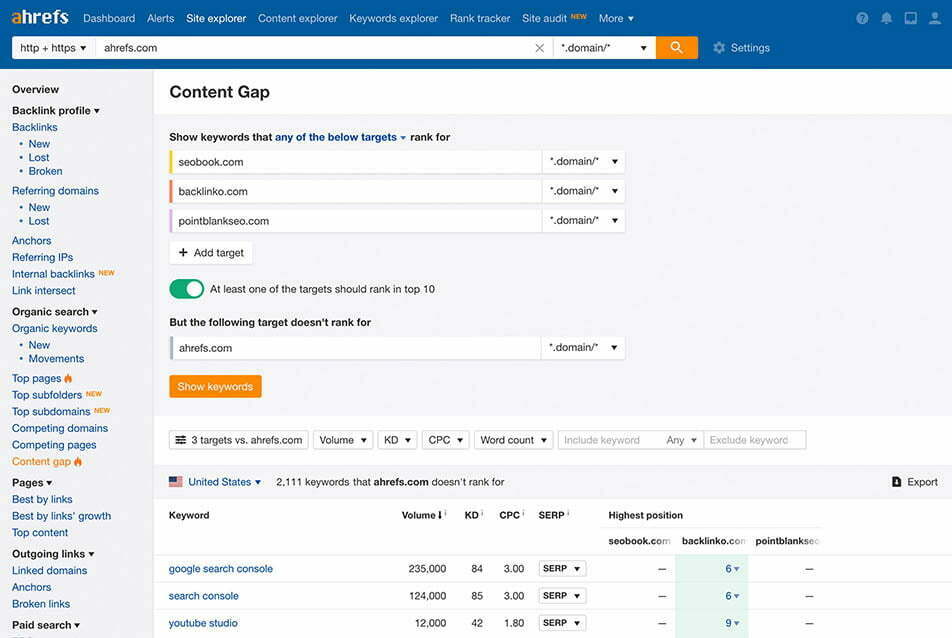
The AHREFs is also another all-in-one SEO tool for SEO and other practices. To make your competitor’s research more amazing, this tool comes with a feature called Ahrefs Content Gap.
The content gap tool helps in finding the best keywords and backlinks of the competitors.
This tool also does an in-depth analysis of your competitors that gives a detailed report of all the opportunities to rank over them.
Frequently Asked Questions (FAQs)
What is the best website auditing tool for beginners?
The best website auditing tool for beginners is usually a cloud‑based SEO audit tool like SEMrush Site Audit or Ahrefs Site Audit, because they give clear health scores and simple fixes. These tools show issues like broken links, crawl errors, and on‑page SEO problems in easy‑to‑understand reports.
How do I choose the best SEO website auditing tool for my site?
To choose the best SEO website auditing tool, look for features like technical SEO audit, on‑page analysis, backlink checker, and keyword tracking in one dashboard. Compare tools such as SEMrush, Ahrefs, Screaming Frog, and Serpstat based on your budget and the depth of reports you need.
What is a technical SEO audit tool, and why is it important?
A technical SEO audit tool scans your site for issues like crawl errors, slow-loading pages, HTTPS problems, and duplicate content that can hurt rankings. Tools like Ahrefs Site Audit, Screaming Frog, and Serpstat Site Audit highlight these issues and give recommendations to fix them.
Which is the best free website audit tool for small websites?
For small websites, Google Search Console, Neil Patel’s SEO Analyzer, and Siteliner are among the best free website audit tools. They help you check indexing issues, basic technical errors, duplicate content, and some backlinks without any cost.
How does the Ahrefs Site Audit tool help improve SEO?
The Ahrefs Site Audit tool crawls your website and detects over 100 technical SEO issues related to links, images, scripts, and on‑page elements. It also gives an overall health score and practical tips so you can fix problems that stop your site from ranking higher.
What is the difference between on‑page SEO audit tools and technical SEO audit tools?
On‑page SEO audit tools focus on content‑level factors like keywords, headings, meta tags, internal links, and content optimization. Technical SEO audit tools focus on crawlability, site structure, speed, security, and indexation issues that search engines face while accessing your site.
How do backlink checker tools like Ahrefs and SEMrush help in a website audit?
Backlink checker tools like Ahrefs and SEMrush show the number of referring domains, total backlinks, and link quality metrics such as Domain Rating and authority. This helps you find toxic links to disavow, discover competitors’ backlink sources, and plan safer link‑building campaigns.
What is the best SEO audit tool for analyzing competitor websites?
All‑in‑one SEO suites like Ahrefs, SEMrush, SpyFu, and WebCEO are among the best SEO audit tools for competitor analysis. They show competitor traffic, keywords, backlinks, content gaps, and top‑performing pages so you can refine your own SEO strategy.
How often should I run a full website SEO audit?
Most websites should run a full website SEO audit at least once every 3–6 months to catch new technical and on‑page issues. Larger or frequently updated sites may benefit from monthly audits using automated tools like Ahrefs Site Audit or SEMrush Site Audit.
Can website auditing tools replace a professional SEO expert?
Website auditing tools cannot fully replace a professional SEO expert because they only report issues and basic fixes. An SEO expert uses these audit reports to prioritize tasks, create a long‑term strategy, and align technical fixes with your business goals.
Final words on Website Auditing tools
Regular website audits help you fix technical issues early, keep your content up to date, and maintain strong rankings in search engines like Google. You can start with any of the best free website audit tools listed above, then move to a paid plan once you see consistent value from their full features.
Most of these SEO website auditing tools offer free trials or limited free versions, so you can run a complete website audit before committing to a subscription. If you need more specialized features, you can also explore Ahrefs alternatives and KWFinder alternatives to find tools that match your budget and workflow.
Now it’s your turn to decide which website auditing tool is best for your site and goals. Pick one tool, run a full audit, fix the critical errors, and then repeat the process regularly to keep your site technically strong and SEO‑friendly.
For further off‑page optimization, you can also use high‑quality social bookmarking sites and high‑DA forum posting sites to strengthen your backlink profile and support your technical SEO work. Combining regular website audits with smart link‑building strategies will give your site a solid, long‑term foundation in search results.